
Future Time Machine Support on TP-Link Routers (macOS 27 Compatibility)

Hi there,
I just noticed that with the latest macOS 26 Tahoe beta, Apple has announced that AFP network volumes will no longer be supported for Time Machine backups starting with macOS 27.
Since I primarily use my Deco BE65 for Time Machine backups, I wanted to ask if there are any plans to support this functionality in the future – for example, by improving SMB support for Time Machine.
Currently, no TP-Link routers support the APFS file format required for Time Machine disks, and formats like exFAT or NTFS aren’t compatible with Time Machine over SMB either. So simply switching to SMB doesn’t work unless the router is explicitly designed to support Time Machine via SMB with a compatible backend (e.g., sparsebundle support and proper service advertisement).
Or maybe I’m just missing something – I haven’t found any additional Time Machine-specific settings in the Deco app besides the simple on/off toggle.
I’ve attached some screenshots from the current beta for context.
Thanks in advance and best regards!
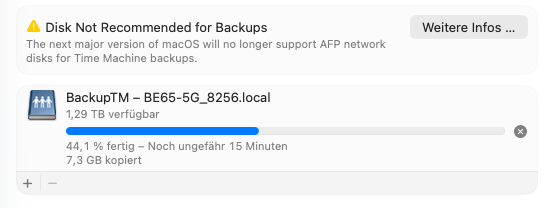
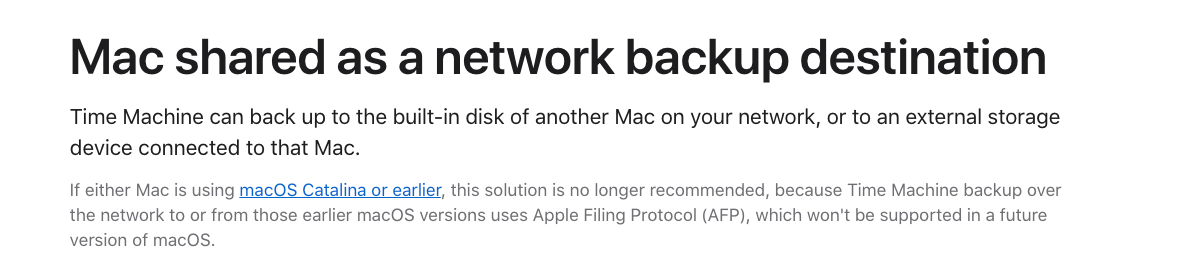
- Copy Link
- Subscribe
- Bookmark
- Report Inappropriate Content
- Copy Link
- Report Inappropriate Content

Hi, not yet.
I've also bookmarked this post. If there is any further improvement, I'm sure this post will be updated.
Best regards.
- Copy Link
- Report Inappropriate Content
Same here with Deco BE65.
Tried every workaround, such as format the USB with the older format (MacOS doesn't like it), newer format (Deco doesn't like it), Connect over SMB using Mac's file share (Deco only supports SMB 1.0, Mac won't allow it). The only workaround left is the force Mac back into SMB v1.0 but I'd rather not mess around with it or go backwards.
So for now, unfortunately, I'm just physically plugging the USB stick to the Mac about once a week and do time machine backup.
Far from being ideal for such an expensive hardware. Hopefully will be addressed by tp-link in the near future.
- Copy Link
- Report Inappropriate Content
@roy75 and everyone else:
There are no workarounds. Equipment either meets the server requirements for networked Time Machine backups or not. These were discussed on the first page of this thread, e.g. SMBv3+Apple Extensions and "Bonjour" networking broadcasting. Unless TP-Link updates its software to meet those conditions, you're just spinning your wheels.
- Copy Link
- Report Inappropriate Content
@josehill Possibly. I only mentioned it because I have read somewhere that it is possible to force macOS to older SMB protocol, haven't tried it though and not going to.
Sounds like waiting for tp-link is the only viable option here.
- Copy Link
- Report Inappropriate Content
@roy75 The only slim chance for a workaround would be third-party community firmware, like OpenWRT, but for various legitimate reasons, that seems pretty far off. A software update from TP-Link is by far the most likely solution. Technically, it doesn't seem to be an unusually difficult thing for TP-Link to address, but there may be complications that we're not aware of. It's one thing to add Time Machine extensions to a home Linux machine that we're tinkering with, but it is another thing to be sure you've done it right with a commercial product. Fortunately, there's still some time before OS 27 comes out.
- Copy Link
- Report Inappropriate Content
Agree. My problem is that I'm setting new USB from scratch. Those who already had backups in their usb devices prior to macOS 26 only get a warning. But those who are trying to setup new backups are locked down.
- Copy Link
- Report Inappropriate Content
@roy75 Yeah, that's a lousy situation. Apple really dropped the ball on such a fundamental bit of functionality.
- Copy Link
- Report Inappropriate Content
- Copy Link
- Report Inappropriate Content
@David-TP Any update on new firmware release to support Time Machine on the AX 5400 with MacOS 26 Tahoe?
- Copy Link
- Report Inappropriate Content
Information
Helpful: 33
Views: 29447
Replies: 65
Voters 33


















