
Report & Suggestion
 This thread has been locked for further replies. You can start a new thread to share your ideas or ask questions.
Why is connection preference not working? Please solve this 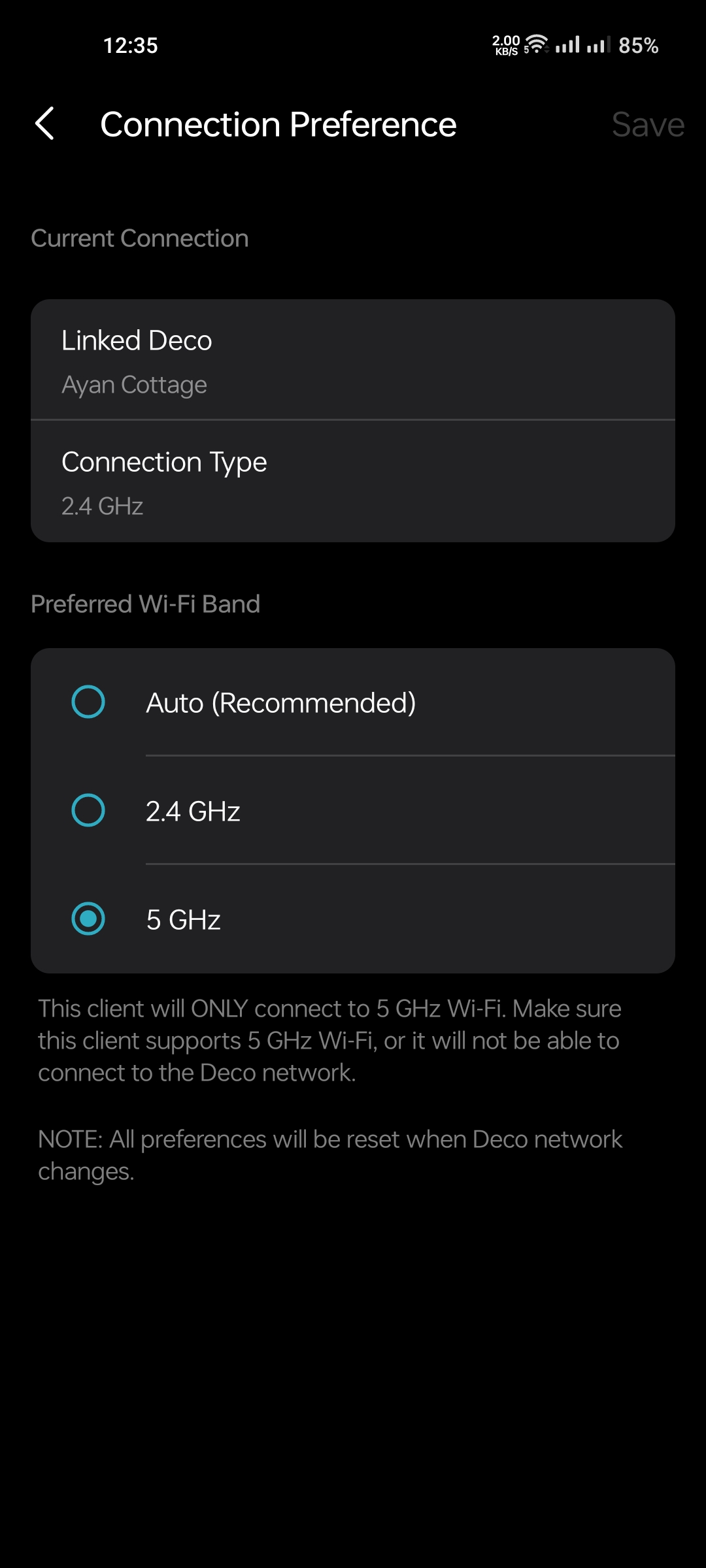 Deco X50, Deco X10, Deco M4v2

- Copy Link
- Subscribe
- Bookmark
- Report Inappropriate Content


Hi@SayeemAhmed,
Thank you for contacting our community.
Connection Preference is an auxiliary setting that allows the device to try to connect to the frequency band (such as 5GHz Wi-Fi) or signal source you specify when conditions permit. This is equivalent to giving the device a "suggestion" rather than a hard requirement.
The device will dynamically select the optimal connection based on the real-time environment (such as signal strength, interference, and load conditions). If the preferred signal cannot meet the stability or speed requirements, the device will automatically switch to other available networks to ensure that your user experience is not affected.
- Copy Link
- Report Inappropriate Content

@SayeemAhmed Mixing Deco models NEW + OLD so the Connection Preference could'nt work and all the settings back to default after reboot and could'nt saved. I tried when i had Deco X20 + Deco M4 my Connection Preference of devices could'nt saved and @David-TP Said that this happned because of mixing Deco models.
- Copy Link
- Report Inappropriate Content
@ARGamingPK1 No dear it M4v2 Deco X50v1.30 same condition.
- Copy Link
- Report Inappropriate Content
@Joseph-TP i want just fixed device 5gzh not connect 2.4ghz
- Copy Link
- Report Inappropriate Content
@SayeemAhmed What do u mean?
- Copy Link
- Report Inappropriate Content
@ARGamingPK1 I want to understand that this is not happening on the Deco m4, nor is it happening on the Deco X50, like when I set someone to 5ghz, they will only use 5ghz and will not be able to use 2.4ghz.
- Copy Link
- Report Inappropriate Content
@SayeemAhmed Yeah because you force the device to always connect to 5 GHz so the device will only connect to 5 GHz not gonna connect on 2.4 GHz but to resolve this problem you can separate your SSID for Main WiFi and IoT Network on 2.4 GHz and 5 GHz and give different names.
- Copy Link
- Report Inappropriate Content
Information
Helpful: 0
Views: 650
Replies: 7
Voters 0
No one has voted for it yet.