
Tp-link extender
 This thread has been locked for further replies. You can start a new thread to share your ideas or ask questions.
How do I change the network name and password, router's wps won't send ssid, tether app can't find device
- Copy Link
- Subscribe
- Bookmark
- Report Inappropriate Content


Hello@Chevel ,
Welcome to our community.
If the devices were working fine before, it is recommended that you first hard reset the whole system:
For TL-PA4010 (the models which start with TL-PAxxxx), press and hold the Pair button for 15s until all LEDs turn off and then come back on.
For TL-WPA4220 (models beginning with TL-WPAxxxx), press and hold the Reset button for 10s. Release the button and all LEDs turn off. When the LEDs turn back on, the reset process is complete.
Then go ahead and you can configure the powerline network again, and refer to Woozle's suggestions to change wireless settings.
- Copy Link
- Report Inappropriate Content

Hi,
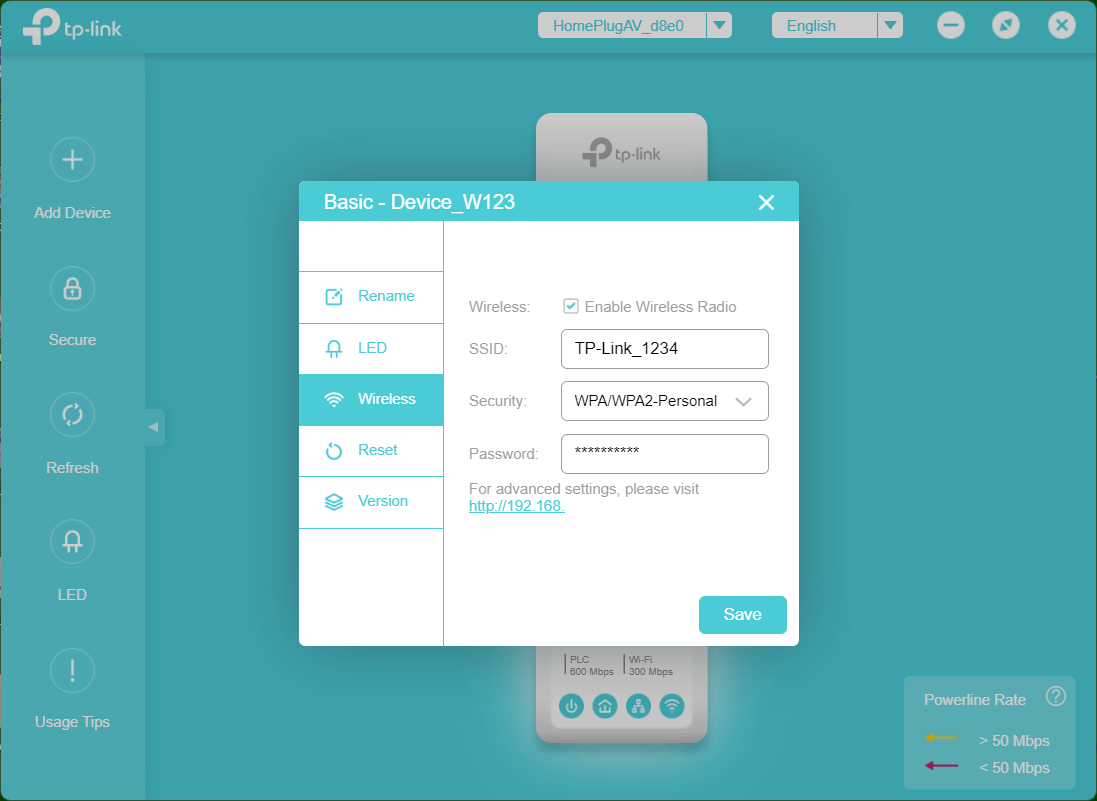
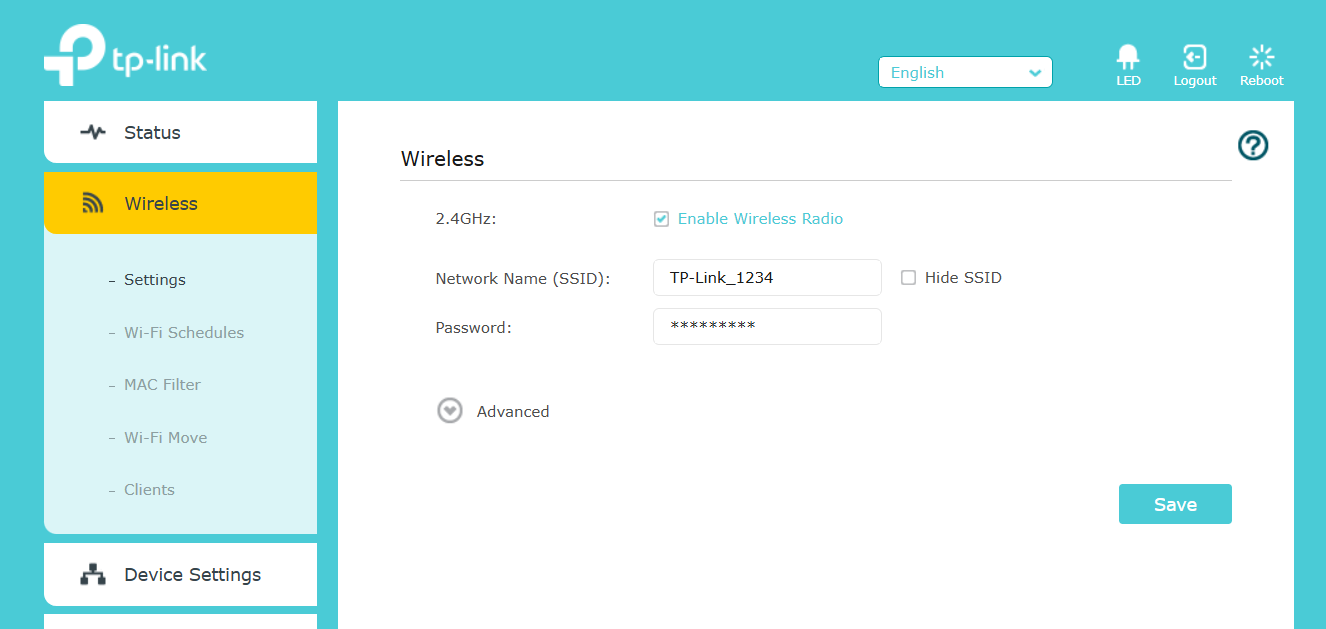
You can change the name and password either via TP-Link's "tpPLC" software (in the "Basic" menu) or via the web interface of the TL-WPA4220, which can be accessed via http://tplinkplc.net or the actual IP address of the TL-WPA4220, something like http://192.168.x.x
tpPLC:
web interface:
- Copy Link
- Report Inappropriate Content
Hello@Chevel ,
Welcome to our community.
If the devices were working fine before, it is recommended that you first hard reset the whole system:
For TL-PA4010 (the models which start with TL-PAxxxx), press and hold the Pair button for 15s until all LEDs turn off and then come back on.
For TL-WPA4220 (models beginning with TL-WPAxxxx), press and hold the Reset button for 10s. Release the button and all LEDs turn off. When the LEDs turn back on, the reset process is complete.
Then go ahead and you can configure the powerline network again, and refer to Woozle's suggestions to change wireless settings.
- Copy Link
- Report Inappropriate Content
Information
Helpful: 0
Views: 373
Replies: 2
Voters 0
No one has voted for it yet.