
Vr600 v3 latest firmware openvpn client
 This thread has been locked for further replies. You can start a new thread to share your ideas or ask questions.
I cannot setup the openvpn client without enabling openvpn server, it says it's connected but it's actually not 
- Copy Link
- Subscribe
- Bookmark
- Report Inappropriate Content


Hello @Hajjaj ,
Welcome to our community.
Would you like to use the OpenVPN server? If not, could you delete the profiles for comparison?
Also, how did you test that OpenVPN wasn't working? Do you mean that after opening the VPN client, all clients lose network connectivity? Or are they unable to access the network through the VPN client?
I will send you a beta firmware via Message. Please install it and see if the beta firmware recovers the VPN client connection.
- Copy Link
- Report Inappropriate Content
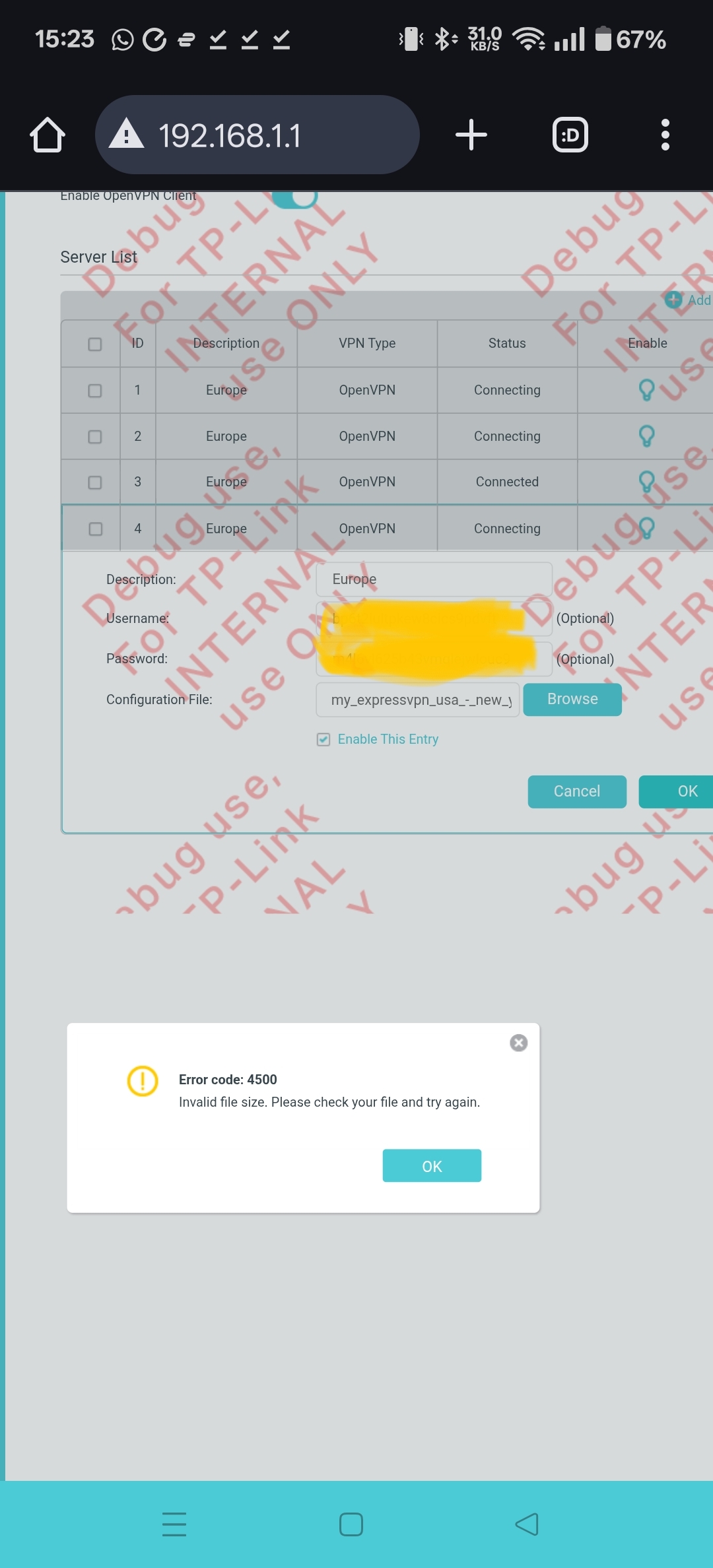
Hello, thank you for your help.
I downloaded and installed your firmware, but the same problem remains, and now a new issue has appeared.
When I upload the configuration file in the VPN client setup, I get the attached error.
All servers stay in “connecting” status. However, when I enable the OpenVPN server, the first one always shows “connected,” even if the data is incorrect.
All I need is to setup openvpn client and make it work on the modem router I don't use openvpn server.
- Copy Link
- Report Inappropriate Content
Hello@Hajjaj ,
Thanks for your detailed reply.
We would like to escalate your case to the support engineers, and they will follow up on it. If you are willing to conduct further analysis, please check your inbox and respond.
- Copy Link
- Report Inappropriate Content
Information
Helpful: 0
Views: 753
Replies: 3
Voters 0
No one has voted for it yet.