
Deco M4_V1/V2_1.8.0/1.8.1/1.8.2 User Feedback


This Article applies to
Deco M4_V1/V2
Firmware Modifications:
- Enhanced System Security
- Improved Client management experience on the Deco APP.
- Fixed the issue that the IPv6 communication between client devices might fail when the assigned type was set to DHCPv6.
- Fixed the issue that the real-time speed rate was "--/--" in the Deco APP.
Note: This version upgrade is irreversible, and you cannot downgrade to the previous firmware after the upgrade.
Firmware Version:
| Deco M4_V1/V2 | 1.8.0 Build 20250721 Rel. 49216 |
| Deco M4_V1/V2 | 1.8.1 Build 20250829 Rel. 44659 |
| Deco M4_V1/V2 | 1.8.2 Build 20251027 Rel. 36869 |
As the previous post about version 1.7.0 was too long to navigate for information on the newly released 1.8.x versions, I have created this new post. Kindly share your feedback on how the new 1.8.x work. Your input will greatly benefit other users.
Thank you very much.
- Copy Link
- Subscribe
- Bookmark
- Report Inappropriate Content
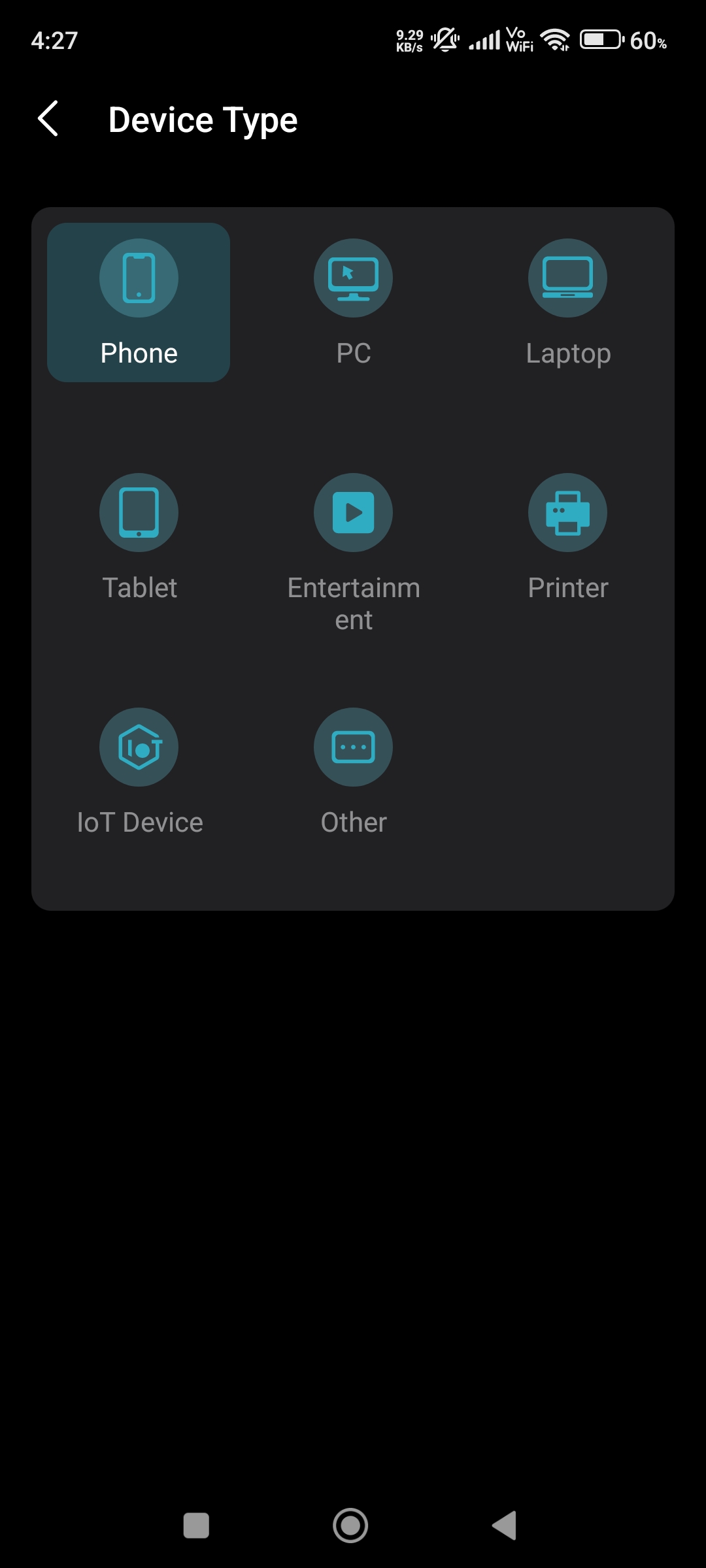
@David-TP Can you please add more Device Icons in Deco App for Deco M4 and other low end models like TP-Link Tether App has many Device Icons but Deco App has only limited Device Icons for Deco M4.

- Copy Link
- Report Inappropriate Content
Hi, the device icons on the Deco App have been updated once. It is still not as comprehensive as the Tether App.
Can you start a new feature request here:
https://community.tp-link.com/en/home/forum/2252?page=1
And would there be any specific icon that you wish to be added?
Best regards.
- Copy Link
- Report Inappropriate Content
@David-TP Yeah like IP Camera, Smart Plug, Solar Inverter Icons and many more.
- Copy Link
- Report Inappropriate Content

Deco M4 FW 1.8.1 V 2.0 – Wi-Fi instability and live video stream failures (possible regression).
Product / Firmware
-
Model: Deco M4 V 2.0
-
Firmware: 1.8.1 Build 20250829 Rel. 44659
-
Topology: 2× Deco M4 (mesh)
-
Band affected: 2.4 GHz
-
Region: EU
Issue Summary
After upgrading Deco M4 to firmware 1.8.1, live video streaming from IP cameras (5x TP link TAPO C225) became unreliable.
The same hardware and configuration worked without any issues for over a year before this update.
Symptoms
-
Live video sometimes fails to load (spinning/loading screen)
-
Happens in:
-
Apple Home
-
camera vendor app TAPO
-
-
Video recordings continue to work normally (iCloud)
-
Camera remains reachable on the network
-
Live view usually recovers after several minutes
Network Observations
During live view failure:
-
ICMP ping to the camera mostly works
-
Short packet loss bursts occur:
-------
64 bytes from 192.168.68.108: icmp_seq=194 ttl=64 time=7.576 ms
64 bytes from 192.168.68.108: icmp_seq=195 ttl=64 time=9.910 ms
64 bytes from 192.168.68.108: icmp_seq=196 ttl=64 time=8.584 ms
64 bytes from 192.168.68.108: icmp_seq=197 ttl=64 time=8.106 ms
64 bytes from 192.168.68.108: icmp_seq=198 ttl=64 time=9.423 ms
64 bytes from 192.168.68.108: icmp_seq=199 ttl=64 time=16.636 ms
Request timeout for icmp_seq 200 Request timeout for icmp_seq 201
Request timeout for icmp_seq 202 Request timeout for icmp_seq 203
Request timeout for icmp_seq 204 Request timeout for icmp_seq 205
64 bytes from 192.168.68.108: icmp_seq=206 ttl=64 time=101.483 ms
64 bytes from 192.168.68.108: icmp_seq=207 ttl=64 time=34.150 ms
64 bytes from 192.168.68.108: icmp_seq=208 ttl=64 time=6.443 ms
64 bytes from 192.168.68.108: icmp_seq=209 ttl=64 time=7.358 ms
64 bytes from 192.168.68.108: icmp_seq=210 ttl=64 time=8.299 ms
64 bytes from 192.168.68.108: icmp_seq=211 ttl=64 time=10.627 ms
--------
-
Connectivity recovers automatically
This points to short Wi-Fi link interruptions, not full disconnects
Relevant System Logs
Repeated log entries during the issue:
nrd[6374]: estimatorCmnHandleBeaconReportEvent: Invalid beacon report for 24:2F:D0:E8:D2:C5
 nrd[6374]: estimatorCmnHandleBeaconReportEvent: Invalid beacon report for 20:23:51:15:11:38
 nrd[6374]: estimatorCmnHandleBeaconReportEvent: Invalid beacon report for 02:7E:85:4B:53:62
-
Logged for multiple client MAC addresses (IoT / cameras)
-
Indicates possible issue in beacon report handling (802.11k/11v)
Conclusion
This appears to be a firmware regression introduced in 1.8.1, affecting 2.4 GHz IoT devices and real-time UDP video streams.
-
Downgrading to FW 1.8.0 significantly improves stability
-
No hardware or topology changes were made
- Copy Link
- Report Inappropriate Content
@DanielKir You can update to 1.8.2 which is much better than 1.8.1 in overall performance.
- Copy Link
- Report Inappropriate Content
@ARGamingPK1 Thanks for your response. Where can I find FW 1.8.2 for my M4 V 2.0 EU? In the download section, I only see the latest release, 1.8.1. The Deco app does not offer version 1.8.2.
Thank you.
Daniel
edit: I found it, I had to switch regions :)
- Copy Link
- Report Inappropriate Content
@DanielKir You can download the EU firmware from the link below and install it by Web UI.
https://static.tp-link.com/upload/firmware/2025/202512/20251212/M4R_US_EU_JP_AU_TW_B4_ID_EG_1.8.2_Build_20251027_Rel.36869.zip
- Copy Link
- Report Inappropriate Content

Bro after Updating to 1.8.2 I'm having an issue with Red Led which means a stuck at bootloop and it happens whenever electricity black out or a loadshedding, moreover i i try to reboot deco from the app or if i set it up to auto reboot schedule turns on then this issue persists, Every time i need to reset deco and re set up network again 😒 i tried to downgrade to the 1.7.0 but a failed messege, anti rollback 🤮 Is there any stable firmware with no bugs at all????? and can i downgrade from Router web ui???? thanks 🙄
ARGamingPK1 wrote
@Rasel_Dhaka-BD You can downgrade from 1.8.2 to 1.8.1 or 1.8.0 but you can't downgrade to 1.7.0 directly from Web UI.
- Copy Link
- Report Inappropriate Content
@Rasel_Dhaka-BD Yes you can downgrade from Web UI to 1.8.1 or 1.8.0
- Copy Link
- Report Inappropriate Content
@ARGamingPK1 bro
Can you send me the link of US version 1.8.1 for my Deco M4R (US) I don't find it anywhere, please help me bro 😩 Deco failed to Handshake to the gateway of ISP and stuck at bootloop, This is the worst firmware(1.8.2) that i upgraded to 😫 I can't every time Reset and re set up network connection if electricity offs 😩
ARGamingPK1 wrote
@wmosquini You can download the firmware 1.8.1 from the link below.
https://www.tp-link.com/en/support/download/deco-m4/v2/#Firmware
- Copy Link
- Report Inappropriate Content
Information
Helpful: 16
Views: 12444
Replies: 98
Voters 3


