
Microsoft Teams (Desktop app) Voice Breaking
 This thread has been locked for further replies. You can start a new thread to share your ideas or ask questions.
Hello all,
I sincerely hope that something can help me.
Whenever I use MS teams and I have a call, they're telling me that my voice breaks frequently even though I can hear them perfectly.
I use the RE650 extender and I have a solid 100mbs line.
Even my firm's IT dept cannot help.
- Copy Link
- Subscribe
- Bookmark
- Report Inappropriate Content

Hi,
That is an interesting issue.
It inspired me to do a little testing with two of my own TP-Link RE devices.
First I tested with my newer RE305 V4, which is one of TP-Link's current products, and I could not notice any problems with the Teams call.
Then I took my older RE365 V1, which should be a similar generation of device as your RE650 V2. To my surprise, when using the RE365 V1 I also notice what you describe. (I am using two of my own Microsoft accounts to establish a Teams call between two of my own devices)
Unfortunately, there seems to be no "magic setting" that would make the problem go away.
- Copy Link
- Report Inappropriate Content


Hello@Giannis_St &@woozle ,
For this case, I may need to collect some information as follows:
- Who is your ISP?
- What is the model of your routers?
If you can, please collect the backup files of your router and extender. Then send backup files to support.forum@tp-link.com, attaching [Forum ID 839474] and details, and we will have a dedicated person to assist in analysis and follow-up.
- Copy Link
- Report Inappropriate Content
- Copy Link
- Report Inappropriate Content
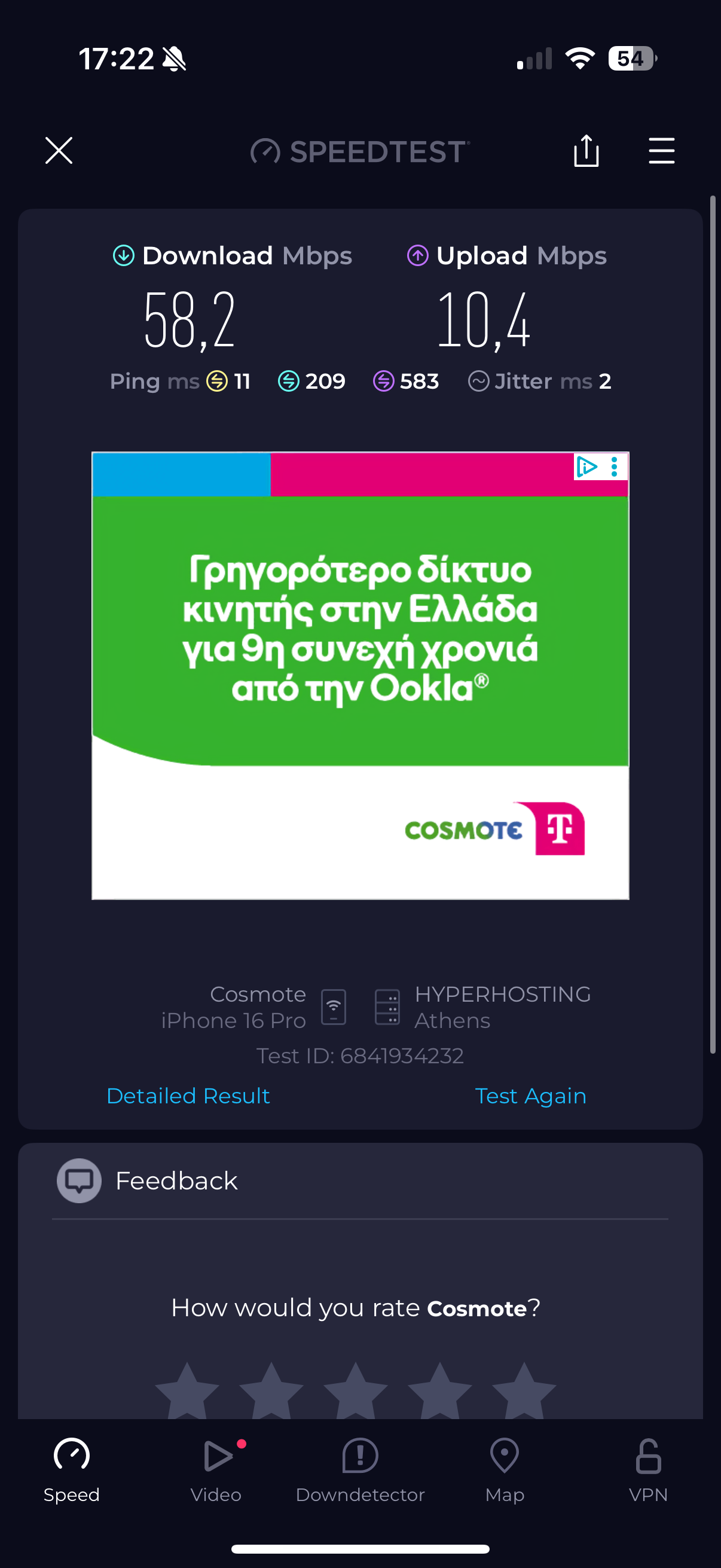
@Joseph-TP I just sent you a speedtest with extremely bad results on ping etc
- Copy Link
- Report Inappropriate Content
Hello @Giannis_St ,
Thanks for getting back to me.
The RE650_V2 has a new firmware: 1.1.1 Build 20250815 Rel. 65167. Please update to the latest version to see if there are any improvements.
- Copy Link
- Report Inappropriate Content
Information
Helpful: 0
Views: 967
Replies: 5
Voters 0
No one has voted for it yet.