
Fail to export config file for access to the OpenVPN Server
Fail to export config file for access to the OpenVPN Server

Hello everyone,
Hopefully you can help me.
I have configured a VPN Server with OpenVPN on my Deco X90. Unfortunately whenever I try to export the config file with the according link in the configuration screen I get an error message: "Failed to save the information. Please try again later". I have tried that from iphone, my ipad and my windows laptop without any luck (the web frontend on Windows is much more limited and misses a lot of options, including the VPN entries in the first place).
Where is the flaw? Anyone has seen such behavior before?
I found this one: https://www.reddit.com/r/TpLink/comments/165b18r/new_ax20_wont_export_openvpn_configuration/ - but it seems different, as I don't have the option to generate a certificate and assume, that this happens behind the scenes.
Deco is on lates firmware, mobile app is latest version, rebootet the deco several times - no change in behavior.
Thanks for hints and support
Micha
- Copy Link
- Subscribe
- Bookmark
- Report Inappropriate Content


Hi, thank you very much for the update.
Please refer to this link for more suggestions:
Reported Issue and Workaround: Unable to Export OpenVPN Configuration File on Deco
Best regards.
- Copy Link
- Report Inappropriate Content

See if the following trouble shooting steps help. If not please let us know asap so we can get your logs to see what's going on.
Okay, I understand that you are trying to export the OpenVPN configuration file from your Deco Mesh system, but you keep getting the error message: "Failed to save the information. Please try again later" on multiple devices.
This error typically occurs when there is a temporary issue with the Deco app or its connection to your Deco Mesh system. Here are some steps you can follow to resolve this issue:
1. After opening the Deco app, wait for a few minutes before making any changes. Sometimes, the app needs a moment to fully sync with your Deco system before changes can be saved.
2. Force close the Deco app and try again. This can help clear any temporary glitches that may be causing the error.
3. Ensure your phone (or the device running the Deco app) is connected to the Deco Wi-Fi network before opening the app. Being on the same network can improve communication between the app and your Deco system.
4. If the issue remains, please contact TP-Link support and provide the following information to help us diagnose the problem:
• Your TP-Link ID
• Your phone model
• Deco app version (found in the app: top left corner > App Settings > About)
• The results of the troubleshooting steps above
If you continue to have trouble, please also let us know if you see the same error when trying to export the config file from different devices, and whether you are using the latest version of the Deco app.
We are here to help you get this resolved as quickly as possible!
- Copy Link
- Report Inappropriate Content
Hi, welcome to the community.
Did you receive the error at the last step of configuring the OpenVPN server?
https://www.tp-link.com/en/support/faq/3980/
If not, can I have a screenshot of the error message?

Could you please refer to this link to submit the Deco App log: How to submit Deco APP log
Thank you very much.
Best regards.
- Copy Link
- Report Inappropriate Content
Hi David,
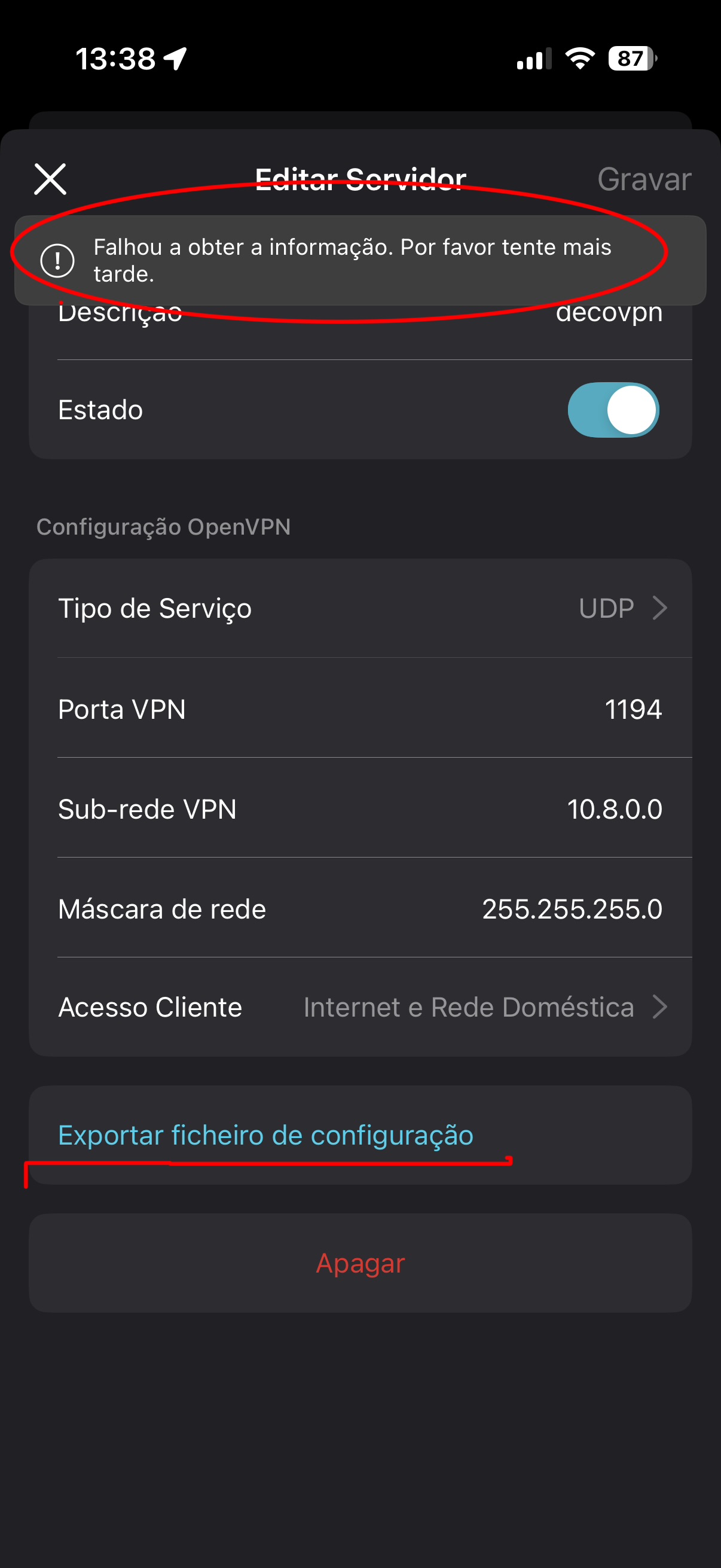
I have the same issue with XE75.
after configuring the vpn i try to export the config and gives me error
- Copy Link
- Report Inappropriate Content
Hi, thanks for the feedback.
May I know the firmware version of your Deco XE75?
Can you help me submit the Deco App log:How to submit Deco APP log
Wait for your reply.
Best regards.
- Copy Link
- Report Inappropriate Content
Hello @David-TP
Yes my XE75 is hw version 2.0 with firmware v. 1.3.0 Build 20250722 Rel.38703
I follow the steps and i submited the app log
- Copy Link
- Report Inappropriate Content
Hi, thank you very much for the App logs.
Have you tried power-restarting the Deco once?
Can you export the config file when the mobile phone is using the 4G/5G mobile data?
Best regards.
- Copy Link
- Report Inappropriate Content
ok so I restarted all decos connected to WiFi and it exported the configuration file but I think this shouldn't be the procedure and should be fixed with firmware update.
now I have the imported to open vpn it gives another error...
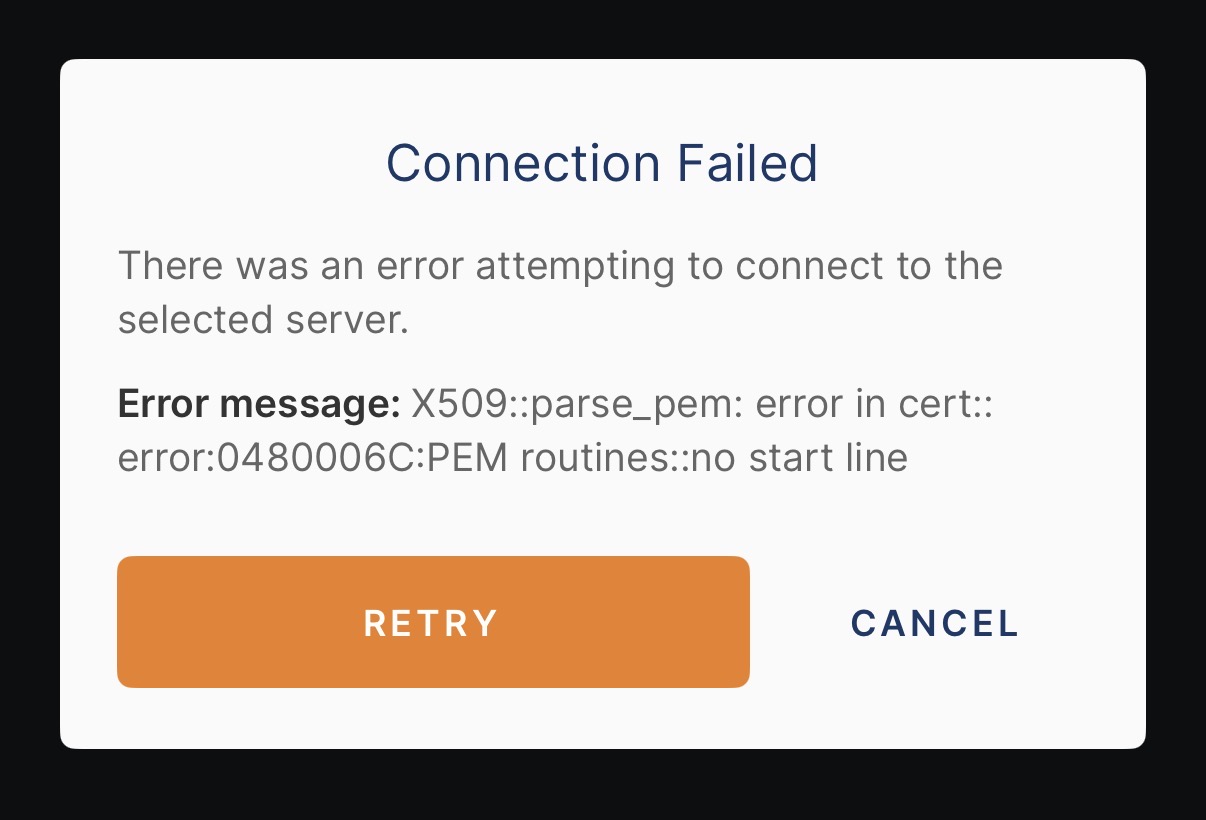
ok meanwhile after some time I tried again to export and is not working again. Gives the same error exporting
- Copy Link
- Report Inappropriate Content
Thank you for the update.
I notice the App log has been assigned to the local technical support. Please check the email later for more advice.
Best regards.
- Copy Link
- Report Inappropriate Content

- Copy Link
- Report Inappropriate Content
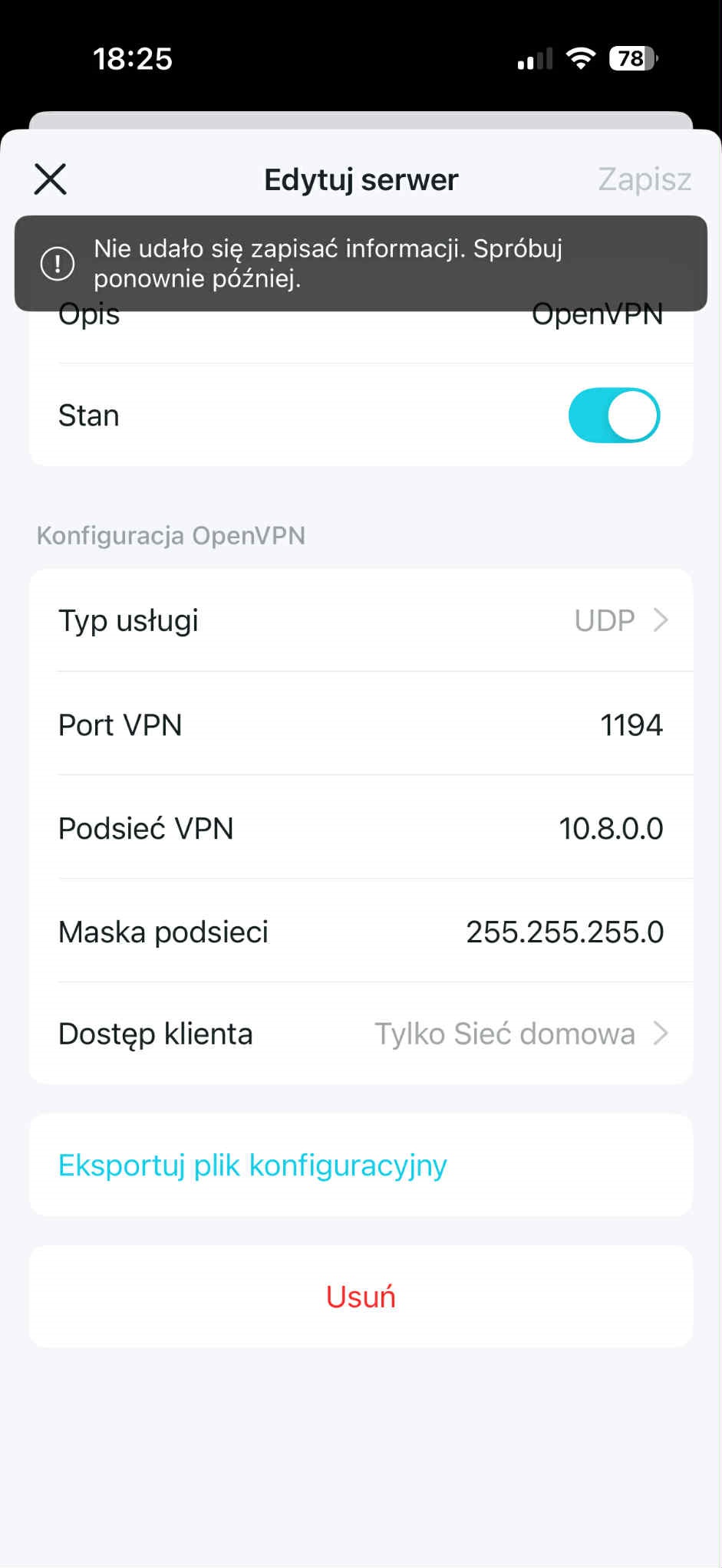
Hi, welcome to the community.
Can I have the firmware version of the Deco X50-5G?
Did it help after a manual restart of the Deco X50-5G?
If you're still having the current issue, please refer to this link to help me submit the Deco App log:How to submit Deco APP log
Thank you very much.
Best regards.
- Copy Link
- Report Inappropriate Content
Information
Helpful: 2
Views: 2257
Replies: 13
Voters 1