
TL-WPA4220(US) Ver. 4.8 VN1 -- Three lights blinking

On the TL-WPA4220(US) Ver. 4.8 VN1 extender, that I recently tried to update using the TL-WPA4220(US)_V4_240220.zip firmware, I have the following problem:
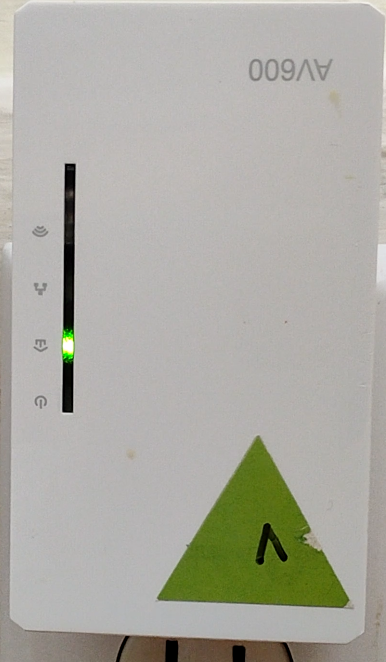
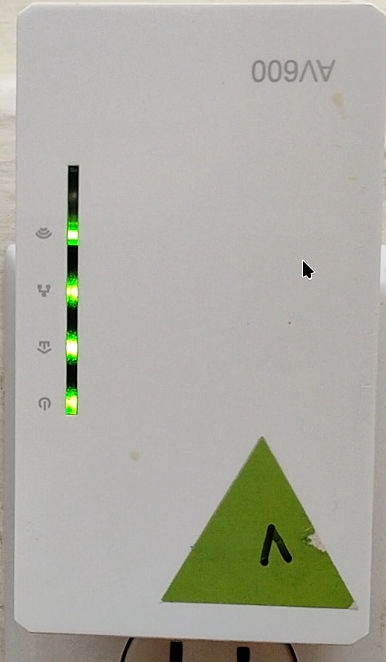
- When plugged-in, the Powerline LED (light) is on (solid), and I can connect using an Ethernet cable,
- but the other three LEDS (lights, that is, Power, Ethernet and Wireless) are blinking.
Furthermore, I cannot access the web interface (the usual URLs do not work, and I don't know how to find out the one it's using), and cannot reset the device (pushing the "reset" button for 10s, or even longer, doesn't do anything)
.
- Copy Link
- Subscribe
- Bookmark
- Report Inappropriate Content


Hello @ClementA ,
Welcome to our community.
Please try a hard reset on both units, keep the power on, then:
For TL-PA4010 (the models which start with TL-PAxxxx), press and hold the Pair button for 15s until all LEDs turn off and then come back on.
For TL-WPA4220 (models beginning with TL-WPAxxxx), press and hold the Reset button for 10s. Release the button and all LEDs turn off. When the LEDs turn back on, the reset process is complete.
If it still doesn't work, please contact local support for further assistance.
- Copy Link
- Report Inappropriate Content

Hi,
It appears something must have gone wrong during the update of the Wi-Fi AP firmware of the TL-WPA4220.
As per my knowledge, there is no official method available to recover from this.
- Copy Link
- Report Inappropriate Content
@woozle
Thanks a lot for getting back to me.
Using https://github.com/qca/open-plc-utils I can communicate with it:
plcstat -t -i eno1
P/L NET TEI ------ MAC ------ ------ BDA ------  TX  RX CHIPSET FIRMWARE
LOC CCO 003 xx:xx:xx:xx:xx:85 xx:xx:xx:xx:xx:54 n/a n/a QCA7420 MAC-QCA7420-1.5.0.26-02-20200114-CS
REM STA 005 xx:xx:xx:xx:xx:92 xx:xx:xx:xx:xx:5A 065 032 QCA7420 MAC-QCA7420-1.3.0.2134-00-20151212-CS
So I may be able to downgrad it and / or to re-do the upgrade, but I'm not sure it'll help much. What bothers me the most is that I cannot find how to access its web interface :-/
- Copy Link
- Report Inappropriate Content
I've just tried
plctool -i eno1 -P /TL-PA4020P.pib -N firmware/FW-QCA7420-1.5.0.0026-02-CS-20200114.nvm -R xx:xx:xx:xx:xx:xx
and it worked successfully (the session finished with
eno1 E4:C3:2A:25:B2:85 Close Session
eno1 E4:C3:2A:25:B2:85 Reset Device
eno1 E4:C3:2A:25:B2:85 Resetting
... as expected I believe), but no change. Can I flash an older .bin using plctool? I can't figure this out.
- Copy Link
- Report Inappropriate Content
The TL-WPA4220 consists of two devices built into one case. A Powerline adapter and a Wi-Fi access point.
What you did with the plctool is to re-load the firmware of the Powerline adapter, which, however, was working fine before. Hence it made no difference.
The firmware *.bin file from the TL-WPA4220(US)_V4_240220.zip is the firmware for the Wi-Fi AP. (the TL-WPA4220's web interface is part of the Wi-Fi AP)
- Copy Link
- Report Inappropriate Content
@woozle Thanks a lot for clarifying that for me. Are you aware of any method existing to re-upload the AP's firmware without being able to access its web-interface? Thanks!
- Copy Link
- Report Inappropriate Content
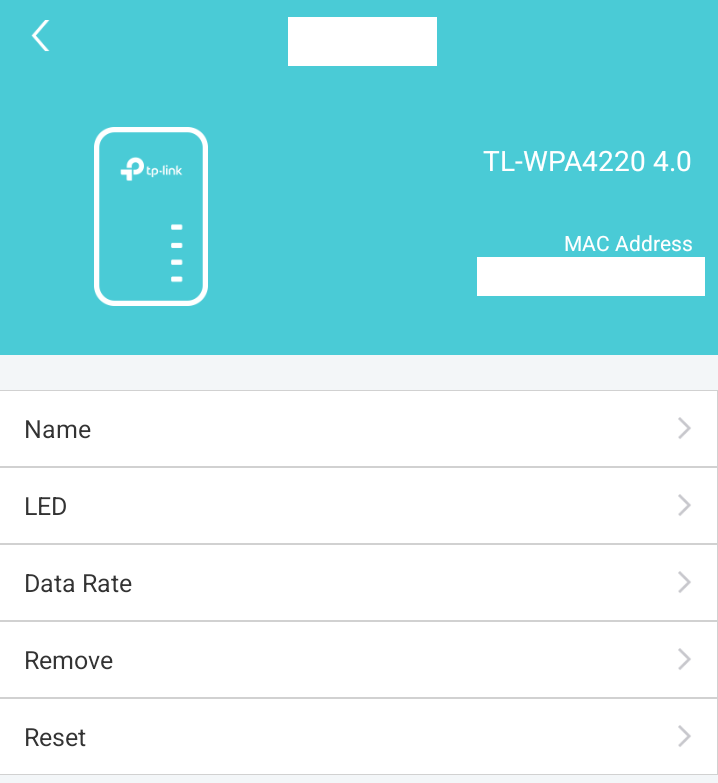
I should also mention that I can see the device from the app, but it's not marked as serving as a WIFI AP, and "resetting" it does nothing, as far as I can tell.
- Copy Link
- Report Inappropriate Content
Sorry, I've google'd myself and couldn't find any method (neither official nor inofficial) to recover from a broken Wi-Fi AP firmware on a TL-WPA4220.
- Copy Link
- Report Inappropriate Content
Hello @ClementA ,
Welcome to our community.
Please try a hard reset on both units, keep the power on, then:
For TL-PA4010 (the models which start with TL-PAxxxx), press and hold the Pair button for 15s until all LEDs turn off and then come back on.
For TL-WPA4220 (models beginning with TL-WPAxxxx), press and hold the Reset button for 10s. Release the button and all LEDs turn off. When the LEDs turn back on, the reset process is complete.
If it still doesn't work, please contact local support for further assistance.
- Copy Link
- Report Inappropriate Content
Hi @Joseph-TP ! Thanks for your recommendation. Unfortunately, as I write in the original post,
> cannot reset the device (pushing the "reset" button for 10s, or even longer, doesn't do anything)
Thanks for your suggestion however!
- Copy Link
- Report Inappropriate Content
Information
Helpful: 0
Views: 911
Replies: 9
Voters 0
No one has voted for it yet.