
Easy Mesh: Problem with 2.4GHz WiFi
Easy Mesh: Problem with 2.4GHz WiFi

Hello,
I have the following Easy Mesh system:
Main node: AX73
Satellites: AX55 and AX10
All with the latest firmware
All connected via Ethernet backhaul
I've disabled Smart Connect, set the 2.4GHz WiFi channel fix to 11, and the bandwidth to 20MHz.
The AX10 is the furthest away.
And that's exactly where the 2.4GHz Wi-Fi keeps dropping out despite the Ethernet backhaul. The 5GHz Wi-Fi is stable.
Could it be that the AX10 doesn't support Ethernet backhaul even though the web app shows Ethernet as the connection type?
Thanks.
- Copy Link
- Subscribe
- Bookmark
- Report Inappropriate Content


That is weird. I remember you tried disabling Smart Connect when using the AX10 in the mesh network, but that didn't improve the situation.
Please monitor the connectivity and let me know if the issue is fixed.
Thank you very much.
- Copy Link
- Report Inappropriate Content
My new configuration has been running for a while now:
I replaced the AX10 with an AX73 because the AX10 doesn't support Ethernet backhaul. I've disabled Smart Connect again.
Overall, it seems to be working reasonably well now.
There are still the following issues:
- Some Smart WiFi switches go offline sporadically and need to be reconnected, even when they are near a mesh node.
- Commands to Smart WiFi switches are sporadically lost. (It could also be because the Wi-Fi switches are cloud-based.)
- The WiFi camera image often stutters or freezes briefly, despite being close to a mesh node and using a low resolution.
- Mobile phones often remain stuck on the 2.4GHz network, even when the signal is weak, instead of switching to 5GHz. This is probably because Smart Connect is disabled.
Thank you.
- Copy Link
- Report Inappropriate Content
Update
Four Smart WiFi switches went offline again in a short period of time.
I checked with the Net Analyzer app and found that the 2.4GHz network keeps dropping out, despite a high signal level; the 5GHz network is stable. I'm starting to suspect that the Easy Mesh system isn't fully developed yet.
I'm considering removing one of the three nodes from the mesh and setting it up as an access point with the same SSID and password.
Is there any reason not to do that?
- Copy Link
- Report Inappropriate Content
Thank you very much for the update.
Is it possible to check whether the 2.4G network on the main AX73 is stable?
What are the firmware versions of these three routers now?
Please try swapping the locations of the two AX73s, configure the newly purchased one as the main router/controller for the network, and observe whether the 2.4G connection becomes stable.
- Copy Link
- Report Inappropriate Content
Thanks for the feedback.
1.
I updated the firmware on the two AX73 routers. The result was that the 2.4GHz network became even worse.
2.
I then reconfigured the bandwidth of the 2.4GHz network from 40/20MHz to 20MHz. It seemed that the 2.4GHz signal didn't fluctuate as much afterward. But the quality was still very poor.
3.
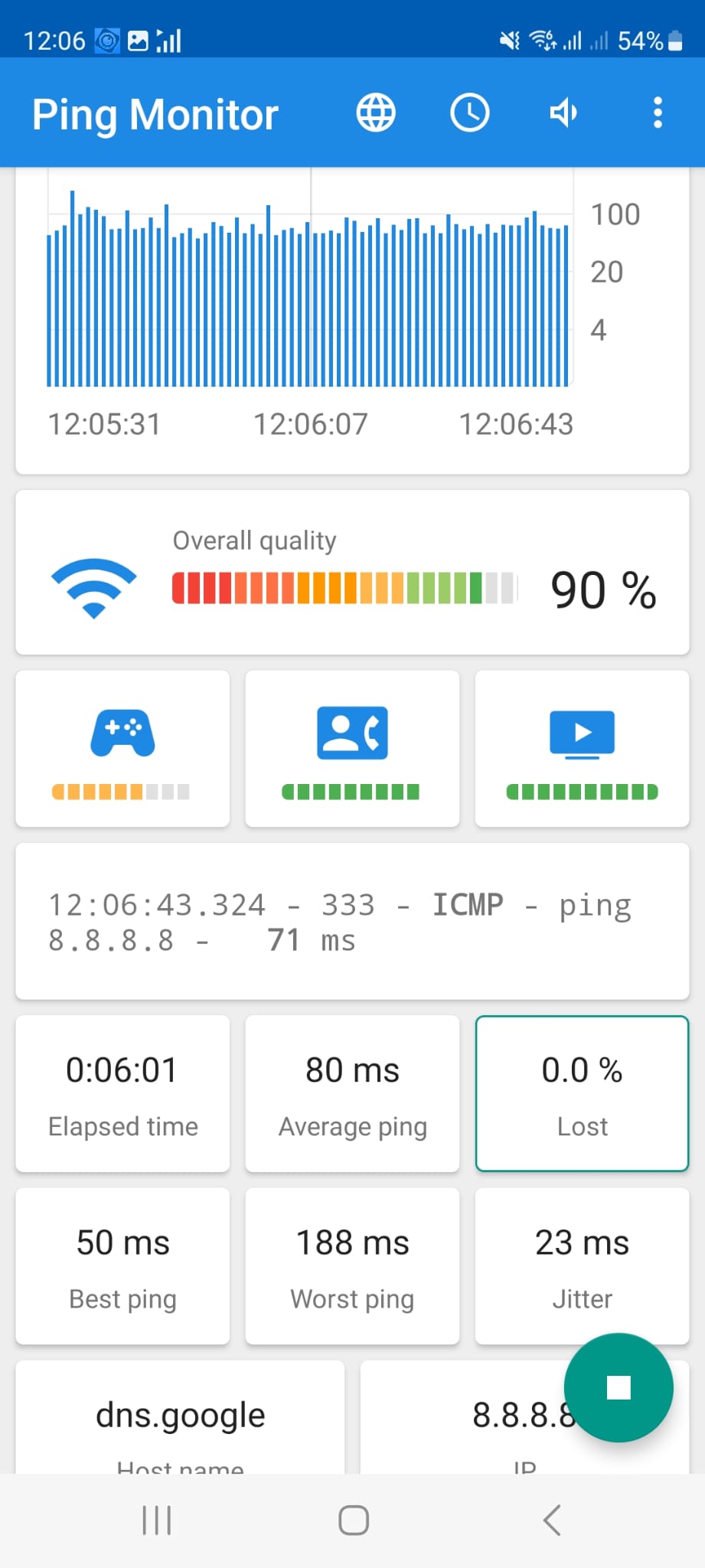
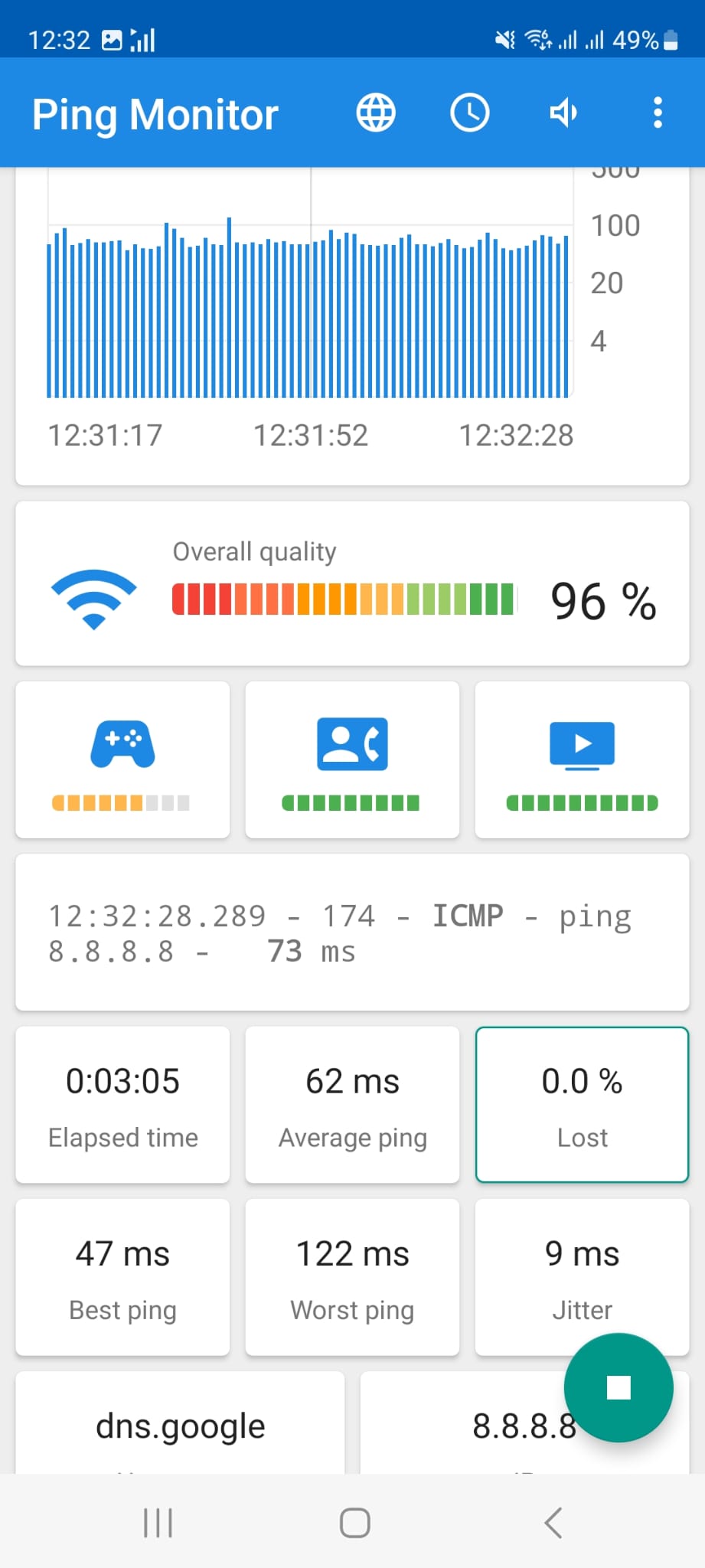
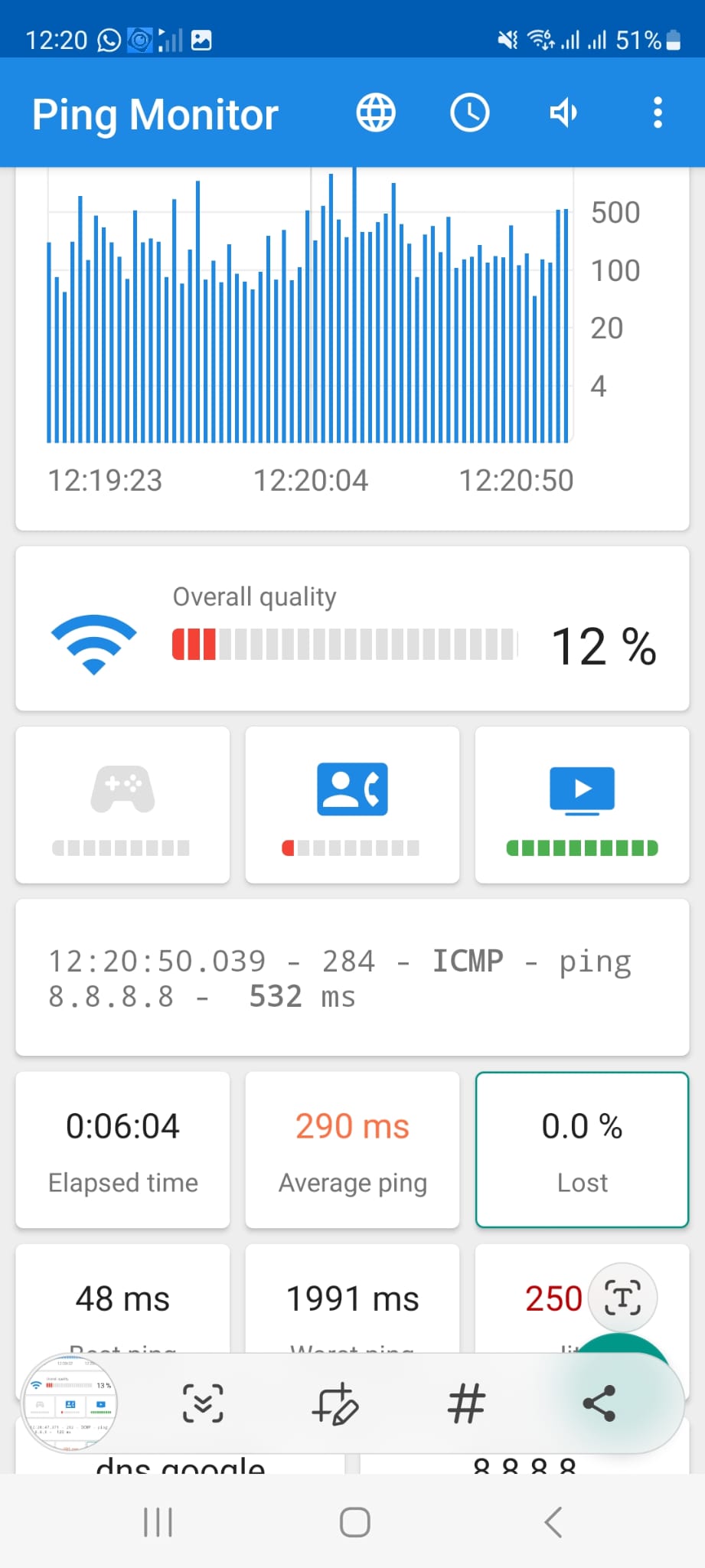
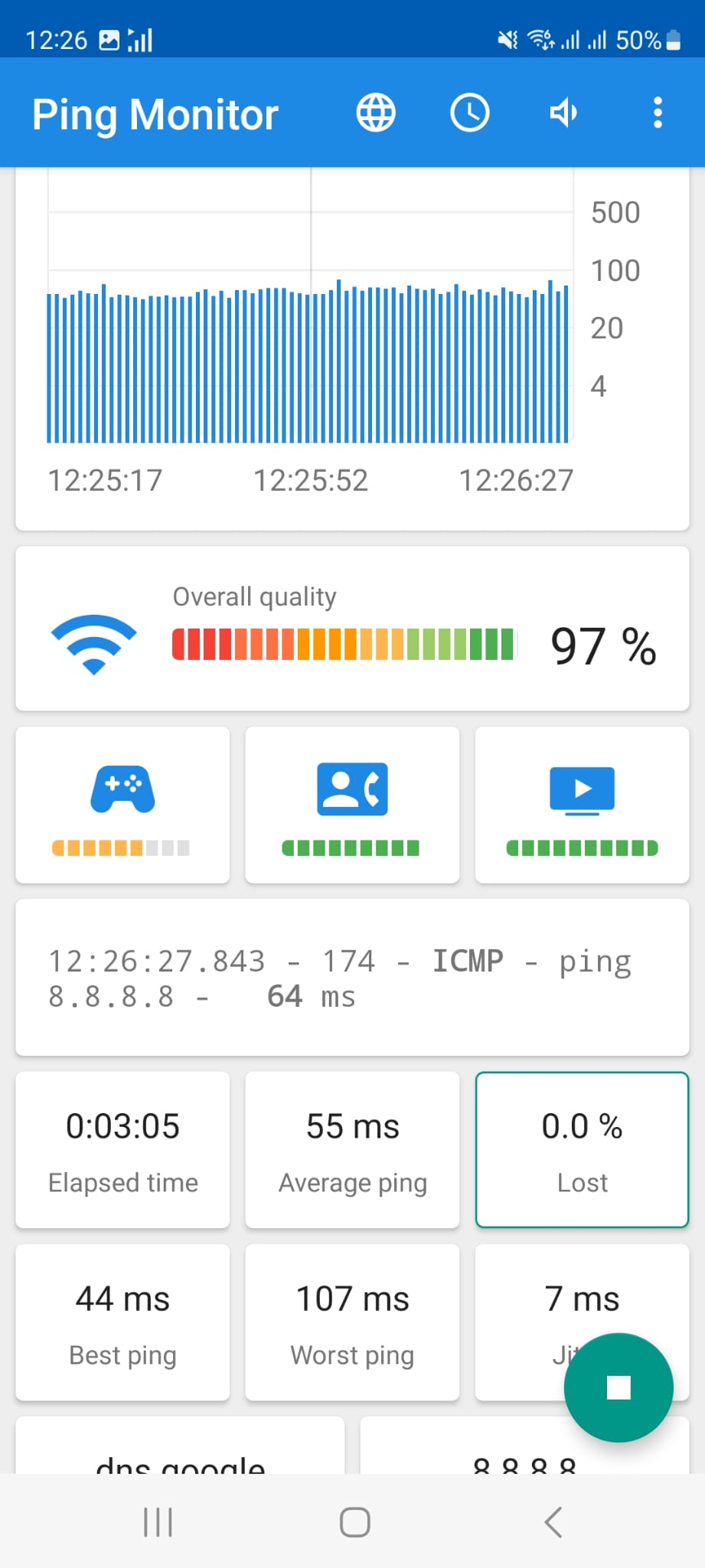
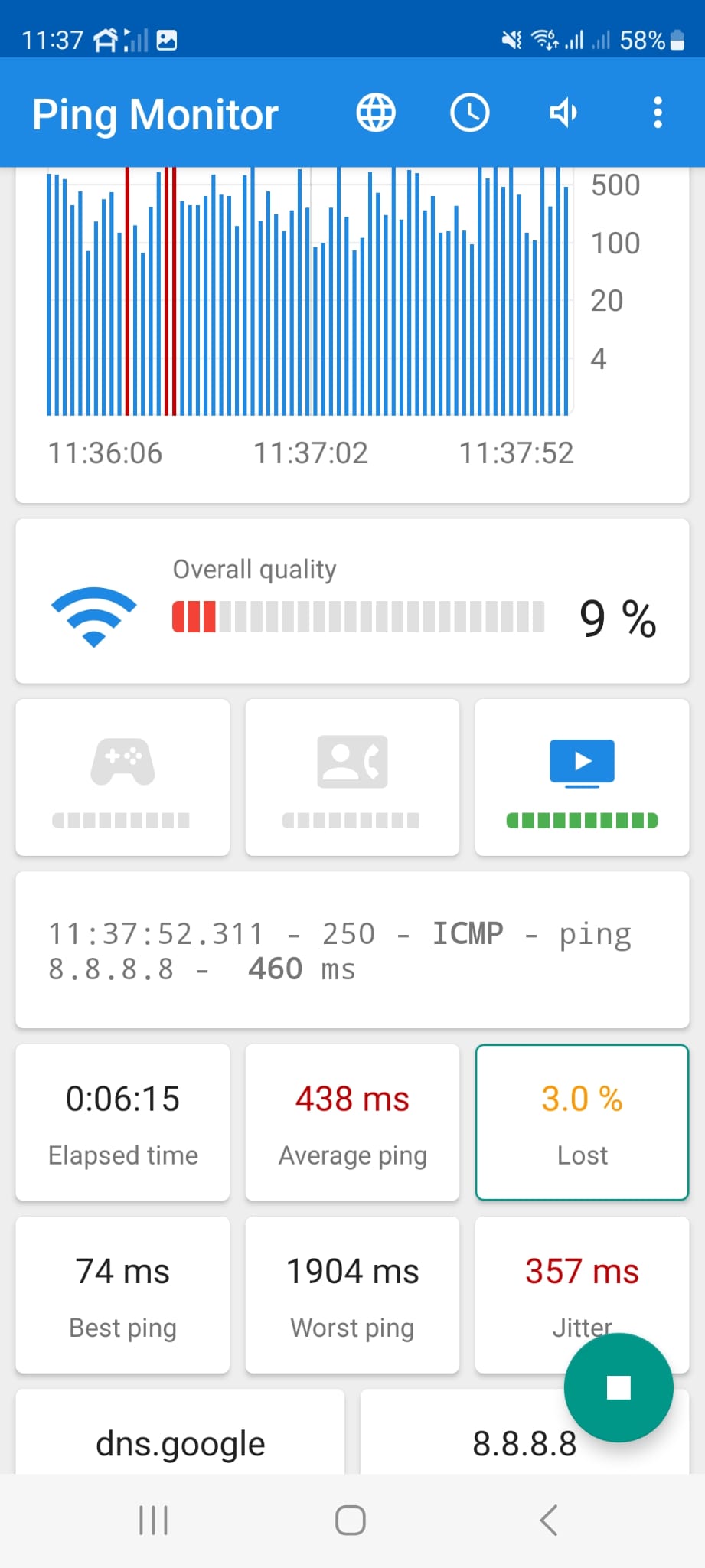
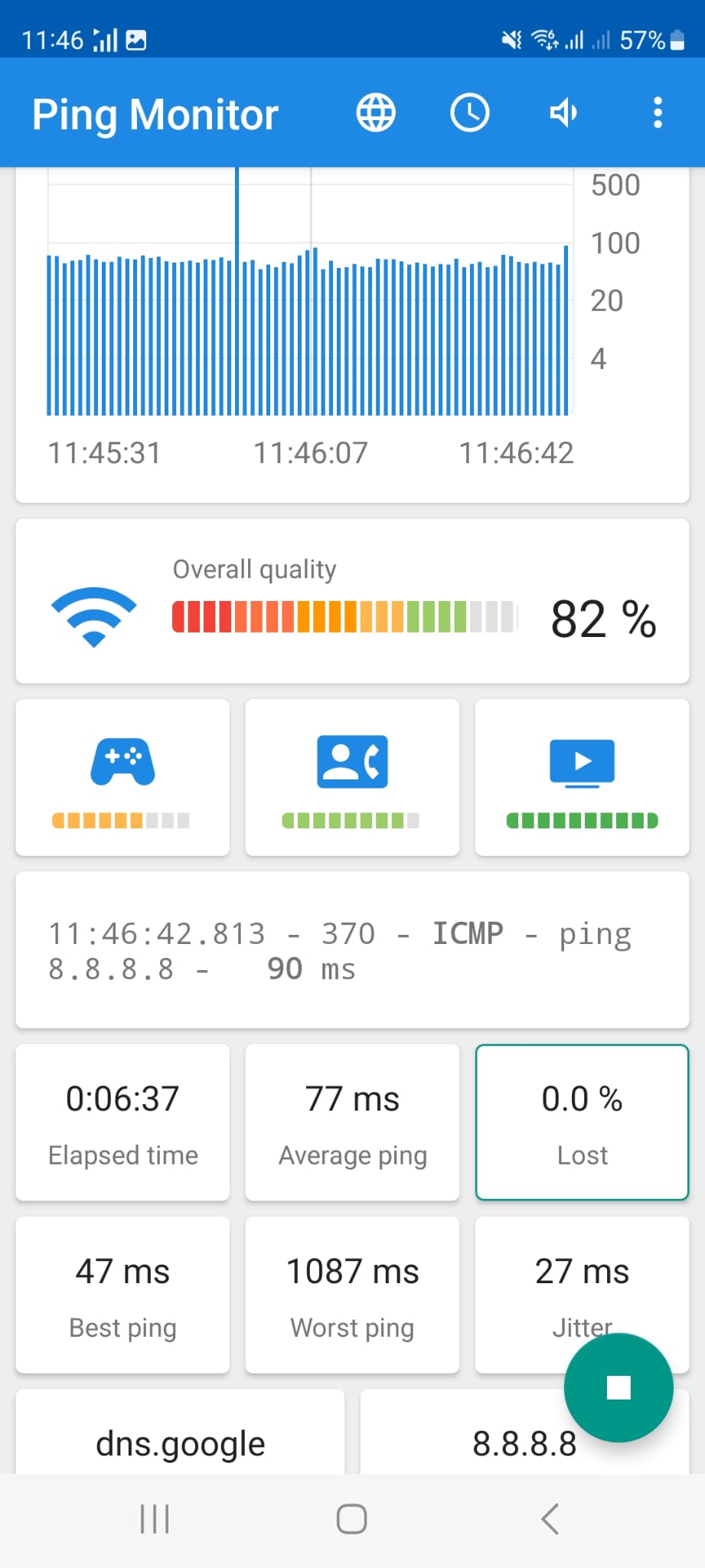
Now I've performed a ping test on all three routers at a distance of about 1-2 meters on both 2.4GHz and 5GHz:
Router Overall Quality
------------------------------------------------------------------------------------
Salon - AX55 - 2.4GHz 90%
Salon - AX55 - 5GHz 96%
Pump Room - AX73 - 2.4GHz 12% !!
PumpRoom - AX73 - 5GHz 97%
Solarhaus - AX73 - 2.4GHz 9% !!
Solarhaus - AX73 - 5GHz 82%
This means that the AX73 routers have a major problem with the 2.4GHz network!!
What now?
- Copy Link
- Report Inappropriate Content
Update
The 2.4GHz network is consistently performing very poorly.
Today I disconnected the AX73 node in the solar house from the Easy Mesh and configured it as an access point (AP) with the same SSID and password.
The 2.4GHz network in the solar house now seems to be working stably.
The ping test on the 2.4GHz network now shows an overall quality of 95%, up from 9% previously.
The two cameras connected to this network are streaming much better.
Interestingly, the ping test on the AX73 in the Pump Room on the - 2.4GHz network now shows about 50% overall quality, whereas previously it was only 12%.
My conclusion:
The AX73 works as a standalone device, even on the 2.4GHz network, but not in Easy Mesh.
- Copy Link
- Report Inappropriate Content
Markus7 wrote
Update
The 2.4GHz network is consistently performing very poorly.
Today I disconnected the AX73 node in the solar house from the Easy Mesh and configured it as an access point (AP) with the same SSID and password.
The 2.4GHz network in the solar house now seems to be working stably.
The ping test on the 2.4GHz network now shows an overall quality of 95%, up from 9% previously.
The two cameras connected to this network are streaming much better.
Interestingly, the ping test on the AX73 in the Pump Room on the - 2.4GHz network now shows about 50% overall quality, whereas previously it was only 12%.
My conclusion:
The AX73 works as a standalone device, even on the 2.4GHz network, but not in Easy Mesh.
I'm happy to see that the AX73 operates stably in AP Mode.
While I don't know why it's not performing well in the 2.4G connection when it's working as a satellite node, I can escalate your case to our support engineers for further investigation if you'd like.
- Copy Link
- Report Inappropriate Content
- Copy Link
- Report Inappropriate Content
Information
Helpful: 1
Views: 2949
Replies: 18
Voters 1
