
RE653BE AP Mode Slow

I have an RE653BE connected in AP Mode 2.5Gbps over cat7 @ 30 meters connected to a Archer AXE300 on it's 2.5Gbps port.
Speed testing the AXE300 in the same room i get upwards of 800Mbps Down/Up but then when I go to the room with the R653BE and standing 2 meters from the extender I'm only getting 90Mbps up/down
It's my understanding that the BE653BE has a 2.5Gpbs, so I'm not sure what's happening.
- Copy Link
- Subscribe
- Bookmark
- Report Inappropriate Content

The first step of troubleshooting would be to connect the RE653BE to the Archer AXE300 by using another (preferably shorter) Ethernet cable, like the cable that should have come included in the box of the RE653BE.
If that got you a link speed of 2.5 Gbps, then it would at least mean the Ethernet port of the RE653BE is not broken.
You can also try if connecting the 30 meter long cable to one of the four 1 Gbps LAN ports gives you a 1 Gbps link speed with the RE653BE. While that would be 2.5x slower than what you paid for, it would still be 10x faster than what you get currently.
I have observed myself that certain Ethernet ports of certain devices seem to have problems with longer Ethernet cables, despite the Ethernet standard specifying a maximum cable length of 100 meters. The problem is to prove who is at fault in such case. Is it the device or the cable? Instruments that can measure the physical properties of Ethernet cables are likely quite expensive, I suppose.
- Copy Link
- Report Inappropriate Content
Hi,
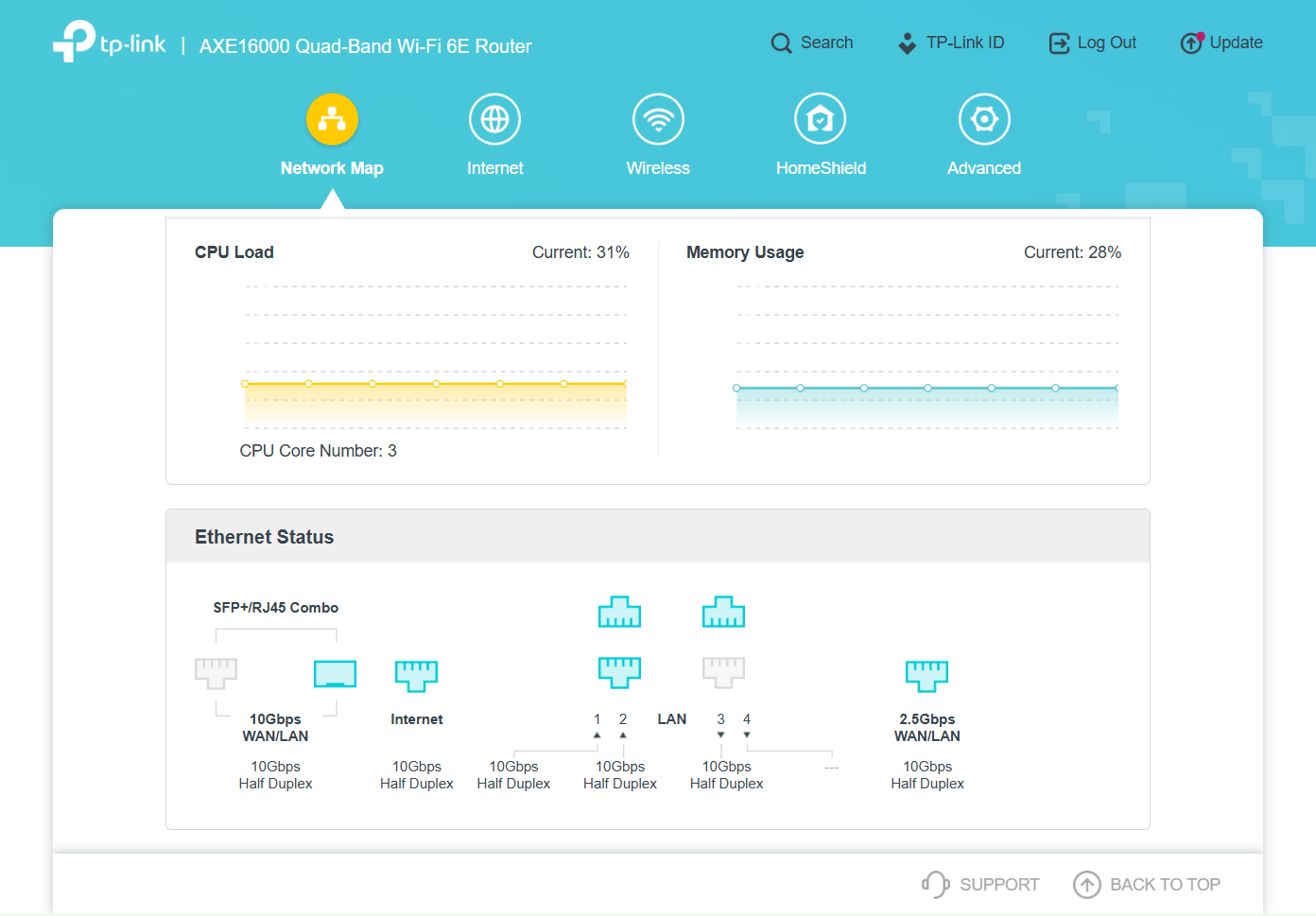
To verify the RE653BE is indeed connected at 2.5 Gbps please log into the Archer AXE300 and check the Ethernet Status. (example screenshot below)
In the "Network Map" menu click on the "Archer AXE300" icon.
For the LAN port number to which the RE653BE is connected is should read "2.5Gbps Full Duplex".
- Copy Link
- Report Inappropriate Content
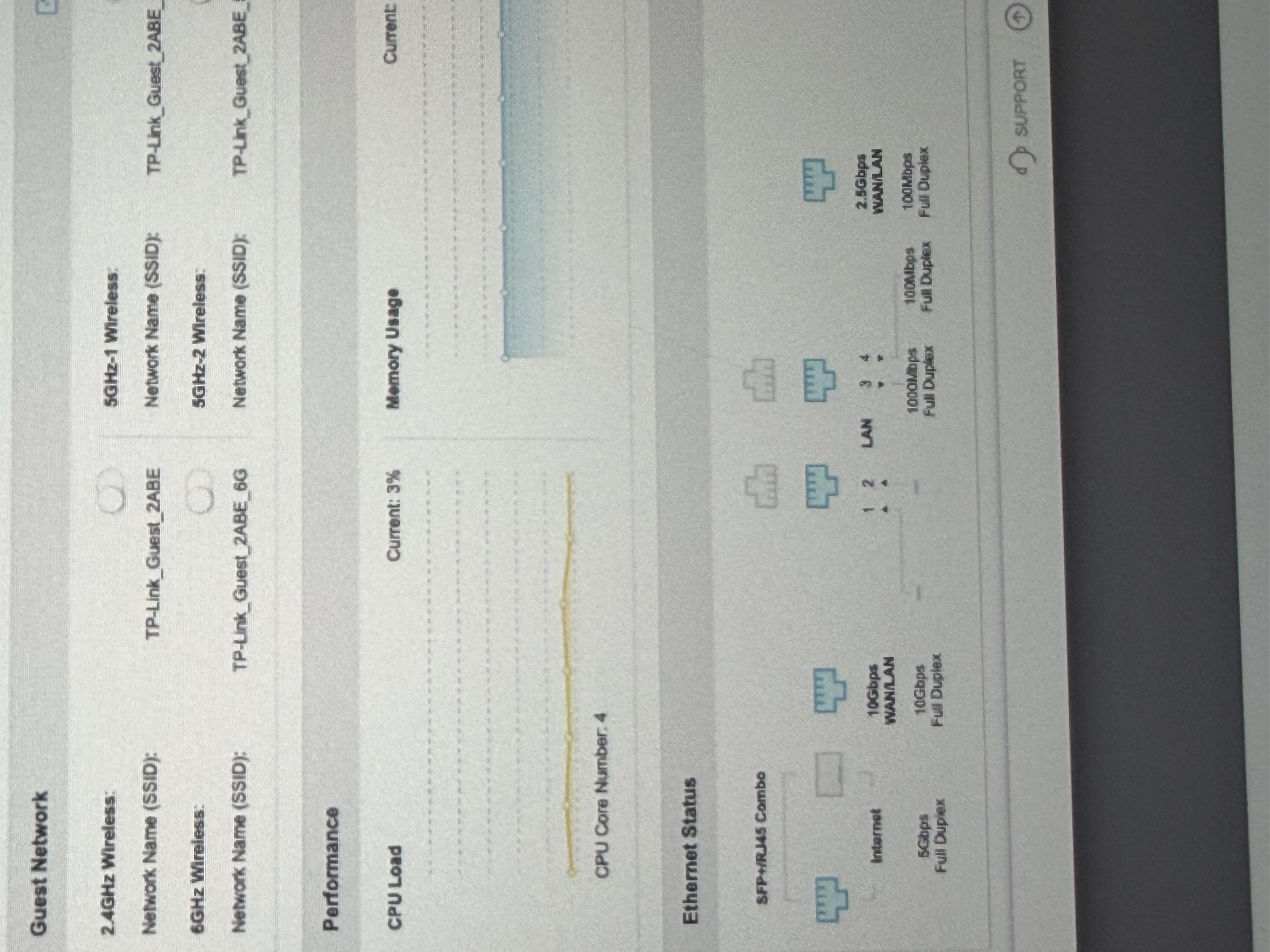
Looks like I have some troubleshooting to do. Thanks for this, seems I have 2 ports that are only maxing out at 100Mbps.
How would you start troubleshooting these 2? 4 is a Mac and the 2.5Gbps port is the Extender in AP Mode
- Copy Link
- Report Inappropriate Content
The first step of troubleshooting would be to connect the RE653BE to the Archer AXE300 by using another (preferably shorter) Ethernet cable, like the cable that should have come included in the box of the RE653BE.
If that got you a link speed of 2.5 Gbps, then it would at least mean the Ethernet port of the RE653BE is not broken.
You can also try if connecting the 30 meter long cable to one of the four 1 Gbps LAN ports gives you a 1 Gbps link speed with the RE653BE. While that would be 2.5x slower than what you paid for, it would still be 10x faster than what you get currently.
I have observed myself that certain Ethernet ports of certain devices seem to have problems with longer Ethernet cables, despite the Ethernet standard specifying a maximum cable length of 100 meters. The problem is to prove who is at fault in such case. Is it the device or the cable? Instruments that can measure the physical properties of Ethernet cables are likely quite expensive, I suppose.
- Copy Link
- Report Inappropriate Content
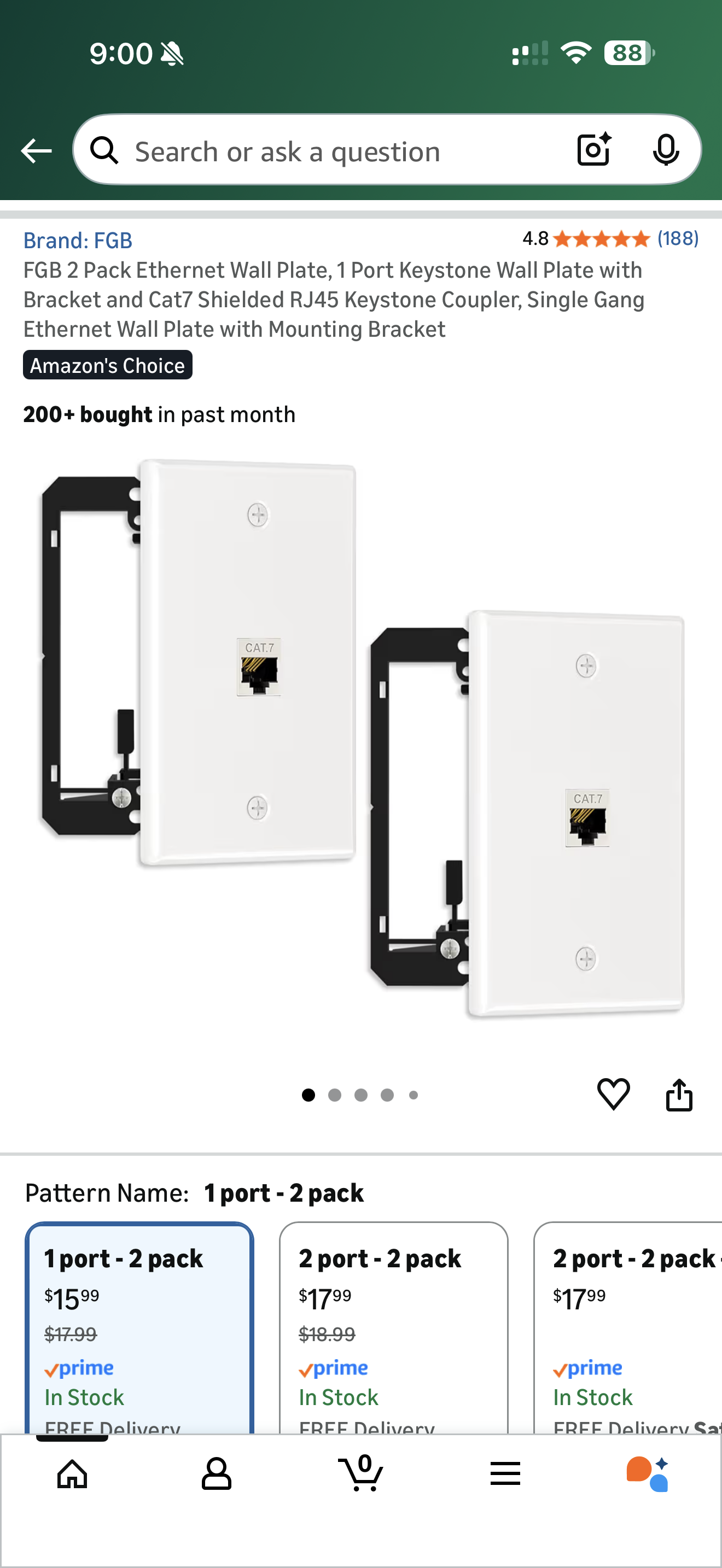
Thanks! I was able to trouble shoot it to the wall outlet, the actual cable was fine but the female to female adapter in the wall was bad. My set up had 2 patch cables, 1 long cable, and 2 cat 7 female to female adapters.
I'm wondering if one of the adapters is bad or if max the line can only handle 2 adapters.
- Copy Link
- Report Inappropriate Content
Here is a link to a good article on the Internet. The first paragraph explains it very well.
https://www.truecable<dot>com/blogs/cable-academy/all-about-ethernet-couplers (replace <dot> with . )
In essence, if Ethernet couplers work for you, then just be happy. If they don't work for you, then nobody is to be blamed.
- Copy Link
- Report Inappropriate Content
Information
Helpful: 0
Views: 794
Replies: 5
Voters 0
No one has voted for it yet.