
Tapo App (Android) uses way too much battery

Hello,
I did not contact the support yet, I hoped this thread would have more chance to be understood here.
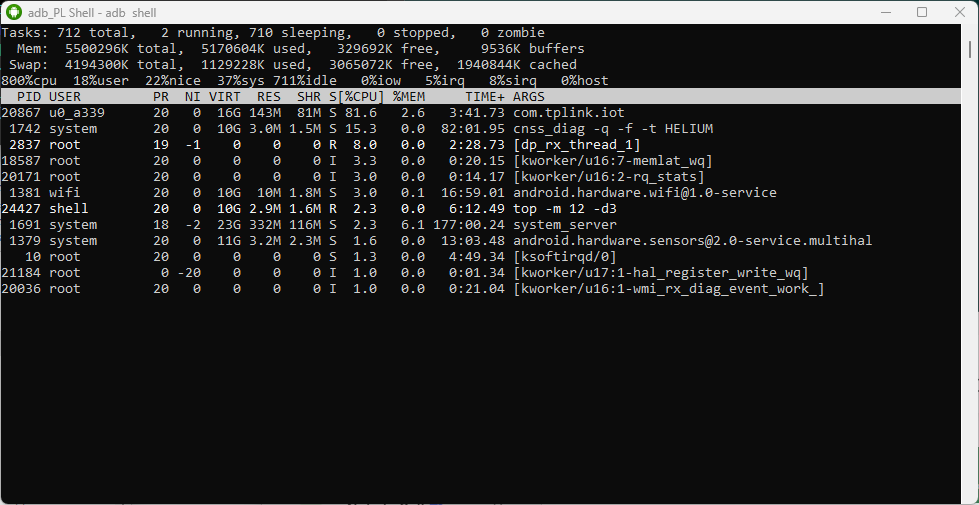
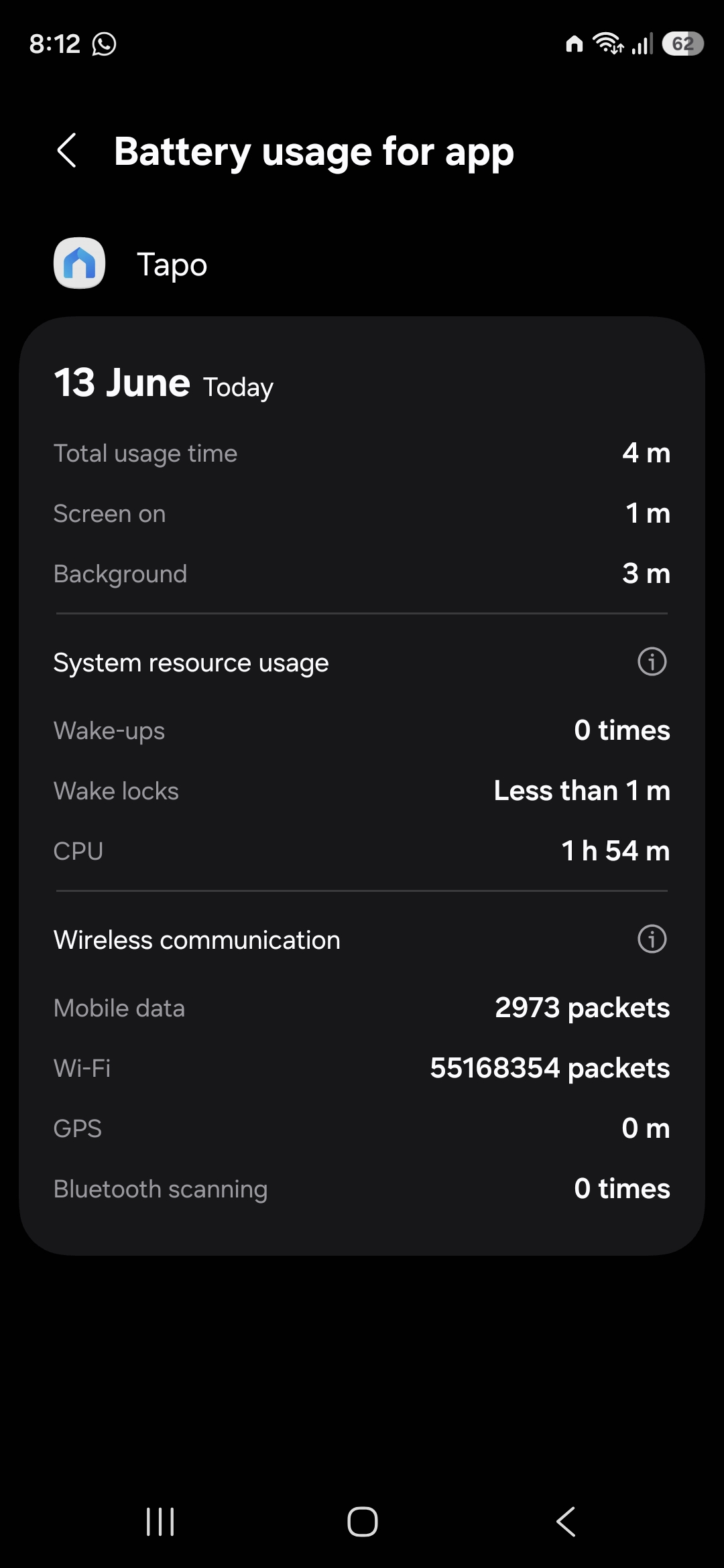
Tapo app is using too much battery. How can I measure that ? With adb. With Android and a USB cable, you can use a shell and launch a command which is like a task manager (top). That's how I can show you it is using battery. I knew it before to measure it, but now at least, I have proofs to show you.
My phone is a Samsung A52s with Android 14. But I can confirm it is also present on another phone, a Samsung S20 FE with Android 13.
Here are screenshots:
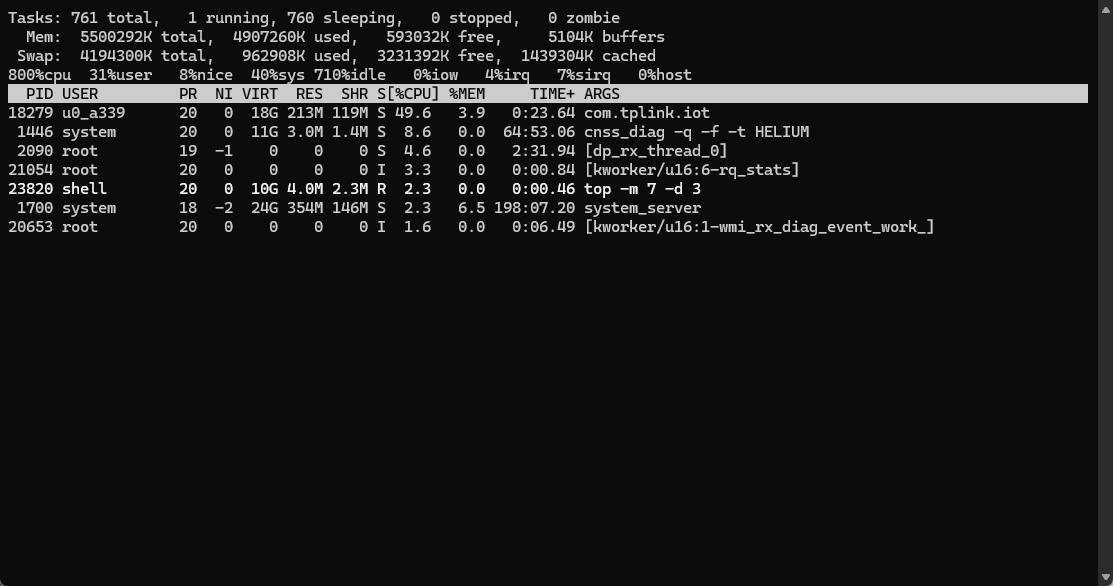
You can see that com.tplink.iot uses a lot of %CPU.
During measure, the phone screen is off, so app is supposed to be in a sleeping state. Before screen off, it was not in foreground either. So definitively no reason to be active and using %CPU.
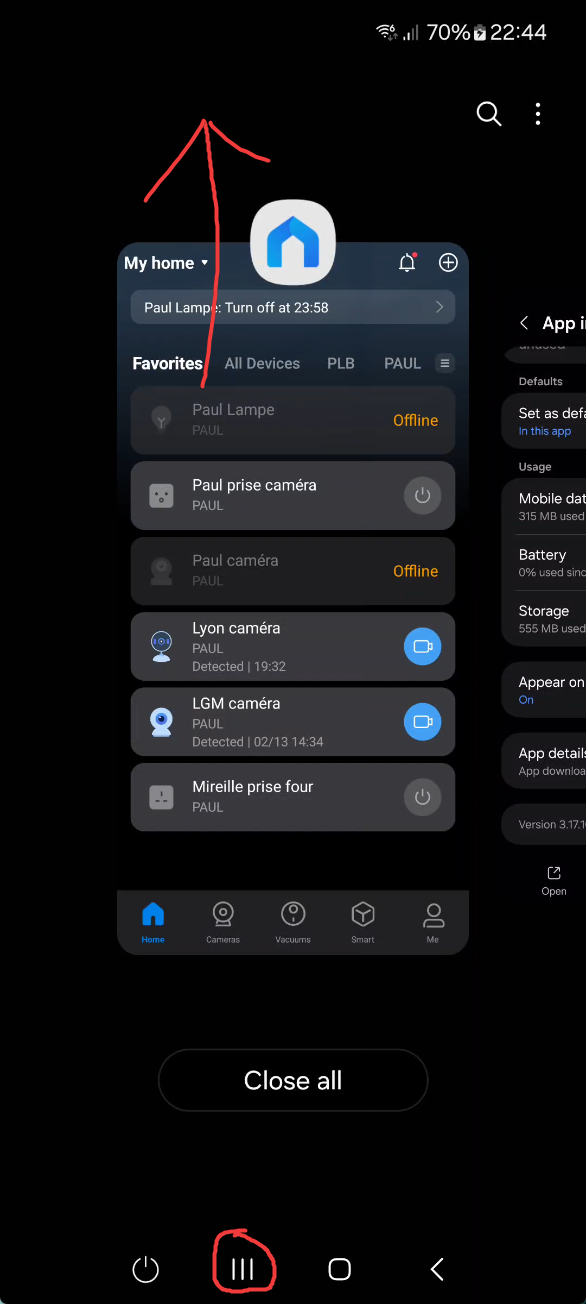
Now on phone, I will close the app thanks to recent tasks "close" button, turn off screen, and show you how com.tplink.iot is not present anymore:
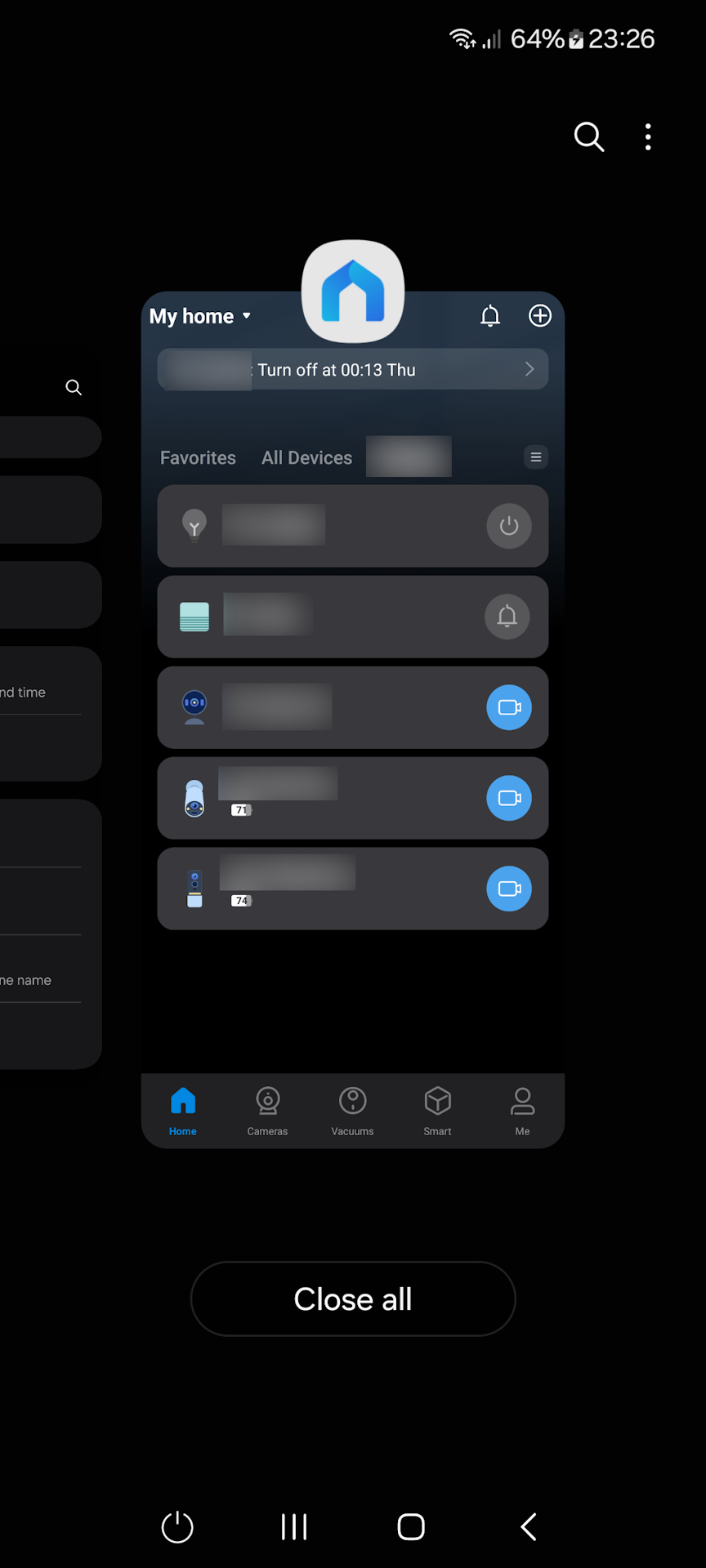
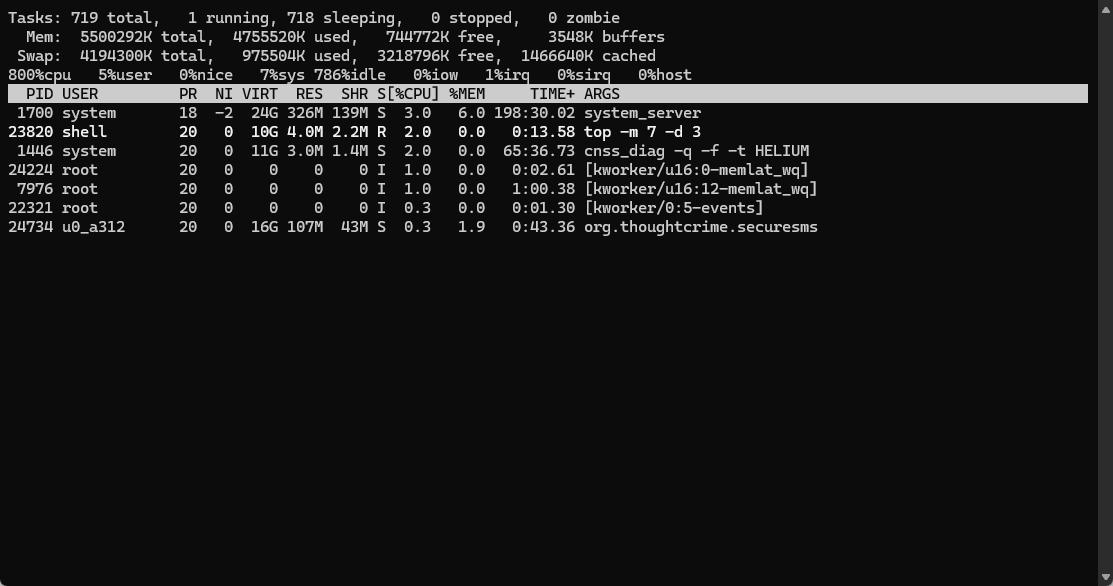
As you can see, as soon as I close the app with Recent Button (no need to force close it with Android advanced app feature), the app does not use %CPU anymore.
And yet, notifications are still working ! I mean if there are alerts from Hub or Camera or Doorbell, they will wake up Tapo app and I will receive notifications/alerts.
But then, even if I don't open the notifications, the app has been "waked up" and so it will start using %CPU again.
The app is clearly doing something it should not when it is active. I have other apps for home automation, and they don't exhibit this behavior. They don't use battery when screen is off.
I hope there will be someone at Tapo / TP-Link which is able to understand what I'm showing you, and I could test builds to confirm if it is fixed. I will be monitoring this thread and report any progress (hoping there's no automatic closure).
As you might have seen on screenshot, I use cameras, bulbs, hub and doorbell. But I'm quite sure I could reproduce without any device.



 Hi
Hi