Archer Be550 not allowing Huawei Solar Inverter SUN 2000-5KTL-M1 to communicate

Archer Be550 not allowing Huawei Solar Inverter SUN 2000-5KTL-M1 to communicate

Archer Be550 not allowing Huawei Solar Inverter SUN 2000-5KTL-M1 to communicate
16 hours ago
Model: Archer BE550  
Hardware Version: V1
Firmware Version: 1.2.2 Build 20250916 rel. 28234

Hi, 


I bought an Archer BE550 router and connected it to IoT wifi to my Huawei Solar Inverter SUN 2000-5KTL-M1. The wifi connection is fine but the communication like to its online reporting platform intl.fusionsolar.huawei com is not working. Sometimes it connects intermittently. It was connecting fine with my previous Telstra router. Also, if I connect my mobile hot spot it works fine. I also tried connecting to the 2.4/5Mhz wifi but with same issue.


Not able to understand where is it blocking the connection. Somewhere I saw it may be communicating to intl.fusionsolar.huawei com using port 27250.


Hopefully I can get assistance so I can keep this modem rather than return it. 


Thank you.

  0      
  0      
#1
Options
2 Reply
Re:Archer Be550 not allowing Huawei Solar Inverter SUN 2000-5KTL-M1 to communicate
12 hours ago

  @Var_M 


Hi,


If you open intl.fusionsolar.huawei com in a web browser on a computer (or phone, tablet) that is connected to the BE550, does the webpage open normally or not?


In the instructions for the SUN2000 inverters Huawei writes "The WPA, WPA2, or WPA/WPA2 encryption mode is recommended for routers". So, in case you have currently set the BE550 to use "WPA3-Personal+WPA2-PSK[AES]", then try a security mode without WPA3 instead, like "WPA2-PSK[AES]" for example.

  0  
  0  
#2
Options
Re:Archer Be550 not allowing Huawei Solar Inverter SUN 2000-5KTL-M1 to communicate
3 hours ago
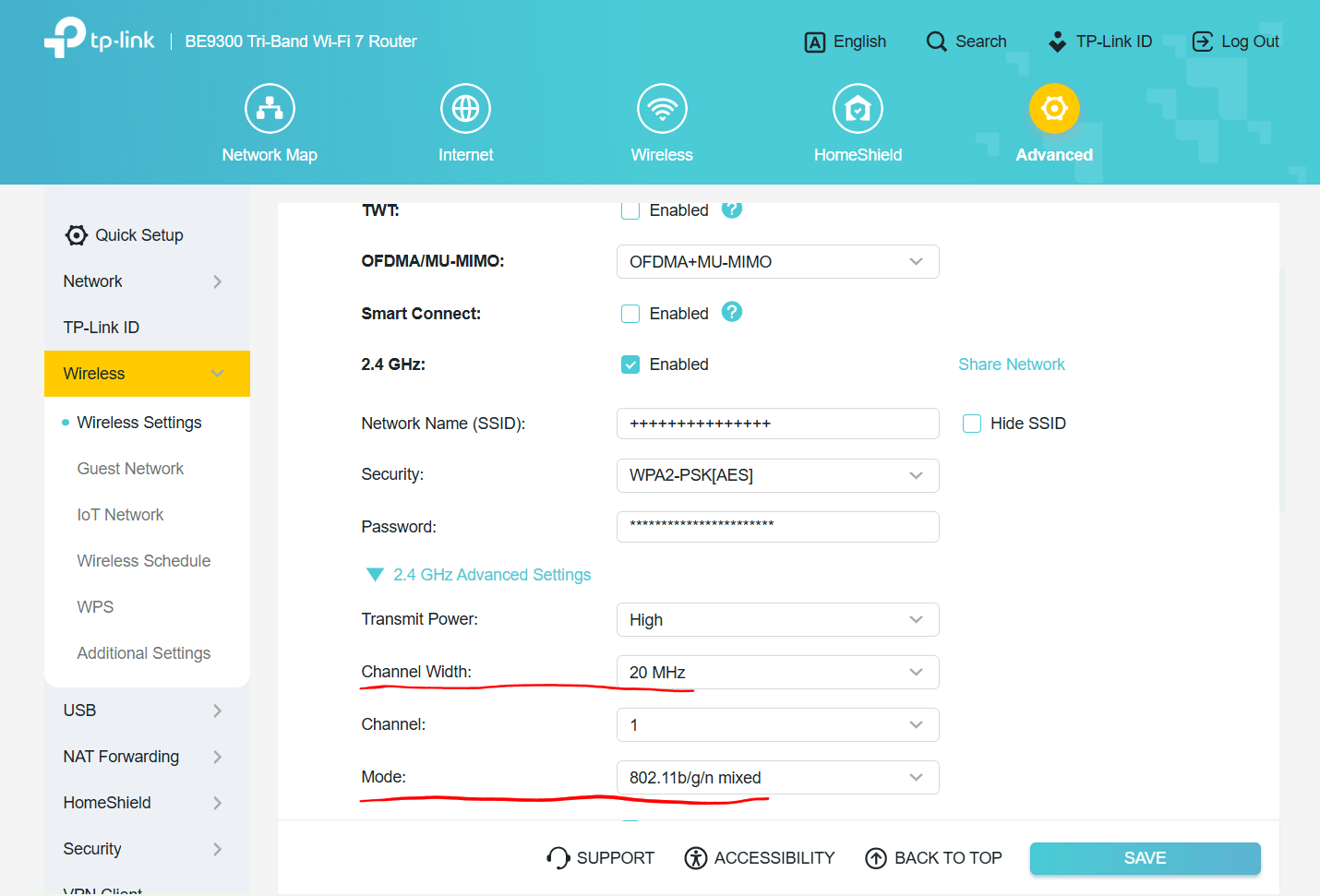
Hi, Thank you for responding. The Web browser opens that address. As you suggested I changed my 2.4 GHz to WPA2-PSK[AES] also to WPA/WPA2-personal but didn't work. I have also switched off smart connect to have a separate 2.4 GHz. I was looking at the Solar Inverter dongle and found an ethernet slot, so temporary I connected with ethernet and it's communicating with the reporting platform. Hence, it's some setting in the wifi which is blocking it. I have turned off access control too and the SPI firewall. There is something called as WMM in WiFi additional settings not sure what it does.
  0  
  0  
#3
Options