VPN with access to the internet

VPN with access to the internet

VPN with access to the internet
Friday
Model: ER8411  
Hardware Version: V1
Firmware Version: 1.3.6

Hi all,

coming back to Thread https://community.tp-link.com/en/business/forum/topic/732366

I wand to have function like it is written in case 2: https://www.tp-link.com/de/support/faq/2137/

But I cannot find it on OMADA OC300 (1.31.11 Build 20251128 Rel.58518 (Stabil)).


Where is the described point "Transmission---NAT---Multi-Nets NAT" located in OMADA Controller?


I want to connect to my home network by VPN having access to the local devices in the local network having IP-Addresses 192.168.0.x (Default Network) and to the WAN, too. 

The VPN addresses are 192.168.42.1/24. (This is also the the VLAN).


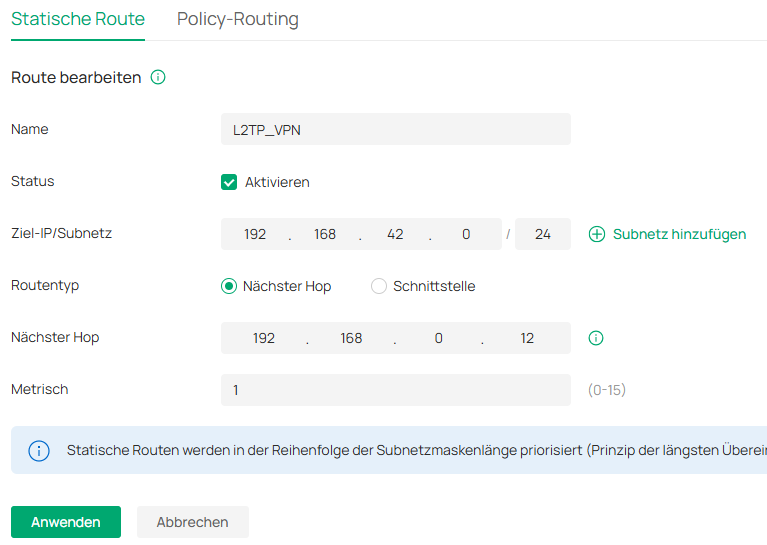
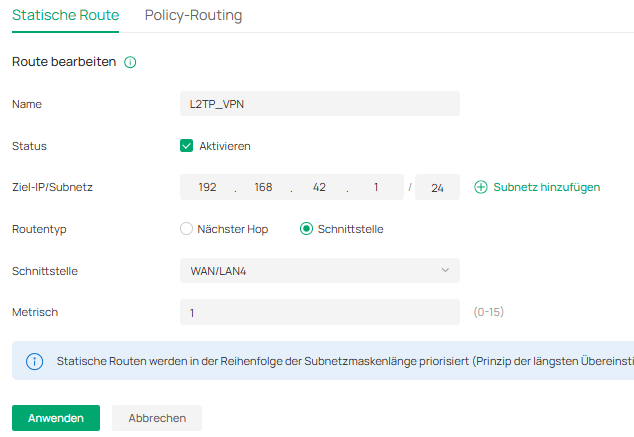
because I don't find the point "Transmission---NAT---Multi-Nets NAT" I made a static routing entry:
 

After doing this I have access to different websites like adobe, synology, wera, ...

But harley-davidson, google, ... and many other are not working

Now I don't know how to do.

Can anybody help me?


Regards

 

  0      
  0      
#1
Options
2 Reply
Re:VPN with access to the internet
Yesterday

Hi  @GuWen 


Thanks for posting here.


That FAQ is kind of outdated. We don't have Transmission---NAT---Multi-Nets NAT options anymore.

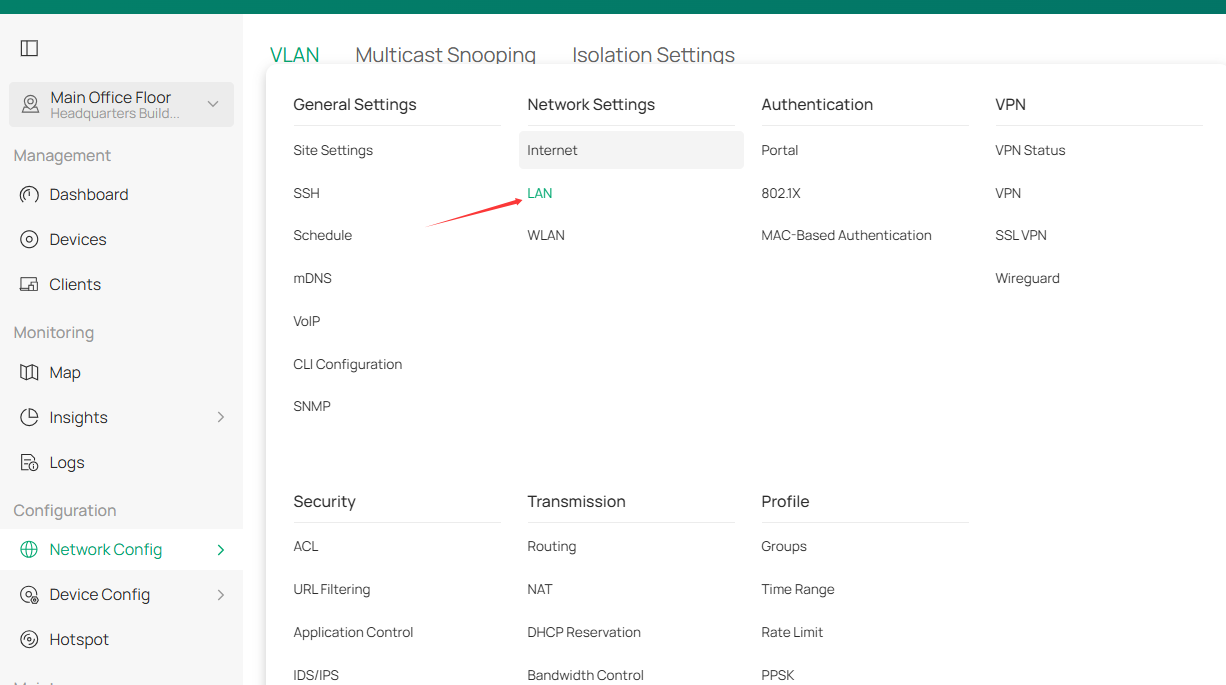
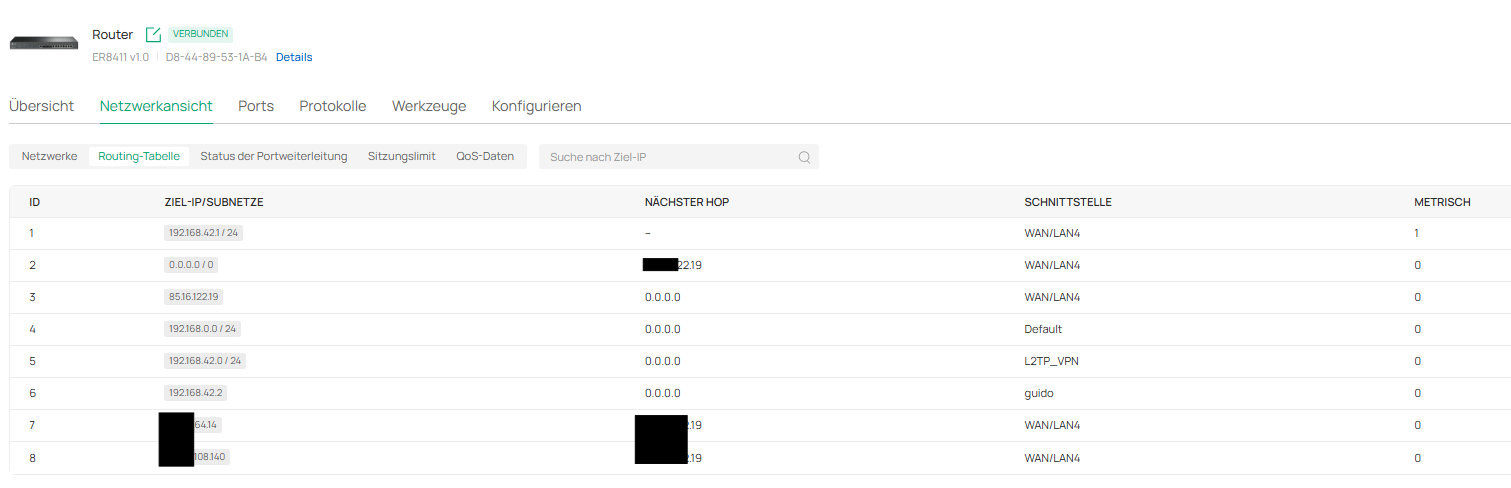
To create another VLAN, create a new VLAN interface, and the router will automatically generate the corresponding static routes.

Site View > Network Config > Network Settings > LAN, add a new LAN for the VPN IP pool.


  0  
  0  
#2
Options
Re:VPN with access to the internet
10 hours ago

Hi @Vincent-TP,

Thanks for helping me.

I did like this:

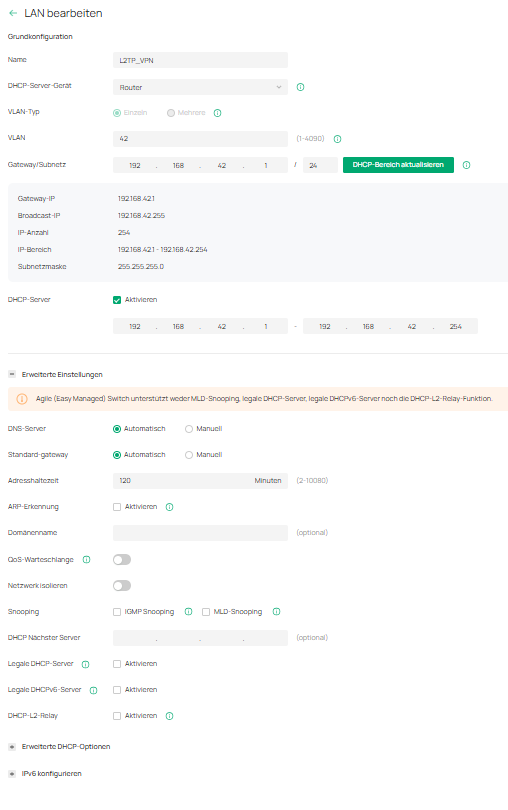
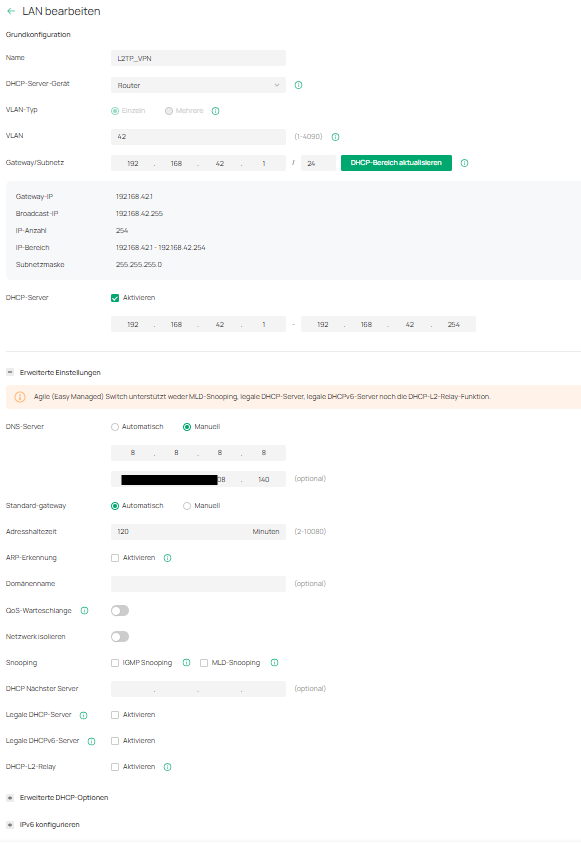
First, I made a new VLAN (Number is 42). The IP-Address is 192.168.42.x

No ethernet ports are specified for this VLAN.

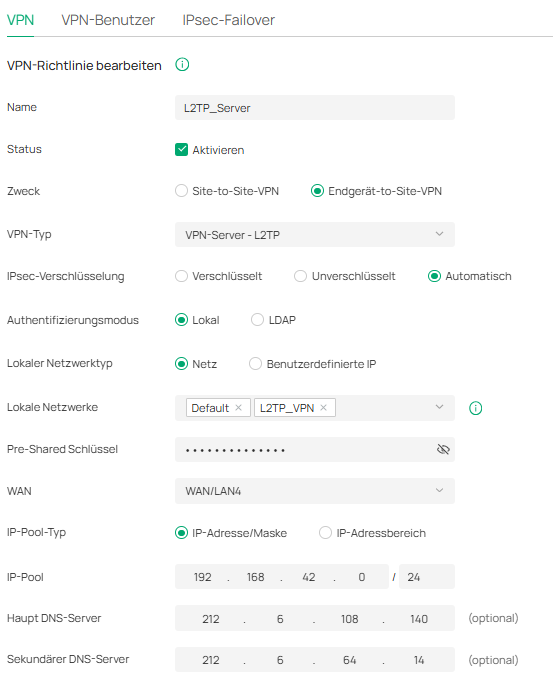
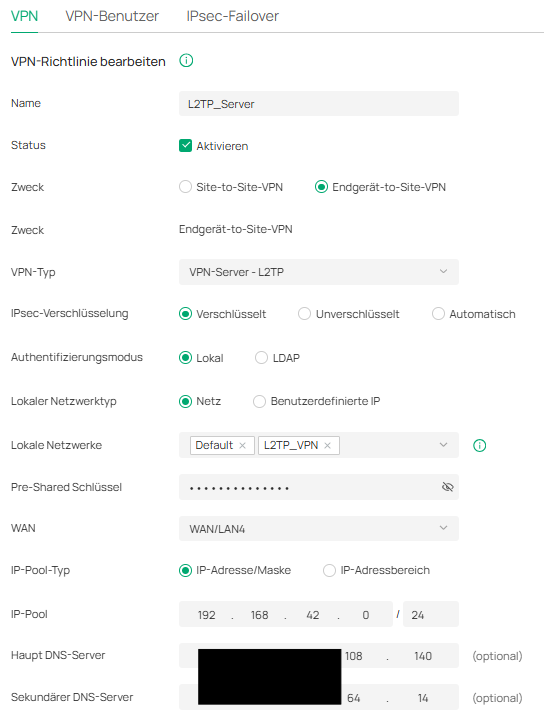
Then I made a new VPN Connection:

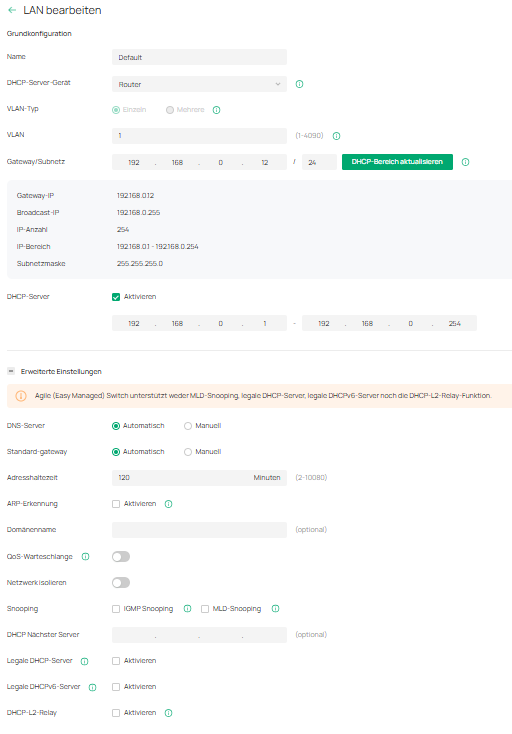
The local network is the just created "L2TP_VPN" (IP-Addresses 192.168.42.x). The Default network is the one with the IP-Addresses 192.168.0.x. The ER8411 (Router) is 192.168.0.12. The ER8411 is connected to the Internet with WAN-port No 4.

Both DNS Server are from the ISP.

This is the default VLAN:

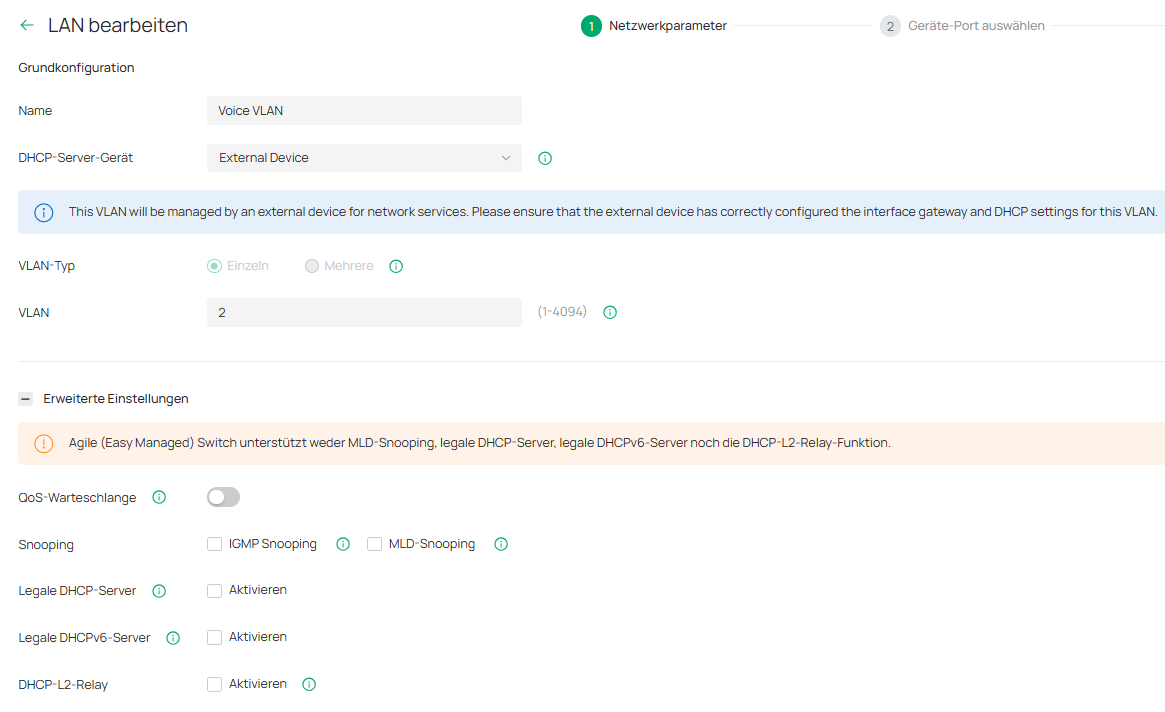
And there is one other VLAN called "Voice VLAN":

But I don't know where it comes from. Maybe a friend has created it in former times.

I don't know what it is necessary for. If you think it can course problems, I will delete it??

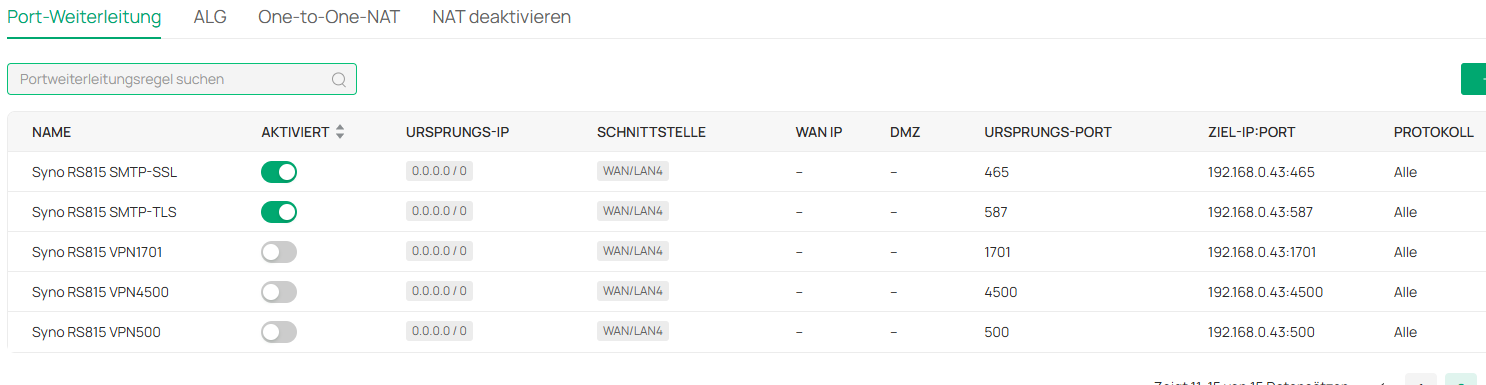
And then there is the Port forwarding:

I had the three ports for L2TP active because in former times I had the Synology Rackstation running as a VPN-Server. But by now it is stopped.


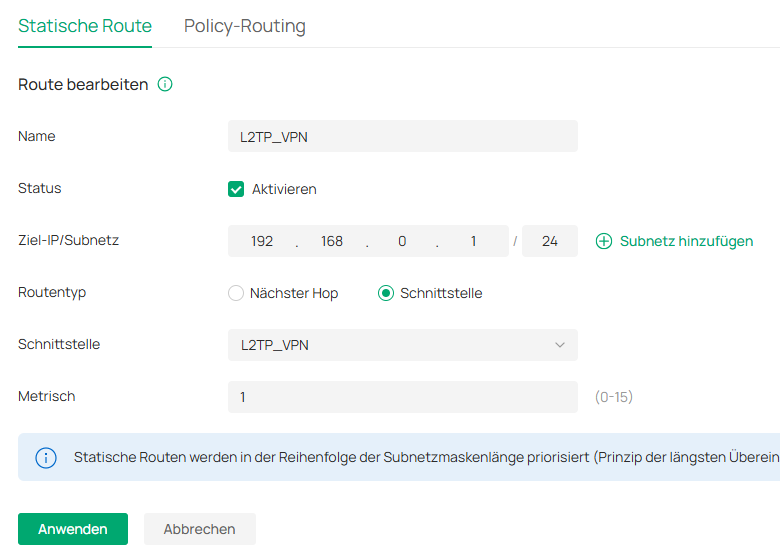
And I had a static route.

But if I understand correctly this can be disabled?


Thanks for helping me,

Regards.

  0  
  0  
#3
Options