
Latest firmware update of archer c54 for Bangladesh region

Hello TP-Link Team,
In the Bangladesh (BD) region, the latest available firmware for Archer C54 is:
v1.12.20 Build 230608 Rel.64891n (5553)
Published: 2023-09-08 (approx*)
However, in the Global/EU region, a newer firmware is available:
Archer C54(EU) V1 – v1.15.0 Build 250811
Published: 2025-09-30
Could you please clarify:
- Why this newer firmware is not available for the Bangladesh region?
- Is there any plan to release this update for BD users in the future?
Many users here would appreciate the newer fixes and improvements.
Thanks in advance for the clarification.
- Copy Link
- Subscribe
- Bookmark
- Report Inappropriate Content

Hello @anaseem ,
Thank you for your feedback and suggestions. We value user experience. And I have forwarded your feedback and other similar requests to the relevant department.
It has been confirmed that the firmware for Archer C54(US)-v1 and Archer C54(EU)-v1 is compatible. Therefore, you can manually download the latest firmware for the EU version.
There is currently no specific release date for the US version firmware. You can continue to update the firmware on the official website or enable automatic updates to receive firmware update notifications as soon as possible.
If you have any other suggestions or feedback, please feel free to reply.
- Copy Link
- Report Inappropriate Content
Hello @anaseem ,
Thank you for your feedback and suggestions. We value user experience. And I have forwarded your feedback and other similar requests to the relevant department.
It has been confirmed that the firmware for Archer C54(US)-v1 and Archer C54(EU)-v1 is compatible. Therefore, you can manually download the latest firmware for the EU version.
There is currently no specific release date for the US version firmware. You can continue to update the firmware on the official website or enable automatic updates to receive firmware update notifications as soon as possible.
If you have any other suggestions or feedback, please feel free to reply.
- Copy Link
- Report Inappropriate Content

@anaseem Assalamu alaikum, vai.
Did you upgrade it to the latest 2025 version? Can you please tell me if you have faced any issues with this version?
- Copy Link
- Report Inappropriate Content
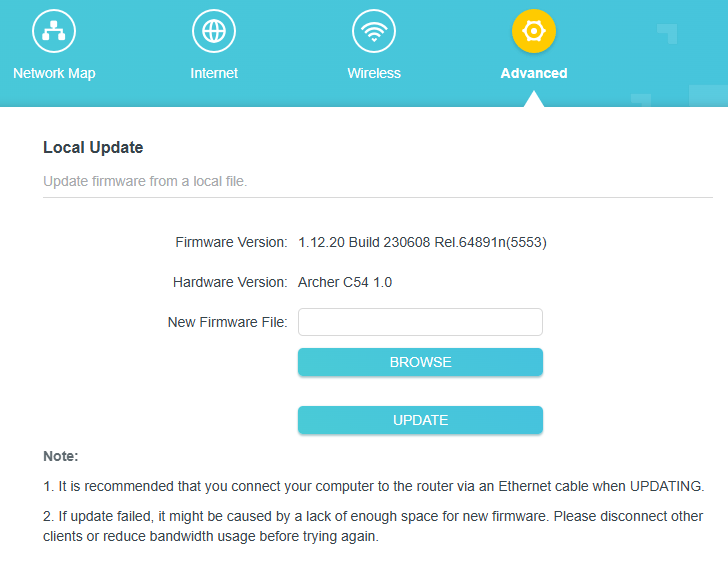
Is my router(Archer C54 V1) compatible with the latest(2025) EU firmware?
Mine is a US version.
- Copy Link
- Report Inappropriate Content
Sadly, I haven’t updated yet since my device is still under warranty, but I’m willing to update to the latest version if anyone can confirm that it won’t void the warranty.
- Copy Link
- Report Inappropriate Content
It will void the warranty according to their policy. My router has already expired, and I am facing a network issue while gaming or performing any heavy tasks, such as watching YouTube on TV. The wifi bar doesn't disappear, or the router doesn't restart. It just goes offline for 3-5 seconds and becomes online again.
- Copy Link
- Report Inappropriate Content
Hi @Mashfe ,
For the unstable connection, you can try the suggestions of Unstable connection on the TP-Link router.
Alternatively, you can test Archer C54(EU)_V1_1.15.0 Build 250811 to see if it helps.
- Copy Link
- Report Inappropriate Content
Information
Helpful: 1
Views: 2061
Replies: 6
Voters 0
No one has voted for it yet.