
Firmware problems

Hello, I have experienced problems with instability of network via Ethernet and WiFi with my DecoXE75
Speeds can vary from 15 Mb to 87 Mb ( maximum for me) on the same day and different AP's
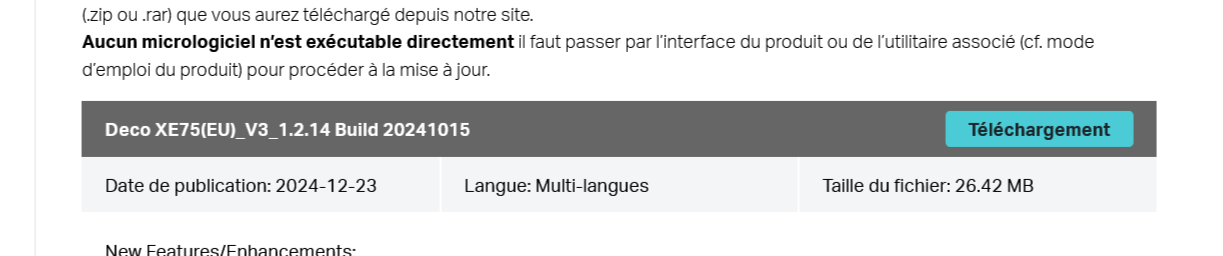
So I decided to downgrade the firmware, went to th Belgian site and downloaded the 20241015 firmware, tried to install, but the tool says the file is not the correct one. I am a bit stuck here.
Can anyone suggest what to do ?
Thanks
- Copy Link
- Subscribe
- Bookmark
- Report Inappropriate Content

Hi, welcome to the community.
Have you seen any Deco turn red during the disconnection?
How many Deco XE75s do you have? Are they all connected via WiFi Backhaul?
The 1.3.0 Build 20250722 Rel. 38703 can't revert to 1.2.14 Build 20241015 Rel. 45922 directly via web UI.
I've left a message with a new beta firmware based on 1.3.0. If you're interested, you can test whether this version helps improve the reported issues.
Thank you very much.
Best regards.
- Copy Link
- Report Inappropriate Content
@David-TP Thanks for the answer.
I actually experience huge down-and upload variations ( WiFi and Ethernet) on my DecoX75 system ( 3 units- main one set as access point behind iSP router), and thought the problem came from the firmware.
I checked the network without Deco and it works fine.
I have the EU v 3 version units which upgraded lately to 1.3.0 - 20250722. Strangely enough, the latest version on the TP Link site for Belgium is the 1.2.14 build.
All units are connected to the WiFi Backhaul
I also downloaded a log file but cannot find a way to attach it here (click on the file icon but get a message "failed to upload")
Follow up
I installed the Beta version, rebooted everything, same problem: the first few minutes download speed is OK ( in my case app 87Mb/s ( VDSL) and then it drops to about 15. This is frustrating
- Copy Link
- Report Inappropriate Content
- Copy Link
- Report Inappropriate Content
Thank you very much for the update.
I would be glad if you could update here on what happened later.
Best regards.
- Copy Link
- Report Inappropriate Content

Hello, I also live in Belgium and I also have problems with the Deco xe75 pro, I have already tried many ways to solve the problems. I also thought it was a problem with the Internet operator (formerly Orange and now I'm Proximus) and I've realized that it's not the Internet operator but the DECO.
Could you tell us what kind of problems you have specifically?
The problem I am having is the youtube app on Samsung devices. Specifically the Shorts and the truth is annoying.
- Copy Link
- Report Inappropriate Content
I used a wrong DNS on my smartphone to cope with some ad issues I have with Surfshark. So, the Deco was absolutely not at fault, works great for the moment. Why the Ethernet connection was affected is a mystery. Sorry for the bother, and thanks for the help
- Copy Link
- Report Inappropriate Content
Sorry to hear you have problems. I don't think I can help you ( or might you also have a DNS issue ?  )
)
- Copy Link
- Report Inappropriate Content
@Pecoflyer Thank you for your comment. I'm sorry to say that I've already taken the advice from tp-link technical support. They recommended that I change the DNS to Google and cloudfire and I still continue with these problems.
- Copy Link
- Report Inappropriate Content
Information
Helpful: 2
Views: 223
Replies: 8
Voters 1
