
Archer NX200 - Cloud Device Offline
Archer NX200 - Cloud Device Offline

Hello,
I suddenly have an issue accessing via cloud my NX200 router via Tether app. The device appears offline in the Tether app.
The router is connected to the internet via a SIM card and is definitely online as I can still access other devices (IP Cameras) connected via WiFi on the router's LAN.
Accessing the router via cloud via Tether app worked without any issues previously as I was using this functionality a lot due to the remote location of the router.
The router is configured to reboot once every day.
Any suggestions are more than welcome.
Thanks & regards,
Petros
- Copy Link
- Subscribe
- Bookmark
- Report Inappropriate Content


Hi, thank you very much for the update.
I think the Archer NX200 might actually be offline at this moment.
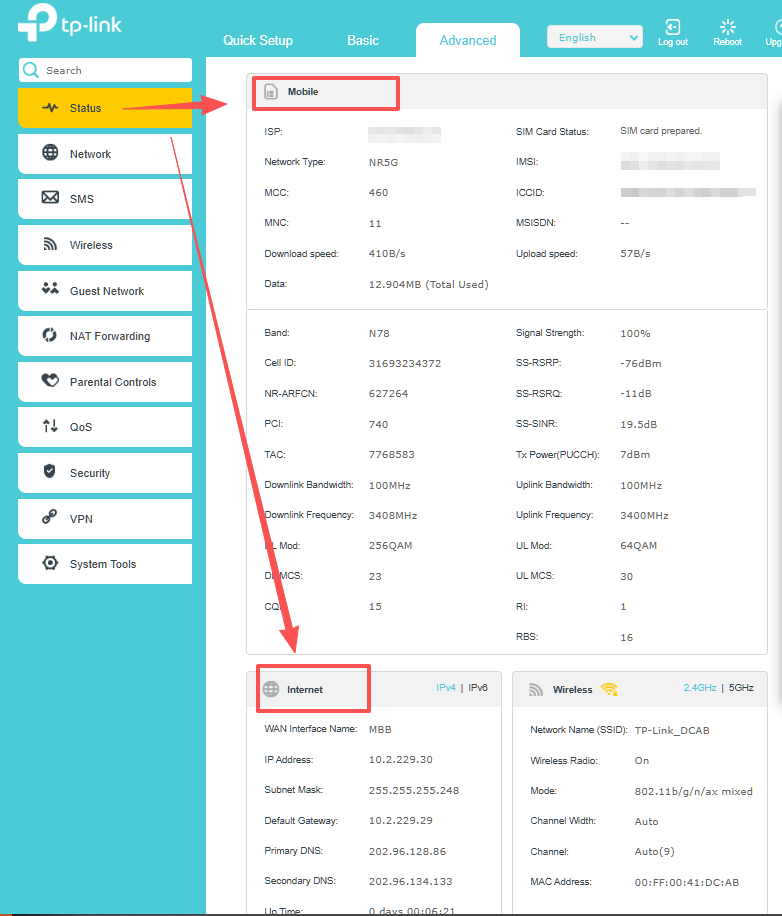
Later, when you arrive, it is recommended to check the internet status on the NX200. If it was off or red, the router might be disconnected from the mobile ISP.
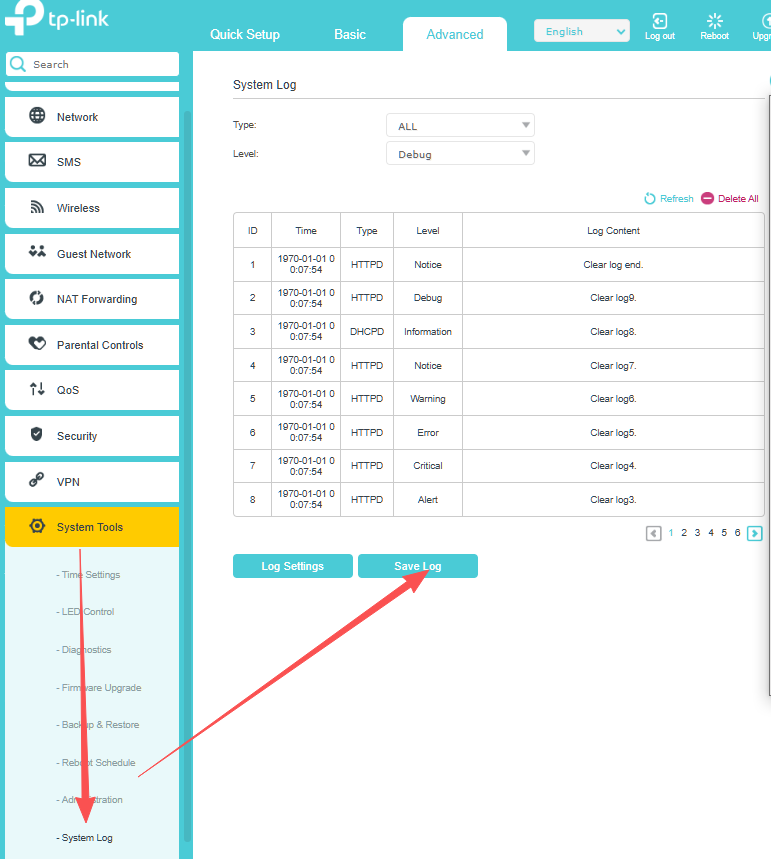
(You can save a screenshot of the internet status page and a copy of the web UI system log for further troubleshooting.)
Then you can restart it once to see whether the internet can be restored, and whether it will be back online on the Tether App.
Best regards.
- Copy Link
- Report Inappropriate Content
Hi, welcome to the community.
Are you currently next to the Archer NX200?
Have you changed the SIM card recently?
Wait for your reply.
Best regards.
- Copy Link
- Report Inappropriate Content
Hi David,
Thank you for your reply.
Indeed, I have changed the SIM card 10 days ago, however the provider (Vodafone Greece) is the same.
The issue occurred 2 days ago.
I will be next to the router today in the afternoon (Greek time GMT+03:00).
Have a nice day!
Best regards.
- Copy Link
- Report Inappropriate Content
Hi, thank you very much for the update.
I think the Archer NX200 might actually be offline at this moment.
Later, when you arrive, it is recommended to check the internet status on the NX200. If it was off or red, the router might be disconnected from the mobile ISP.
(You can save a screenshot of the internet status page and a copy of the web UI system log for further troubleshooting.)
Then you can restart it once to see whether the internet can be restored, and whether it will be back online on the Tether App.
Best regards.
- Copy Link
- Report Inappropriate Content
Hi David,
Thanks for your reply.
I had the opportunity to be next to the NX200 router today.
I was not able to connect to the router's Wi-Fi via my smart phone. The router was not able to provide an IP address to my phone. Same for my Laptop, the router was unable to provide an IP via DHCP service.
So, I assigned a static IP to my Laptop (192.168.1.200) to communicate with the router (192.168.1.1). The web gui did not respond, so I could not connect via the web gui. The strange thing was that I had internet, I could browse web sites.
I had to power cycle reset the router to get it work again.
Please find attached the requested log file.
It seems that the router was not working correctly even if it was configured for a daily scheduled reboot.
I am really disappointed as at least I would expect to solve freezing issues with the daily scheduled rebooting of the device.
The router is brand new, I have it only two months, but I experience often issues with the Wi-Fi network, as devices are going suddenly offline and now this major freezing incident.
Please advise if there is a more reliable firmware which also solves the Wi-Fi network connectivity issues.
Thanks & regards.
- Copy Link
- Report Inappropriate Content
Here is the log file and a photo of the front of the router before the power cycle reset.
Thank You.

- Copy Link
- Report Inappropriate Content
- Copy Link
- Report Inappropriate Content
Hi, thank you very much for the update.
1.2.0 3.0.0 v60e0.0 Build 250725 Rel.73467n is the current latest firmware for Archer NX200_V2.0/V2.2.
Since the system log was saved after the power restart, it didn't record much useful information. But the LED status says the router is working properly.
Now, if you have brought the router back, I've left a message with a beta firmware for this model, and you can test whether it made any improvements.
If the router still needs to be installed in a remote location, it makes further troubleshooting very difficult, and you could contact the retailer or local technical support for a replacement first:https://www.tp-link.com/it/support/contact-technical-support/#Hotline-Support
Thanks a lot.
Best regards.
- Copy Link
- Report Inappropriate Content
Hello,
Thank you for your reply.
I will try the provided beta firmware and see how it works for me.
May I please ask where I can find the latest stable firmware which I have currently, so I can rollback if needed? I checked the local Greek TP-Link website here, there is only version "Archer NX200(EU)_V2_240822" available for download.
Thank you!
Best regards.
- Copy Link
- Report Inappropriate Content
Hi, you can also find the firmware version for Archer NX200(EU)V2.0 here:
https://www.tp-link.com/en/support/download/archer-nx200/v2/#Firmware
Best regards.
- Copy Link
- Report Inappropriate Content
- Copy Link
- Report Inappropriate Content
Information
Helpful: 1
Views: 700
Replies: 12
Voters 1