
VPN on Deco

Trying to set-up VPN (Surfshark) on my Deco E4R network.
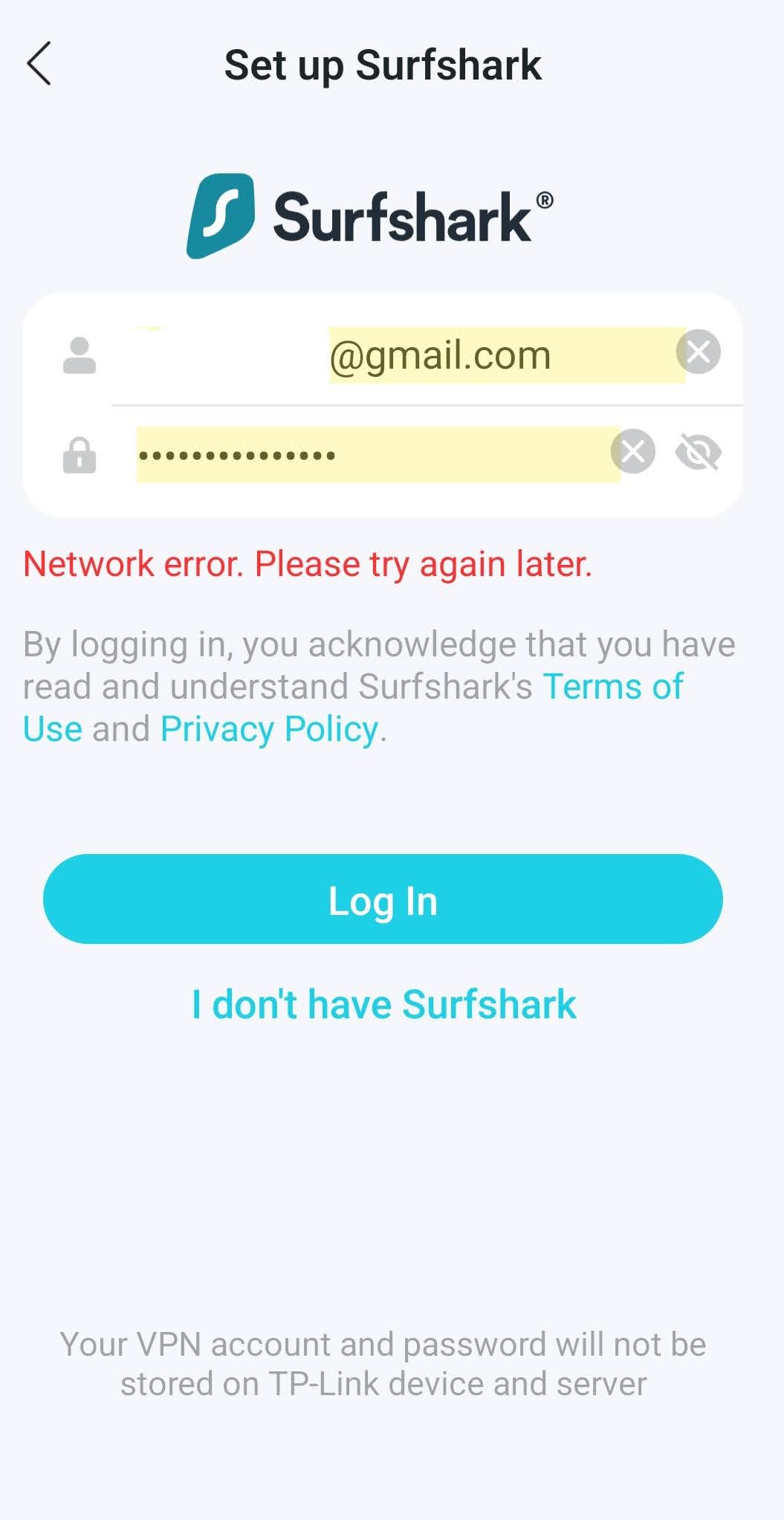
Using the TP-Link Toolkit, when I try to set-up Surfshark VPN, I just get the message "Network Error. Please try again later"
Am I missing something obvious?
- Copy Link
- Subscribe
- Bookmark
- Report Inappropriate Content


Hi, thank you very much for the feedback.
Are you sure Deco is in Access Point mode, as Deco doesn't support VPN client in AP mode?
Can I also have the firmware version of the Deco M4?
Best regards.
- Copy Link
- Report Inappropriate Content
Hi, welcome to the community.
Can I have a screenshot of the following error message:
"when I try to set-up Surfshark VPN, I just get the message "Network Error. Please try again later""
By the way, apart from Deco E4, would there be other Deco models in the Mesh network?
Wait for your reply.
Best regards.
- Copy Link
- Report Inappropriate Content
Sorry, yes the main node is an M4R model.
Screenshot attached
M4R is connected with LAN cable to Virgin router which is in modem mode. TP-Link is in Access Point mode.
- Copy Link
- Report Inappropriate Content
- Copy Link
- Report Inappropriate Content
Hi, thank you very much for the feedback.
Are you sure Deco is in Access Point mode, as Deco doesn't support VPN client in AP mode?
Can I also have the firmware version of the Deco M4?
Best regards.
- Copy Link
- Report Inappropriate Content
Information
Helpful: 1
Views: 254
Replies: 4
Voters 1