
Solution LAN connections broken after upgrading Firmware - Archer BE550

My Archer BE550 got upgraded yesterday to version 1.2.2 Build 20251209 rel.57736(4555). Since then, my LAN connections are not working anymore ( 1 Windows 11, 1 Mac, 1 TV).
Sometimes I manage to make it work by powering off/on. The connection with the router is fine, but the browser keeps waiting forever to load the web pages. The wifi connections are fine.
I rely on the LAN connection for my work, so this issue is critical for me.
Thanks.
- Copy Link
- Subscribe
- Bookmark
- Report Inappropriate Content

@icruces Update 1.2.3 is out! I've updated it and it's working as usual again!
- Copy Link
- Report Inappropriate Content
- Copy Link
- Report Inappropriate Content

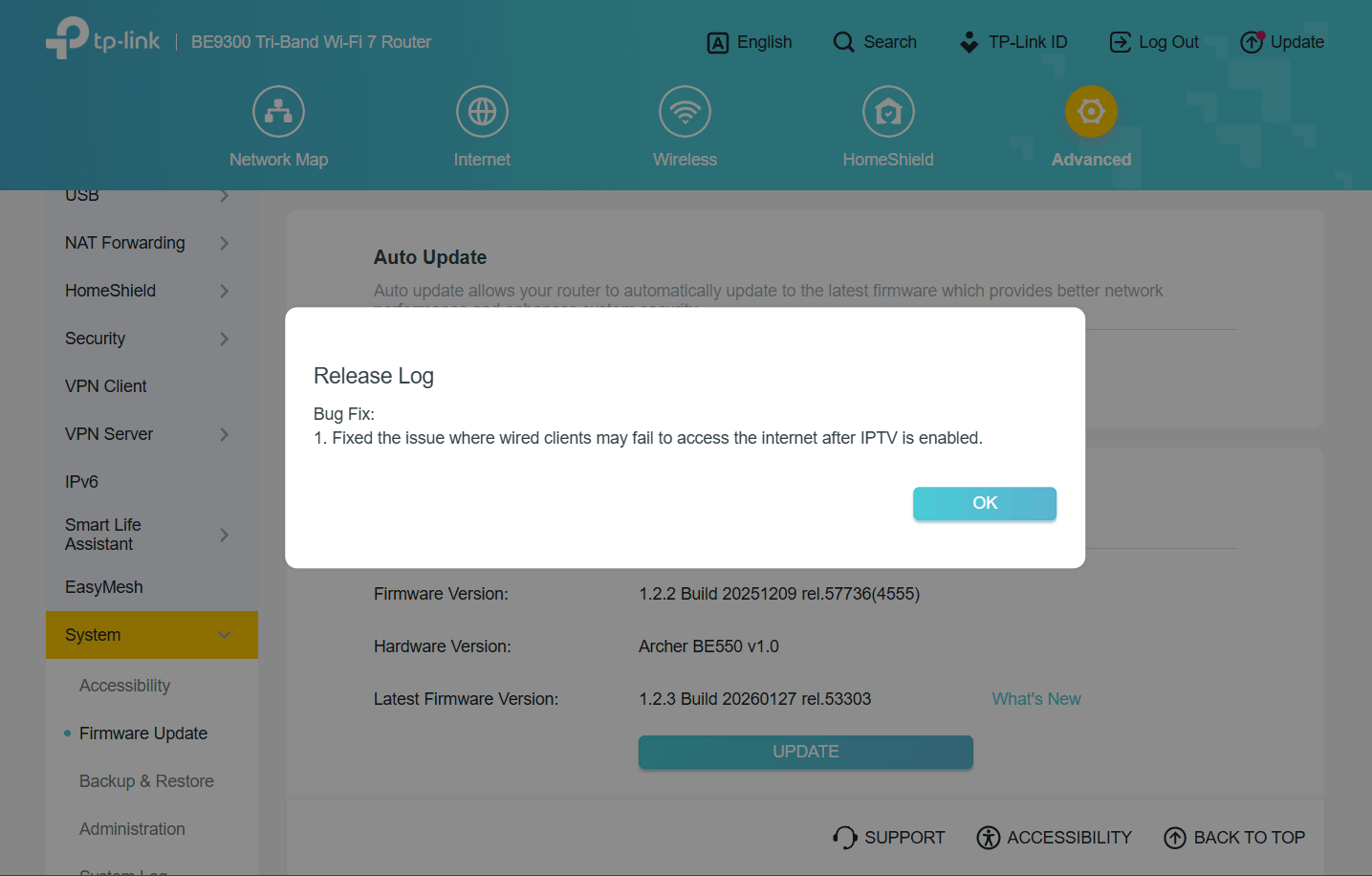
- Copy Link
- Report Inappropriate Content
I still can't find this version folks are installing, it's not on the UK support site.
https://www.tp-link.com/uk/support/download/archer-be550/v1/#Firmware
- Copy Link
- Report Inappropriate Content
Updates often show up delayed on regional sites. The "Worldwide" site is usually your best bet. https://www.tp-link.com/en/support/download/archer-be550/v1/#Firmware
- Copy Link
- Report Inappropriate Content
- Copy Link
- Report Inappropriate Content
Firmware 1.2.3 working fine for me.
Thanks!
- Copy Link
- Report Inappropriate Content

I have been having issues with the connection dropping out since I got this router, I updated to 1.2.3 after that my drop outs were a lot worse.
It was just the wifi before but now its both LAN and wifi, they stay connected but there is no internet access, it stops for about a minute then reconnects.
I have just rolled back to 1.2.1 to see if my connection stabilizes.
I have a number of TP-Link products and have always been really happy with them until I purchased this BE550 v1 its been the most expensive paper weight I have got, it really is putting me off getting another TP-Link product, come on guys I can't be that hard to sort the software out.
Joseph-TP wrote
Updated February 2:
Hi All Users,
We have identified the cause of the unexpected behavior that occurred after updating the Archer BE550-v1 to firmware 1.2.2, resulting in wired client devices being unable to access the network even though they could still obtain IP addresses normally.
We have several feasible solutions for this; please choose the one that best suits your needs.
Solution 1: Enable QoS Feature on the router.
Solution 2: Manually roll back the firmware to version 1.2.1: https://www.tp-link.com/support/download/archer-be550/v1/#Firmware. This solution has already been verified by our users @Chaswina and @NMarco.
Solution 3: The new firmware Archer BE550(EU)_V1_1.2.3 Build 20260127, Archer BE550(JP)_V1_1.2.3 Build 20260127 have been released. Please update the firmware to latest version.
Thank you again for your feedback, kind understanding, and support!
Joseph-TP wrote
Updated February 2:
Hi All Users,
We have identified the cause of the unexpected behavior that occurred after updating the Archer BE550-v1 to firmware 1.2.2, resulting in wired client devices being unable to access the network even though they could still obtain IP addresses normally.
We have several feasible solutions for this; please choose the one that best suits your needs.
Solution 1: Enable QoS Feature on the router.
Solution 2: Manually roll back the firmware to version 1.2.1: https://www.tp-link.com/support/download/archer-be550/v1/#Firmware. This solution has already been verified by our users @Chaswina and @NMarco.
Solution 3: The new firmware Archer BE550(EU)_V1_1.2.3 Build 20260127, Archer BE550(JP)_V1_1.2.3 Build 20260127 have been released. Please update the firmware to latest version.
Thank you again for your feedback, kind understanding, and support!
- Copy Link
- Report Inappropriate Content
I have been having issues with the connection dropping out since I got this router, I updated to 1.2.3 after that my drop outs were a lot worse.
It was just the wifi before but now its both LAN and wifi, they stay connected but there is no internet access, it stops for about a minute then reconnects.
I have just rolled back to 1.2.1 to see if my connection stabilizes.
I have a number of TP-Link products and have always been really happy with them until I purchased this BE550 v1 its been the most expensive paper weight I have got, it really is putting me off getting another TP-Link product, come on guys I can't be that hard to sort the software out.
- Copy Link
- Report Inappropriate Content


Hi @Casbury67 ,
Welcome to our community.
May I know if your network topology diagram is as follows:
ISP modem—BE550)))((( client devices
(Note: — stands for wired connection,)))((( stands for wireless connection )
When the network drops, have the LED lights changed in any way? Are client devices still able to obtain IP addresses?
The FAQ below includes some suggestions that may help: Unstable connection on the TP-Link router.
- Copy Link
- Report Inappropriate Content
Information
Helpful: 5
Views: 4971
Replies: 33
Voters 2

