
At android application why i can't enable/disable vpn at my devices

Why even i see my device at my android app(Tether) I CAN'T enable or disable the vpn at the device i want and it is connected to this router wireless or wired???
I know that all my devices it was connected and vpn enabled to the router i can see and modify that from my pc but not from my android app.
Why is that happening????
Is there any solution for that?
- Copy Link
- Subscribe
- Bookmark
- Report Inappropriate Content


Hi @Grigorios ,
Like Woozle, I can delete a device from the Client List interface by long-pressing it.
What if you long-press a device? Are there any text prompts or pop-ups?
By the way, please confirm you are using the local network of BE230, and update the App to latest version.
If possible, try a different phone to test the VPN client on the Tether App.
- Copy Link
- Report Inappropriate Content

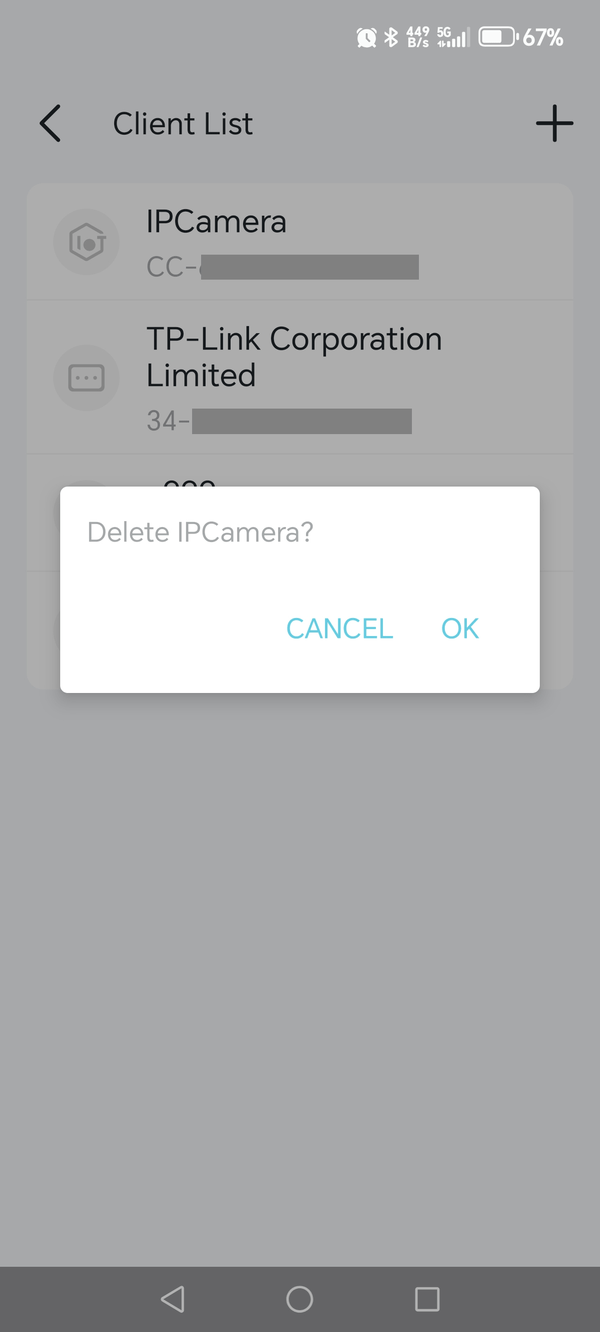
I don't know why it doesn't work for you, but below is a sample screenshot that shows how it should look like after you long-press on a device inside the VPN's "Client List".
- Copy Link
- Report Inappropriate Content
Hi,
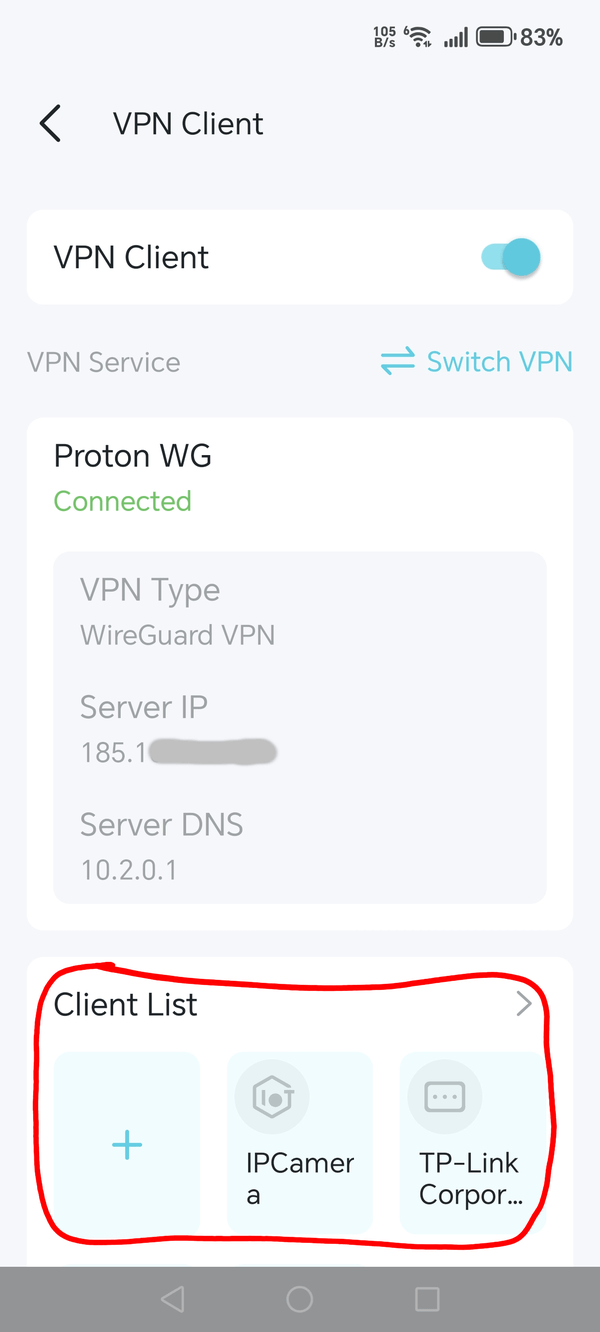
Do you mean there is no Client List shown in the VPN Client menu of the Tether app? (i.e. the section circled in red in the screenshot below)
Anyway, it would be helpful if you could post a picture that shows how it looks for you.
- Copy Link
- Report Inappropriate Content
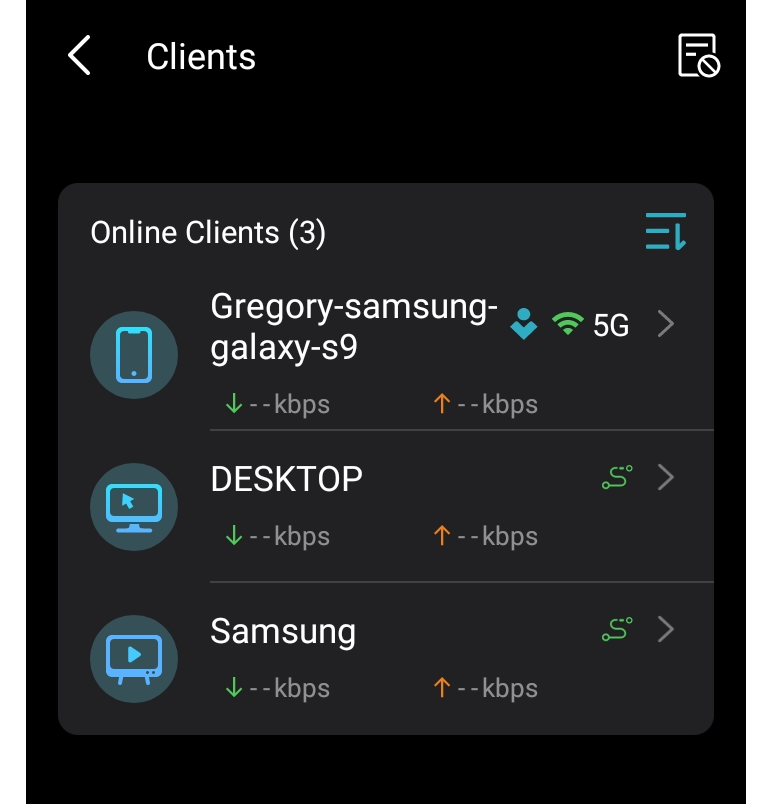
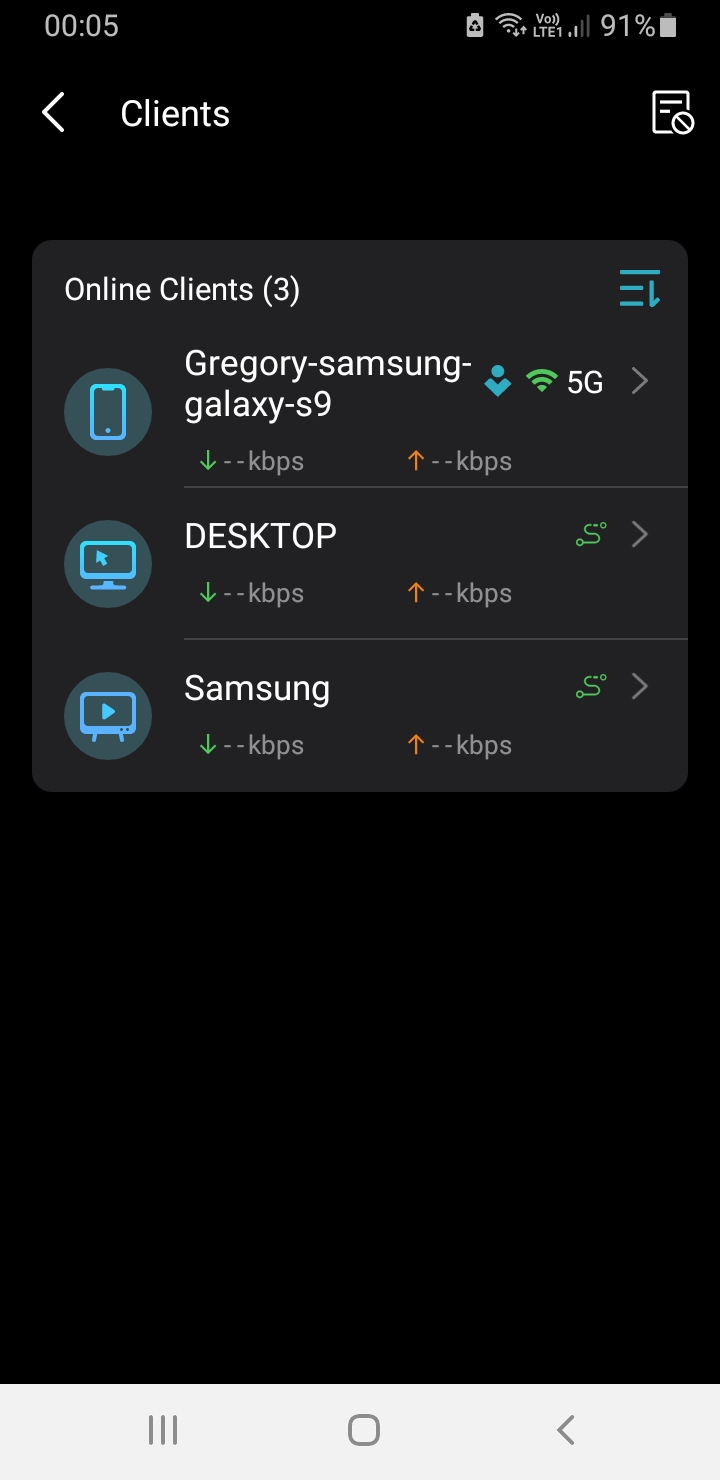
Here is the pictures you ask.
As you see don't seems anywhere that the vpn is off.
So i can't disable it to any device i want.
Why is this happening?
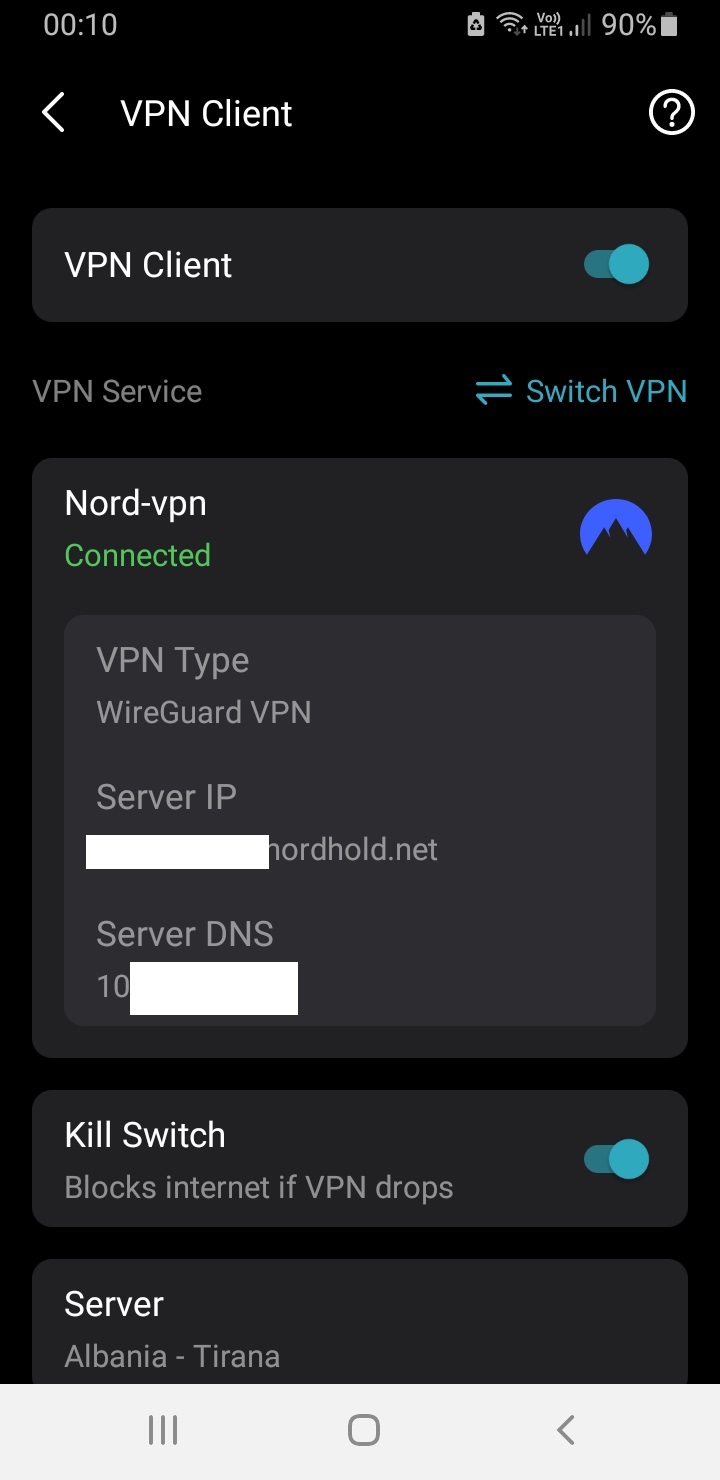
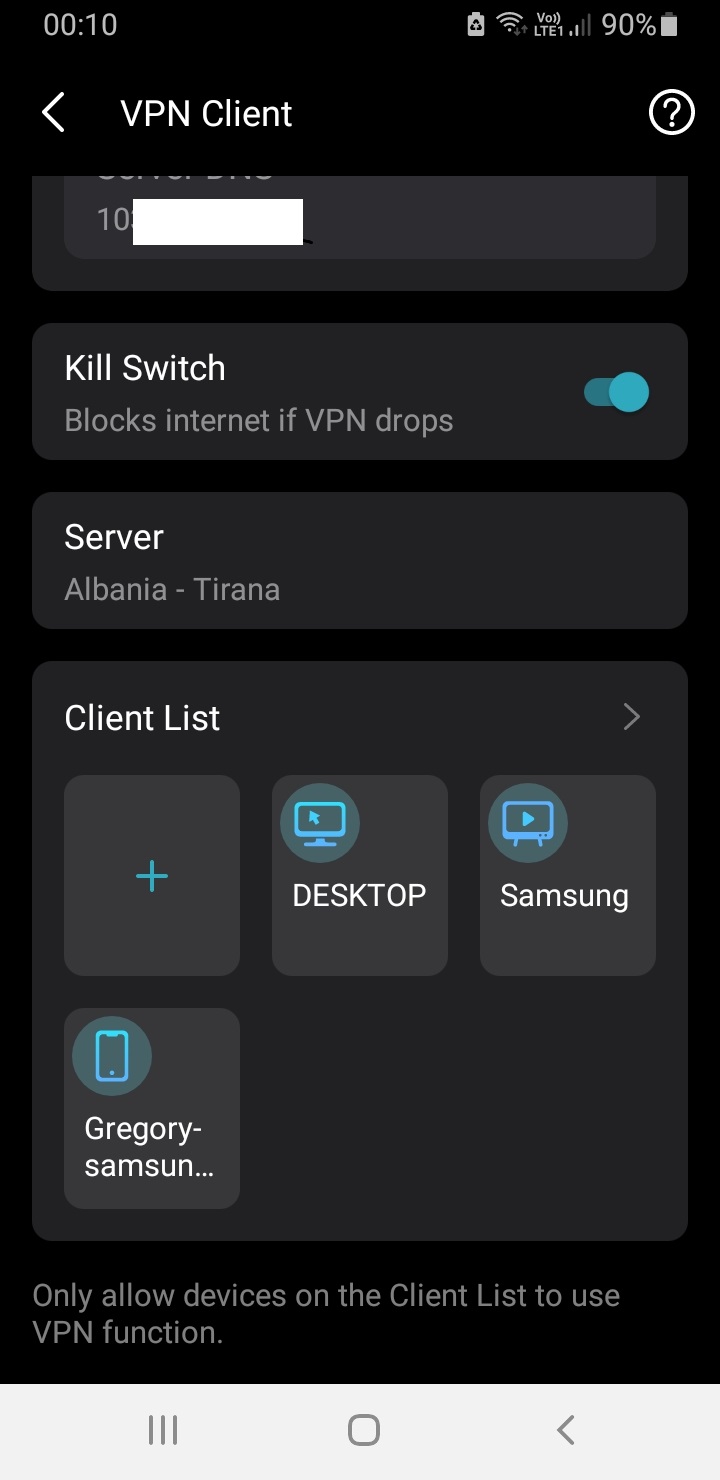
- Copy Link
- Report Inappropriate Content
Please excuse me, but I don't quite understand where the problem is.
Your last screenshot shows that the section for managing the clients that use the VPN connection does exist. If you open the Client List by tapping on "Client List >" you should be able to either add more clients (tap "+") or delete clients by a long-touch on any of the listed devices.
- Copy Link
- Report Inappropriate Content
From the 3rd picture i can't even press the devices. So i CAN'T disable or enable the vpn.
And from anywhere at the android app tether i CAN'T enable or disable the vpn from any device i want.
Now you understand what is the problem?
- Copy Link
- Report Inappropriate Content
Hi @Grigorios ,
Like Woozle, I can delete a device from the Client List interface by long-pressing it.
What if you long-press a device? Are there any text prompts or pop-ups?
By the way, please confirm you are using the local network of BE230, and update the App to latest version.
If possible, try a different phone to test the VPN client on the Tether App.
- Copy Link
- Report Inappropriate Content
I have already test from the beginning if i have the latest android app & router firmware version.
Is not that.
And i can't simply hold pressed the devices(It doesn't do anything at all i test it now)
- Copy Link
- Report Inappropriate Content
I don't know why it doesn't work for you, but below is a sample screenshot that shows how it should look like after you long-press on a device inside the VPN's "Client List".
- Copy Link
- Report Inappropriate Content
Information
Helpful: 0
Views: 509
Replies: 7
Voters 0
No one has voted for it yet.