
Getting Error code no 1 after i trying to update firmware

Getting Error code no 1 after i trying to update firmware

Getting Error code no 1 after i trying to update firmware
2026-02-07 03:12:08
Model: XC220-G3v  
Hardware Version: V2
Firmware Version: XC220-G3v_(US)_V2_1.14.0_0.8.0 Build 250317

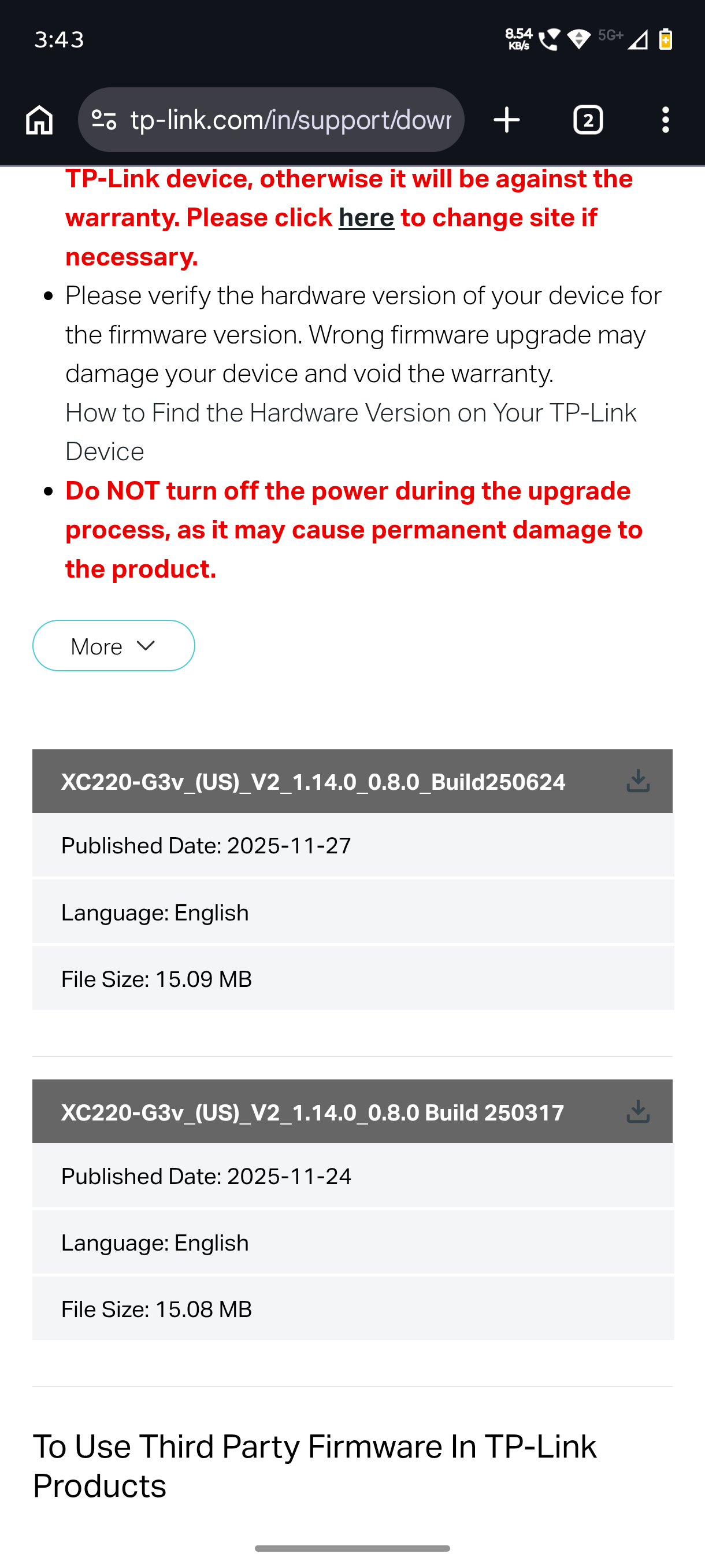
after i updating with frimware version XC220-G3v_(US)_V2_1.14.0_0.8.0 Build 250317 the lan port 4 is not working. then after 3 days i saw latest firmware version XC220-G3v_(US)_V2_1.14.0_0.8.0_Build250624 then i get error code 1 when i try to update firmware. Please Any solution for this?

  0      
  0      
#1
Options
3 Reply
Re:Getting Error code no 1 after i trying to update firmware
Thursday

Hello @OkServer 


Where did you get this version XC220-G3v_(US)_V2_1.14.0_0.8.0 Build 250317?

Nice to Meet You in Our TP-Link Community. Check Out the Latest Posts: Introducing AI QoS: Elevate Your Gaming Experience on the Archer GE800 Gaming Router! Connect TP-Link Archer BE550 to Germany's DS-Lite (Dual Stack Lite) Internet via WAN Archer GE550 - BE9300 Tri-Band Wi-Fi 7 Gaming Router Archer AX90 New Firmware Added Support for EasyMesh and Ethernet Backhaul If you found a post or response helpful, please click Helpful (arrow pointing upward icon). If you are the author of a topic, remember to mark a helpful reply as the "Recommended Solution" (star icon) so that others can benefit from it.
  0  
  0  
#2
Options
Re:Getting Error code no 1 after i trying to update firmware
Thursday

  @Kevin_Z

 its on our asia region tp link website. Lan port 1 not working since i update firmware. Port shows light but not transfer any internet data. computer shows no internet connection 


 ðŸ‘‡ Below i send screenshot india region firmware page


  0  
  0  
#3
Options
Re:Getting Error code no 1 after i trying to update firmware
Yesterday

@OkServer 


Please try resetting the router to factory defaults and check whether the LAN ports come back online.


If not, it's suggested to contact our local technical support to check the warranty cause the device seems faulty.
https://www.tp-link.com/support/contact-technical-support/#Hotline-Support 

Nice to Meet You in Our TP-Link Community. Check Out the Latest Posts: Introducing AI QoS: Elevate Your Gaming Experience on the Archer GE800 Gaming Router! Connect TP-Link Archer BE550 to Germany's DS-Lite (Dual Stack Lite) Internet via WAN Archer GE550 - BE9300 Tri-Band Wi-Fi 7 Gaming Router Archer AX90 New Firmware Added Support for EasyMesh and Ethernet Backhaul If you found a post or response helpful, please click Helpful (arrow pointing upward icon). If you are the author of a topic, remember to mark a helpful reply as the "Recommended Solution" (star icon) so that others can benefit from it.
  0  
  0  
#4
Options