
Mobile not connecting to Reolink doorbell

Hi. I have deco m5 wifi - 3 nodes in my house and it works great. I just installed a reolink video doorbell. It is connected to the closest node to my front door. If i am out (on 4G/5G or on another wifi) i can connect to my doorbell. If i am in my house and my mobile is connected to the same node as the doorbell, i can also connect to doorbell. However, if I walk upstsairs and my mobile connects to another node, I cannot connect to doorbell. Does anyone know why and if this can be fixed? I love the roaming/mesh feature of the deco m5, but there are some kind of conflict here with the doorbell.
- Copy Link
- Subscribe
- Bookmark
- Report Inappropriate Content


Hi, thank you very much for the feedback.
Have you ever enabled "Device Isolation" on the Deco App, such as:

If not, can you consistently reproduce the following issue:
"If i am in my house and my mobile is connected to the same node as the doorbell, i can also connect to doorbell.
However, if I walk upstsairs and my mobile connects to another node, I cannot connect to doorbell."
By the way, how are the Deco M5 units connected to each other? Can I have some screenshots of the network map on the Deco App, such as:
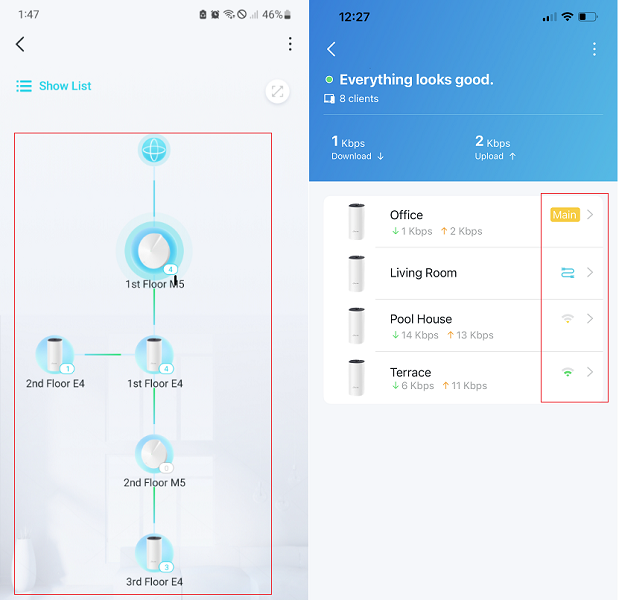
Wait for your reply.
Best regards.
- Copy Link
- Report Inappropriate Content
@David-TP Everything works just fine. I think the problem was that the doorbells wifi transmitter is very bad, and when running 5Ghz it becomes even worse. On 2.4Ghz it is fine.
- Copy Link
- Report Inappropriate Content
Hi, thank you very much for the feedback.
Have you ever enabled "Device Isolation" on the Deco App, such as:
If not, can you consistently reproduce the following issue:
"If i am in my house and my mobile is connected to the same node as the doorbell, i can also connect to doorbell.
However, if I walk upstsairs and my mobile connects to another node, I cannot connect to doorbell."
By the way, how are the Deco M5 units connected to each other? Can I have some screenshots of the network map on the Deco App, such as:
Wait for your reply.
Best regards.
- Copy Link
- Report Inappropriate Content
Thank you for your reply. "Device Isolation" is not enabled.
My main deco is also my main router. It communicate wireless with the two other nodes.
I have to do some more testing over time, but I think maybe it works now.
In the deco-app i forced the reolink doorbell to use 2.4 GHz and i also forced it to use the closest node. For some reason it kept changing what node to be connected to.
Let me use it for some time and I can report back :)
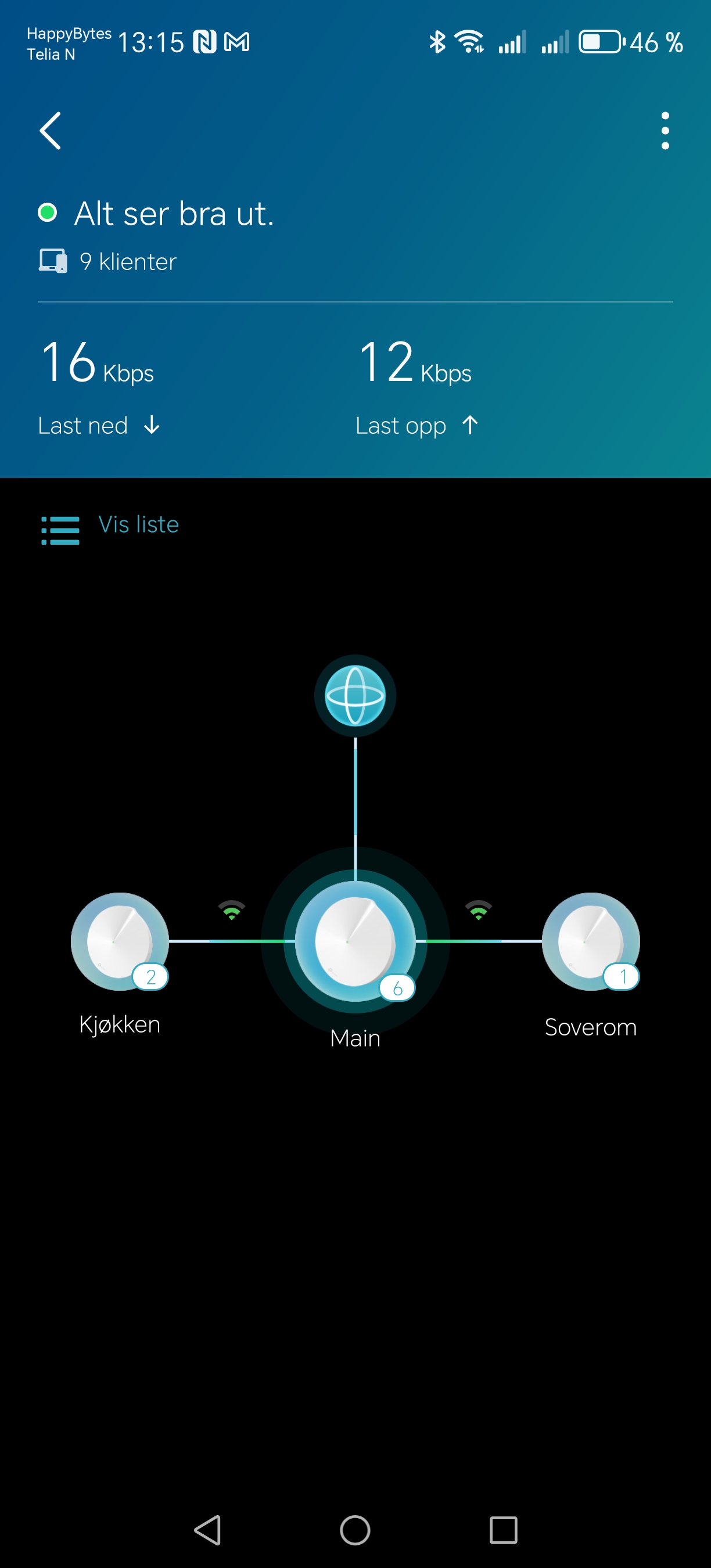
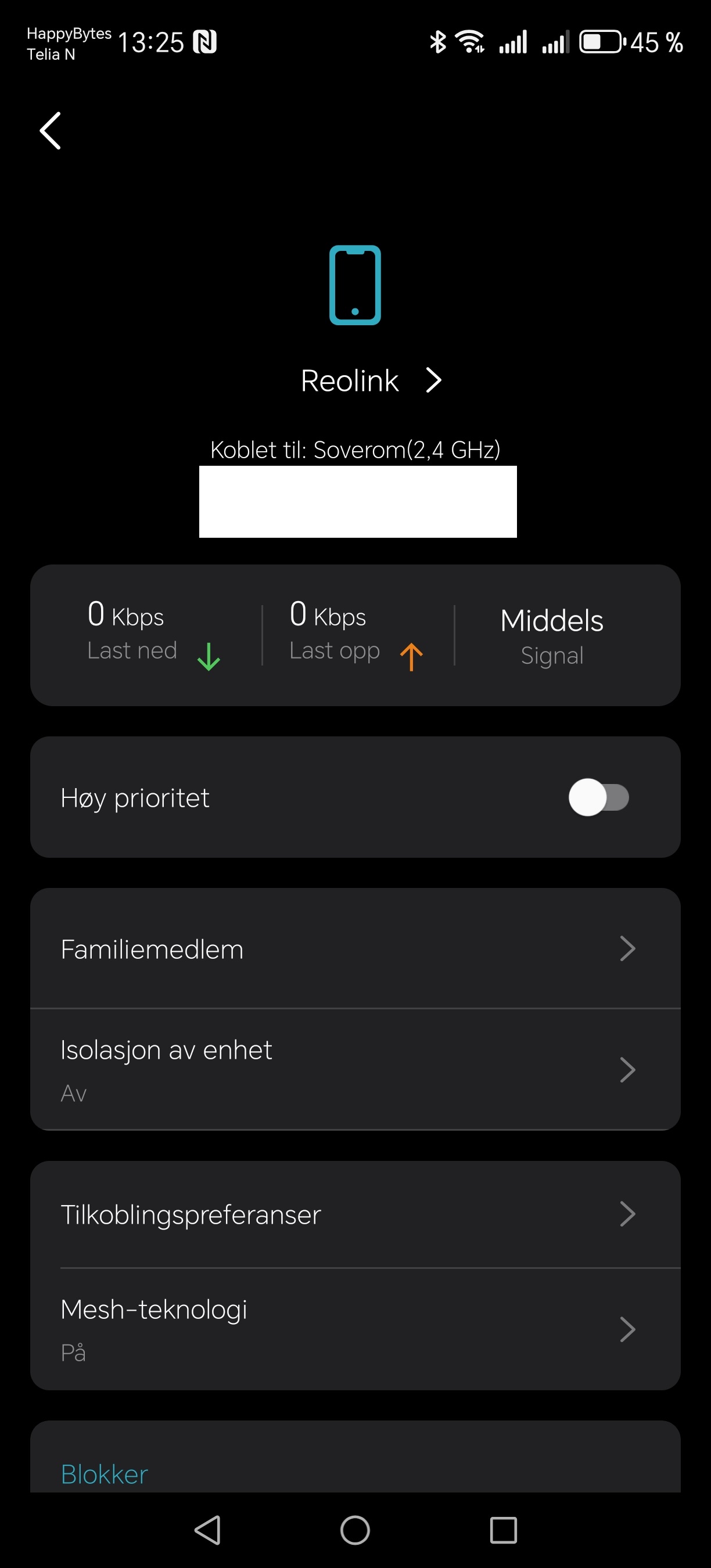
- Copy Link
- Report Inappropriate Content
 . I'll wait for your update.
- Copy Link
- Report Inappropriate Content
@David-TP Everything works just fine. I think the problem was that the doorbells wifi transmitter is very bad, and when running 5Ghz it becomes even worse. On 2.4Ghz it is fine.
- Copy Link
- Report Inappropriate Content
Information
Helpful: 0
Views: 290
Replies: 4
Voters 0
No one has voted for it yet.