TL-WPA4220 KIT V4 - No gateway no Internet

TL-WPA4220 KIT V4 - No gateway no Internet

TL-WPA4220 KIT V4 - No gateway no Internet
Thursday - last edited Friday
Model: TL-WPA4220 KIT  
Hardware Version: V4
Firmware Version: 4.0.5 Build 20230427 Rel.59854


I have these powerlines with the latest firmware installed. I reading various forums and topics. The last tip found was:


- Create 2 different SSID Wifi --> ModemRouter name = Enrydgl PowerLine = Enrydgl_pwl

- Create 2 different DHCP range and set Static IP to Powerline, so now I have:

Modem/Router IP: 192.168.1.1 - Subnet 255.255.255.0 - DHCP range from 192.168.1.2 to 192.168.1.225 

PowerLine IP: 192.168.1.200 - Subnet 255.255.255.0 - DHCP range from 192.168.1.226 to 192.168.1.254 Gateway 192.168.1.1 

DNS1 and DNS2 same for Modem and Powerline : 8.8.8.8 and 8.8.4.4


For me this is an absurd setup, especially because having 2 dhcp systems for the same network.. for me is not the best.


But the my most common and biggest problem is this: when I switch from Wi-Fi SSID to another SSID on my PC.

The DHCP work and set the correct IP number into correct range... but Internet down and when I check connection problem the response is:

"The default gateway cannot be reached".


Sometimes I solve it with restart Wifi device another time with pc reboot... it's really annoying thing.


I've read a thousand threads, but they're old. I don't know if they're talking about older firmware versions. I don't know if the problem have already reported from others and it has been resolved. So, I'm asking:

- 2 SSID with 2 ragnes is correct?

- I must set same SSID wifi and DHCP setting from gateway routermodem?

- I must downgrade FW to solve this problem?

- I must sell these kit becouse is this problem unsolvable?


Thank you Enrydgl

 

  0      
  0      
#1
Options
5 Reply
Re: TL-WPA4220 KIT V4 - No gateway no Internet
Thursday

  @Enrydgl 


Hi,


None of what you mentioned (two different SSID, two separate DHCP servers) is really necessary.


If you are having problems accessing the Internet when connected to the TL-WPA4220, then most likely the Powerline connection between the TL-PA4010 and the TL-WPA4220 is too weak.

For a test, plug the TL-WPA4220 into a wall socket that is located much closer to the TL-PA4010 and then check if the Internet connection becomes reliable.

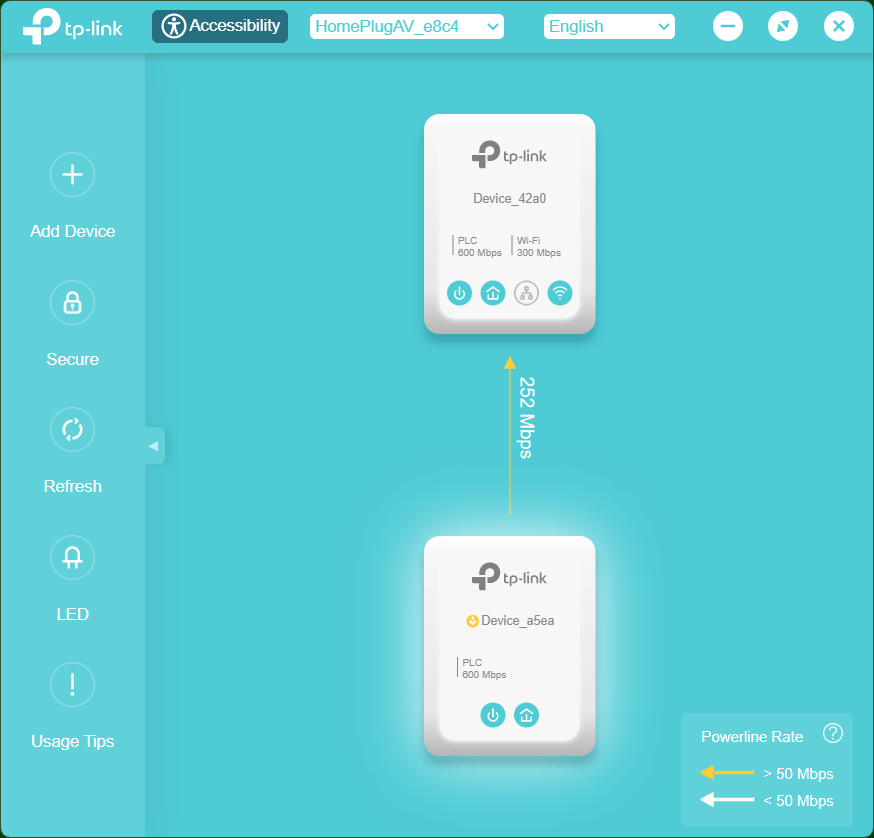
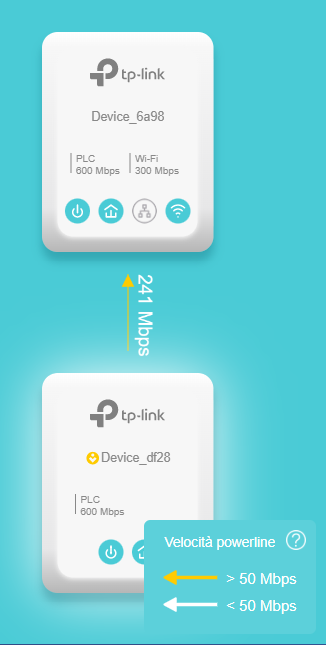
You can also install TP-Link's "TP PLC Utility" https://www.tp-link.com/en/support/download/tl-wpa4220-kit/v4/#Utility and use it to check how good the Powerline connection is. For a TL-WPA4220 KIT I would recommend the indicated "Powerline Rate" to be > 80 Mbps to ensure a stable connection.

  0  
  0  
#2
Options
Re: TL-WPA4220 KIT V4 - No gateway no Internet
Friday - last edited Friday

  @woozle 


Hi,

  I changed the settings.


Now I have:

- Modem/Router - SSID Enrydgl --> IP Static 192.168.1.1 Subnet 255.255.255.0 DHCP 192.168.1.2 - 192.168.1.254

- PowerLine - SSID Enrydgl_pwl --> IP Static 192.168.1.200 Subnet 255.255.255.0 Gateway 192.168.1.1 DHCP - Auto


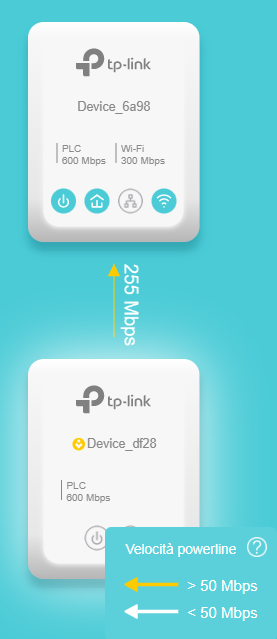
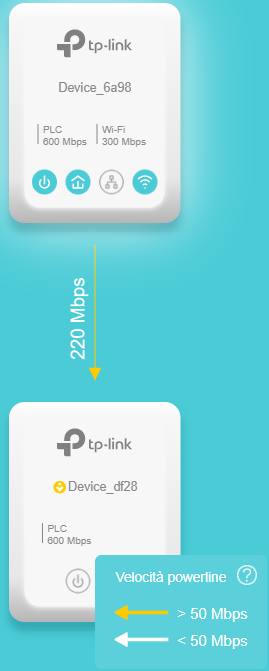
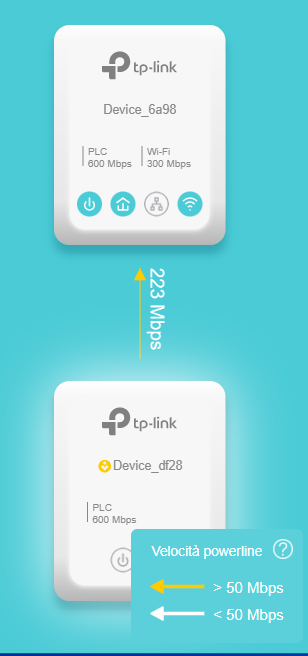
I moved the powerline slave to another power socket and I test the Powerline Connection:

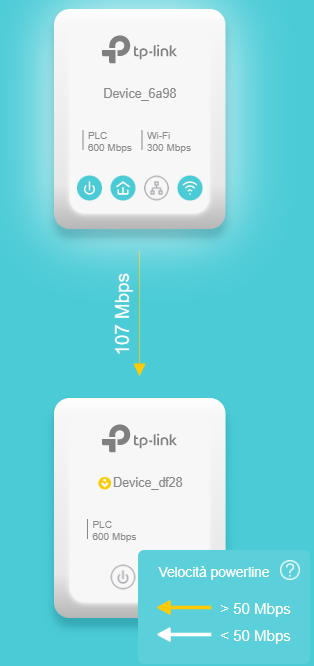
First test --> more near Powerline master:

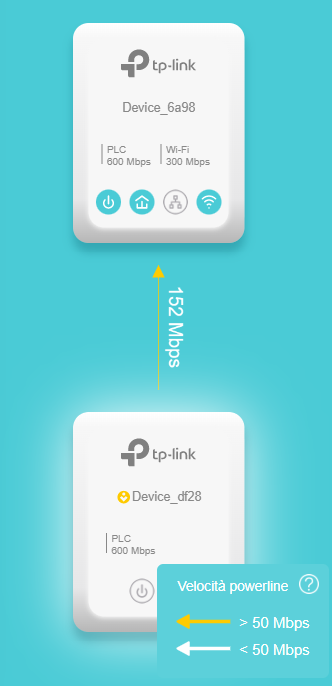
Second test --> halfway my favorite position

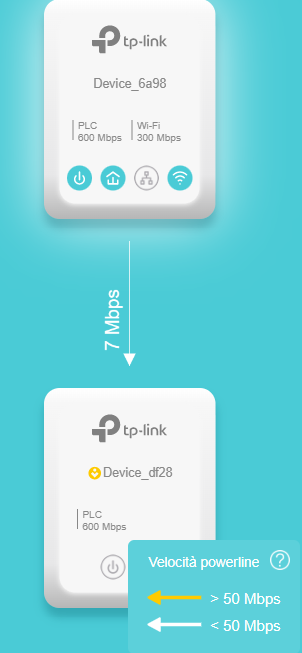
Third test -> My favorite position

Ok I think it isn't problem of my electric system home. it's right? Yesterday I detected the Gateway problem on my PC, with halfway situation. What I can check to solve the problems? Powerline Logs?


Add Test1 --> I test to change Wifi SSID with halfway situation (100 - 120 mps) on my PC: Internet don't work:

Error:

"No DHCP server was found. Your network connection may be poor." (windows11)


Second test --> same halfway situation:

"No internet connection. Connection only local network. The power of wireless signal could be poor"


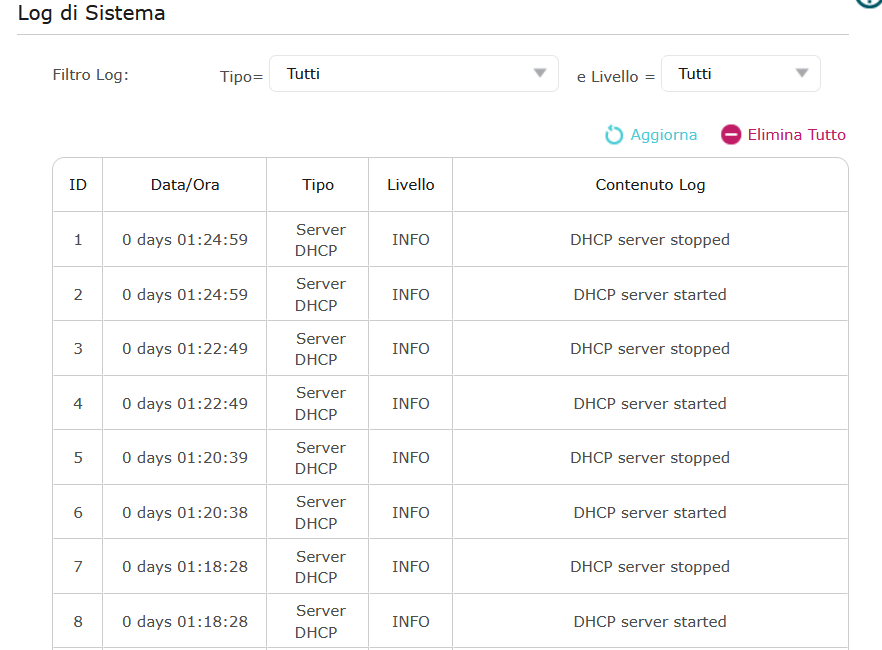
Powerline Log on WebUI:


Any idea or solution?


Best regards

  0  
  0  
#3
Options
Re: TL-WPA4220 KIT V4 - No gateway no Internet
Yesterday

  @Enrydgl 


Something seems not right with your setup. Below is a screenshot of my WPA4220 KIT and the "Power" icon of the device that is connected to the router should appear as active, while in your screenshots it shows inactive.


I suggest you reset both devices of your TL-WPA4220 KIT and then try again like that (i.e. don't change any settings). The KIT should work as it is.

If it still doesn't work at the "near" or halfway" positions, then maybe there is some compatibility issue between your router model and the WPA4220 KIT.


The Powerline connection at your "favorite" position is indeed very weak in one direction. This could cause connection problems.


  0  
  0  
#4
Options
Re: TL-WPA4220 KIT V4 - No gateway no Internet
Yesterday - last edited Yesterday

  @woozle 


The power symbols are off or on, if in your setting LEDs are on or off. 

Now I turned at ON both leds and powers buttons are ok.


I have big problems with my notebook Dell. Smartphones switch from SSID powerline to SSID master without problems. 


New test:

- Smartphone Motorola --> no problem

- Dell PC Latitude 7650 --> DHCP ok.. Ip, Gateway, DNS... Connect to Wifi but in local network without internet (after 3 minutes internet up... random work)

- Tables --> DHCP no work. Continue to Get Ip address and failed. So I set STATIC IP. Wifi connect but without internet (after 3 minutes internet up ... random work)


IP, Gateway all ok. Test with best connection (near solution). This product don't work good..

in log I found --> DCHP start and DCHP stopped a very high quantities of logs.. every 2 minutes Start and Stop.. I don't understand... 

  0  
  0  
#5
Options
Re: TL-WPA4220 KIT V4 - No gateway no Internet
Yesterday

  @Enrydgl 


I just tested this myself with a Windows 11 PC and I was able to reproduce your findings.

When switching from the router's Wi-Fi to the Wi-Fi of the TL-WPA4220 it takes several minutes before the client device can finally access the router's network and the Internet. Once the connection was established it remained stable for me.


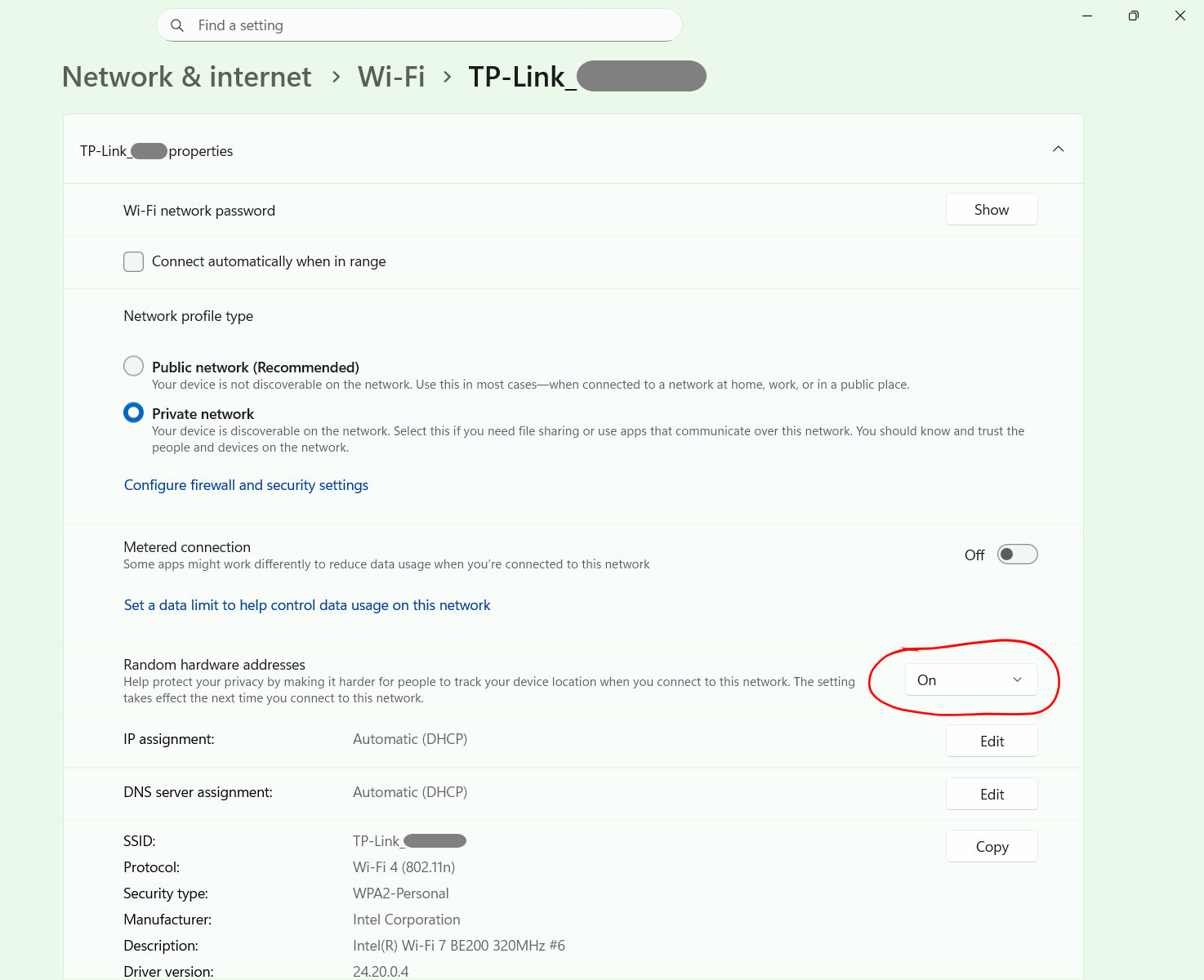
I tested various things and the only workaround I found was to set one of the two Wi-Fi networks (router Wi-Fi or WPA4220 Wi-Fi) to use the feature "Random hardware addresses". With this configuration the Wi-Fi card of the PC connects to the two Wi-Fi networks using different MAC addresses and the Internet connection works right away. Obviously this workaround only works if the router and the WPA4220 use different Wi-Fi SSIDs.


This might also be the reason why you didn't notice this issue with your smartphones, because they likely use random MAC address by default.


I am not sure if the actual root cause for the problem lies within the TL-WPA4220 or the router. 


  0  
  0  
#6
Options