connection speed problems

connection speed problems

connection speed problems
Tuesday - last edited Wednesday
Model: Archer VR400  
Hardware Version: V3
Firmware Version: 1.6.0 0.9.1 v00a1.0 Build 250909 Rel.35514n

Hello

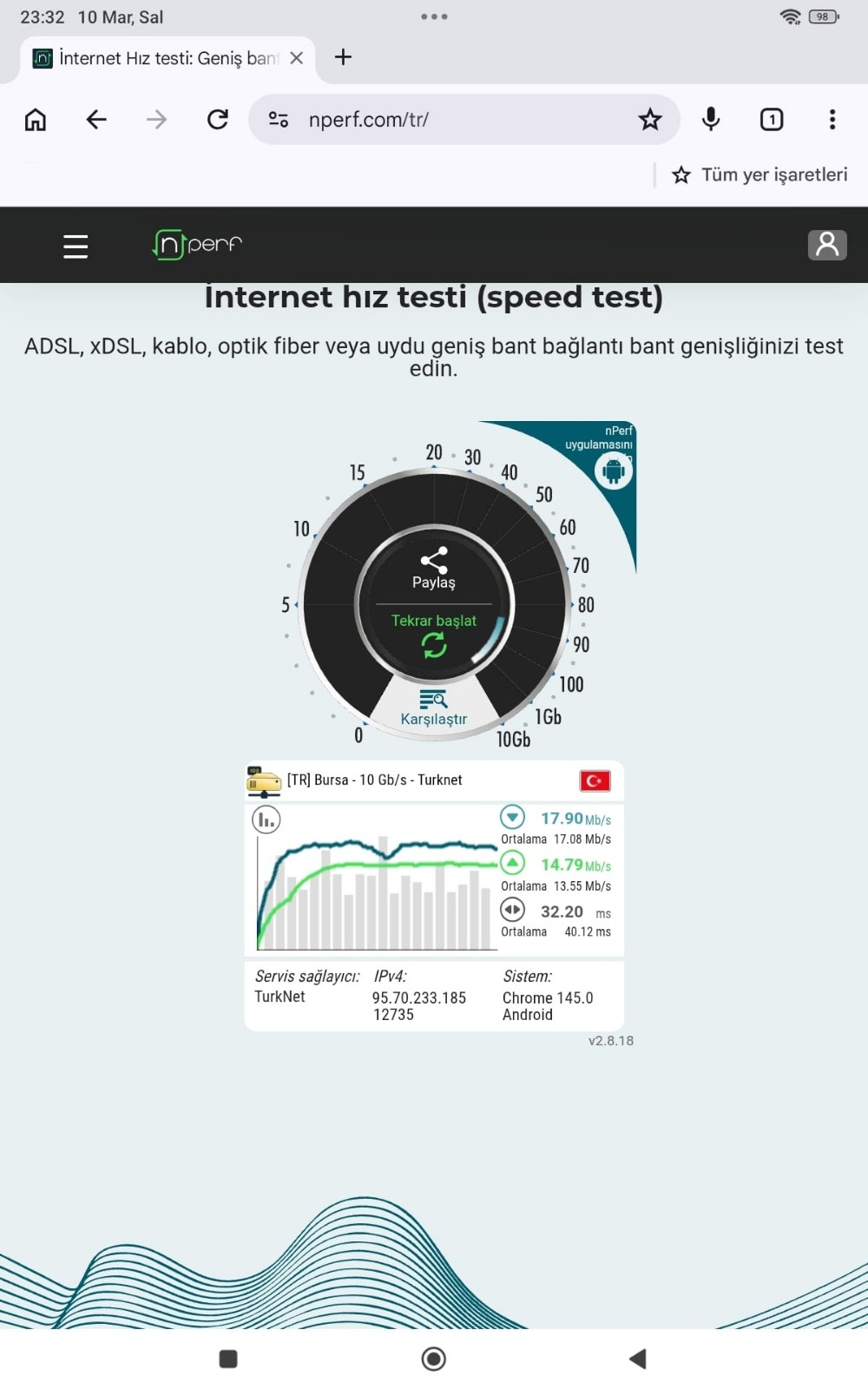
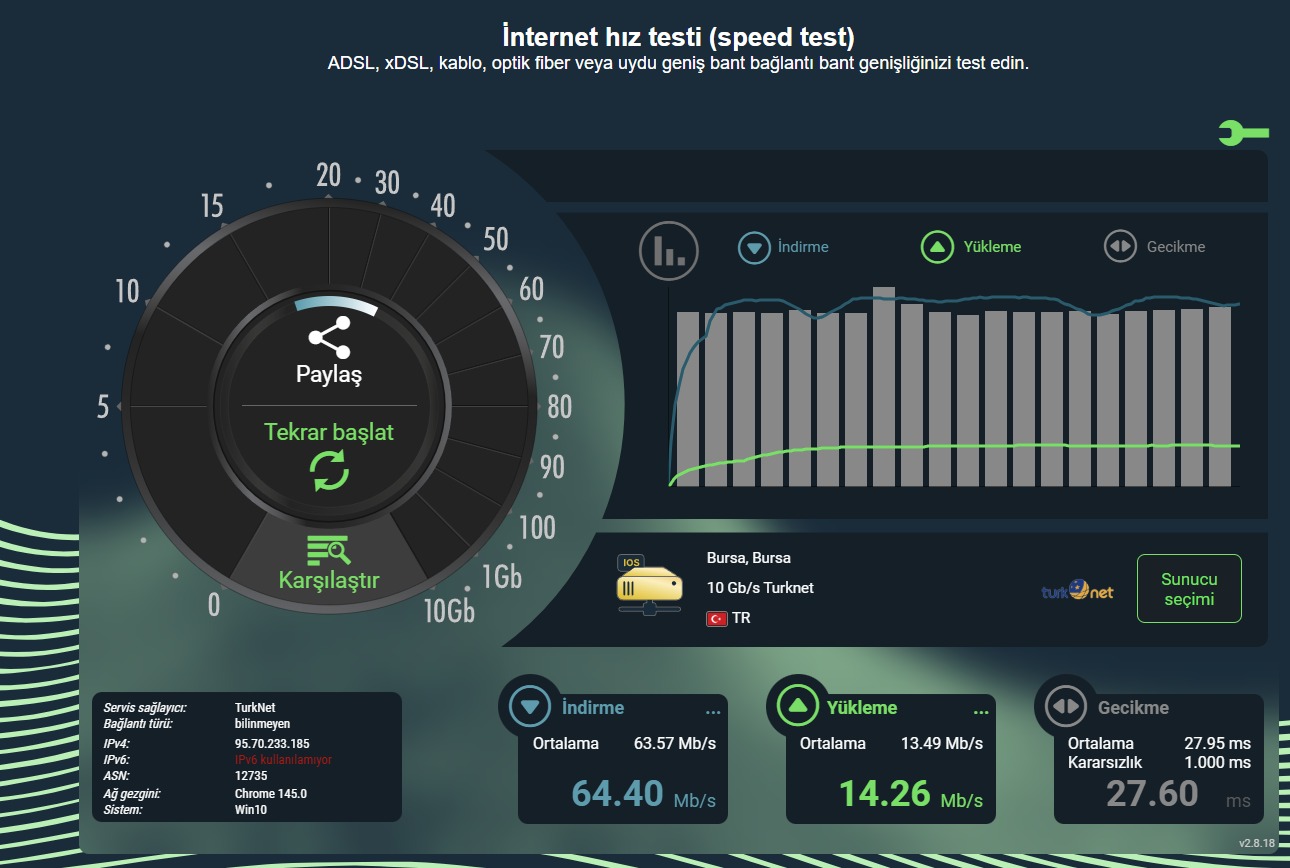
I'm not getting the same speed on a wireless connection as I do on a wired one. I was getting the same speed before the firmware upgrade, but after the upgrade I noticed that I'm not getting it anymore, and the ping values ​​are unstable and high on wireless. I don't remember having this problem before the update.


  • I reset the modem to factory settings, but it didn't fix the problem.

  • I tried it on multiple devices; tablet, phone  Poor results on devices, I was previously getting speed values of 60-70 Mbps on the tablet. I can't see these values now.


75 Mbps vDSL package


  0      
  0      
#1
Options
1 Reply
Re:connection speed problems
Yesterday

Hello @MusTy071 ,

Welcome to our community.


Is the wired speed normal after the firmware update? Here are some troubleshooting steps that you can try:

Wireless Speed Troubleshooting:

1. Simplify and test: Connect only one device to the router via wireless and run speed tests three times without any high-bandwidth activities (like downloads). Take screenshots of the results.
2. Check wireless link speed: Verify the wireless link speed on your devices and take screenshots. You can refer to this guide: How to check the associated/link speed on a wireless client
3. Optimize Channel Width:
   • For 2.4GHz: Set to 40MHz
   • For 5GHz: Set to 80MHz
   • Guide here: How to change wireless settings on TP-Link DSL Modem Router
4. Try 5GHz band: If your devices support 5GHz, connect to that band to see if performance improves.
5. Router placement: Ensure your router is in an open space at 0.3-0.5 meters height (like on a tabletop), away from microwaves, refrigerators, or metal objects.
6. Optimize channels: Set 2.4GHz channel to 1, 6, or 11 with 20MHz bandwidth, and 5GHz channel to 36-48 or 149-165 with 40MHz bandwidth.
 

  0  
  0  
#2
Options