How to have my both deco using wired cable connection ?

How to have my both deco using wired cable connection ?

How to have my both deco using wired cable connection ?
9 hours ago - last edited 6 hours ago
Model: Deco X50  
Hardware Version:
Firmware Version: 1.8

Hello everyone,

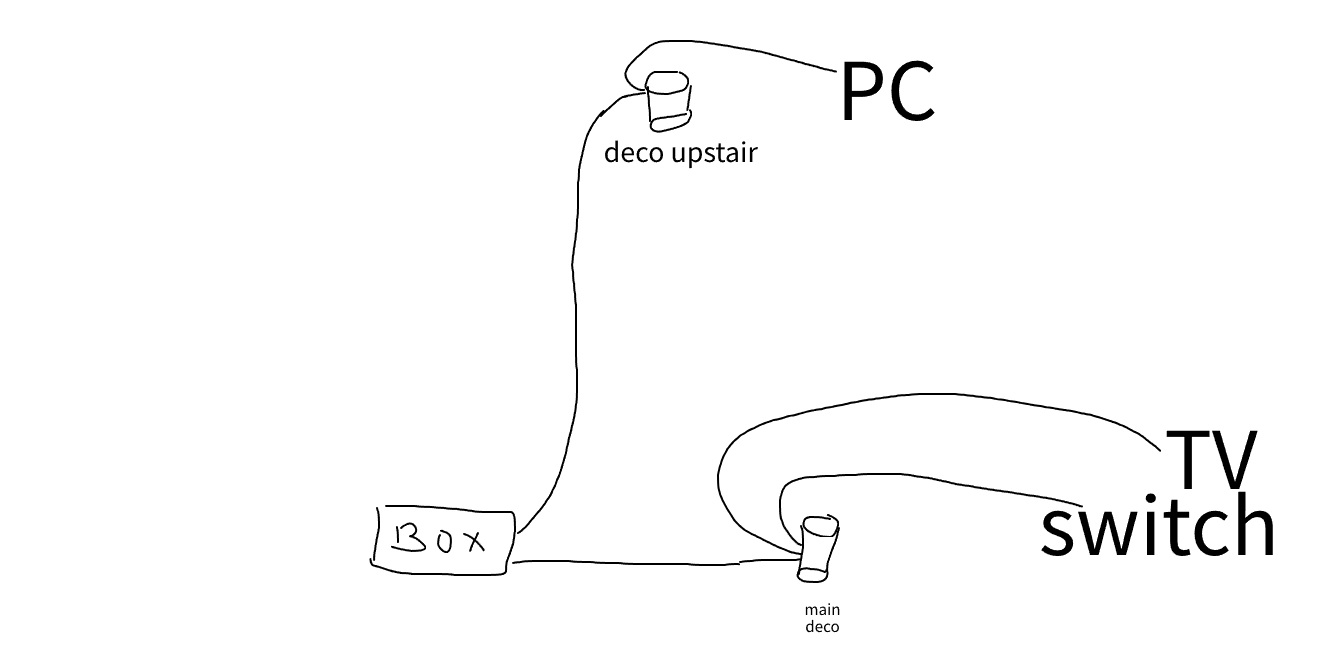
I can’t get my second Deco to work with a wired connection — it only works over WiFi. Everything is working perfectly downstairs, where I get the full 200 Mbps (which is the maximum of my internet).

Upstairs, my second Deco is connected via an RJ45 cable from the second port of my internet box, but the WiFi speed is only around 50 Mbps. I would expect to get the full 200 Mbps since it’s connected by Ethernet.

Also, my PC is connected to this Deco and is limited to 50 Mbps as well. If i put the cable from my box without the deco on my PC it's 200 mo !

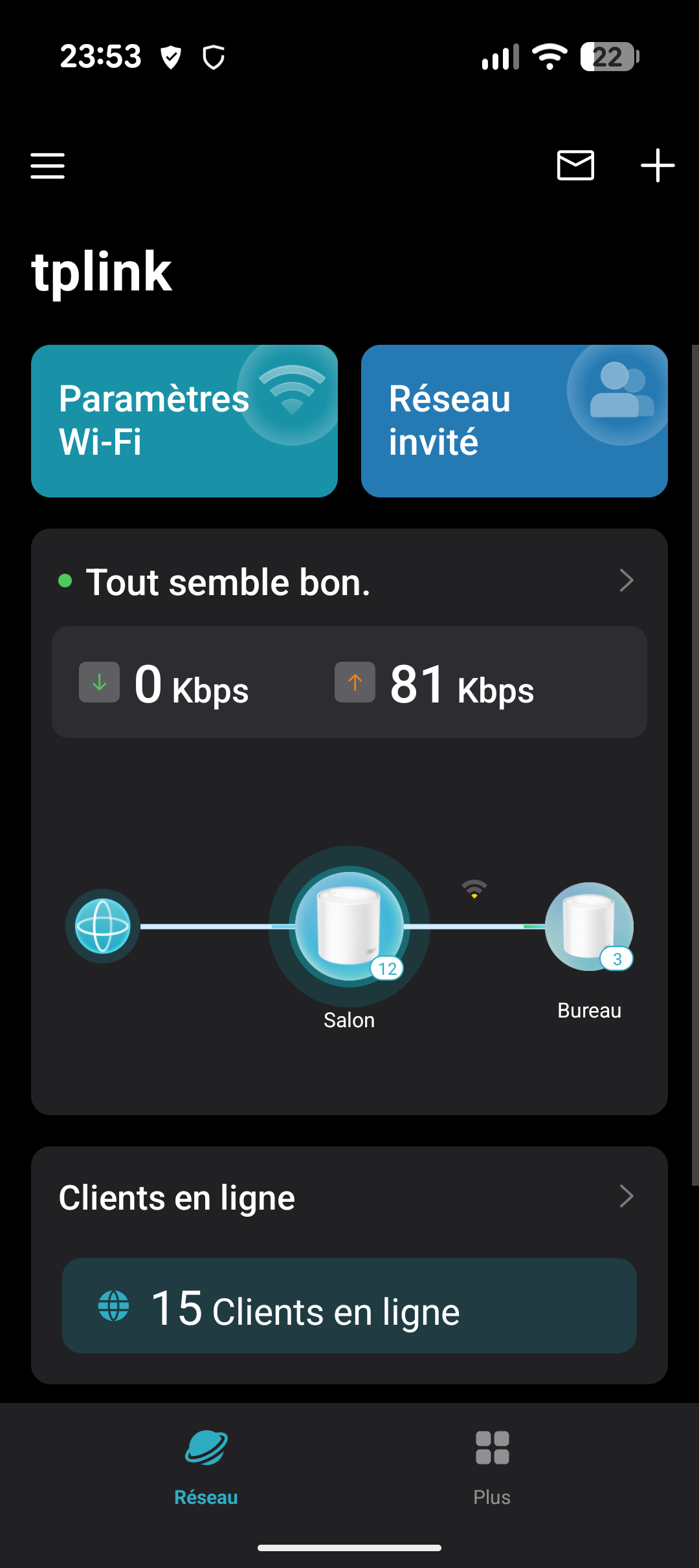
In the app, I can see that the second Deco is using a WiFi connection, but it should be wired since there is an Ethernet cable going directly from the box — right? I am using Access Point mode.

Thanks a lot — I’ve been trying to fix this for hours!

  1      
  1      
#1
Options
2 Reply
Re:How to have my both deco using wired cable connection ?
an hour ago

  @abstrakt 

Hi, thank you very much for the feedback.

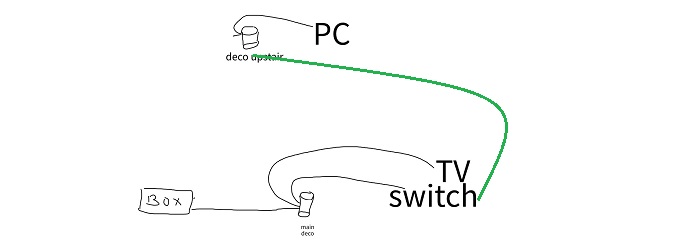
Can I have the model number of the "ISP internet box"?

If we adjust the Ethernet cable a little bit, such as:

Would the "Deco Upstairs" start using Ethernet Backhaul?


Wait for your reply.

Best regards.

  0  
  0  
#2
Options
Re:How to have my both deco using wired cable connection ?
an hour ago

  @abstrakt When i say Switch i mean the nintendo console :D


Version logicielle CGA437AORB-21.3-13.0-R024-RQ-EM-SH
Modem Technicolor
  0  
  0  
#3
Options