WR902AC connectivity problem

WR902AC connectivity problem

WR902AC connectivity problem
a week ago - last edited a week ago
Model: TL-WR902AC  
Hardware Version: V3
Firmware Version: N/K

I am trying to set up this mobile wi fi router in Client mode.  I have tried multiple times / configurations without success.  I successfully complete the set up and connect to my home wi fi network but when I then connect a laptop by Ethernet cable there is no internet connection.  I have tried both Smart IP and Static IP, setting the IP to 192.168.1.250 and disabling DHCP.  No luck with any combination.

 I have tried powering off the WR902AC after making changes and ditto the laptop.  I have Reset and gone through the set up again.  No joy.

BTW the Firewall of my laptop is Off.


Can anyone please suggest a possible fix? 

  0      
  0      
#1
Options
2 Reply
Re:WR902AC connectivity problem
Wednesday

Hello  @Dichotome ,

Welcome to our community.


Please select the correct mode that meets your needs: How to select the operating mode of TP-Link wireless multiple modes devices


If you need to set up client mode, please refer to TL-WR902AC_V3_User Guide( from page 131)

  0  
  0  
#2
Options
Re:WR902AC connectivity problem
Yesterday

Dichotome wrote

 I successfully complete the set up and connect to my home wi fi network but ...

  @Dichotome 


Hi,


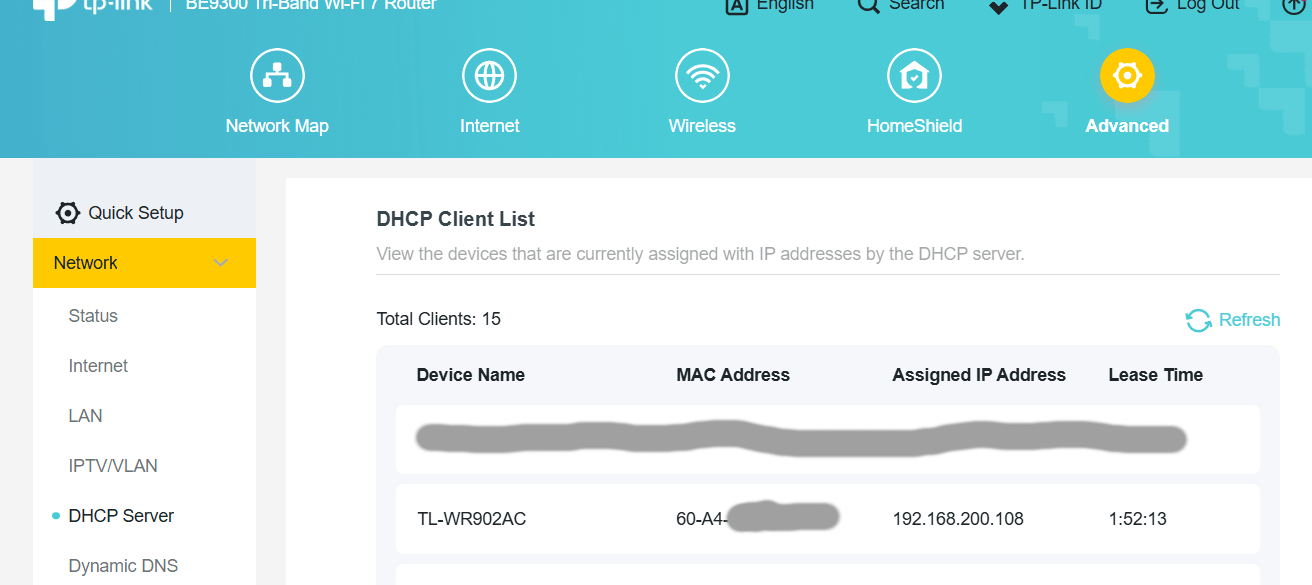
Have you verified the WR902AC has indeed connected to your home network? Does the WR902AC show up in the client list or DHCP list of your home Wi-Fi router? (for example, like in the screenshot below)


  1  
  1  
#3
Options