Operation Failed | Opening…

Operation Failed | Opening…

Operation Failed | Opening…
a week ago
Model: Deco XE75  
Hardware Version:
Firmware Version: 1.3.0 Build 20250 20250722 Rel. 38703

Hello,


I have a 2 deco XE75 set up and a few days ago my secondary deco light went red and all the mobile phones and laptops in the house lost connection to the network.

Multiple other Ethernetand Wi-Fi devices still connect and are working fine.


Via the mobile app, I have tried to reboot both decos and both return a operation failed message, I assume because I'm on 5G and not the Wi-Fi.


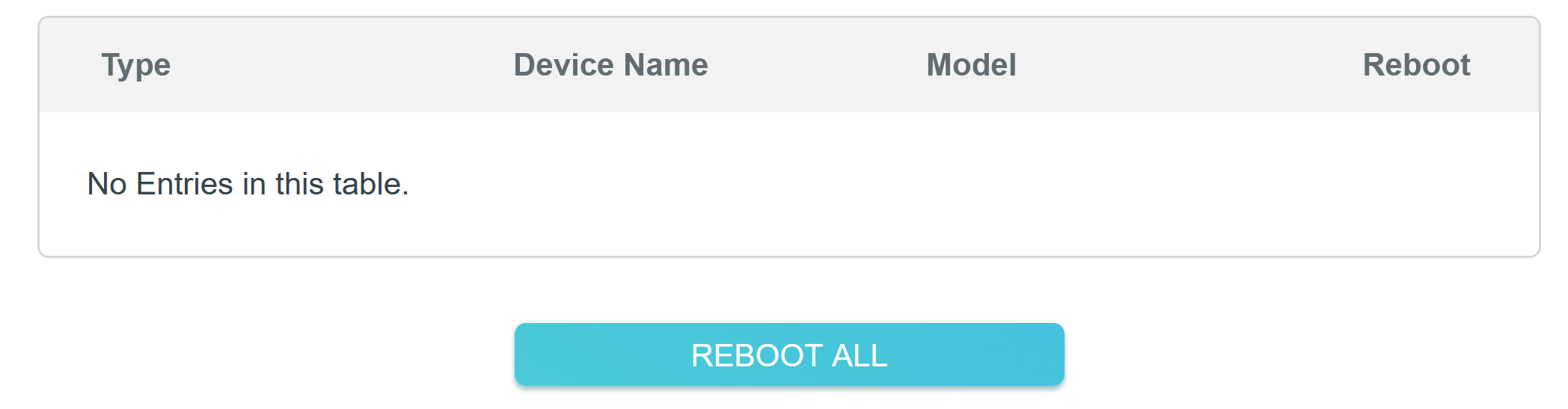
This led me to try the web UI via ethernet instead which I been able to log into but I keep getting operation failed messages on each screen as well. I clicked reboot all, and it popped up and went from 0% to 100%, but didn't list either deco in the devices list above the bottom to reboot them.


All the system info pages are empty, when the network map does decide to load it correctly shows that the upstairs deco is off-line.
All the while the title of the tab is Opening…


I am in a wheelchair, paralysed from the neck down, so really don't want to have to work through a full reset with my carer.


Any help would be fantastic,

Gareth
 

  0      
  0      
#1
Options
3 Reply
Re:Operation Failed | Opening…
a week ago

  @Garethjr 

Hi, thank you very much for the feedback.

Is there any chance that you can unplug/plug back the power adapter of the satellite Deco XE75?


If it was still not an easy option, you could find a device that was still connected to the WiFi broadcast by the satellite Deco XE75(It doesn't matter that this WiFi has no internet access for now). Please try to access http://tplinkdeco.net, which should bring you to the individual web interface of this satellite Deco, instead of the main XE75.

If this page is properly loaded, you might be able to separately restart the satellite Deco.


Thanks a lot.

Best regards.

  0  
  0  
#2
Options
Re:Operation Failed | Opening…
Sunday

  @David-TP thank you for your suggestion.
 

The issue resolved itself after 24 hours of trying different things. I was using a wired connection to the main deco and web UI, and it was still very slow.


I assume by satellite, you mean the second deco?


Gareth

  1  
  1  
#3
Options
Re:Operation Failed | Opening…
Monday

  @Garethjr 

Hi, yes, the satellite Deco refers to the secondary Deco XE75.

When the web UI is back to normal, how about the Deco App? Can you restart the main and secondary Deco XE75 via the Deco App now?

For the Deco Mesh system, the main management tool is Deco APP, and the web UI is often used as a supplement tool for local firmware upgrade.


By the way, there is a new firmware available for testing for Deco XE75_v2/V3 here:

Firmware 1.4.0 for Deco XE75/XE5300/XE75 Pro_V2/V3 Added Wi-Fi Access Control, WireGuard VPN & More

If you're interested, it is also recommended to update to the 1.4.999 firmware here to check whether it helps with the current issues.


Thank you very much.

Best regards.


  0  
  0  
#4
Options