
Deco M5/M9 Plus (1.0) - latest firmware causes LAN blocked devices

Hi,
Since the latest firmware upgrade, some devices on my network get blocked by the router:
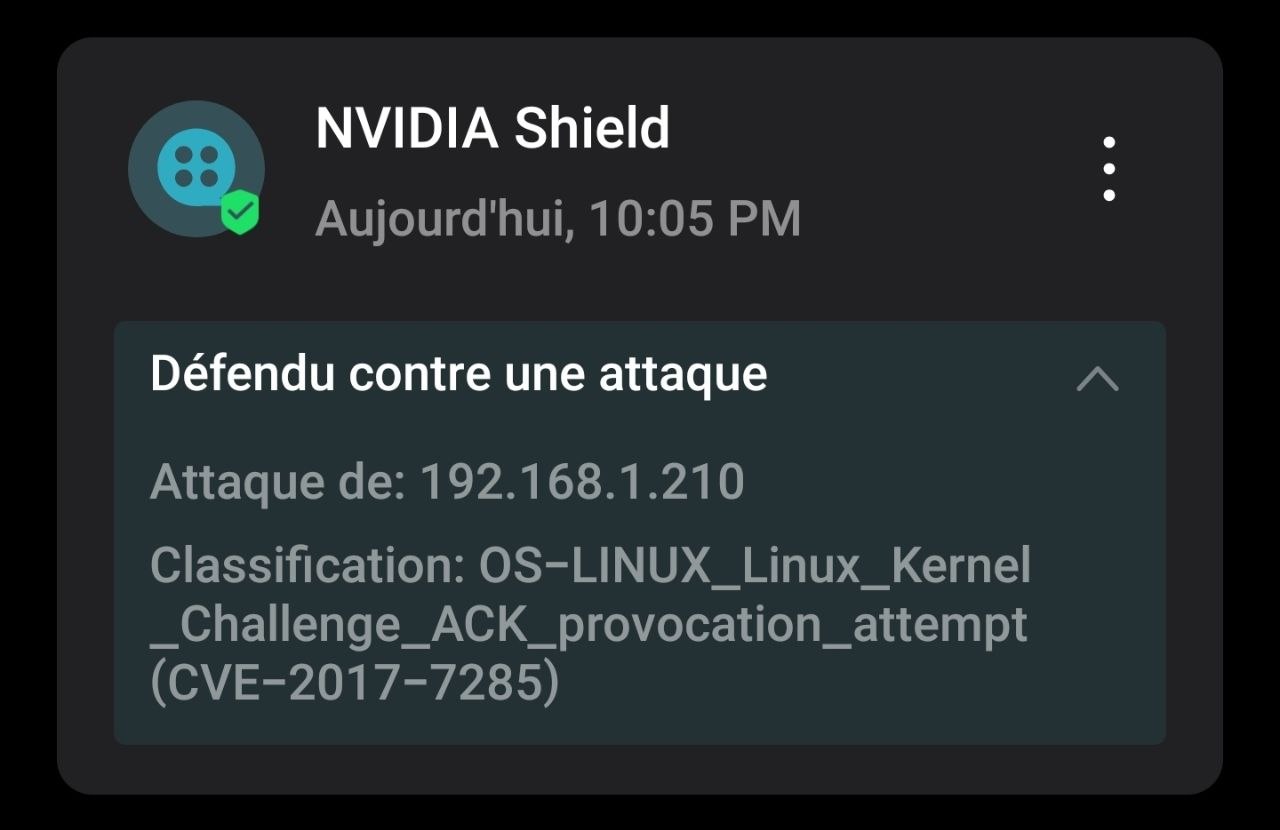
I have seen this same problem mentioned in another thread (https://community.tp-link.com/us/home/forum/topic/847136), and fixed in a recent firmware, but other Deco M9 hardware versions.
Please see the scenario 1 of the thread I just linked to.
The problem I am facing is the incorrect detection of this:
CVE-2017-7285
OS-LINUX_Linux-Kernel_Challenge_ACK_provocation_attempt
Could you please fix this issue also for the v1.0 Deco M9 Plus ?
Thanks in advance.
- Copy Link
- Subscribe
- Bookmark
- Report Inappropriate Content


Hi, thank you very much for the feedback.
There hasn't been a newer firmware for Deco M9 Plus_V1 yet.
Could you please refer to this link to help me submit the Deco App log:
By the way, did the issue start recently? I haven't seen this feedback for a while. It should be fixed along with other hardware versions.
Wait for your reply.
Best regards.
- Copy Link
- Report Inappropriate Content
Hi, thank you very much for the feedback.
There hasn't been a newer firmware for Deco M9 Plus_V1 yet.
Could you please refer to this link to help me submit the Deco App log:
By the way, did the issue start recently? I haven't seen this feedback for a while. It should be fixed along with other hardware versions.
Wait for your reply.
Best regards.
- Copy Link
- Report Inappropriate Content
@David-TP Hi, I sent what you requested via the mobile phone app.
How will you be able to link the submission from my phone to this thread?
The issue was hard to spot, because it happens only with my Nvidia Shield when using Plex / Jellyfin.
I usual can begin using the two apps as normal, but then comes a moment when I can no longer navigate the menus and play content...
I made lots of tests to pinpoint where the problem was coming from (if from the Shield or my NAS) and finally discovered, almost by accident, that it was at the router level. Now I know about the problem, each time it occurs I have to enter the Deco app and deactivate protections...
The router blocks only the IP of my Shield, and only the ports of Plex / Jellyfin. Everything else works fine.
Regards.
- Copy Link
- Report Inappropriate Content
Hi, thank you very much for getting back to me.
Is the community registration email also the same email ID used to set up your Deco?
The Deco App feedback will be submitted via your Deco email account.
It seems like you might use different emails. If possible, you could leave me a message with the email account on the Deco App.
Thanks a lot for your understanding and support.
Wait for your reply.
Best regards.
- Copy Link
- Report Inappropriate Content
@David-TP Hi, I sent you a private message, thank you.
- Copy Link
- Report Inappropriate Content
Hi, thank you very much for the update.
I didn't find any App feedback under the new email account. It might not be summited successully.
Would you mind referring to this link and helping me submit the App log again:
Wait for your reply.
Best regards.
- Copy Link
- Report Inappropriate Content
Information
Helpful: 1
Views: 488
Replies: 5
Voters 1