
TP-link Archer AX53 Firmware Version 1.7.1 Build 20260213 rel.87654 (Wi-Fi 5 Device Speed Capped)

Hello,
This is to confirm that last night I updated the firmware to version 1.7.1 Build 20260213 rel.87654 on my Archer AX53 and since then I have been facing the following issues:
- Wi-Fi range has significantly decreased. At the same distance, I am now getting slower speeds on Wi-Fi 6 devices while using channel 149 and 80 MHz channel width on 5 GHz. Previously, I used to get 800 Mbps+, but now I am getting around 400 Mbps. However, when I move very close to the router, I can still get 700 Mbps+.
- Wi-Fi range has also decreased on Wi-Fi 5 devices, and the speed appears capped at about one-fourth of the previous performance while using the same channel settings. On my gigabit internet connection, the speed now rarely exceeds 250 Mbps in the same environment. Previously it was 500 Mbps+ on the same device.
- The 2.4 GHz band is also behaving similarly with reduced range and speed.
- The web interface has become very slow and less responsive after the update.
Solutions I have already tried are as follows:
- Factory reset and reconfigured everything, but no improvement.
- Enabled and disabled QoS, but no improvement.
We would really appreciate a quick fix for these issues.
Thank you for your attention,
TP-Link Support Team
- Copy Link
- Subscribe
- Bookmark
- Report Inappropriate Content

Hello @JavierGdC ,
Thanks for contacting our community.
May I know whether the network is stable on your router now? Please let us know if your network topology diagram is as follows:
ISP modem—AX53)))((( client devices
(Note: — stands for wired connection,)))((( stands for wireless connection )
If you are willing to conduct further analysis, we would like to escalate your case to the support engineers. Please check your inbox and respond.
- Copy Link
- Report Inappropriate Content

Hello,
yes, my network is very stable on the router now (running 1.5.4)
Concerning network topology, yes diagram is correct: ISP modem(ONT)—AX53)))((( client devices. I've also an AX58v1(FW 1.5.2) running as AP (wired) and couple of TL-WA850RE (FW 1.1.0) as repeaters wireless connected to the main AX53
Thanks
BR
Javier
- Copy Link
- Report Inappropriate Content
@JavierGdC can you share a speed test result on ookla and waveform bufferbloat speed test
- Copy Link
- Report Inappropriate Content
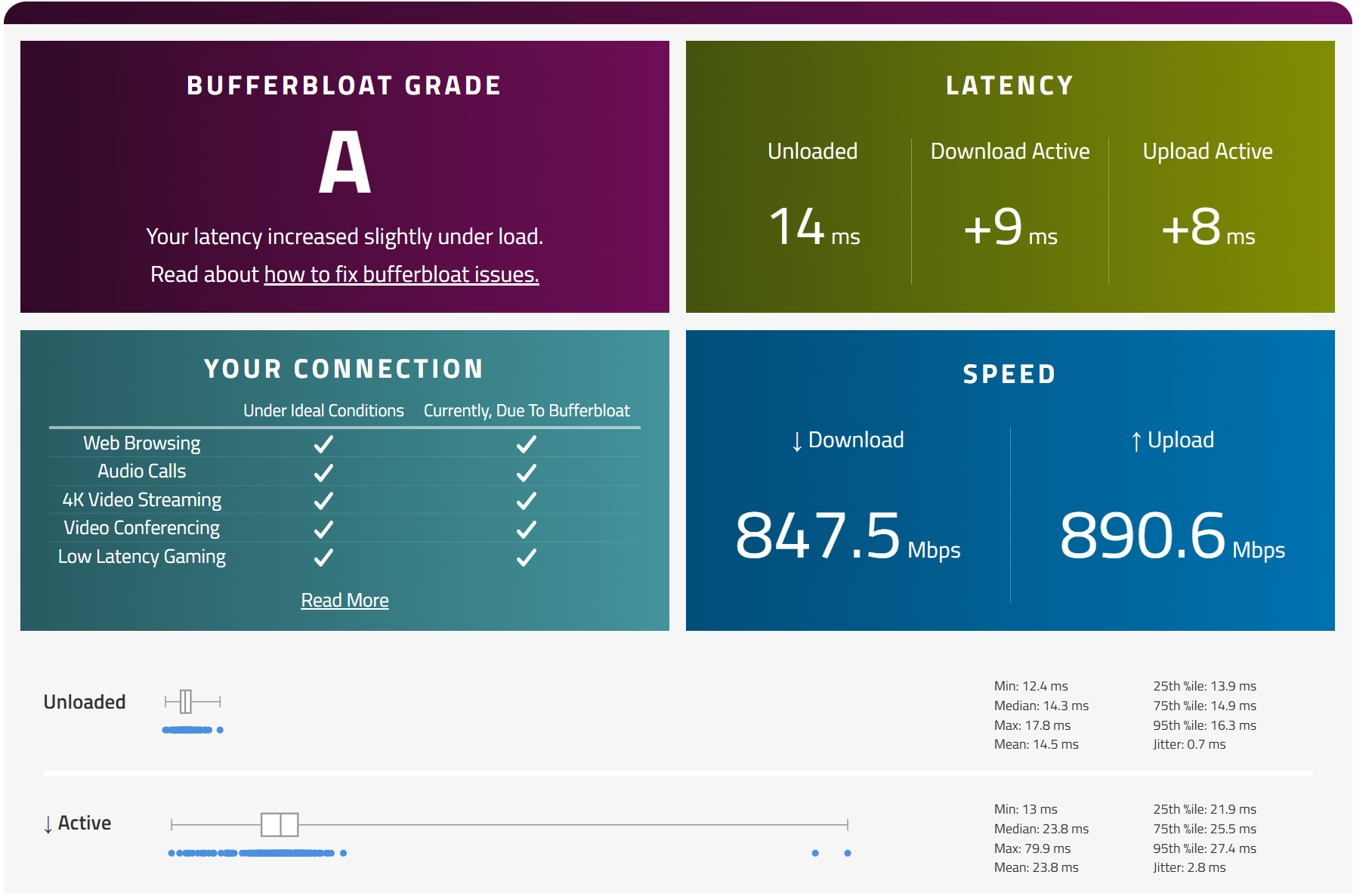
- Copy Link
- Report Inappropriate Content
and the Ookla one:
- Copy Link
- Report Inappropriate Content

- Copy Link
- Report Inappropriate Content

I tried firmware 1.7.1 and it's the worst, super buggy, so I went back to 1.6.2. But I'm wondering, which firmware is actually the best? Like, no problems, works perfectly. I've heard a lot about 1.5.4, but there are two builds: 20251030 and 251215. Which one should I pick, or is there something even better out there, or should I just stick with 1.6.2?
- Copy Link
- Report Inappropriate Content
Hello @TPL53 ,
I noticed you previously mentioned that the Archer AX53 has consistently experienced unstable network connections—regardless of the firmware version—is that correct?
Did the network instability worsen after you updated to version 1.7.1?
Have you tried the suggestions that I sent here: https://community.tp-link.com/en/home/forum/topic/864364?replyId=1694058
- Copy Link
- Report Inappropriate Content
@Joseph-TP i adjusted every thing and when i tried both firmwares 1.6.2 much better in lattency and speed than 1.7.1 so i want to know from people that experienced 1.5.4 and 1.6.2 which one is better ?
- Copy Link
- Report Inappropriate Content
Hello @TPL53 ,
Thank you for your reply and for sharing your test results.
Based on your description, it appears that the AX53 suffers from wireless connection instability across all versions. For instance—specifically in version 1.6.2—the 2.4 GHz and 5 GHz connections frequently drop; even when the Wi-Fi appears to remain connected, there is actually no internet access. Is that correct?
Additionally, your testing of version 1.7.1 indicated a decline in wireless speeds and even greater instability in the wireless connection, right?
To help you efficiently, I've forwarded your case to the TP-Link support engineers, who will reach out to you using your registered email address later. Please keep an eye on your email inbox for follow-up.
- Copy Link
- Report Inappropriate Content
Information
Helpful: 19
Views: 7165
Replies: 67
Voters 3

