
Unable to connect PS5 to BE25
Unable to connect PS5 to BE25

Having Trouble With PS5 Connection on Deco BE25 Mesh Router
I've been having frustrating issues with keeping a stable internet connection on my PS5 that is wired directly to my TP-Link Deco BE25 mesh router system. I keep getting the NW-102265-6 error code which indicates a network connectivity problem.
I've tried everything found to troubleshoot and fix this:
- Wired vs Wireless - My PS5 is connected via ethernet cable directly to one of the Deco router nodes. I tried connecting wirelessly as well and still experienced connection issues and error codes.
- Router Restarts - I've tried restarting both the PS5 and rebooting the Deco router multiple times. The connection seems to work for a while but then ends up dropping out again after a period of time.
- Changed DNS for the Google ones (8.8.8.8 and 8.8.4.4)
- Changed MTU: In Advanced Settings, change the MTU setting from Automatic to Manual and set it to 1473Change MTU: In Advanced Settings, change the MTU setting from Automatic to Manual and set it to 1473
- Changed mesh from access point to router and vice versa
- Changed Frequency Bands: Switch from 5 GHz to 2.4 GHz (and vice versa) in network settings.
- Reset PS5 setting.
It’s really frustrating because none of my other wireless devices at home have this issue—only the PS5 keeps running into constant connection problems. I’m not sure whether it’s a configuration problem with the Deco BE25 mesh system or some kind of incompatibility with the PS5.
If someone has run into this problem and managed to fix it, I’d really appreciate hearing about it. My mesh router is already updated to the latest firmware, and I’ve tried adjusting every setting I can think of with no success. Any tips on how to keep a wired PS5 connection stable would be greatly appreciated!
- Copy Link
- Subscribe
- Bookmark
- Report Inappropriate Content
Adding screenshots:
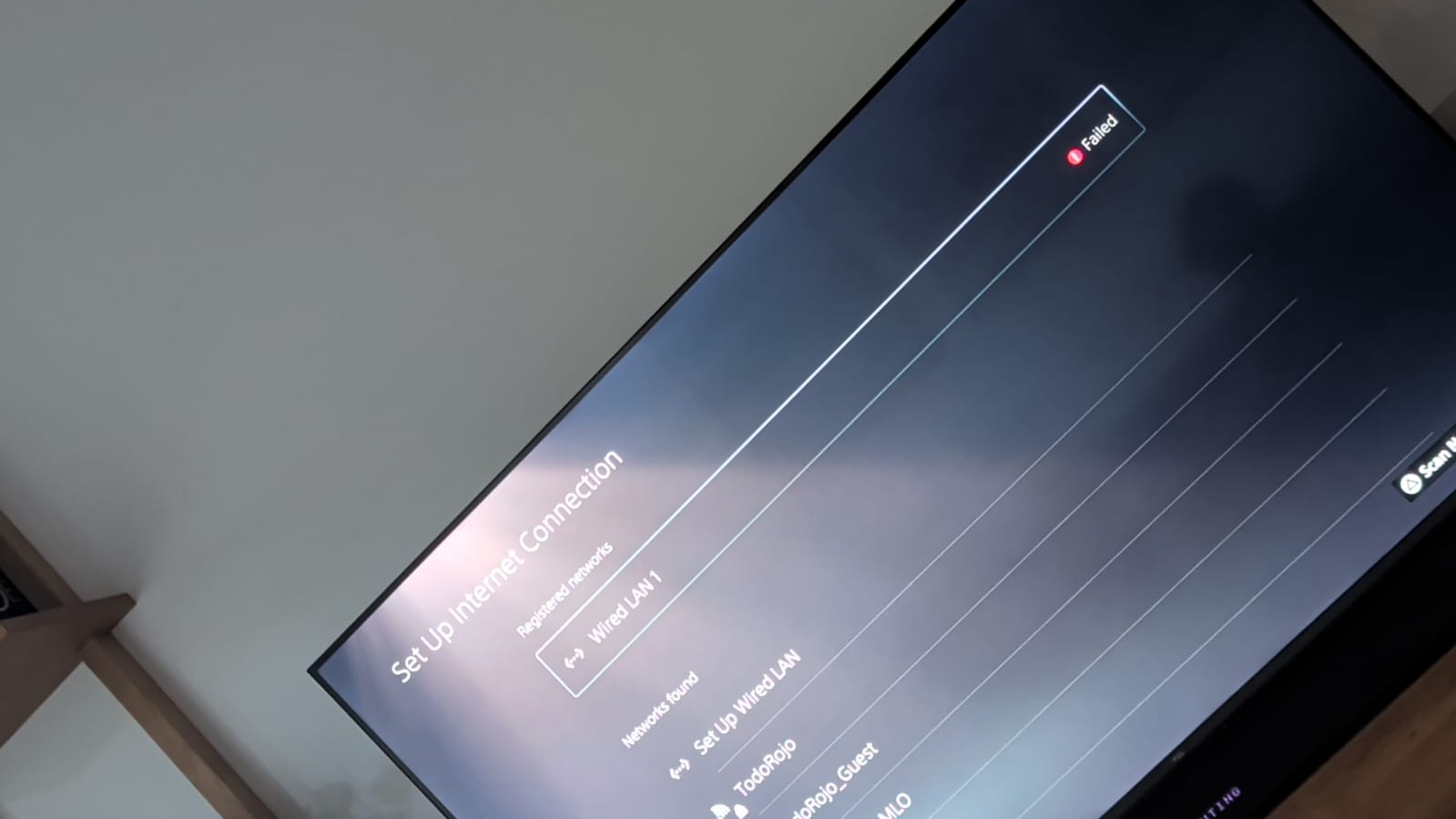
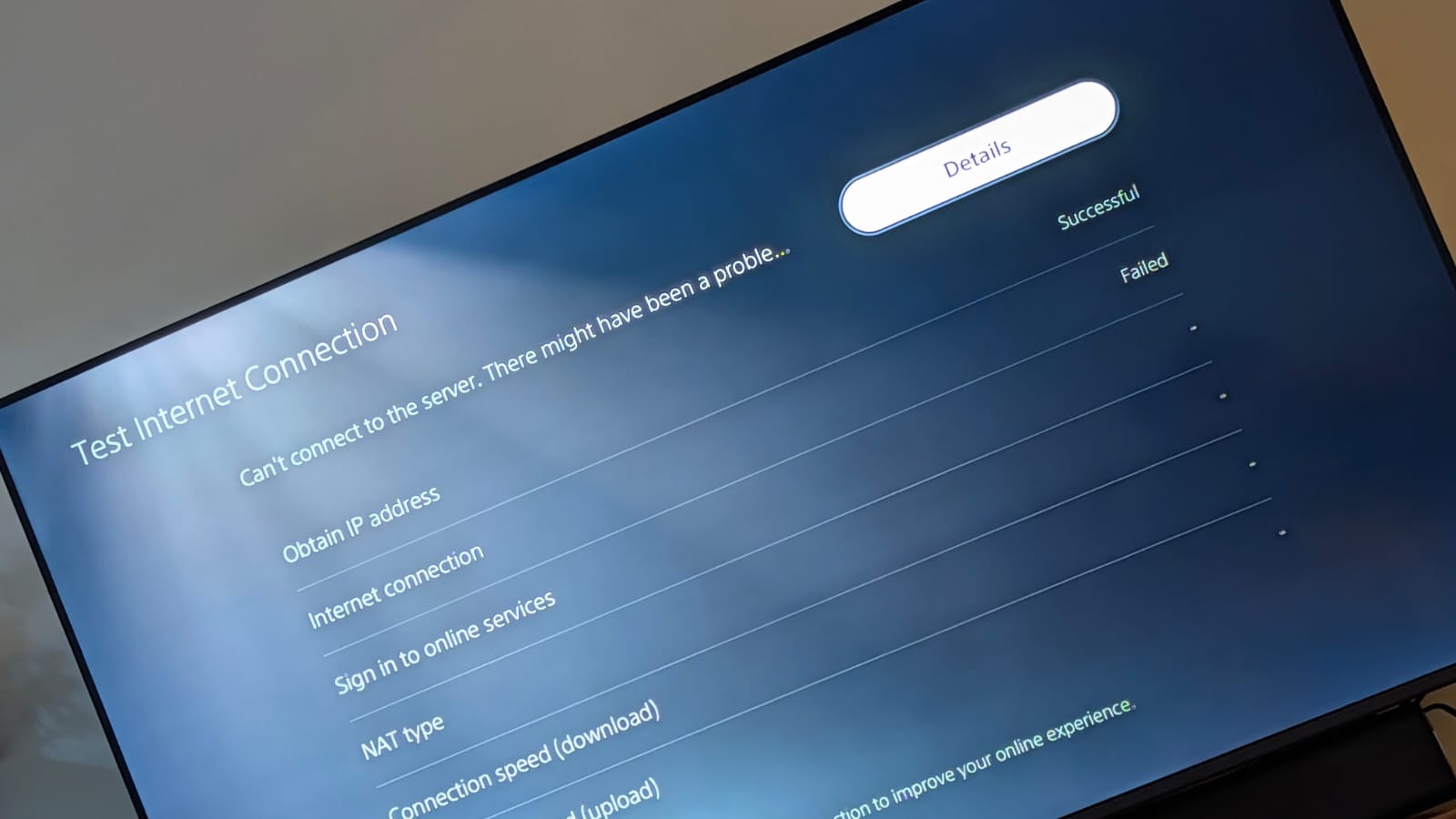
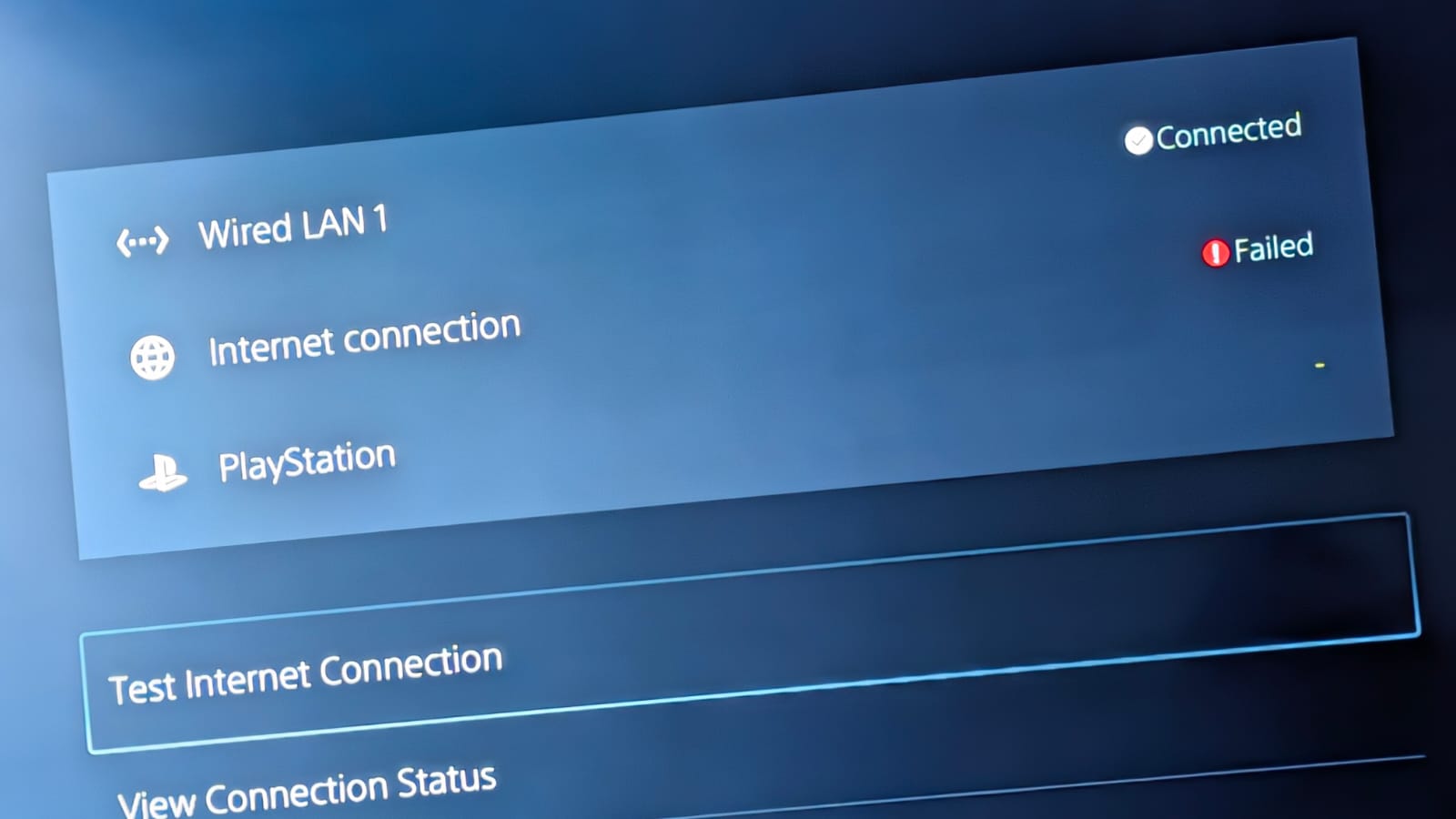
- Copy Link
- Report Inappropriate Content

Hi, welcome to the community.
It is recommended to install the 1.1.99 firmware here to see whether it makes any difference:
Firmware 1.1.99 for Deco BE25 Adds Channel Selection, DoH/DoT & Fixed WAN Port!
By the way, have you ever connected the PS5 directly to the ISP router to see whether similar issue also occurs with the ISP router?
How often did you usually run into this issue on the PS5 when it is connected to Deco?
Thank you very much.
Best regards.
- Copy Link
- Report Inappropriate Content

@Gabi-Argy Have u change the mode from Router Mode to AP Mode on Deco BE25 ?
- Copy Link
- Report Inappropriate Content
I hadn’t reported anything until now because it was working fine after updating to the latest recommended firmware (the beta posted by @David-TP ), but now it’s failing again. :(
I’m currently using this firmware:
https://community.tp-link.com/en/home/forum/topic/860466?moduleId=39
For testing, I switched between Router Mode and AP Mode several times, but neither works. It is currently set to AP Mode.
Here is the current log captured after the same failure:
| Mon Apr 6 21:15:16 2026 user.emerg : tp215,22[4231]: Mon Apr 6 21:07:42 2026 user.err lowpower: ioctl socket failed: IEEE80211_PARAM_VAP_GET_LOW_POWER_STA, ath01 Mon Apr 6 21:07:42 2026 user.err lowpower: ioctl socket failed: IEEE80211_PARAM_VAP_GET_LOW_POWER_STA, ath08 Mon Apr 6 21:07:42 2026 daemon.err client_mgmt: wireless client associate or disassociate. Mon Apr 6 21:07:42 2026 daemon.err client_mgmt: client_mac:XX-XX-XX-XX-XX-XX (replaced MAC), client_ifname:ath02, client_action:disassociate Mon Apr 6 21:07:42 2026 daemon.err client_mgmt: client(XX-XX-XX-XX-XX-XX (replaced MAC)) mldaddr(00-00-00-00-00-00) disassociate by if(ath02). Mon Apr 6 21:07:42 2026 daemon.err client_mgmt: ubus send apsd.configure '{}' Mon Apr 6 21:07:42 2026 daemon.err /usr/bin/apsd: loop_avoidance_configure_bridge_with_mode:459: Error: configure hyfi bridge with mode FAP Mon Apr 6 21:08:49 2026 daemon.err awn[6223]: [AWN:E][fap_alg_process:1347]: next re 1, fap alg processing Mon Apr 6 21:08:50 2026 daemon.err awn[6223]: [AWN:E][handle_aimsg:733]: begin op[9] type[14] Mon Apr 6 21:08:50 2026 daemon.err awn[6223]: [AWN:E][fap_alg_process:1238]: fap_alg_process begin Mon Apr 6 21:08:50 2026 daemon.err awn[6223]: [AWN:E][fap_alg_process:1302]: cur_index 1 last_index 1 relay_index 0 next_index 0 Mon Apr 6 21:08:50 2026 daemon.err awn[6223]: [AWN:E][fap_alg_process:1311]: select next, continue processing Mon Apr 6 21:08:51 2026 daemon.err awn[6223]: [AWN:E][fap_alg_process:1347]: next re 2, fap alg processing Mon Apr 6 21:08:53 2026 daemon.err ai-center: [eth_get_linkrate:103]: Unknown Duplex! (255) Mon Apr 6 21:11:55 2026 daemon.err ai-center: [eth_get_linkrate:103]: Unknown Duplex! (255) Mon Apr 6 21:12:00 2026 daemon.err ai-center: [eth_get_linkrate:103]: Unknown Duplex! (255) Mon Apr 6 21:12:05 2026 daemon.err ai-center: [eth_get_linkrate:103]: Unknown Duplex! (255) Mon Apr 6 21:12:10 2026 daemon.err ai-center: [eth_get_linkrate:103]: Unknown Duplex! (255) Mon Apr 6 21:12:15 2026 daemon.err ai-center: [eth_get_linkrate:103]: Unknown Duplex! (255) Mon Apr 6 21:12:20 2026 daemon.err ai-center: [eth_get_linkrate:103]: Unknown Duplex! (255) Mon Apr 6 21:12:25 2026 daemon.err ai-center: [eth_get_linkrate:103]: Unknown Duplex! (255) Mon Apr 6 21:12:30 2026 daemon.err ai-center: [eth_get_linkrate:103]: Unknown Duplex! (255) Mon Apr 6 21:12:35 2026 daemon.err ai-center: [eth_get_linkrate:103]: Unknown Duplex! (255) Mon Apr 6 21:12:40 2026 daemon.err ai-center: [eth_get_linkrate:103]: Unknown Duplex! (255) Mon Apr 6 21:12:45 2026 daemon.err ai-center: [eth_get_linkrate:103]: Unknown Duplex! (255) Mon Apr 6 21:12:50 2026 daemon.err ai-center: [eth_get_linkrate:103]: Unknown Duplex! (255) Mon Apr 6 21:12:56 2026 daemon.err ai-center: [eth_get_linkrate:103]: Unknown Duplex! (255) Mon Apr 6 21:15:42 2026 daemon.err ai-center: [eth_get_linkrate:103]: Unknown Duplex! (255) Mon Apr 6 21:15:43 2026 daemon.err uhttpd[18548]: *** WARNING : deprecated key derivation used. Mon Apr 6 21:15:43 2026 daemon.err uhttpd[18548]: Using -iter or -pbkdf2 would be better. Mon Apr 6 21:15:44 2026 daemon.err uhttpd[18548]: *** WARNING : deprecated key derivation used. Mon Apr 6 21:15:44 2026 daemon.err uhttpd[18548]: Using -iter or -pbkdf2 would be better. Mon Apr 6 21:15:47 2026 daemon.err ai-center: [eth_get_linkrate:103]: Unknown Duplex! (255) Mon Apr 6 21:15:51 2026 daemon.err client_mgmt: wireless client associate or disassociate. Mon Apr 6 21:15:52 2026 daemon.err client_mgmt: client(XX-XX-XX-XX-XX-XX (replaced MAC)) disconnected Mon Apr 6 21:15:52 2026 daemon.err ai-center: [eth_get_linkrate:103]: Unknown Duplex! (255) Mon Apr 6 21:15:54 2026 daemon.err client_mgmt: wireless client associate or disassociate. Mon Apr 6 21:15:57 2026 daemon.err nrd[3070]: wlanifBSteerEventsBufRdCB: Invalid message len: 48 bytes Mon Apr 6 21:15:57 2026 daemon.err ai-center: [eth_get_linkrate:103]: Unknown Duplex! (255) Mon Apr 6 21:15:58 2026 daemon.err /usr/bin/apsd: apsd_check_eth_has_neigh:2015: Error: can't find ifname[ath1] in eth_ifname Mon Apr 6 21:16:01 2026 daemon.err nrd[3070]: wlanifBSteerEventsBufRdCB: Invalid message len: 48 bytes Mon Apr 6 21:16:01 2026 daemon.err nrd[3070]: wlanif_deleteWdsEntry: ifname: ath02, wds delete sta mac:XX:XX:XX:XX:XX:XX (replaced MAC) Mon Apr 6 21:16:01 2026 daemon.err nrd[3070]: wlanifBSteerEventsBufRdCB: Invalid message len: 48 bytes Mon Apr 6 21:16:01 2026 daemon.err nrd[3070]: wlanif_deleteWdsEntry: ifname: ath02, wds delete sta mac:XX:XX:XX:XX:XX:XX (replaced MAC) Mon Apr 6 21:16:01 2026 daemon.err nrd[3070]: wlanif_deleteWdsEntry: ifname: ath02, wds delete sta mac:XX:XX:XX:XX:XX:XX (replaced MAC) Mon Apr 6 21:16:01 2026 daemon.err nrd[3070]: wlanif_deleteWdsEntry: ifname: ath02, wds delete sta mac:XX:XX:XX:XX:XX:XX (replaced MAC) Mon Apr 6 21:16:02 2026 daemon.err ai-center: [eth_get_linkrate:103]: Unknown Duplex! (255) Mon Apr 6 21:16:07 2026 daemon.err ai-center: [eth_get_linkrate:103]: Unknown Duplex! (255) Mon Apr 6 21:16:10 2026 daemon.err client_mgmt: mac XX-XX-XX-XX-XX-XX (replaced MAC) had uploaded Mon Apr 6 21:16:12 2026 daemon.err ai-center: [eth_get_linkrate:103]: Unknown Duplex! (255) Mon Apr 6 21:16:17 2026 daemon.err ai-center: [eth_get_linkrate:103]: Unknown Duplex! (255) Mon Apr 6 21:16:22 2026 daemon.err ai-center: [eth_get_linkrate:103]: Unknown Duplex! (255) Mon Apr 6 21:16:27 2026 daemon.err ai-center: [eth_get_linkrate:103]: Unknown Duplex! (255) Mon Apr 6 21:16:32 2026 daemon.err ai-center: [eth_get_linkrate:103]: Unknown Duplex! (255) Mon Apr 6 21:16:37 2026 daemon.err ai-center: [eth_get_linkrate:103]: Unknown Duplex! (255) Mon Apr 6 21:16:42 2026 daemon.err ai-center: [eth_get_linkrate:103]: Unknown Duplex! (255) Mon Apr 6 21:16:47 2026 daemon.err ai-center: [eth_get_linkrate:103]: Unknown Duplex! (255) Mon Apr 6 21:16:52 2026 daemon.err ai-center: [eth_get_linkrate:103]: Unknown Duplex! (255) Mon Apr 6 21:16:55 2026 daemon.err uhttpd[18548]: *** WARNING : deprecated key derivation used. Mon Apr 6 21:16:55 2026 daemon.err uhttpd[18548]: Using -iter or -pbkdf2 would be better. |
I removed sensitive data on the logs, just in case.
Today it was working great, and suddenly the WiFi restarted and all my peripherals got disconnected (it looked like the whole Deco system rebooted). After that, I checked and my PS5 was not working again.
Any recommendation? this is a huge pain! I do not know what else to do.
- Copy Link
- Report Inappropriate Content

Would you mind referring to this link to submit the Deco App log
- Copy Link
- Report Inappropriate Content

Hi, thank you very much for the update.
I'd like to follow up on your case via email and forward it to the senior engineer for further assistance.
Could you please update the email with the following details:
- When the PS5 failed to access the internet again, do you need to manually restart the PS or the satellite Deco BE25 to temporarily restore the connection?
- Some screenshots of the Network maps and Mesh Backhaul Types on the Deco App, such as
- May I know your ISP, and how about the model number of the ISP's DHCP router?
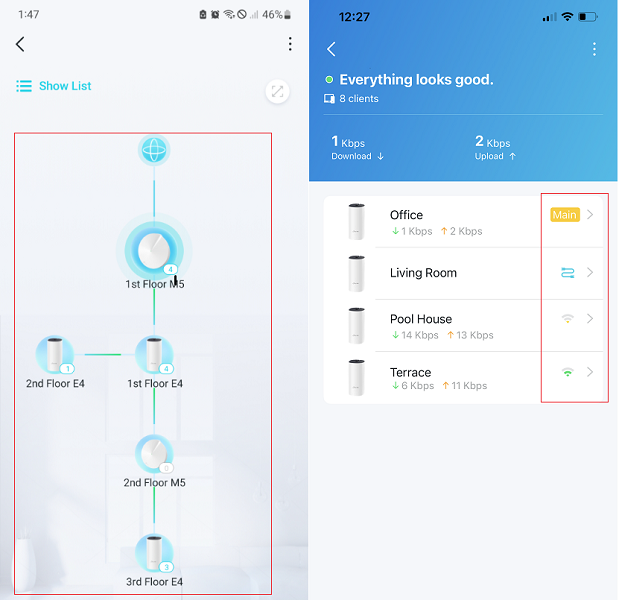
Wait for your reply.
Best regards.
- Copy Link
- Report Inappropriate Content
Updating the thread for future reference. I hope this helps others.
The Deco BE25 is connected to the ISP modem (which I replaced today, as I initially thought it might be causing the conflict). Despite this change:
- Everything worked fine except for the PS5.
- When I plugged the PS5 directly into the modem, it failed.
- When I unplugged the Deco BE25, the PS5 connected successfully.
- The same behavior occurred with Wi-Fi. The ISP modem has built-in Wi-Fi, which I enabled for testing. When I connected to the ISP’s Wi-Fi while the Deco BE25 was also connected to the modem, it didn’t work. However, when I unplugged the Deco BE25’s Ethernet cable from the modem and connected the PS5 to the modem’s Wi-Fi, it worked.
At that point, it seemed that the conflict was being caused by the Deco BE25. I tried configuring the BE25 both as a Wi-Fi router and as an access point, but the issue persisted in both modes. Everything pointed to a DHCP conflict.
During further troubleshooting, I noticed that Smart DHCP was enabled (AP mode). After disabling this feature and rebooting all three Deco BE25 units, the PS5 started working properly.
At the moment, the issue appears to be resolved.
I will continue testing this setup for a few days/weeks before considering it fully fixed, but this looks like a promising solution.
What’s strange is that the only device affected was the PlayStation 5, which suggests there may be something else in the mesh firmware contributing to the issue.
- Copy Link
- Report Inappropriate Content
Great! Thank you very much for the good news .
.
Feel free to update here with further improvements.
Best regards.
- Copy Link
- Report Inappropriate Content
It didn’t work. Yesterday it started failing again.
When I unplugged the BE25 from the ISP modem, the PS5 started working (both via Ethernet and the modem’s Wi-Fi). There is definitely a DHCP-related issue. The PS5 is getting the IP address 192.168.1.13—could that be causing a conflict with another device?
I tried manually configuring the IP on the PlayStation, but the Deco BE25 wouldn’t accept it.
I might have configured something incorrectly, but these are the settings I used:
- IP: 192.168.1.88 (I chose one that wasn’t in use)
- Subnet: 255.255.255.0
- Gateway/DNS: 192.168.1.1
The Deco BE25 is in AP mode (I also tried Router mode with the same result).
Smart DHCP is disabled (I also tested with it enabled).
Wireless mode is set to Stable Mode.
Any suggestions?
- Copy Link
- Report Inappropriate Content
@Gabi-Argy What's your ISP Modem ip address and subnet mask and what's your Deco ip address and subnet mask? Have u changed to 192.168.68.1 ??
- Copy Link
- Report Inappropriate Content
Information
Helpful: 1
Views: 388
Replies: 18
Voters 1