
Automation not working properly

Hello,
I have a situation that I can't resolve on my own.
I need a Tapo P110 to do, during the whole day, segments of 3 min on and 12 min off.
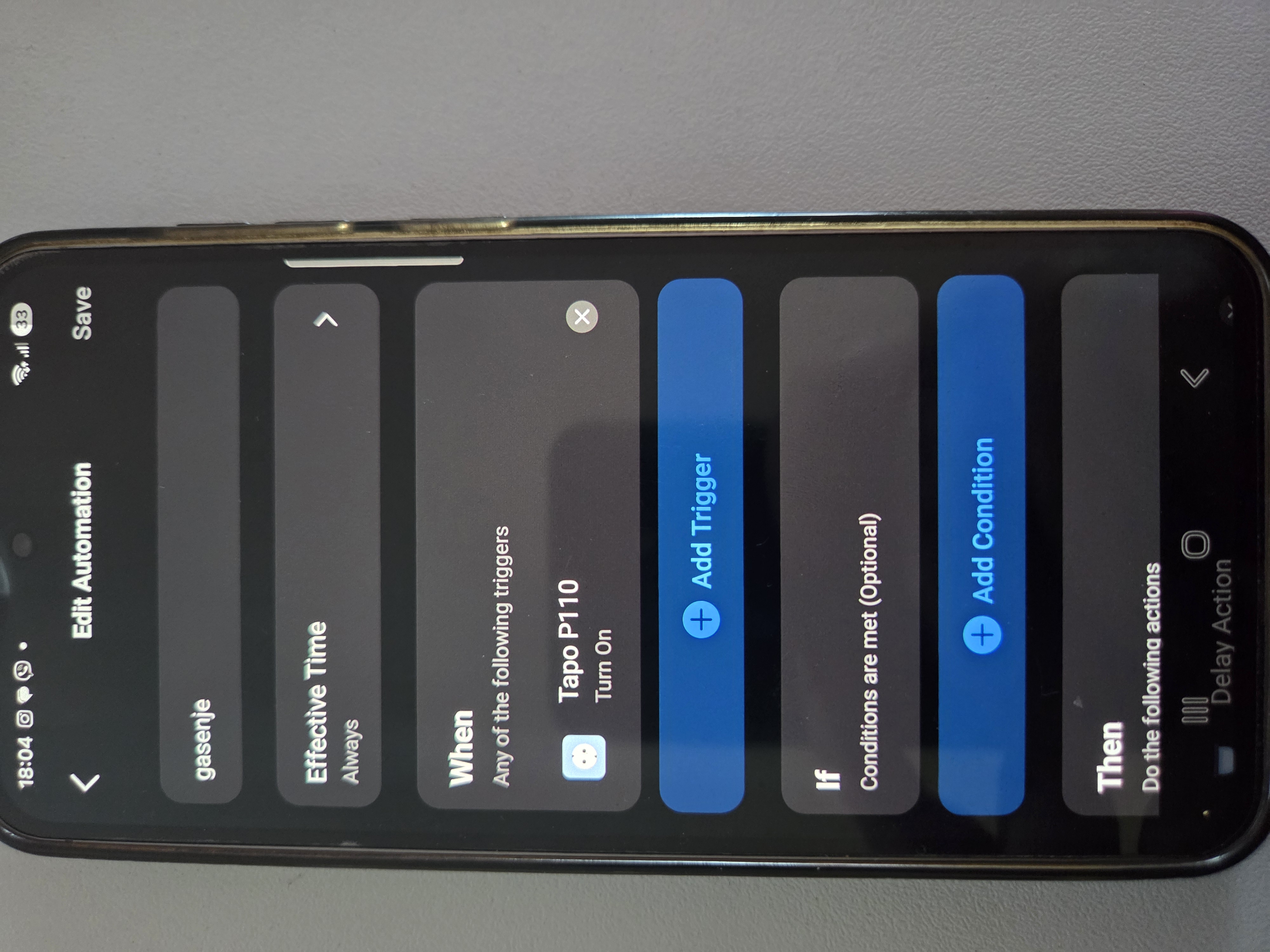
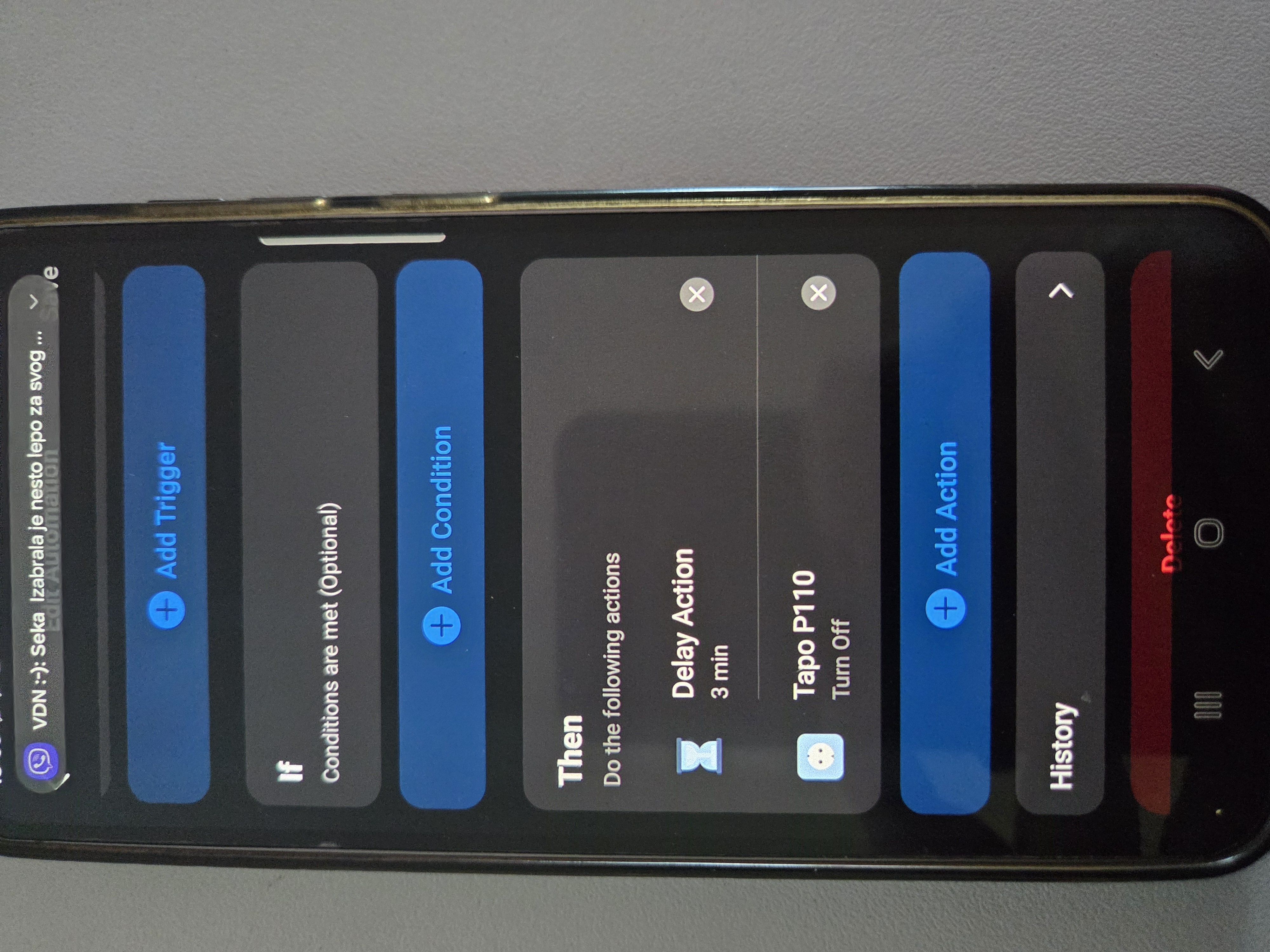
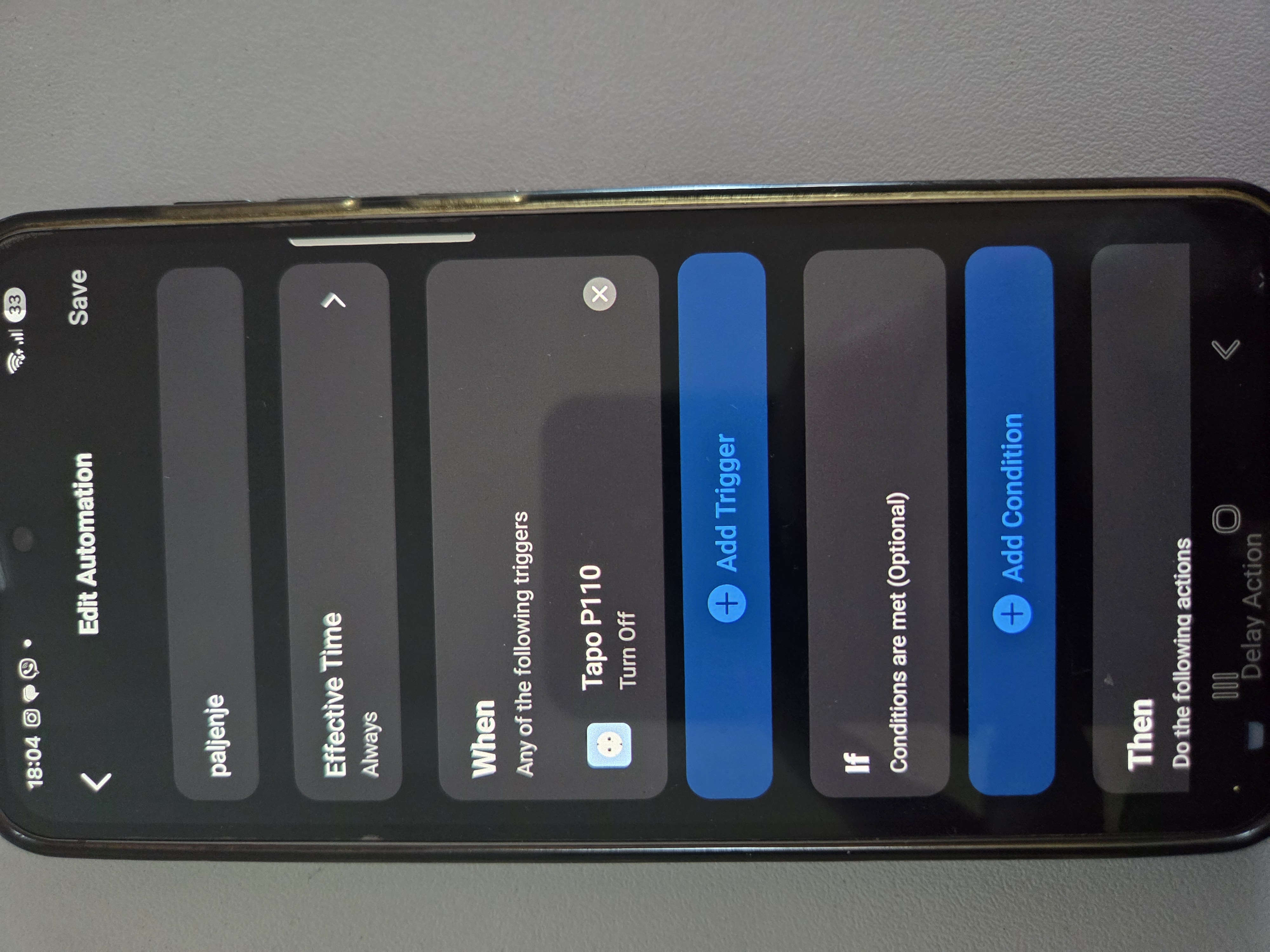
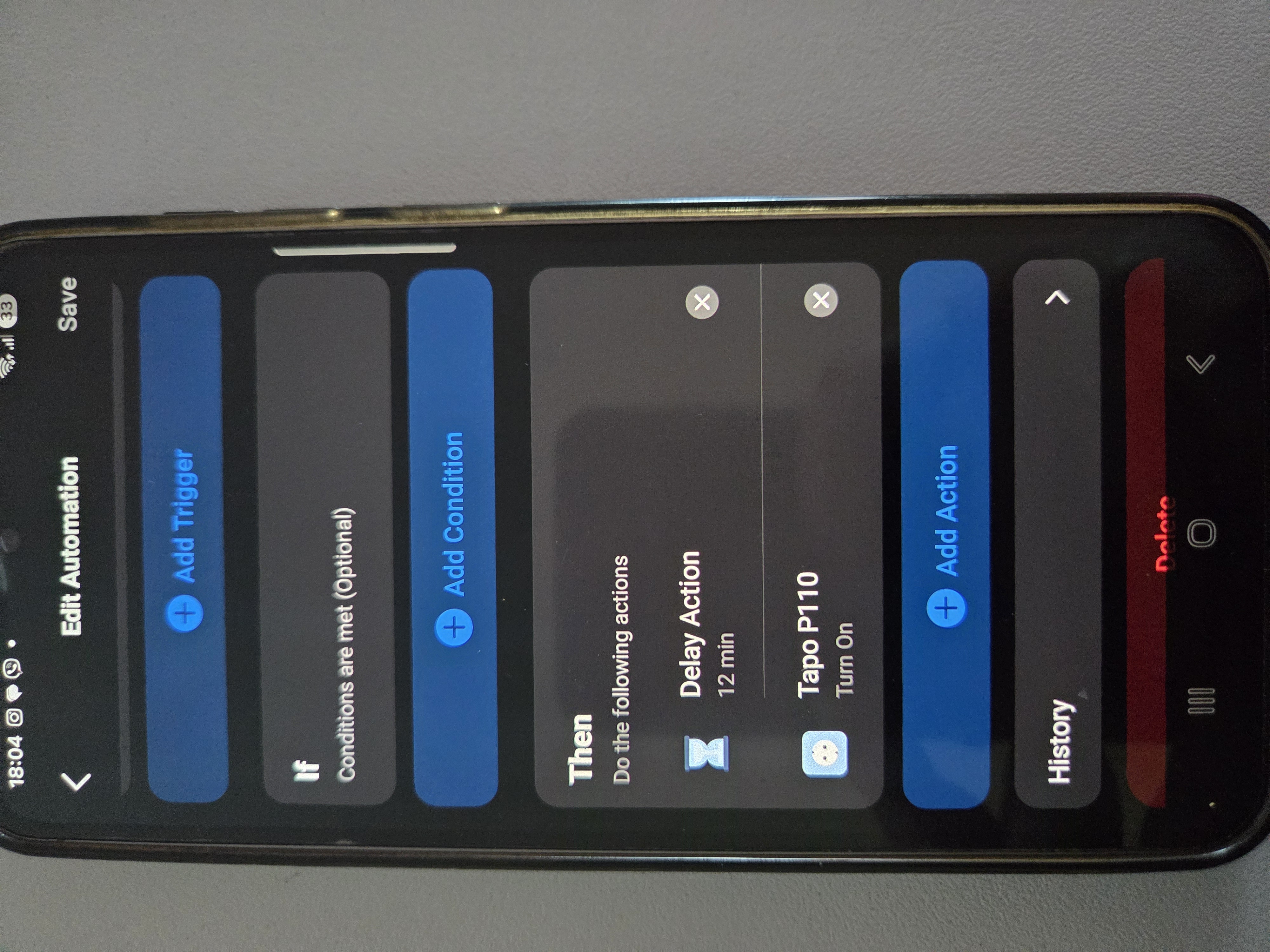
So I made two separate automations. The automations are not working properly. It goes on and off and won't go on again....
For you to see what did I do, I will send you pictures of the automations.
- Copy Link
- Subscribe
- Bookmark
- Report Inappropriate Content


Tapo automations don’t support loop triggering -- that means any state change triggered by an automation won’t start another automation.
If you need a device to turn on and off repeatedly, you’ll have to add each step of the cycle (on and off) as separate actions within the same automation.
- Copy Link
- Report Inappropriate Content
Tapo automations don’t support loop triggering -- that means any state change triggered by an automation won’t start another automation.
If you need a device to turn on and off repeatedly, you’ll have to add each step of the cycle (on and off) as separate actions within the same automation.
- Copy Link
- Report Inappropriate Content
@Wayne-TP do you have any suggestions on how I can do it?
- Copy Link
- Report Inappropriate Content
I'm afraid there are no simple settings to meet your needs. As mentioned earlier, if you need the plug to cycle on and off repeatedly, you can add each step separately in the automation -- that means adding one action for each time you want it to turn on or off. Between each action, you can insert a “Delay” action to set the desired interval.
For example:
- Turn on plug
- Delay 3 minutes
- Turn off plug
- Delay 12 minutes
…then repeat these four steps as needed. Up to 64 actions can be added in a single automation entry.
- Copy Link
- Report Inappropriate Content
Information
Helpful: 0
Views: 254
Replies: 3
Voters 0
No one has voted for it yet.