
Report.

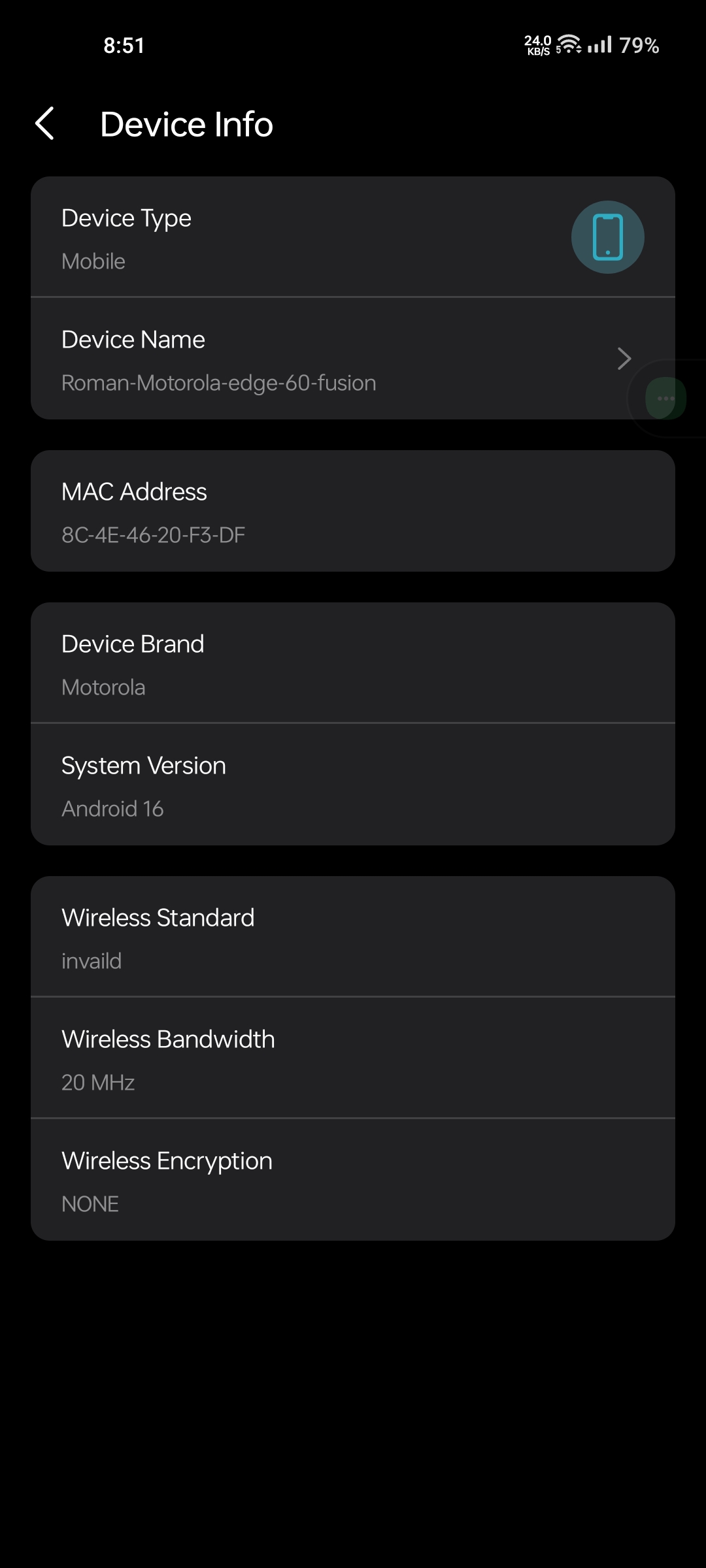
Why is Deco X10 not supporting 80mhz and showing 20mhz even though I have set the Deco X50 main or mother router to manual channel and channel width 149/80. What is the reason for this, please solve it quickly.

- Copy Link
- Subscribe
- Bookmark
- Report Inappropriate Content

@SayeemAhmed This is 2.4 GHz with 20 MHz
- Copy Link
- Report Inappropriate Content
@ARGamingPK1 show that. 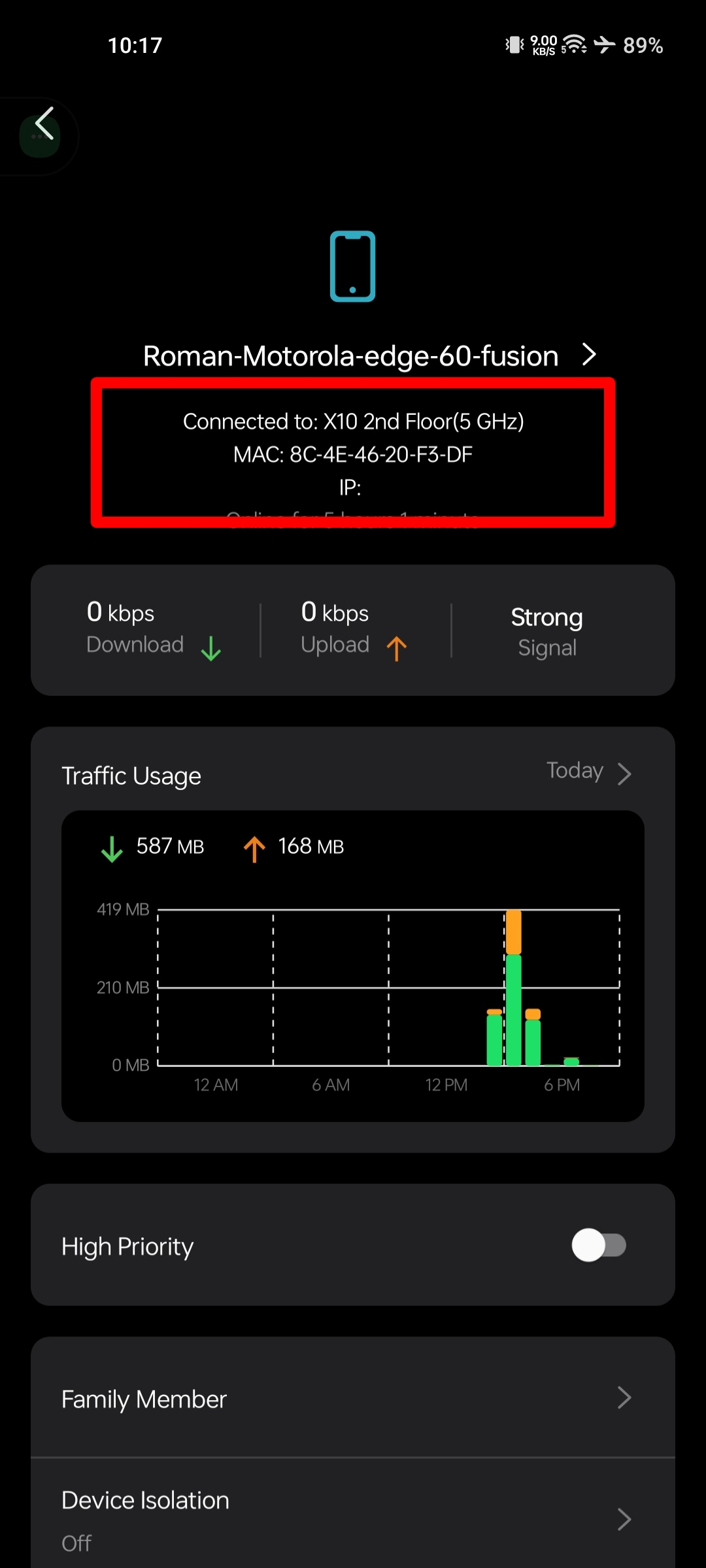
- Copy Link
- Report Inappropriate Content
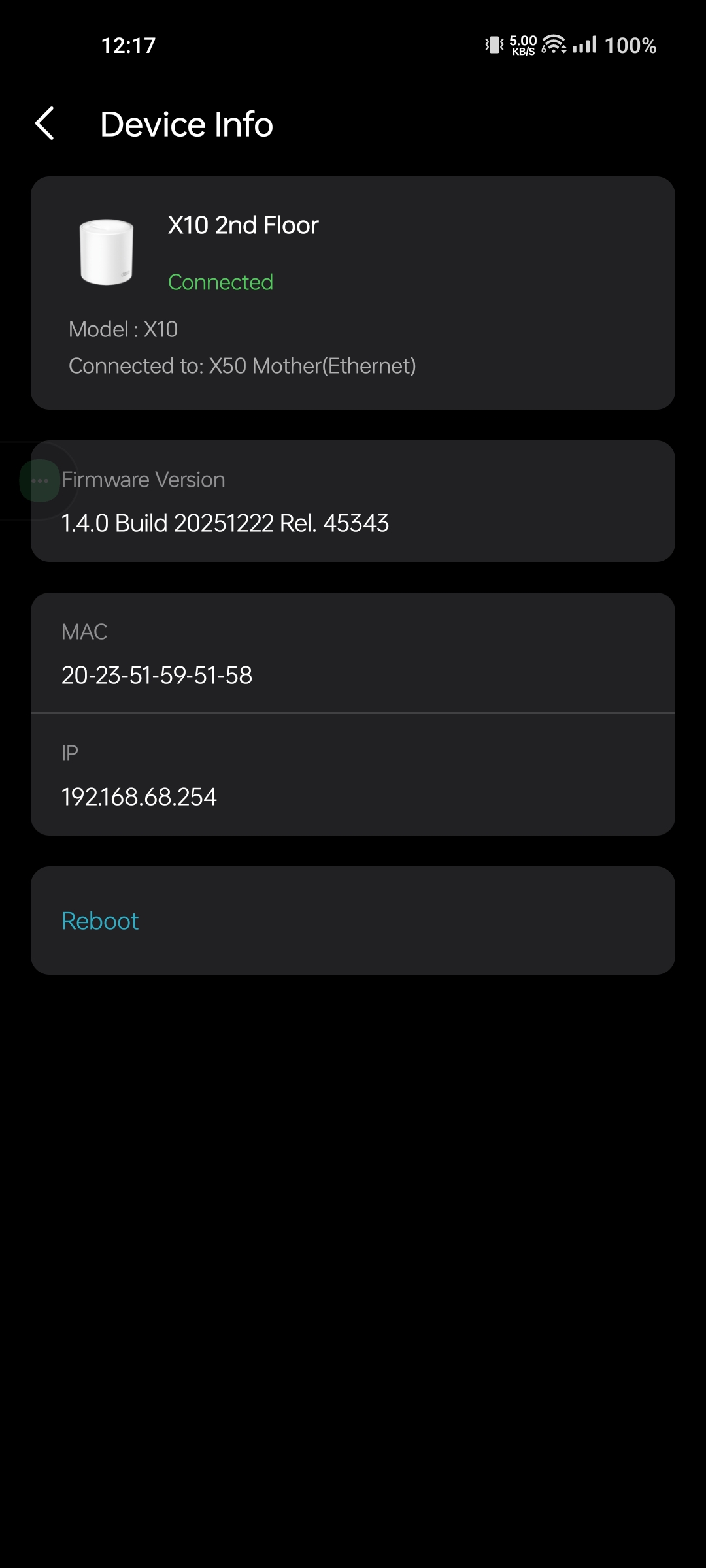
@SayeemAhmed What's your Deco X10 firmware?
- Copy Link
- Report Inappropriate Content
- Copy Link
- Report Inappropriate Content
@SayeemAhmed Remove the Deco X10 and add it again.
- Copy Link
- Report Inappropriate Content


Hi,
When the client device named "Roman-xxx" connected to the Deco X10, please ensure it's connected to the main Wi-Fi network. The picture in this post shows the device connecting to an unsecured Wi-Fi network, and it does not obtain an IP address.
You can also move this client device closer to the Deco X50, connect it to the main Wi-Fi network, and check whether its wireless bandwidth is 80 MHz.
Best Regards
- Copy Link
- Report Inappropriate Content
@Solla-topee The same situation appears.
- Copy Link
- Report Inappropriate Content
Hi,
In this case, please refer to the instructions below to collect the app log for analysis. After you send the log file, please attach your reference number (such as email TKIDXXX) to the thread so we can find it quickly. Thanks!
How to collect the system log of the Deco app
Best Regards
- Copy Link
- Report Inappropriate Content
Information
Helpful: 0
Views: 14
Replies: 0
Voters 0
No one has voted for it yet.