
Everytime when Ax73 Restarted it will show Guest Network first and more

Well I think it was a Bug but not too serious
1.Bug
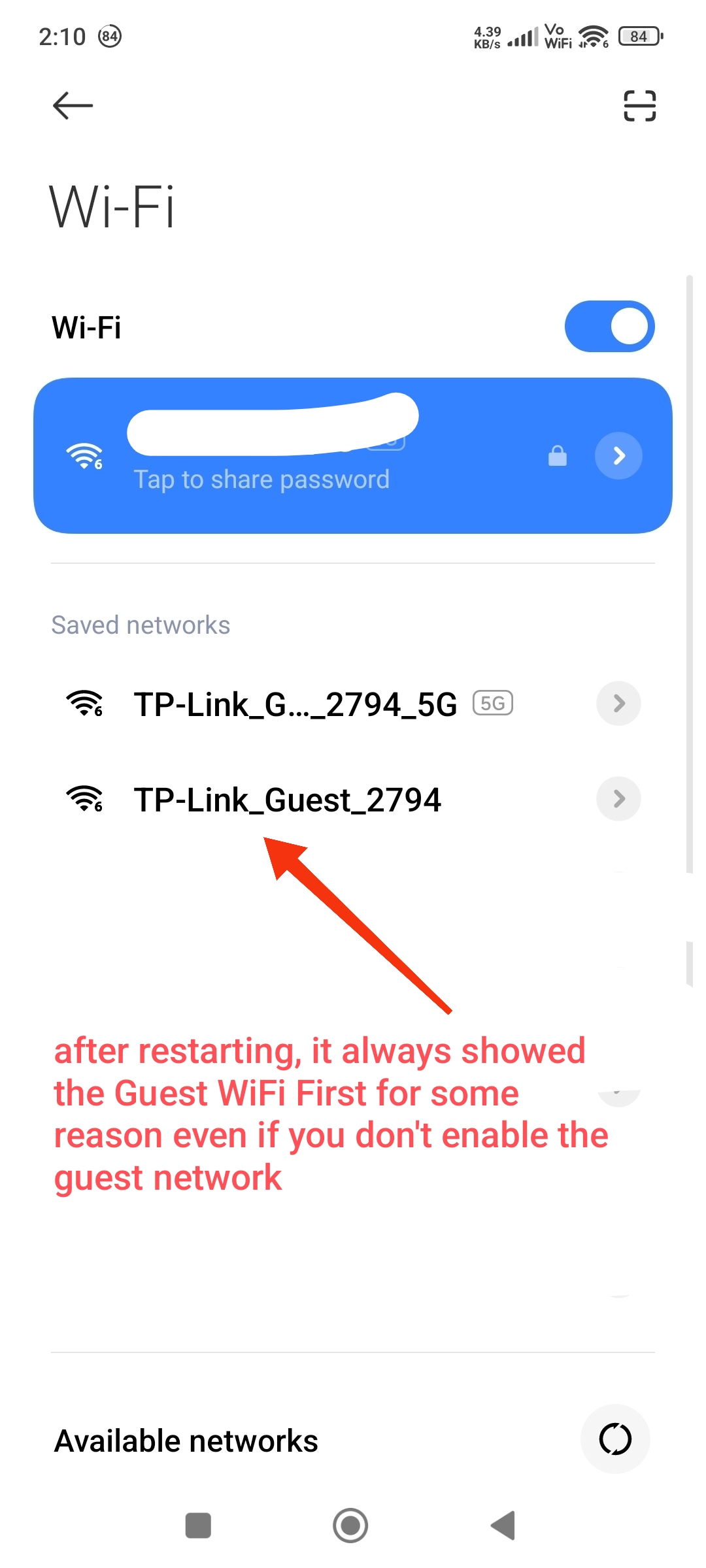
Every time when the router restart It will show Guest Network first, even you don't enable it.
after that It take some time to load the actually WiFi name that you set, after that the Guest WiFi will be gone.
2. Bug?
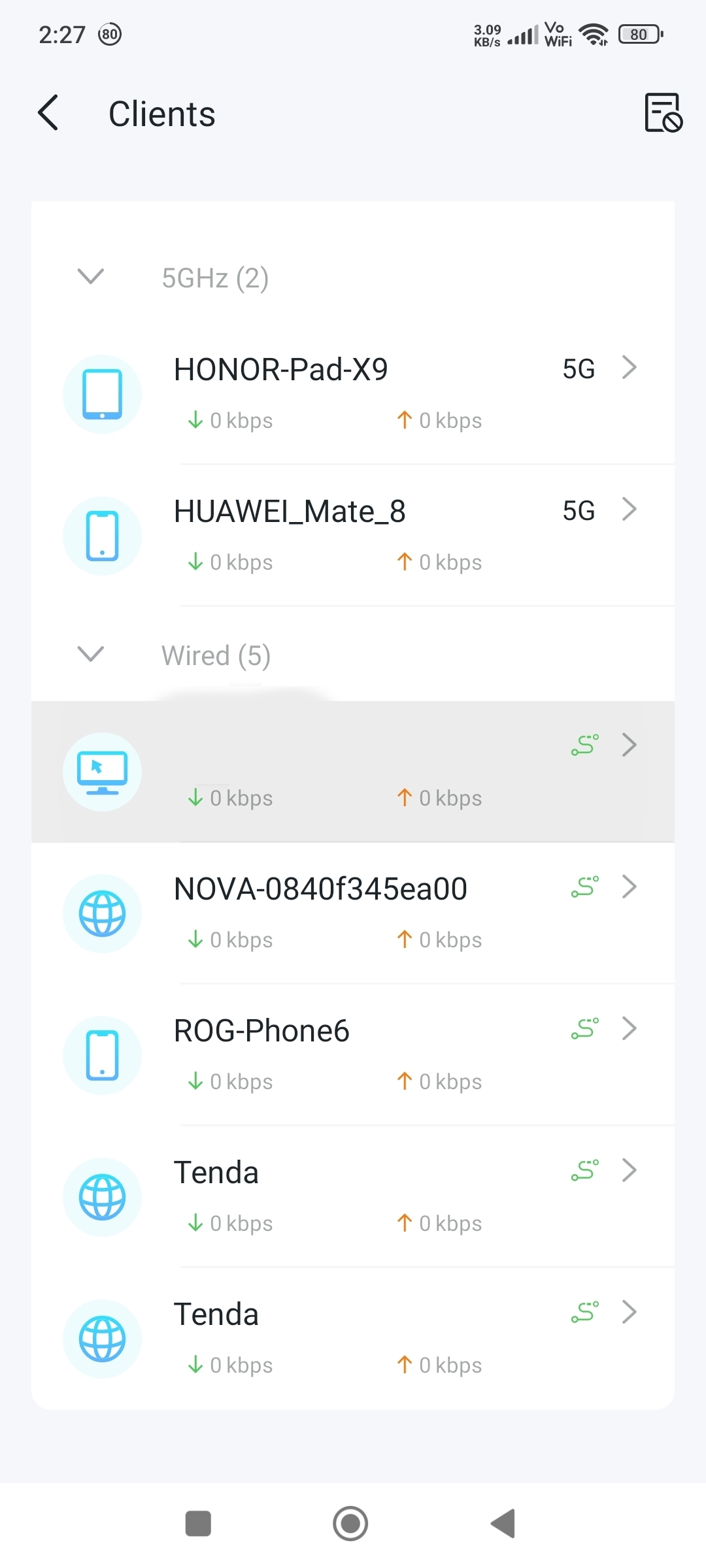
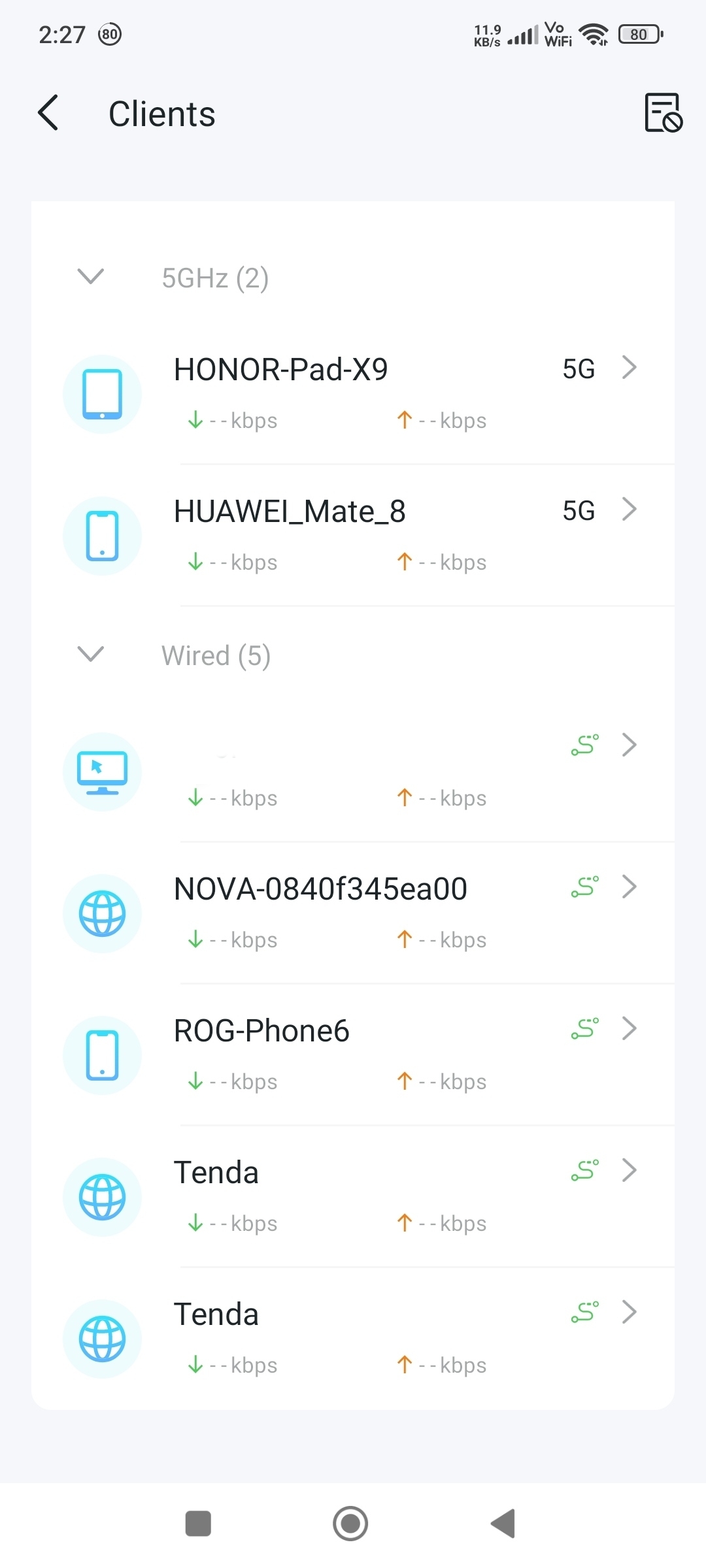
Also the "real-time rate" sometimes doesn't show the data correctly, it will showing -kbps or 0kbps
Even the device is running progress, it sometimes shows the data and sometimes doesn't, is like
unstable...
and the latest data of "Online client" loading is kinda slow... Idk if this was a bug or it was the router itself/ tether app problem.
- Copy Link
- Subscribe
- Bookmark
- Report Inappropriate Content

Hello @Luxus ,
Thanks for your feedback.
For question 1, would you mind testing the guest network on different clients?
For question 2, please note the real-time rate displayed on the Tether app or web interface shows the router or client device's current data transfer speed at that moment. It does NOT indicate the maximum speed capability. The rate will naturally show 0 or very low values when devices are idle or not actively transferring data.
- Copy Link
- Report Inappropriate Content
For question 1
What I mean is,
when the router restarting or starting,it showed guests network no matter what.
( I don't enable guests network)
For example you set your normal Wi-Fi as "Home123"
But when the router is restarting or turning on it will showed the Guest Network first,
This fake guest network can't be connect but it doesn't matter...
after that the "Home123" WiFi will be back and the guest WiFi will be gone.
A small little bug that doesn't matter I guess?
For question 2
So you mean the data is actually Inaccurate?
or it needs to be improve?
But I remember it worked before, like when the device connected to the router is watching YouTube or something, it will show the download and upload speeds normally but now it doesn't, I'm not sure is this the tether app problem or what.
- Copy Link
- Report Inappropriate Content

Hello @Luxus ,
Thanks for getting back to us.
Regarding the situation where the Guest Network appears before the Main Network, have you tested this with different clients?
As for the second question, I would like to point out that when there is no network activity, the network speed may be displayed as 0.
However, to ensure we are on the same page about the observed data, could you please provide relevant screenshots?
- Copy Link
- Report Inappropriate Content
For question 1
Yes I try different devices, when router is restarting it will always showed the fake guest network first.
For question 2
Idk why but before it always showed 0kbps 0kbps
But after the app update or something, it always showed --kbps --kbps Or 0kbps 0kbps
And even you are watching YouTube or whatever the data doesn't move anymore.
And the data update delay was LONG ,
like I already disconnected my device on this router and it still shows it's online, BUT before was smoother and respond quicker that now for some reason...
I'm not sure is this a bug or my own issue,
So I need more time to figure it out.
- Copy Link
- Report Inappropriate Content
Hello @Luxus ,
Thanks for your reply with details.
This sounds like the AX73 is experiencing anomalies with both its wireless network status display and the real-time data display within the app.
I noticed that your previous case has already been escalated to the engineers; have you reported these two display anomalies to the Engineer?
- Copy Link
- Report Inappropriate Content
Not yet, cause the main issue I have before was the drop frames issue and the issue I reported now was I recently realised.
Btw about the previous dropped frames I reported,
uhh well... the problem somehow gone after the recent google chrome updated and I can't reproduce anymore after the team asked me to rec a video to them to proof the issue, but IDK why the issue was completely gone for no reason.
I afraid that if I respond this they will think I'm trolling or pranking them or something so I didn't respond yet...
I swear to God I wasn't TROLLING, it just GONE For absolutely no reason...
I was trying to reproduce since they sent the email, BUT GOD it's GONE.😭
I suspect it was Google Chrome issue because it got updated, but still makes no sense,
cause how switching other router doesn't had the issue but ax73 had and now is GONE for NO Reason???
I was freak out when I realized the issue was GONE.
PLEASE give me some time I to reproduce the issue again!
- Copy Link
- Report Inappropriate Content
Information
Helpful: 8
Views: 170
Replies: 6
Voters 1