
Incorrect speedtest introduced in the new firmware

I have just installed the latest firmware on my ER707-M2 and updated the software controller (RPi) to the latest version 6.2.0.17. I then tested the Speedtest feature on the WAN port (both one-time and scheduled) from the software controller.
The results consistently show incorrect download speeds, while upload speeds are accurate. I have a fiber optic internet connection rated at 2 Gbps/1 Gbps. When running Speedtest by Ookla from the internal network, I get 1.9–2.0 Gbps download speeds. However, when running the test from the controller, the upload speed is calculated correctly, but the download speed is only 1.3–1.4 Gbps.
Both tests (Ookla and TP-Link) are run against the same servers. It seems to me that there is an issue with the TP-Link Speedtest.
- Copy Link
- Subscribe
- Bookmark
- Report Inappropriate Content


Hi @Marian009
Thanks for posting here.
Could you please clarify whether there was any high network traffic activity during your controller speed testing?
Additionally, did you configure IPS/DPI for the controller? How many times did you run the speed test, and were the results always like this?
If it’s convenient, please run a speedtest during a period of relatively low network activity.
We released a new firmware for the Omada software controller yesterday. You may update it and see if the same situation happens on the latest firmware:
https://support.omadanetworks.com/en/product/omada-software-controller/?resourceType=download
- Copy Link
- Report Inappropriate Content
There was no traffic at all. A also used the scheduled speed tests at 1 AM every day when there is definetely no traffic and they showed the same slow speeds.
I have not configured any IPS/DPI.
Thanks
Marian
- Copy Link
- Report Inappropriate Content
Thanks for the reply.
For better understanding, could you please share some screenshots of the speed test results?
To better assist you, I've created a support ticket via your registered email address and escalated it to our support engineer to look into the issue. The ticket ID is TKID260509967. Please check your inbox and confirm that the support email was received. Thanks!
Once the issue is resolved, please update this thread with your solution to help others who may encounter the same problem.
Many thanks for your excellent cooperation and patience!
- Copy Link
- Report Inappropriate Content
@Vincent-TP Thank you very much. I have just sent the requested screenshots and logs to the support ticket.
- Copy Link
- Report Inappropriate Content
Hi @Marian009
Thank you for the information. I noticed that you are still using version 6.2.0.17, which is not the latest version of the Controller.
Please upgrade your Controller to our latest version, 6.2.10.17, to help rule out any potential issues with the older version.
https://support.omadanetworks.com/en/product/omada-software-controller/?resourceType=download
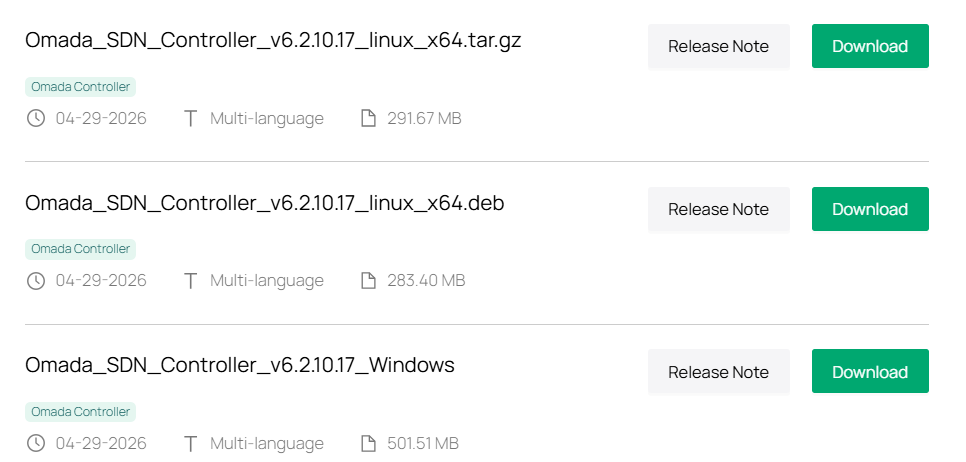
If the problem persists after the upgrade, don't hesitate to let us know.
- Copy Link
- Report Inappropriate Content
@Vincent-TP Thanks for the reminder about the new update. The controller still doesn’t detect it and reports that there are no new updates and that I’m already on the latest version.
I have now installed the new version (Omada_Network_Application_v6.2.10.17_linux_x64_20260428102045.deb), but the situation remains the same. The download speed in Omada is still around 1.3–1.4 Gbps, compared to 1.9–2.0Gbps on a local PC within the internal network tested shortly after each other.
Marian
- Copy Link
- Report Inappropriate Content
Hi @Marian009
Thanks for the reply.
Please continue the troubleshooting with the support team.
Once the issue is resolved, please update this thread with your solution to help others who may encounter the same problem.
Many thanks for your excellent cooperation and patience!
- Copy Link
- Report Inappropriate Content
Information
Helpful: 0
Views: 532
Replies: 7
Voters 0
No one has voted for it yet.