
ONU ID change for EPON Registration - TP-Link XN020-G3

Hi,
Bought a new TP-Link XN020-G3 to replace other brand EPON/GPON device that already has internet conenction working.
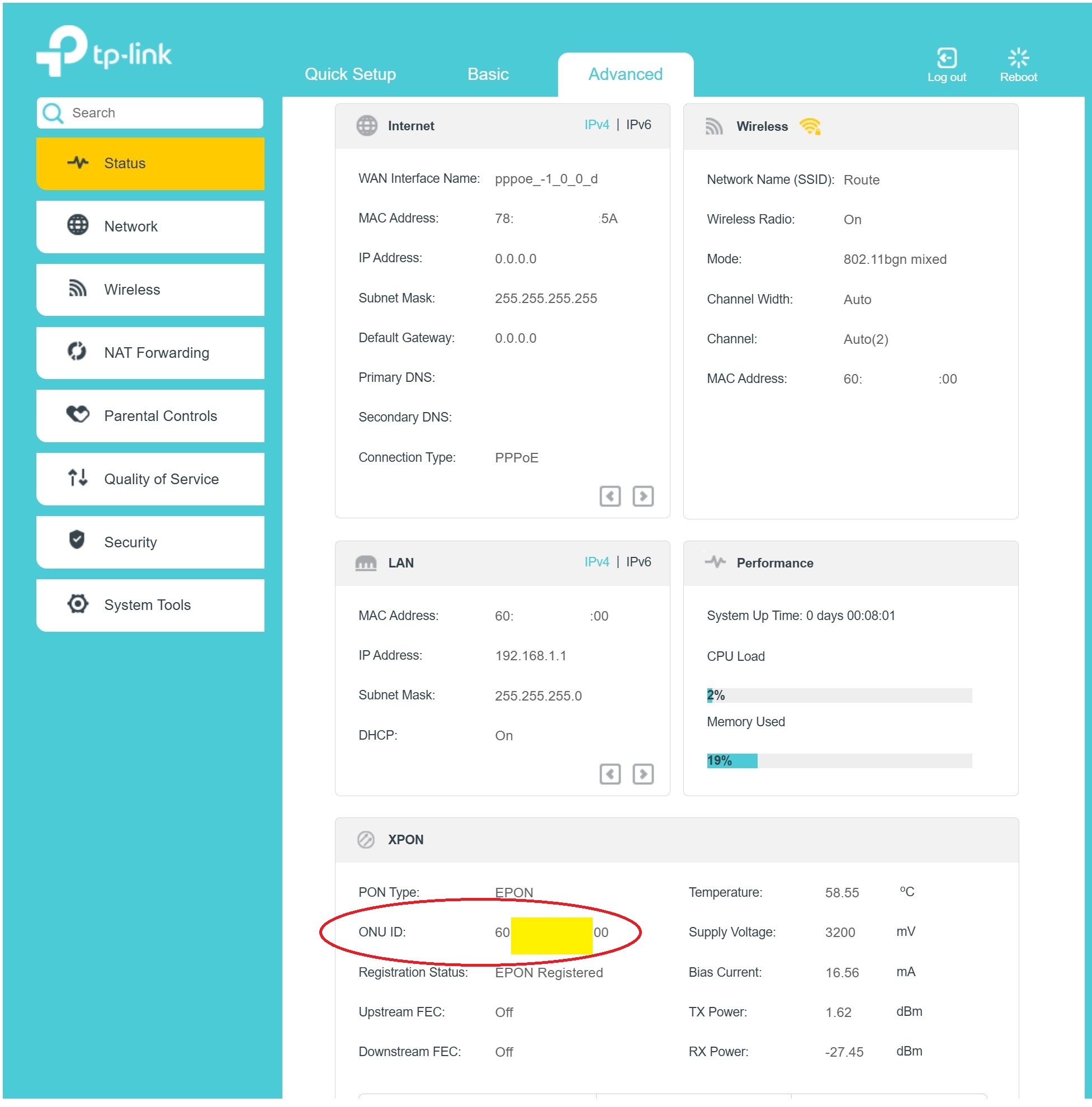
After connecting the fiber cable, cable and setting the PPPoE credentials, set the custom MAC Address (clone) under Advanced Setting -> Network -> Internet to use from the old router, but the device status shows EPON registered without interent or IP address from ISP. In the XPON status it shows the MAC address of XN020-G3 under ONU ID insead of the MAC address that previously set during setup.
How to change this ONU ID to be use from old router?
Thank you
- Copy Link
- Subscribe
- Bookmark
- Report Inappropriate Content


Hello @andkhn
Does the ISP / old EPON/GPON device use any VLANs? Please check that all settings are the same as on the old EPON/GPON device.
If necessary, please contact the ISP to verify whether there is any limitation on the line to only allow a particular device or an ISP-provided device to work.
BTW, who is the internet provider?
- Copy Link
- Report Inappropriate Content

@andkhn Share the images, this is too damn difficult to understand.
- Copy Link
- Report Inappropriate Content
@Kevin_Z Thank you for your reply
No VLAN information found from old router / device. The old GPON device is huawei HG8240 with router TL-WR740N
- Copy Link
- Report Inappropriate Content
@IfranAli Thank you for you reply
Plese find attached the sceenshot, need to change the MAC address that appears under XPON - ONU ID (highlited in yellow and circled in red)
- Copy Link
- Report Inappropriate Content
@andkhn so what is the issue? what params do BSNL use to authenticate?
- Copy Link
- Report Inappropriate Content
@IfranAli I just need to change the ONU ID (MAC address) to the older router (clone), that appears under XPON (highlighted in yellow and circled in above picture)
- Copy Link
- Report Inappropriate Content

@andkhn I believe you're using BSNL FTTH. If so, contact your local cable operator and ask them to release your MAC ID. It takes about 2 minutes, then the internet will instantly work on your new router. Also, MAC IDs and ONU IDs are different. It has nothing to do with the ONU ID for internet provision from BSNL's end. Alternatively, on the quick setup page, it'll show a MAC clone option you can set up there.
Also, I just noticed that you have no clue what your VLAN number is. So, contact your LCO or BSNL JTO to get your VLAN number and set it up. Then it should be up.
- Copy Link
- Report Inappropriate Content
Information
Helpful: 0
Views: 313
Replies: 7
Voters 0
No one has voted for it yet.