Very low upload speed

Very low upload speed

Very low upload speed
17 hours ago
Model: Archer TBE550E  
Hardware Version: V1
Firmware Version: 5.4.0.3119

I have a Win11 desktop computer with a new TP-link Archer TBE550E PCIe card.

When testing internet speed, I have a OK download speed (400 Mbit/s), but only 5 Mbit/s on upload.

When using my mobile phone from the same WiFi location, I have the same down and upload speed!

In my routers client list, I can see that my desktop is connected with AC mode, but my mobile with AX mode. I have changed in the device manager to use AX, but it still connects with AC. I have restarted everything. My router is a Icotera i4882 WiFi 6 Router. I have TP-link firmware 5.4.0.3119

Why is my desktop computer low on upload?

0
0
#1
4 Reply
Re:Very low upload speed
14 hours ago

  @PerLar 


Hi,


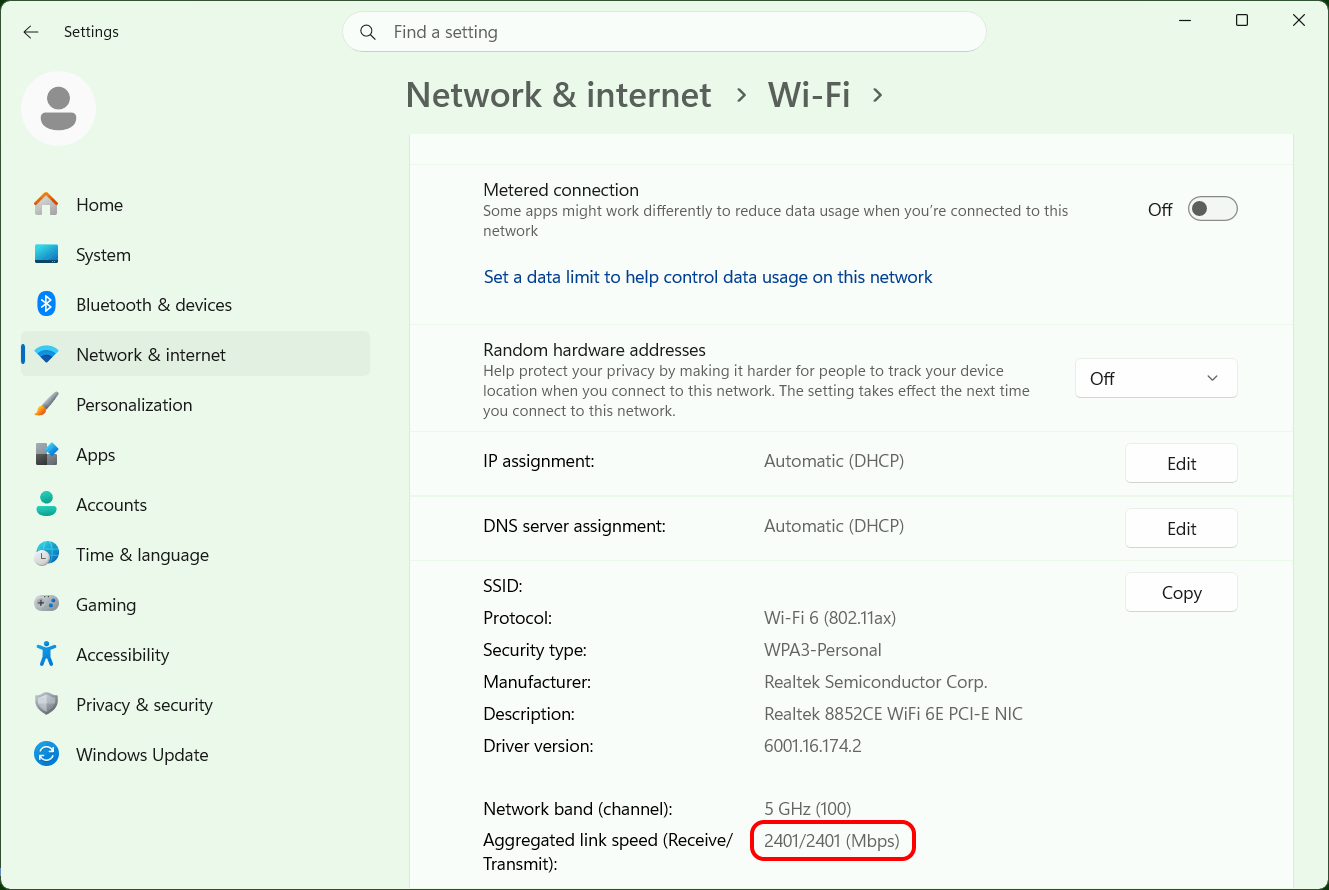
Can you please tell us the numbers for the "Aggregated link speeds" shown by Windows 11? (within the "Properties" of the Wi-Fi connection)


1
1
#2
Re:Very low upload speed
14 hours ago

  @PerLar Yes, it is 2402/2402 (Mbps)

0
0
#3
Re:Very low upload speed
14 hours ago

  @PerLar 


Ok, that should mean Windows shows the connection as Wi-Fi 6, 802.11ax, because 2402/2402 is not possible in AC mode. Is that so?


A reported transmit link speed of 2402 Mbps usually indicates the connection is fine in the upload direction.


Can you try a different Internet speed test website and see if that also gives you only 5 Mbps?
 

0
0
#4
Re:Very low upload speed
13 hours ago

  @PerLar 

Thanks, Yes that is correct. WiFi 6 and 5 GHz


I have tried two different speed tests - same result

0
0
#5