
Port 80 and 443 are not working even after being forwarded.

I am trying to forward port 80 and 443 throught my Archer 3000 XPON router XX503v but its conflicting with some internal UI server and is not letting me forward these two ports.
I have already changed remote manegement ports to 8080 and 4443.
- Copy Link
- Subscribe
- Bookmark
- Report Inappropriate Content
Agentvoo7 wrote
I am trying to forward port 80 and 443 throught my Archer 3000 XPON router XX503v but its conflicting with some internal UI server and is not letting me forward these two ports.
I have already changed remote manegement ports to 8080 and 4443.
I have been provided static IP by my ISP. The IP i see on whatsmyip is the same i see on router. My ISP also doesn't block any ports because the port forwarding was working with other routers.
- Copy Link
- Report Inappropriate Content


Hello @Agentvoo7
Thank you for posting on the TP-Link Community.
Not only does remote management use ports 80 and 443, but local management also uses them. That is why it reports a conflict with an internal UI server.
If you need to use these two ports for other services, please change the local management ports to others first.
- Copy Link
- Report Inappropriate Content
@Kevin_Z I did change both local management and remote management to 8080 and 4443 but the issue still persists.
- Copy Link
- Report Inappropriate Content
Thank you for getting back.
Could you please provide a detailed network topology to help us better understand the current situation? Are there any other devices in this network? You mentioned Archer 3000, does it also refer to XX530v?

Please also provide a screenshot of the XX530 web page when you tried to open these ports, and any error indicating that it conflicts with an internal UI server.
- Copy Link
- Report Inappropriate Content
@Kevin_Z So the Fiber network cable is directly connected to my router. It is an EPON network connected through PPPoE.
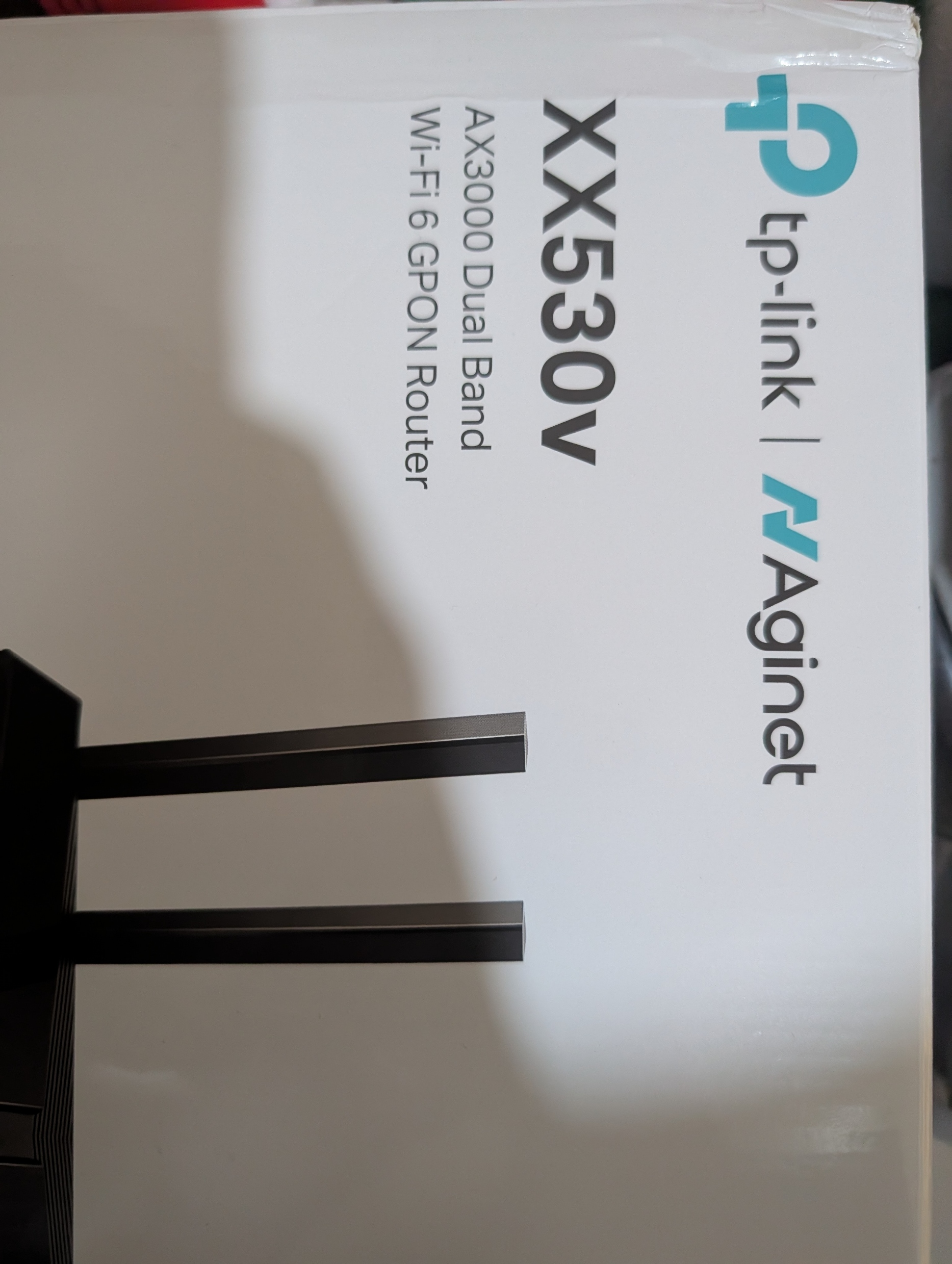 This is my exact router
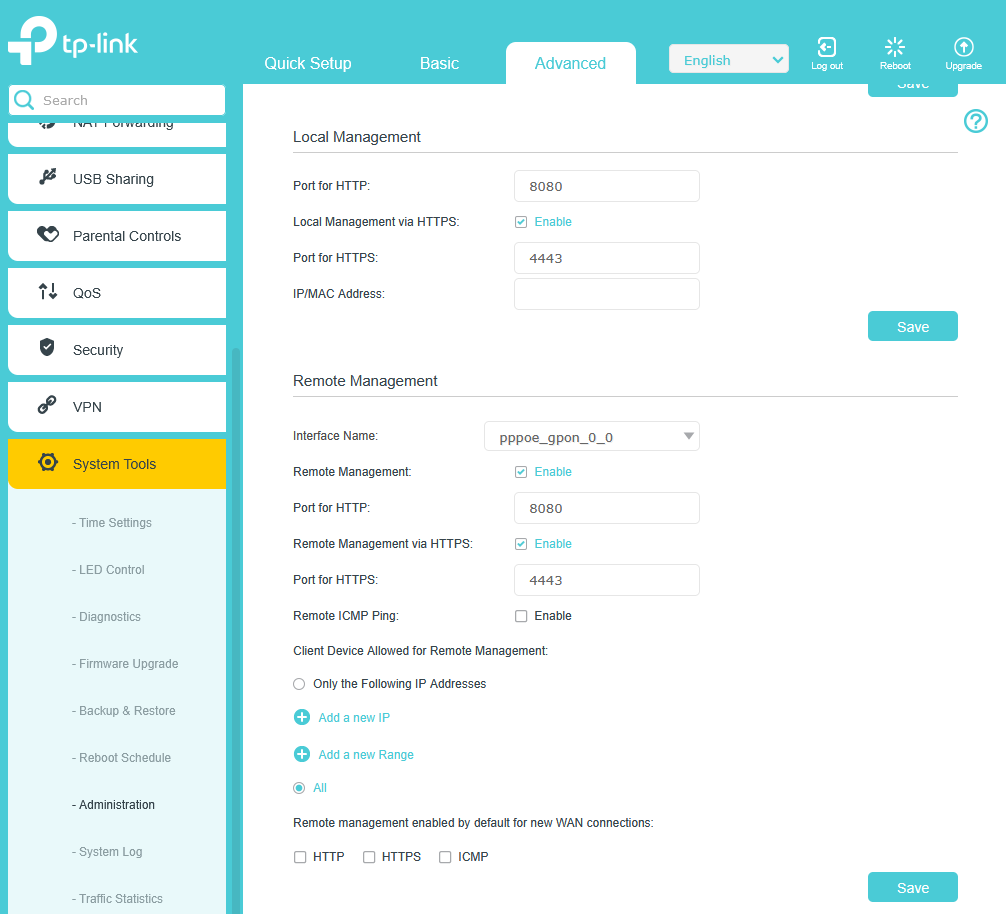 As you can see i have set both remote and local management to 8080 and 4443.
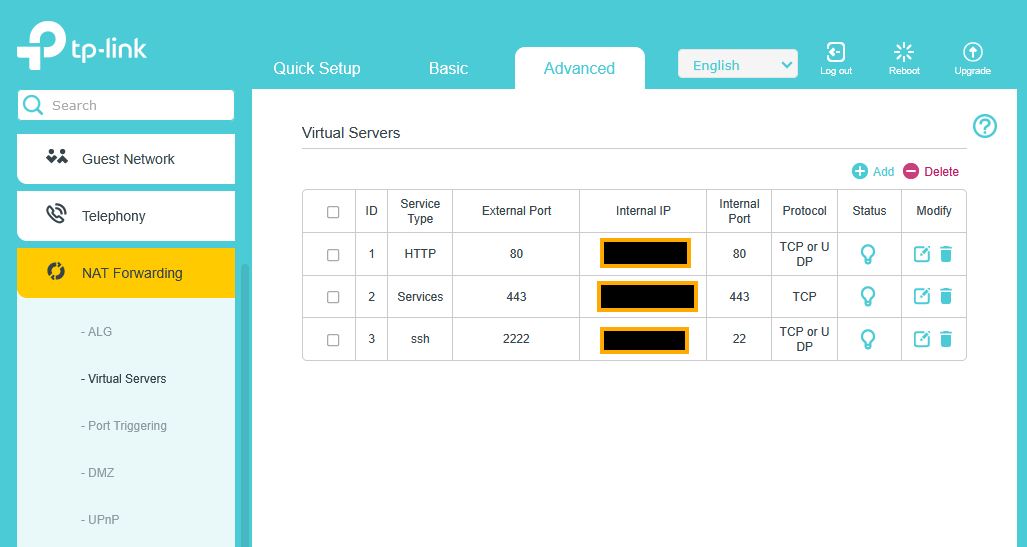 This is where i have set up my ports and these still show up closed wehn i check through open port checker or even if try to access my website which is running on that internal IP.
- Copy Link
- Report Inappropriate Content
Thank you very much again for sharing all the details.
This sounds quite weird. Could you please share the configuration file on your XX530v with our support engineers for further investigation? If possible, please email the file to support.forum@tp-link.com.
BTW, have you ever tried opening other ports for these services? What kind of services are you trying to access from an outside network?
- Copy Link
- Report Inappropriate Content
@Kevin_Z I have sent the file through the email provided by you. My email id from which you will recieve the email from is aryangpt700@gmail.com
All other ports except from 80 and 443 work. I have my website, cloud storage and other smaller services hosted on 80 and 443 which i need to be able to access from anywhere outside. I have tried other ports for sql, hosting a minecraft server etc and they all work fine. As you know how url and dns work, 80 and 443 are the only ports that can be used to host websites.
- Copy Link
- Report Inappropriate Content
- Copy Link
- Report Inappropriate Content
Information
Helpful: 0
Views: 395
Replies: 8
Voters 0
No one has voted for it yet.