
deco X50 mesh started failing ....The satellite unit does not connect with devices

I purchased a set of 2 tp-link devices x50 for a mesh network at my home about 1 year ago.
The mesh network was working fine for a year and then suddenly a week back the satellite unit stopped connecting with any clients.
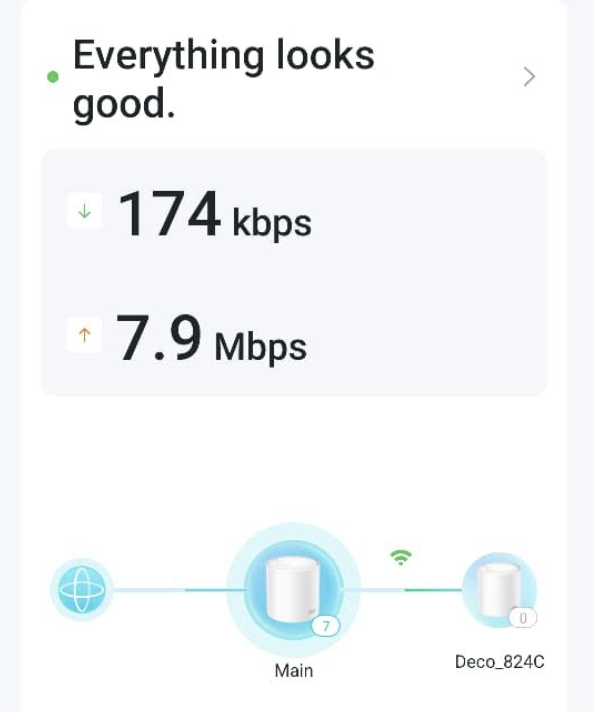
The Deco App shows the satellite unit connected to the base (both the unit show solid green light) but no client / device is able to connect to the satellite unit.
I have reset both the devices, deleted and recreated the wifi network but nothing helps.
I even switched the base and satellite units and still no device is able to connect to the satellite unit.
I have contacted support but its been 10 days and no help received from them.
I just had a spare set of really old google wifi devices, and I set them up at the same exact location and the mesh is working fine.
I guess maybe its just tp link devices and their questionable reliability ? Support is also very poor.....
What should I do? The devices are under warranty.....
 Caption
- Copy Link
- Subscribe
- Bookmark
- Report Inappropriate Content

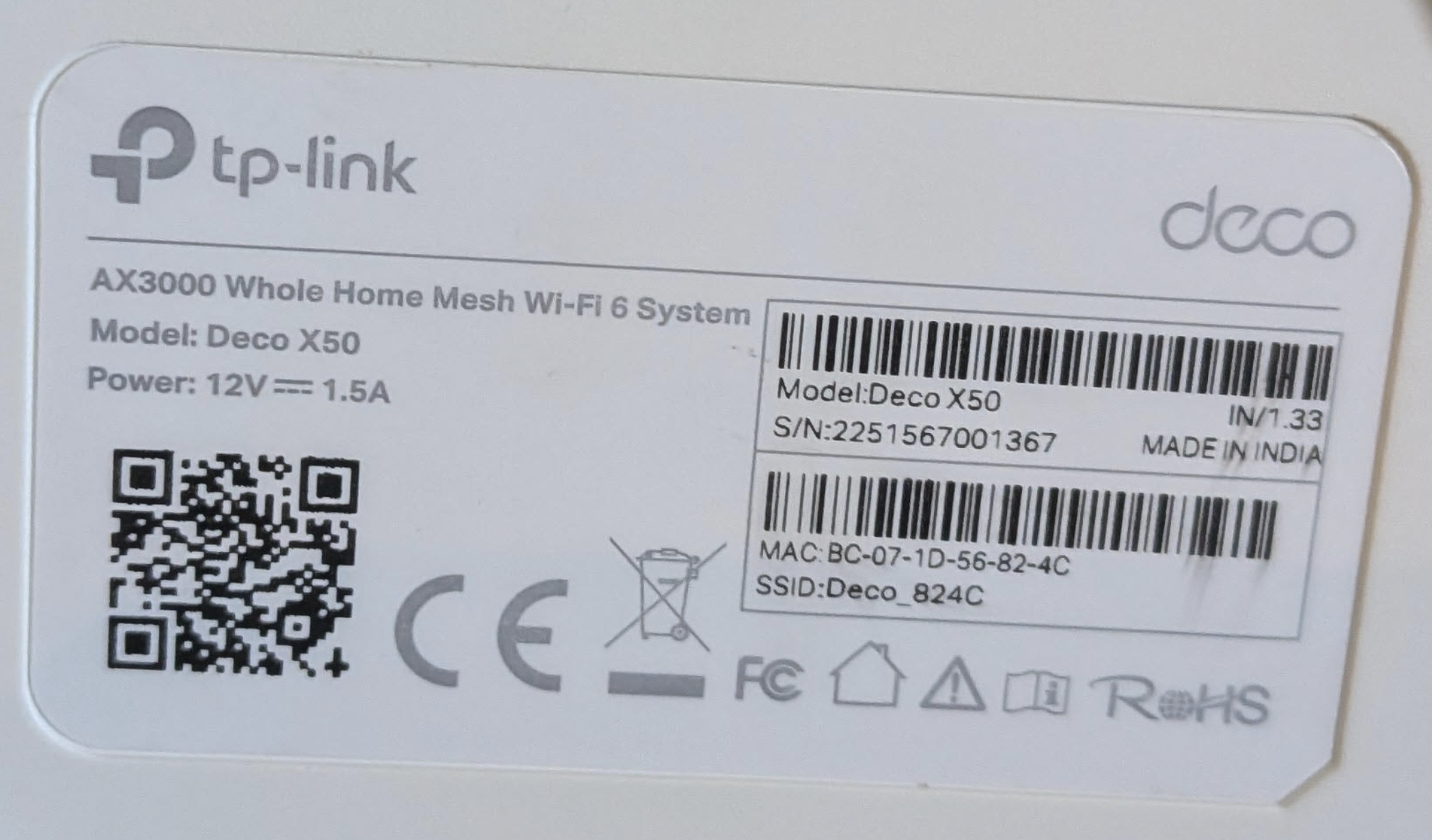
Welcome to the community. Do you know the hardware version of your X50 units? You can find it on the bottom of your deco units.
Thanks
- Copy Link
- Report Inappropriate Content
- Copy Link
- Report Inappropriate Content
- Copy Link
- Report Inappropriate Content
Thank you for the information. There is beta firmware available for your X50 that might resolve some of your issues. If you are in one of the regions listed below, I recommend installing it to see if it fixes the problems.
Supported models/regions:
Deco X50 (US/KR) / Deco X55 (US/CA) – V1.30 / V1.33
If you are in one of the regions listed above, you can find more details about the beta firmware, including the download link, here
Thanks .
- Copy Link
- Report Inappropriate Content
- Copy Link
- Report Inappropriate Content
WIll the patch work for someone in India? If not is there a version that will?
Please advise
- Copy Link
- Report Inappropriate Content


Hi,
It's hard to say whether the client device can't connect to the satellite Deco or a display issue in the Deco app. Please confirm the following information for further analysis.
1. When a laptop is wired to the satellite Deco, does it have internet access? If so, check if the laptop shows connected to the satellite Deco in the Deco app.
2. "I even switched the base and satellite units and still no device is able to connect to the satellite unit. "- Do you mean after the satellite Deco is set to the main Deco and the main Deco is set to the satellite Deco, still the Deco app displays no client devices connected to the new satellite Deco(original main Deco)?
You can try the new firmware here to see if it helps.
Best Regards
- Copy Link
- Report Inappropriate Content
- Copy Link
- Report Inappropriate Content
1. When a laptop is wired to the satellite Deco, does it have internet access? If so, check if the laptop shows connected to the satellite Deco in the Deco app -> dont have any laptop with wired ports, so cant try.
2. "I even switched the base and satellite units and still no device is able to connect to the satellite unit. "- Do you mean after the satellite Deco is set to the main Deco and the main Deco is set to the satellite Deco, still the Deco app displays no client devices connected to the new satellite Deco(original main Deco)? - -> yes, this is correct.
- Copy Link
- Report Inappropriate Content
Hi,
Please move close to the satellite Deco, turn off the Wi-Fi on your phone, then turn on the Wi-Fi and reconnect to the Deco, check if the app displays that your phone is connected to the satellite Deco.
If not, please refer to the instructions below to send us the Deco app log. After that, attach your email reference number (e.g., TKIDXXXX) to this thread, or reply to us after you send the app log.
How to Get and Send Deco System Logs to TP-Link Support
Best Regards
- Copy Link
- Report Inappropriate Content
Information
Helpful: 0
Views: 447
Replies: 10
Voters 0
No one has voted for it yet.