Archer MR600 'Error! Please try again' when loading NordVPN .ovpn file

Archer MR600 'Error! Please try again' when loading NordVPN .ovpn file

Archer MR600 'Error! Please try again' when loading NordVPN .ovpn file
Sunday - last edited Yesterday
Tags: #VPN
Model: Archer MR600  
Hardware Version: V3
Firmware Version: 1.3.0 0.9.1 v0001.0 Build 250915 Rel.50622n

Hi, as subject, I'm getting the error message "Error! Please try again" when trying to load a NordVPN .ovpn file into the Client DNS on the router.  I've been through it with tech support who couldn't resolve it.  So I'm wondering if anybody has got this configuration to work, using either a UDP or TCP file downloaded from NordVPN? Thanks in advance.

1
1
#1
4 Reply
Re:Archer MR600 'Error! Please try again' when loading NordVPN .ovpn file
Yesterday

  @Radialhead 

Hi,
Please provide the following information for further analysis.


  1. Are you using NordVPN WireGuard or NordVPN OpenVPN on the router?
  2. Where did you obtain the NordVPN .ovpn file?
  3. Please send us a screenshot of the error message after you load the NordVPN .ovpn file on the router.


Best Regards

0
0
#2
Re:Archer MR600 'Error! Please try again' when loading NordVPN .ovpn file
Yesterday

  @Solla-topee 
1. OpenVPN
2. From the NordVPN dashboard (I've tried both UDP & TCP).
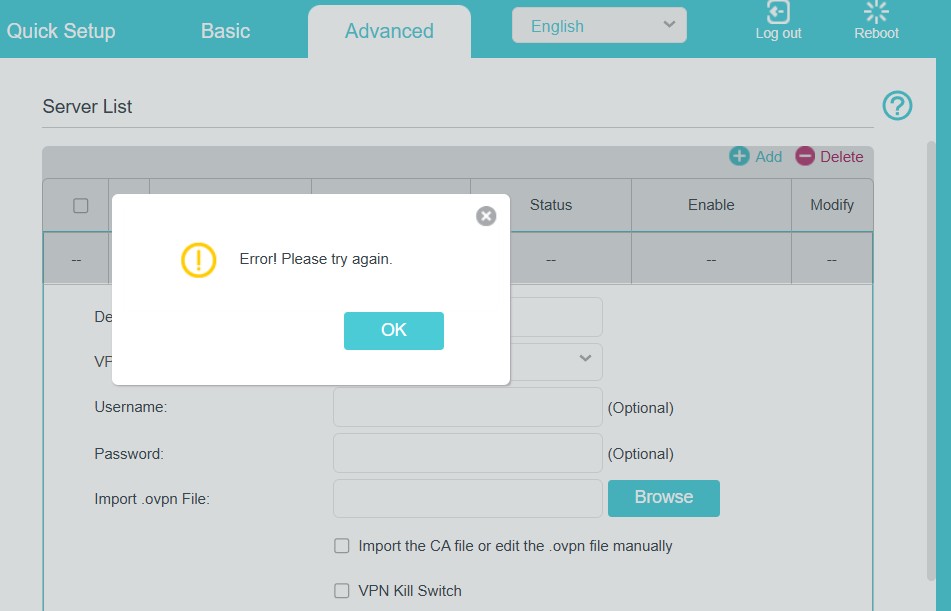
3. See below. I hit the Browse button, select the .ovpn file, it says it's uploading, then when it gets to 100% the error message appears.

0
0
#3
Re:Archer MR600 'Error! Please try again' when loading NordVPN .ovpn file
8 hours ago

  @Radialhead 

Hi, 
I have escalated your case to our tech team, and they will contact you via email to assist you further. Please wait patiently.
Best Regards

0
0
#4
Re:Archer MR600 'Error! Please try again' when loading NordVPN .ovpn file
7 hours ago

  @Solla-topee thank you, I've had an email and replied.  Although the .ovpn file did actually load when I tried again today.  It still isn't working though, the Status on the VPN Client Server List just sticks at 'Connecting', then the Enable VPN Client switch toggles back to off after a while, then back to on again - repeat.  I replied to the email with this information, along with the .ovpn file and system log, so fingers crossed. 

0
0
#5