
Deco x60 (v4.2) AX5400 no option to check the CPU and Memory Usage.

Deco x60 (v4.2) AX5400 no option to check the CPU and Memory Usage.

Deco x60 (v4.2) AX5400 no option to check the CPU and Memory Usage.
Saturday
Tags: #Feature Request #Reports #CPUMemoryStat
Model: Deco X60  
Hardware Version: V4
Firmware Version: 1.5.0 Build 20250801 Rel. 55258

Hello I just got the 3 Deco x60's Ax5400 for my Home mesh with the dual core Qualcomm IPQ5018 chips (which sucks because v1 and v2 had enterprise grade quad core IPQ8071) but for my home networking mesh they're enough because I don't plan to use VPN tunnels on the mesh as even Wireguard will bottleneck the processor.
After initial setup and upgrading the firmware to the latest available 1.5.0 Build 20250801 Rel. 55258 I can't seem to find a option to check the CPU and Memory stats.

Ideally the CPU and Memory stats are shown in the WebUI Network Map but in my case its empty I have attached a screenshot below.
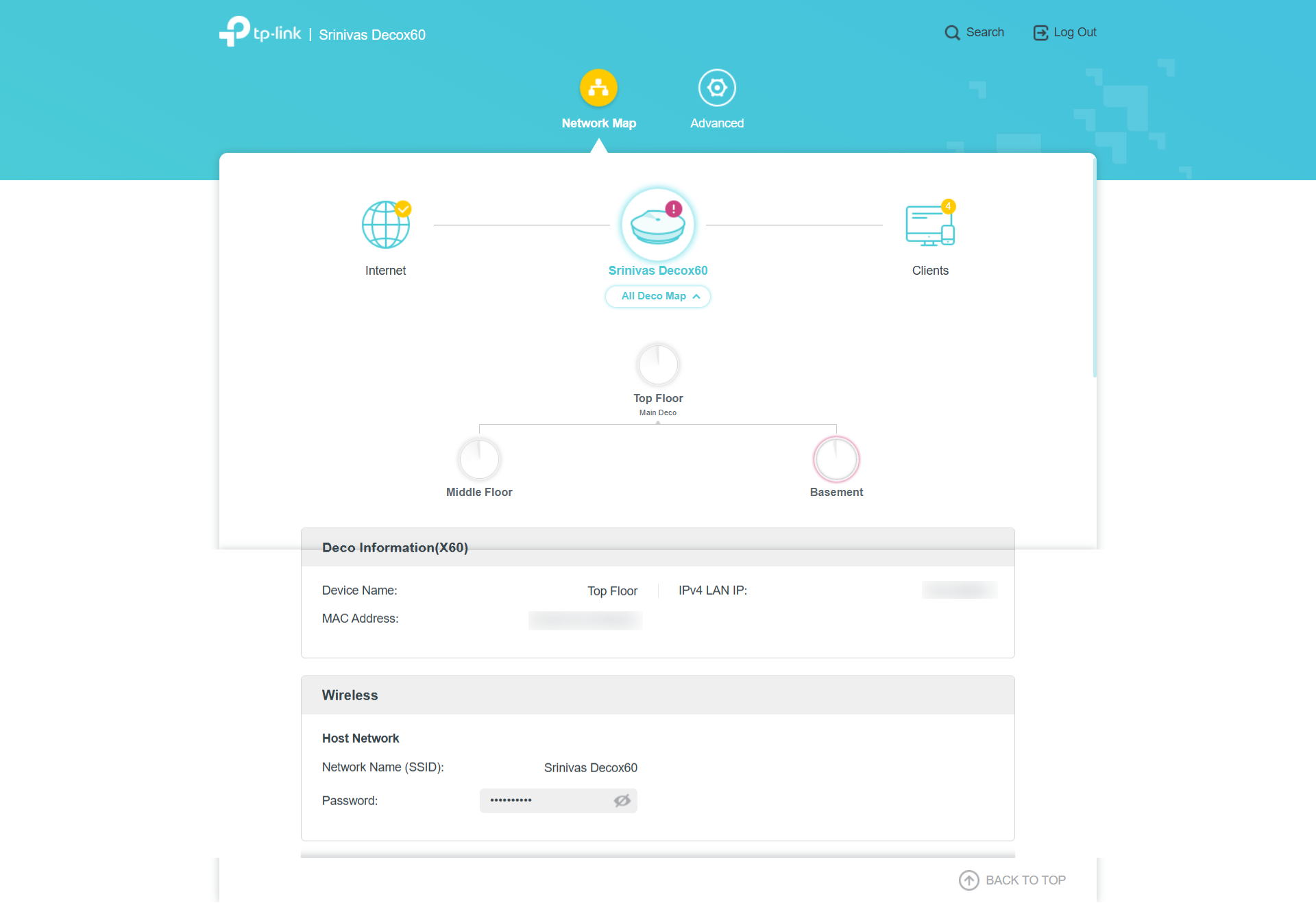
 

But if I use the search button in the web UI and search for Cpu and Memory I can see CPU Load and Memory Usage in the results (that means these features are implemented at the WEBUI level) it redirects me to the Network Map again which does not have any info regarding the CPU load and Memory Usage.
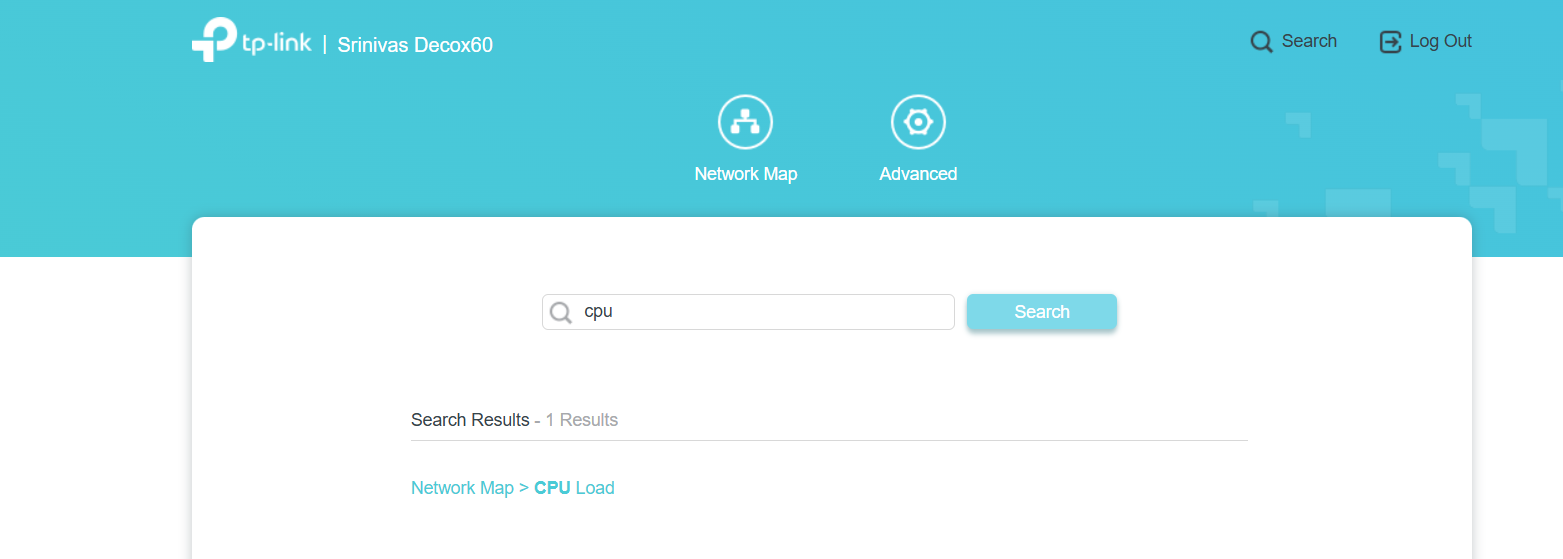
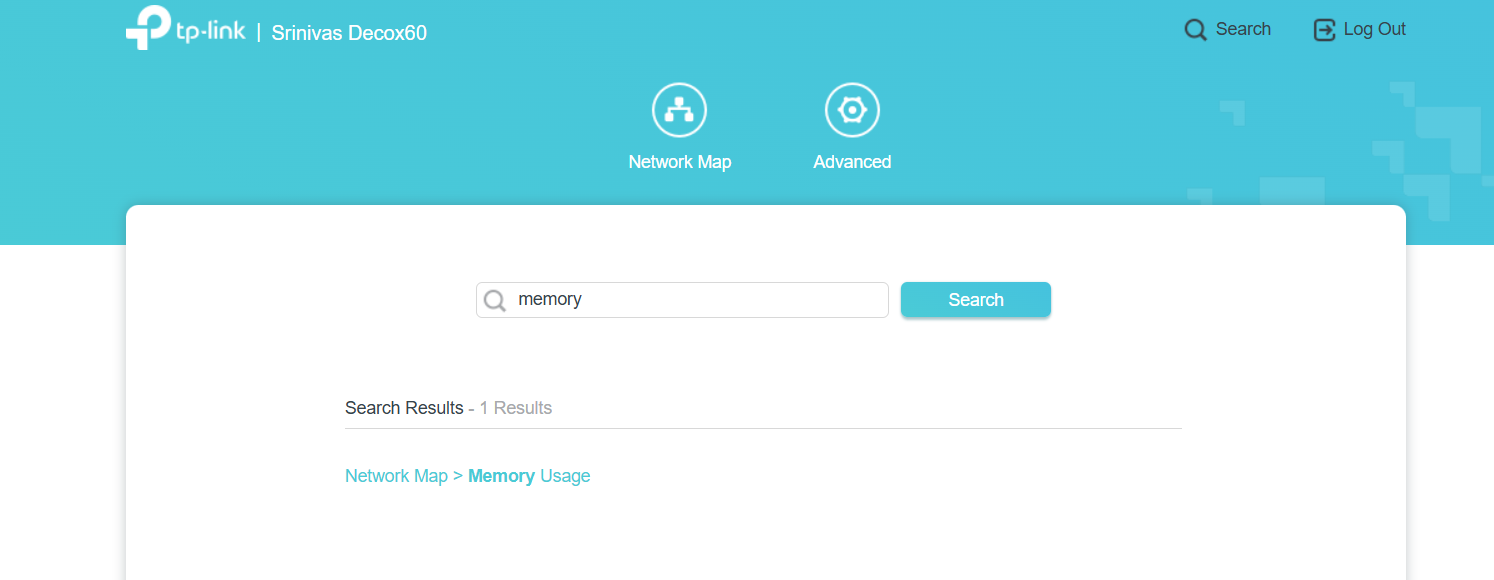

I have also tried to check this on the Deco App Tapping on the Node and then going to Device Info but its empty there too!! ( I'm using the latest version Deco android app v 3.10.188 )
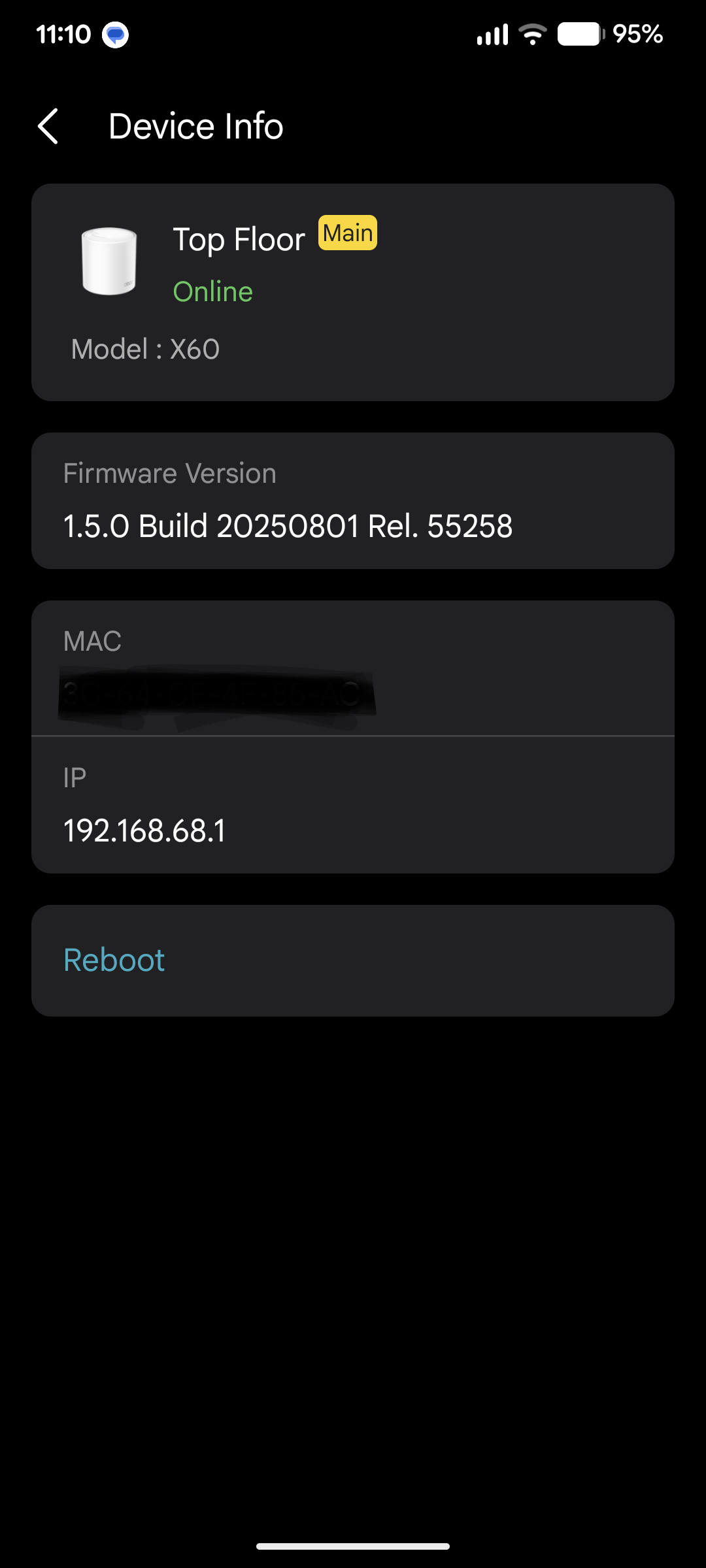

Please guide how to access these info, because I need these stats to monitor my device in real time.

  34      
34
#1
Options
8 Reply
Re:Deco x60 (v4.2) AX5400 no option to check the CPU and Memory Usage.
Tuesday

  @Dhubu 

Hi, 
On the Deco's web UI > Network Map page, please scroll to the bottom of the page and check whether the CPU and Memory section appears.

Best Regards

  0  
0
#2
Options
Re:Deco x60 (v4.2) AX5400 no option to check the CPU and Memory Usage.
Tuesday

  @Solla-topee Hello, negative even on the bottom of the web UI the CPU and Memory stats are missing I've attached the scrolling screenshot of the entire WebUI page in the original message.

Even on the Deco app where the status must show up it's missing.

  3  
3
#3
Options
Re:Deco x60 (v4.2) AX5400 no option to check the CPU and Memory Usage.
Wednesday

  @Dhubu 

Hi, 
Here is a new firmware (v1.6.0 Build 20250720) for the Deco X60 V4.2. Please download and unzip the firmware file, follow the instructions below to update the Deco's firmware, and check whether you can see the CPU and Memory section in the Deco's web UI.
How to Update TP-Link Deco Firmware

Best Regards

  1  
1
#4
Options
Re:Deco x60 (v4.2) AX5400 no option to check the CPU and Memory Usage.
Wednesday

  @Solla-topee Thanks for the heads up, but the firmware you've redirected is the Deco X60(EU)_V4.20_1.6.0 Build 20250720 which is the EU version while I have a US version are the firmware interchangeable? I think the bands are different on both version due to CE regulations in EU.
But if you confirm that its safe to flash the EU version on US I'll go ahead.
Thanks!

  2  
2
#5
Options
Re:Deco x60 (v4.2) AX5400 no option to check the CPU and Memory Usage.
23 hours ago

  @Dhubu 

Hi, welcome to the community.


I have confirmed with the relevant team that a new firmware v1.6.12 is suitable for your Deco X60(US) V4.2. You can try updating it manually via the Deco's web UI and check if it helps.
How to Update TP-Link Deco Firmware
 

Best Regards

  1  
1
#6
Options
Re:Deco x60 (v4.2) AX5400 no option to check the CPU and Memory Usage.
23 hours ago

  @Solla-topee Hi, thanks for the beta firmware it installed flawlessly on my x60's but even on this firmware 1.6.12 Build 20260513 Rel. 20500 the CPU and Memory stas are missing from the web UI and the Deco app :(
I've attached a quick screen record of the web UI and the android deco app with the latest firmware for your assistance here, please take a look.

Thanks!

  4  
4
#7
Options
Re:Deco x60 (v4.2) AX5400 no option to check the CPU and Memory Usage.
3 hours ago

  @Dhubu 

Hi, 
If the CPU and Memory don't appear after installing the latest firmware, it should be your Deco X60 doesn't support viewing them.
Do you have any problems using the Deco X60 so that you want to view CPU and Memory Usage? If so, please describe them in detail, and we will assist you.
Best Regards

  0  
0
#8
Options
Re:Deco x60 (v4.2) AX5400 no option to check the CPU and Memory Usage.
50 minutes ago

  @Solla-topee Actually since my deco uses a barrel shape it utilizes chimney effect to cool it down that is the internal heat generated escapes from top and this creates a low pressure at bottom that sucks in the cold air.
But since this is fanless system I think its suboptimal especially for the main deco.
My idea is simple print a 3D printed holder that goes on top of deco which  has a 12V DC fan the DC fan is connected to the power socket with a smart switch that accelerates the chimney effect and cools the deco , it turns it on and off as per the CPU load e.g. the fan will only tun on if the CPU load is above 85% 
But I'am unable to get the stats from the web ui or the deco app.

  24  
24
#9
Options
