
BE550v2 Firmware Version 1.3.1 Build 20260403 Causes Significantly Reduced Upload Speed

With my previous router, I consistently achieve approximately 900 Mbps download and 700 Mbps upload speeds.
However, when using the BE550 running firmware version 1.3.1 Build 20260403, download speed remains around 900 Mbps, while upload speed drops significantly to approximately 100 Mbps.
I tested the issue on multiple PCs as well as a Samsung Galaxy S25, and the upload speed remained consistently low across all devices.
I also performed a factory reset and configured only the Wi-Fi password before retesting, but the issue persisted.
After downgrading to the beta firmware version 1.3.1 Build 20260303 rel.49110(4B52), upload speeds returned to normal, indicating that the problem appears to be related to firmware version 1.3.1 Build 20260403.
- Copy Link
- Subscribe
- Bookmark
- Report Inappropriate Content

Hello @Glide
We have released beta firmware, which may help resolve the anomaly you encountered. Please refer to What If the Wireless Upload Speed Drops Significantly After Archer BE550 V2 is Updated to 1.3.1?
- Copy Link
- Report Inappropriate Content
Hello @FerociousSkate ,
Welcome to our community.
Have you enabled the QoS feature? If not, please enable it and configure the QoS bandwidth to the correct number that is subscribed from the ISP side.
To help you efficiently, I've forwarded your case to the TP-Link support engineers, who will reach out to you using your registered email address later. Please keep an eye on your email inbox for follow-up.
Best Regards.
- Copy Link
- Report Inappropriate Content

@Joseph-TP Please understand that I am using a translator.
I am currently on a 1Gbps plan. With the previous firmware version 1.2.6, my speeds were completely normal. However, just like mentioned in this thread, I experienced the exact same issue after updating to version 1.3.1. Even when connecting only my desktop directly without any QoS settings, the upload speed drops significantly.
In the end, I had to use recovery mode to downgrade back to version 1.2.6, and after the downgrade, my upload speed went back to normal
- Copy Link
- Report Inappropriate Content
Hello @Glide ,
Thanks for contacting our community.
This feedback appears to be related to the 1.3.1 Official version, and our relevant departments are actively following up and investigating the cause of this unexpected behavior.
If you are willing to provide some basic configuration information and system logs and assist engineers in conducting remote investigations, we recommend sending an email to support.forum@tp-link.com with the following information:
Subject: [Forum Escalation][ID 865826] BE550v2 Firmware Version 1.3.1 Causes Significantly Reduced Upload Speed
Forum Nickname: Glide
Thread URL: https://community.tp-link.com/en/home/forum/topic/865826?replyId=1699810
Model&Version: Archer BE550-v2-1.3.1 Build 20260403
Description:
[User Provided]
Any Other Relevant Information (Logs, Config Files, etc. Don't post any of this information on the public): [User Provided]
- How to view and save System Log of TP-Link wireless router
- How to create and restore from a backup file on your TP-Link Router
- Upload speed test results before and after the firmware update
Once sent, a ticket will be created in our support system, and a team member will follow up to gather more information or troubleshoot the issue.
- Copy Link
- Report Inappropriate Content
Hello @Glide
We have released beta firmware, which may help resolve the anomaly you encountered. Please refer to What If the Wireless Upload Speed Drops Significantly After Archer BE550 V2 is Updated to 1.3.1?
- Copy Link
- Report Inappropriate Content

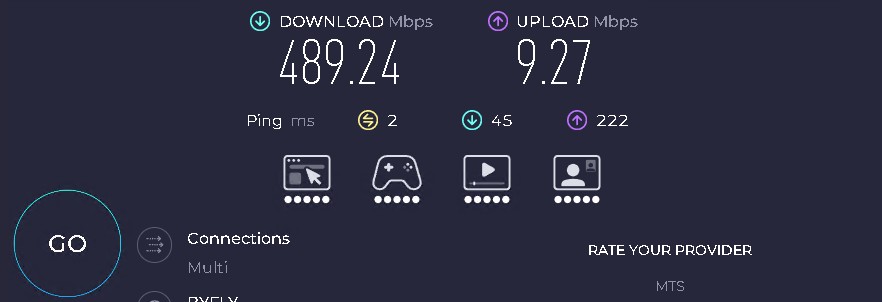
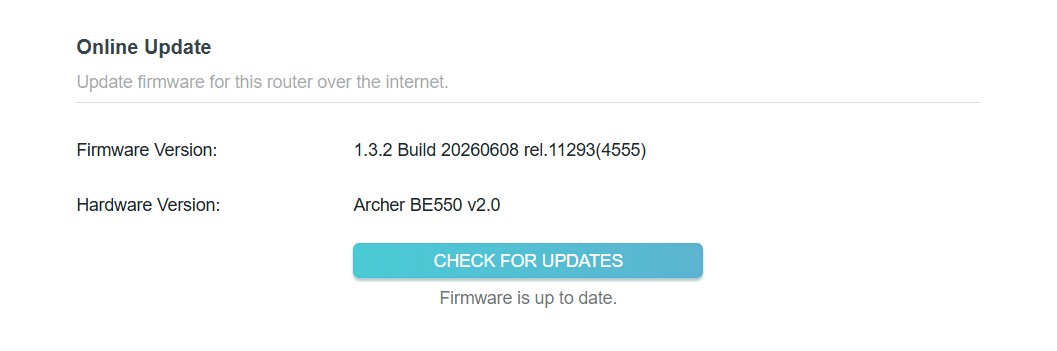
Beta Firmware made the situation even vorse than it was before. Upload speed dropped to 10Mbps.
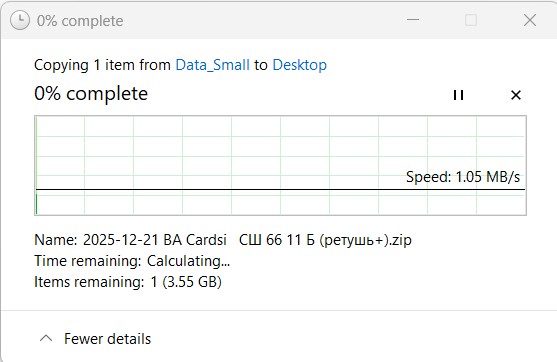
File copy speed within network (ftom one device to another)
Firmware
- Copy Link
- Report Inappropriate Content
Information
Helpful: 1
Views: 310
Replies: 5
Voters 0
No one has voted for it yet.