
TP-Link Weekly Report

I am having intermittent network issues with Teams meeting calls dropping. The PC has been checked thoroughly by the vendor and NFF. I am keen to view the Weekly Report provided by the TP-Link, but I cant seem to find it. Reading the notes it looks like it is under Homeshield, but this only has 3 options, all of which require subscription payments. Is this correct? If I am doing something wrong please let me know.
Thanks
- Copy Link
- Subscribe
- Bookmark
- Report Inappropriate Content

Yep, you can take the benefit of the 30-Day Free Trial, troubleshoot your issue and when the tral period expires, stay with the basic (free) version.
- Copy Link
- Report Inappropriate Content
@terziyski You are kidding, so I have to provide Credit Card etc. with a promise they won't bill before the one month is over, in the hopes I will forget, in order to get to a basic function. That is pretty appalling customer experience. I also don't want tp provide credit card details unecessarily, the risk is too high.
A
- Copy Link
- Report Inappropriate Content
Well, I understand.and I am sorry, but can't think of anything else that may do the job for you.
You'll have to find another way to troubleshoot your Teams app issue.
- Copy Link
- Report Inappropriate Content
@terziyski Ok, so tried that, still no reports. If I go to HoemShield I get details about the Security+ subscription, If I select the Network that the subscription should apply to it just goes to a blank screen with a blue button. It does nothing. Still no reports that I can find.
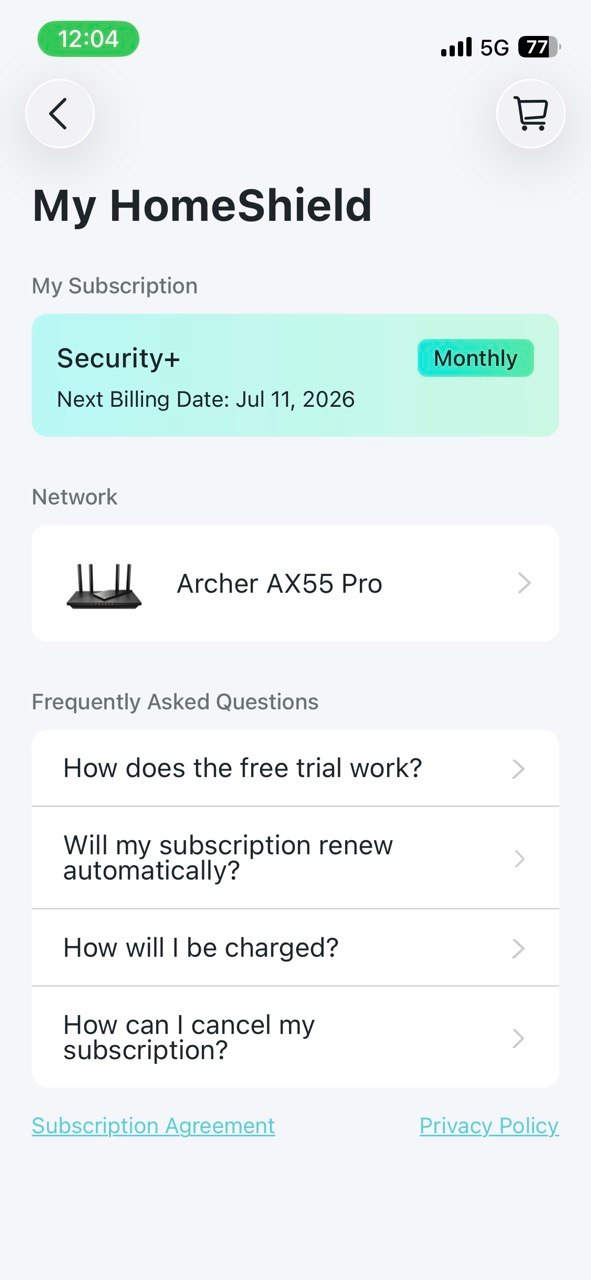
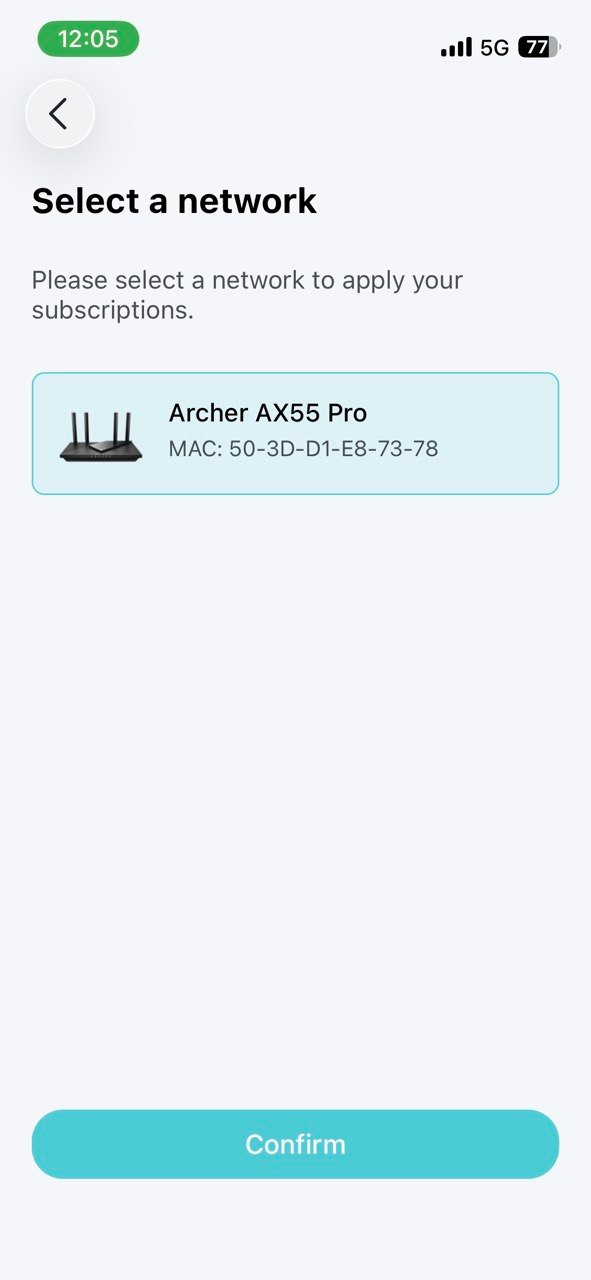


- Copy Link
- Report Inappropriate Content
@Altabred Correction, I now have reporting in the Envelope Icon at the top of hte screen. Frankly, they are quite useless for network diagnosis. Thanks.
I'll unsubscribe again.
- Copy Link
- Report Inappropriate Content
Try the suggestions from this post :
- Open the Tether App
- Tap the HomeShield icon at the bottom of the screen.
- Look for the Tools or More section to find Comprehensive Reports / Weekly Reports.
Maybe it would take some time for the router to collect the data for the report.
- Copy Link
- Report Inappropriate Content
@terziyski Thanks, there are no detail reports anywhere that I can find. I can do a weekly and monthly, but it doesn't really show anything like what I would call a traffic report. It shows users, connected users, etc. for the week or month selected.
I'll set up a trace instead using other tools.
- Copy Link
- Report Inappropriate Content
I would imagine that configuring the Parental Controls would generate more granular statistics about the individual user habits in the report.
But of course, you can use tools of your choice to troubleshoot this issue.
- Copy Link
- Report Inappropriate Content
- Copy Link
- Report Inappropriate Content


Hello @Altabred ,
Thanks for contacting our community.
First, please update the firmware to the latest version: Archer AX55 Pro(EU)_V1_1.4.3 Build 20250813
Do disconnections occur only when using Teams meeting calls? What about other network activities?
First, please perform a few simple comparative tests:
1. Check if other network activities are functioning normally.
2. Switch to a different network (such as a mobile hotspot) to see if the connection still drops.
3. Run Teams meetings or calls on another device to compare performance.
If other network activities are functioning normally:
- Check if the meeting software settings can be optimized—for example, by turning off video, lowering video quality, or disabling HD video.
- On your computer: close applications that consume significant bandwidth and update your network card drivers.
Here are some suggestions for your router:
1. Enable QoS (Quality of Service).
2. Switch to a public DNS (such as Google's 8.8.8.8 or Cloudflare's 1.1.1.1) to avoid DNS resolution issues.
3. Check network stability and latency, refer to How to use the Ping command
- Copy Link
- Report Inappropriate Content
Information
Helpful: 0
Views: 807
Replies: 22
Voters 0
No one has voted for it yet.