XC220-G3v software issue

XC220-G3v software issue

XC220-G3v software issue
a week ago - last edited Wednesday
Model: XC220-G3v  
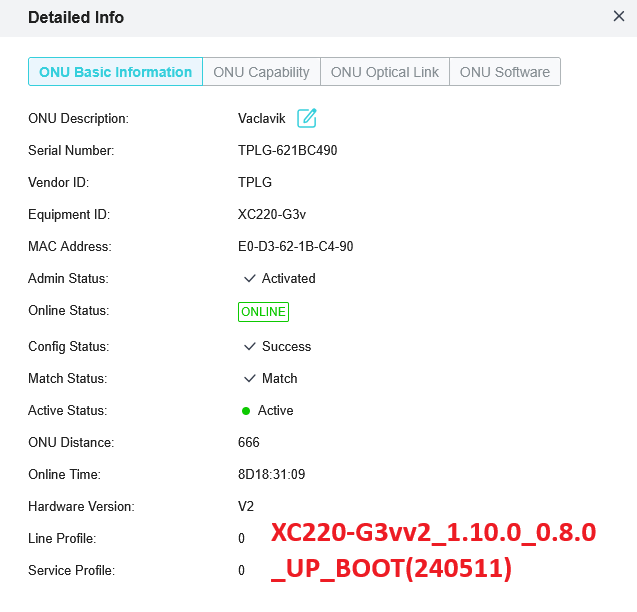
Hardware Version: V2
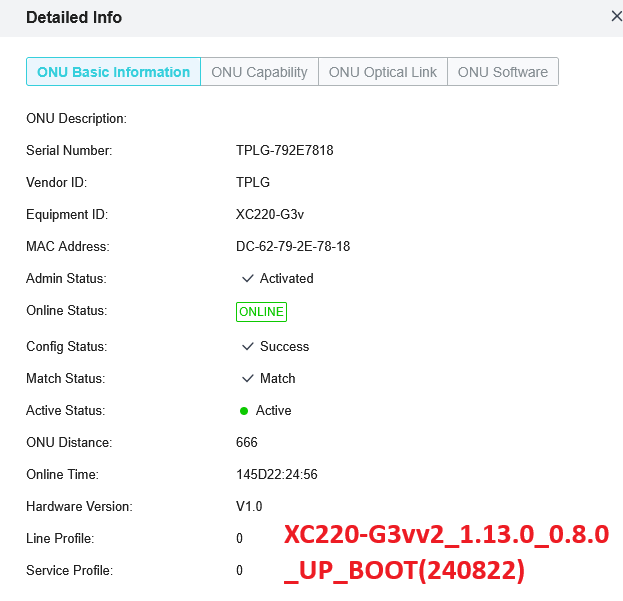
Firmware Version: 1.13.0_0.8.0 (240822)

After upgrade to latest firmware we have this issues?


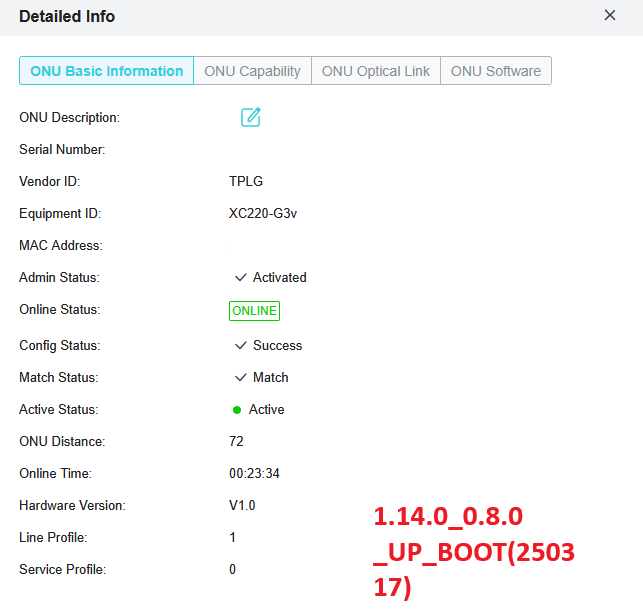
  1. HW revision change since software 1.13 - after upgrade software from 1.10 to 1.13 firmware change Hardware revision from "V2" to "V1.0" we have lot of rules for HW 2 and now all rules crash, same for 1.14.0_0.8.0_UP_BOOT(250317)
     
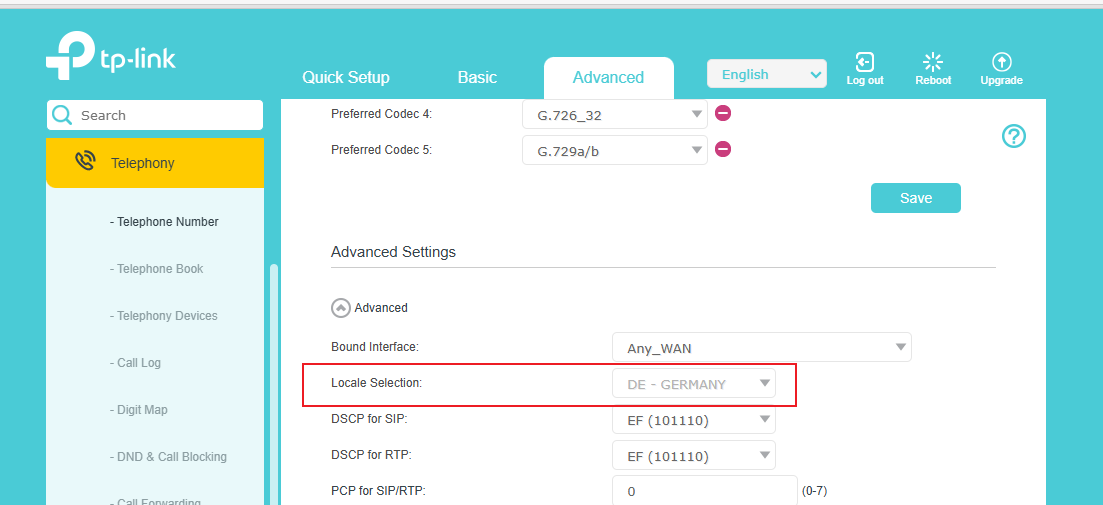
  2. Region and VoIP - since hardware v1 we cooperate with support and make changes for VoIP localization for Czech, we have tested Beta firmware but in new firmware we cannot change region for VoIP from US to any other
     
  3. DHCP option and ACS - with DHCP option for CWMP router get correct string but extract login and password incorect  - repair in version 1.14.0_0.8.0_UP_BOOT(250317)


  0      
0
#1
Options
2 Reply
Re:XC220-G3v software issue
Wednesday - last edited Wednesday

Point 3) repaired in version 1.14


other problems persist


  0  
0
#2
Options
Re:XC220-G3v software issue
7 hours ago

@TomasChott 


TomasChott wrote

After upgrade to latest firmware we have this issues?
 

  1. Region and VoIP - since hardware v1 we cooperate with support and make changes for VoIP localization for Czech, we have tested Beta firmware but in new firmware we cannot change region for VoIP from US to any other

Could you please confirm where you changed the VoIP region with the beta firmware? Was it like below? I confirmed with the development team that this is not an option in any official versions, so they want to know which specific beta firmware version you used and where you got it.


From the screenshots you attached, it seems you're also using our TP-Link OLT. Could you please provide the model, hardware, and firmware version of the OLT?


Thank you very much.

Nice to Meet You in Our TP-Link Community. Check Out the Latest Posts: Introducing AI QoS: Elevate Your Gaming Experience on the Archer GE800 Gaming Router! Connect TP-Link Archer BE550 to Germany's DS-Lite (Dual Stack Lite) Internet via WAN Archer GE550 - BE9300 Tri-Band Wi-Fi 7 Gaming Router Archer AX90 New Firmware Added Support for EasyMesh and Ethernet Backhaul If you found a post or response helpful, please click Helpful (arrow pointing upward icon). If you are the author of a topic, remember to mark a helpful reply as the "Recommended Solution" (star icon) so that others can benefit from it.
  1  
1
#3
Options