Intermittent Connectivity Issue with TP link BE9300 or BE550 WiFi router

Intermittent Connectivity Issue with TP link BE9300 or BE550 WiFi router

Intermittent Connectivity Issue with TP link BE9300 or BE550 WiFi router
a week ago
Model: Archer BE550  
Hardware Version: V2
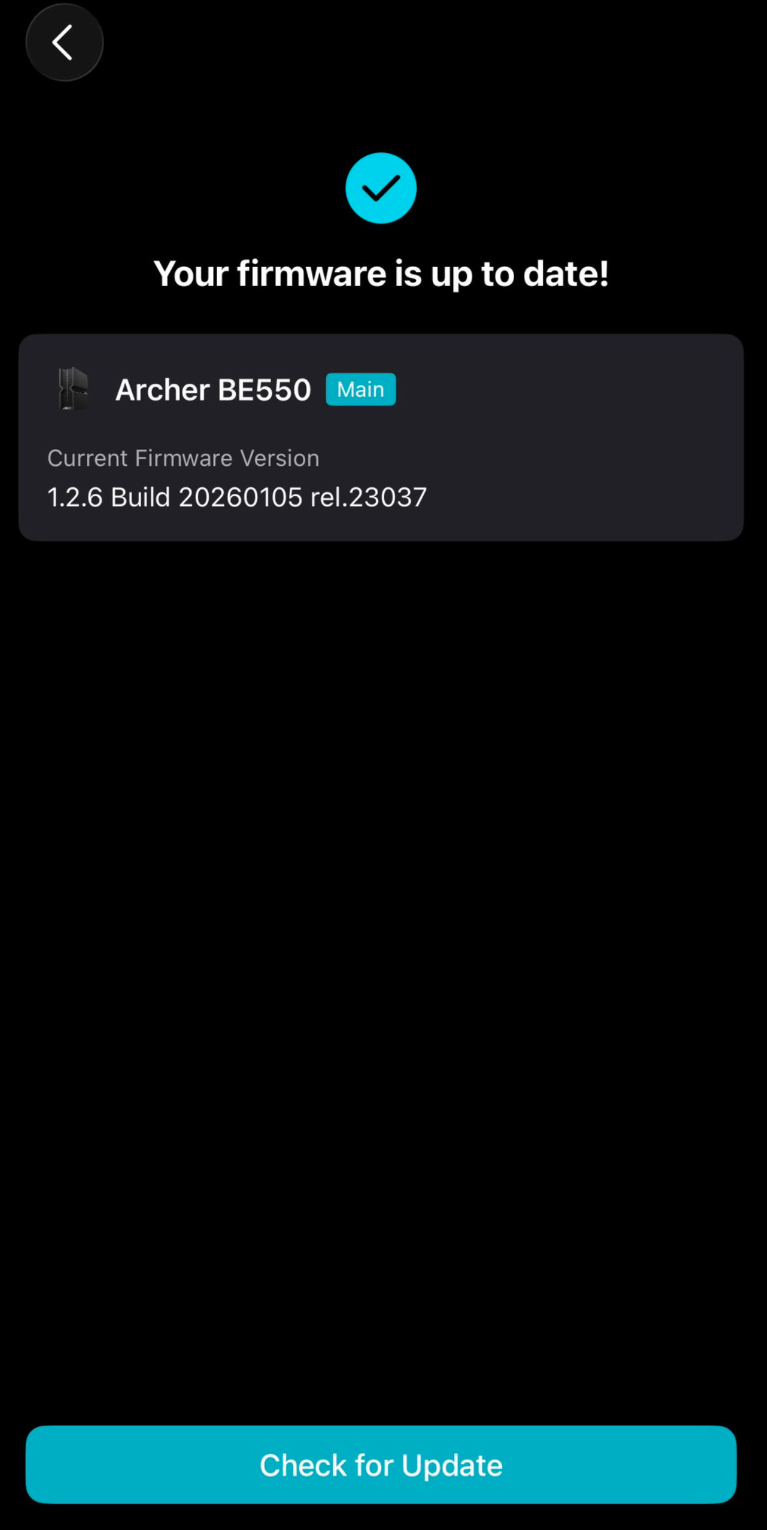
Firmware Version: 1.2.6 Build 20260105 rel.23037(4155)

Hi there,


Recently, I made a decision to change my main wifi router from Asus RT-AX88U to the TPlink BE550 v2 just last week. After changing over to the new wifi router, everything seems fine initially but over the next few days I noticed that there is intermittent connectivity issues between this new router and all the clients that are connected to it.


My family members started to complain that their zoom sessions suddenly just get cutoff because their wifi connection just got disconnected and another family member complains that when they have a virtual meeting like teams or google meet during the video conference from time to time they experience that the audio transmission was affected like some time they cannot hear the vocals from the conference and sometimes their speech was not captured from their mics to be transmitted. Also from time to time, while surfing the internet, suddenly the throughput or bandwidth becomes extremely slow and everything seems to be lagging or delayed.


Not sure if the problem is 100% on this wifi router but I took initiative to change my main router back to the old Asus RT-AX88U and everything seem to go back to solid stable connection without this intermittent connectivity issues. Is there anyone online that are using this TPlink BE550 or BE9300 facing the same issues/problems?


I have roughly 8 wired connections/clients and 24 wireless connections/clients, not all actively using a lot of bandwidth at all times, maybe only 30-40% are actively being used most of the time. Anyone that had the experience and managed to resolve the problem?


Thank you.


Regards,

Kim


  0      
0
#1
Options
3 Reply
Re:Intermittent Connectivity Issue with TP link BE9300 or BE550 WiFi router
a week ago

Hello @KimPoon 


Would you mind upgrading the firmware to the latest 1.3.1 version first, as it introduces a lot of EasyMesh updates, bug fixes, and system optimizations?

https://community.tp-link.com/en/home/threads/topic/853652?replyId=1694140

https://community.tp-link.com/en/home/threads/topic/853652?replyId=1694472


If the unexpected behaviors persist, please provide more details:

1. Is there any EasyMesh satellite router or extender that connects to the BE550? How is it connected? If so, try removing it from the network and monitoring connectivity again.

2. Also, please try disabling EasyMesh and Smart Connect on the BE550.

Nice to Meet You in Our TP-Link Community. Check Out the Latest Posts: Introducing AI QoS: Elevate Your Gaming Experience on the Archer GE800 Gaming Router! Connect TP-Link Archer BE550 to Germany's DS-Lite (Dual Stack Lite) Internet via WAN Archer GE550 - BE9300 Tri-Band Wi-Fi 7 Gaming Router Archer AX90 New Firmware Added Support for EasyMesh and Ethernet Backhaul If you found a post or response helpful, please click Helpful (arrow pointing upward icon). If you are the author of a topic, remember to mark a helpful reply as the "Recommended Solution" (star icon) so that others can benefit from it.
  1  
1
#2
Options
Re:Intermittent Connectivity Issue with TP link BE9300 or BE550 WiFi router
a week ago - last edited a week ago

  @Kevin_Z Sorry but I have checked through the TP-link app if there is any new or latest firmware but the app shows that my firmware is up to date and I don't have any options to update to the firmware 1.3.1 version.


  0  
0
#3
Options
Re:Intermittent Connectivity Issue with TP link BE9300 or BE550 WiFi router
a week ago

@KimPoon 


I provided a direct download link of the new official firmware in this response. Can you see it?

https://community.tp-link.com/en/home/threads/topic/853652?replyId=1694140


This official version has not yet been published officially for non-US versions, but it shares the same firmware compatibility. You can download it from the link above or the US site, then install it manually from its web interface.

Nice to Meet You in Our TP-Link Community. Check Out the Latest Posts: Introducing AI QoS: Elevate Your Gaming Experience on the Archer GE800 Gaming Router! Connect TP-Link Archer BE550 to Germany's DS-Lite (Dual Stack Lite) Internet via WAN Archer GE550 - BE9300 Tri-Band Wi-Fi 7 Gaming Router Archer AX90 New Firmware Added Support for EasyMesh and Ethernet Backhaul If you found a post or response helpful, please click Helpful (arrow pointing upward icon). If you are the author of a topic, remember to mark a helpful reply as the "Recommended Solution" (star icon) so that others can benefit from it.
  0  
0
#4
Options