UB500 Plus connection problem

UB500 Plus connection problem

UB500 Plus connection problem
a week ago
Model: UB500  
Hardware Version: V2
Firmware Version:

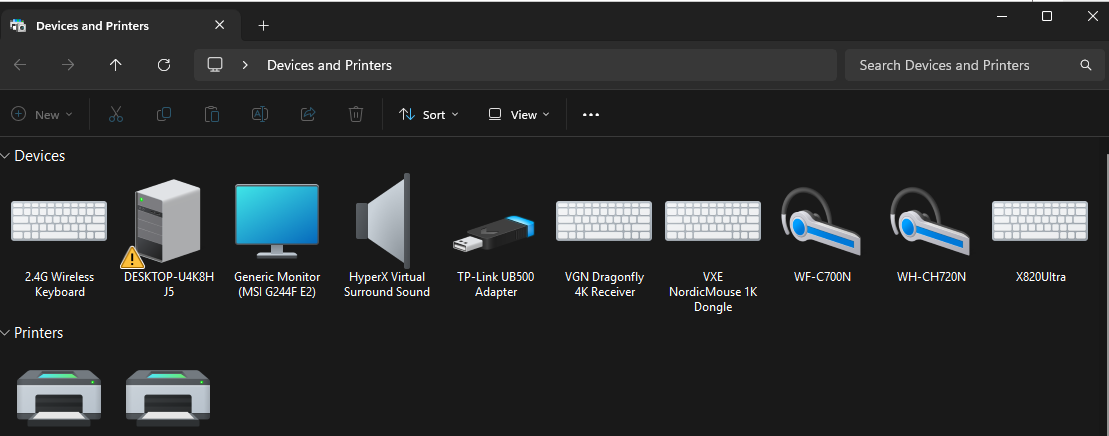
other devices such as dual sense controllers work completely fine but bt audio devices don't. I can pair them with my pc but when i try to connect it says "couldn't connect" i've tried reinstalling/repairing my drivers and trying multiple bt audio devices but they all don't seem to work. They only want to connect when i force them to go into hands free mode which works but makes the audio quality sound terrible

  0      
0
#1
Options
2 Reply
Re:UB500 Plus connection problem
Wednesday - last edited Wednesday

Hello @SolidSnake ,

Welcome to our community.


May I confirm the model of your adapter? Is it UB500 or UB500 Plus? 

Also, what is the model of your bt audio devices?


Do the bt audio devices offer a manual switch for "hands-free mode" during the pairing process? If so, couldn't you pair it using HFP mode first and then switch to your desired mode?


In addition, please try to turn off 2.4Ghz Wi-Fi of the router, and pair bt audio devices again. 


If it still doesn't work properly, please reply us any time.

Welcome to Our Community! Get the latest posts: △New Firmware for Archer GE550/GE650 V1 Introduces AI-QoS, EasyMesh IoT Expansion, and More! △New Firmware Releases for Archer BE805 V1/BE450 V1 to Support VPN Merge, New ECO Mode, and More! More posts, please see: △ Get the Ongoing Pre-release Firmware for Wi-Fi Routers Here— Subscribe for Updates! Urgent problems with your Wi-Fi Router, Range Extender, or DSL Modem? Please reach out via private Messages or @Joesph-TP in your new thread directly. Click Or ☆Recommended Solution if the post/answer helps.
  0  
0
#2
Options
Re:UB500 Plus connection problem
Wednesday

  @Joseph-TP it's the UB500 Plus and i was using the Sony WF C700N and the WH-CH720N

and on which router and how do i disable the 2.4ghz connection? and i can't change hands free on my device itself i have to change it through windows devices and printers for it to connect and if i turn it off it disconnects

  0  
0
#3
Options