
be22 mesh DNS problem
be22 mesh DNS problem

Connection access point
Connects to self and other units connects to internet but no DNS .
Doesn't seems not to resolve DNS like it's been blacklisted I don't use Google in fact Google is blocked on my system so use different DNS settings my ethernet works with th settings great but WiFi on mesh doesn't cannot see reason mesh picks correct settings from DHCP but will not work?
Any help finding reason to link mesh Will not access internet would be appreciated.
- Copy Link
- Subscribe
- Bookmark
- Report Inappropriate Content

@Andrew5 Turn OFF Smart DHCP in AP Mode.
- Copy Link
- Report Inappropriate Content
- Copy Link
- Report Inappropriate Content


Hi,
Please confirm the following information for further analysis.
1. On the Deco app > Network tab, please tap a Deco, and send us the screenshots of the Show Map and Show List pages.
2. What's the model number of your router that the main Deco is connected to? Are the wired and wireless devices connected to the router working?
3. What's the LED status on the Deco nodes, such as solid red, solid green, etc.?
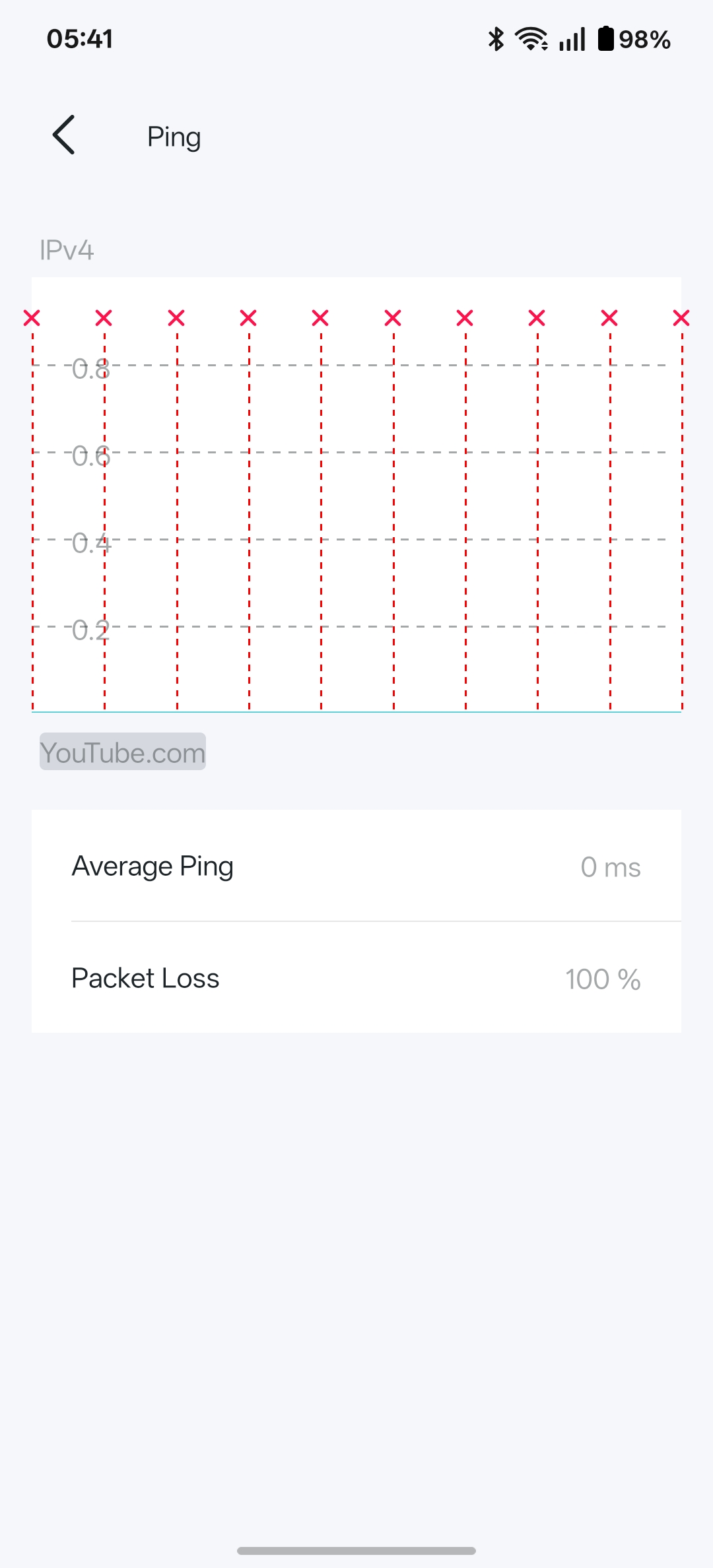
4. Do you mean the wired device connected to the Deco nodes is working, but not the wireless devices? When a wireless laptop connects to the Deco's Wi-Fi, what are the IP address and DNS server? Can it successfully ping a website, such as www.youtube.com?
How to use the Ping command
Best Regards
- Copy Link
- Report Inappropriate Content
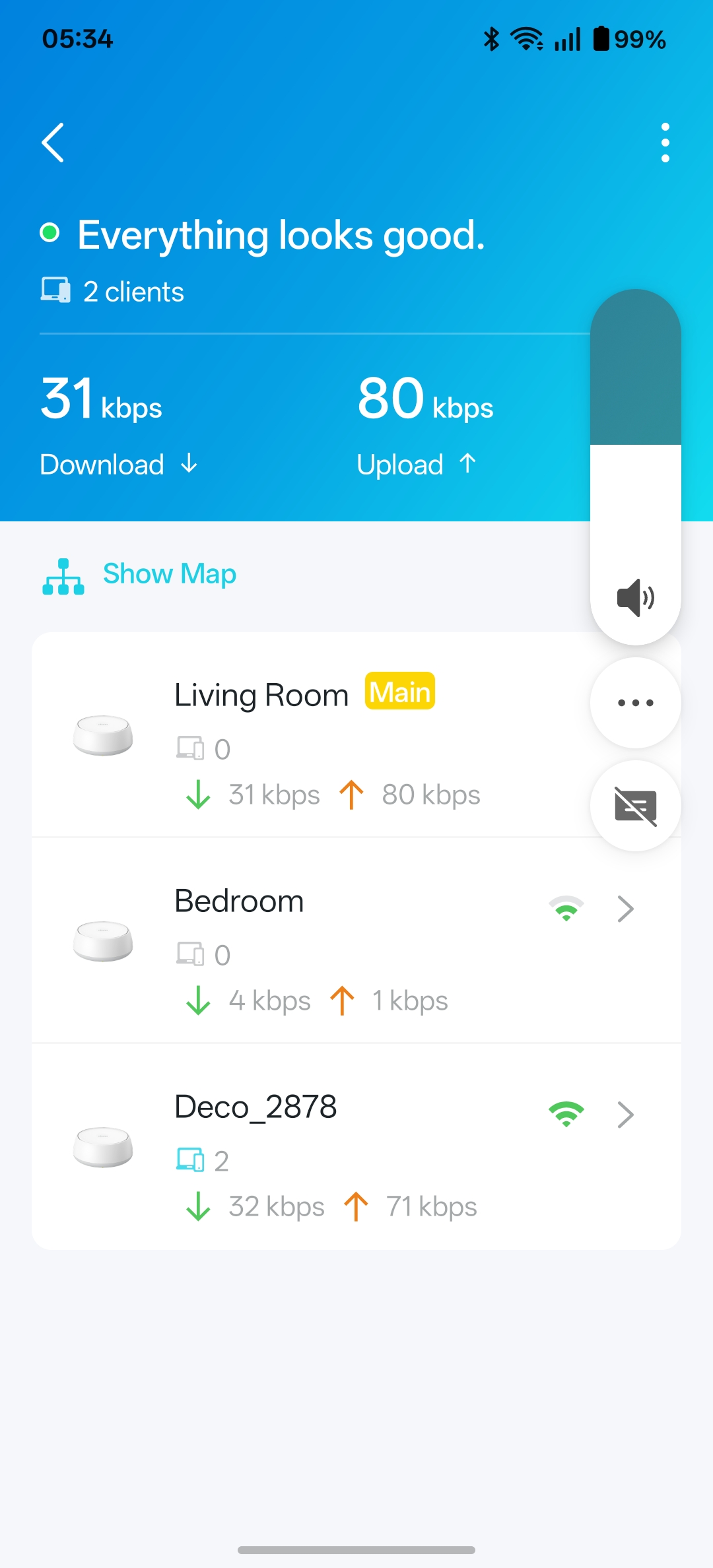
- Copy Link
- Report Inappropriate Content
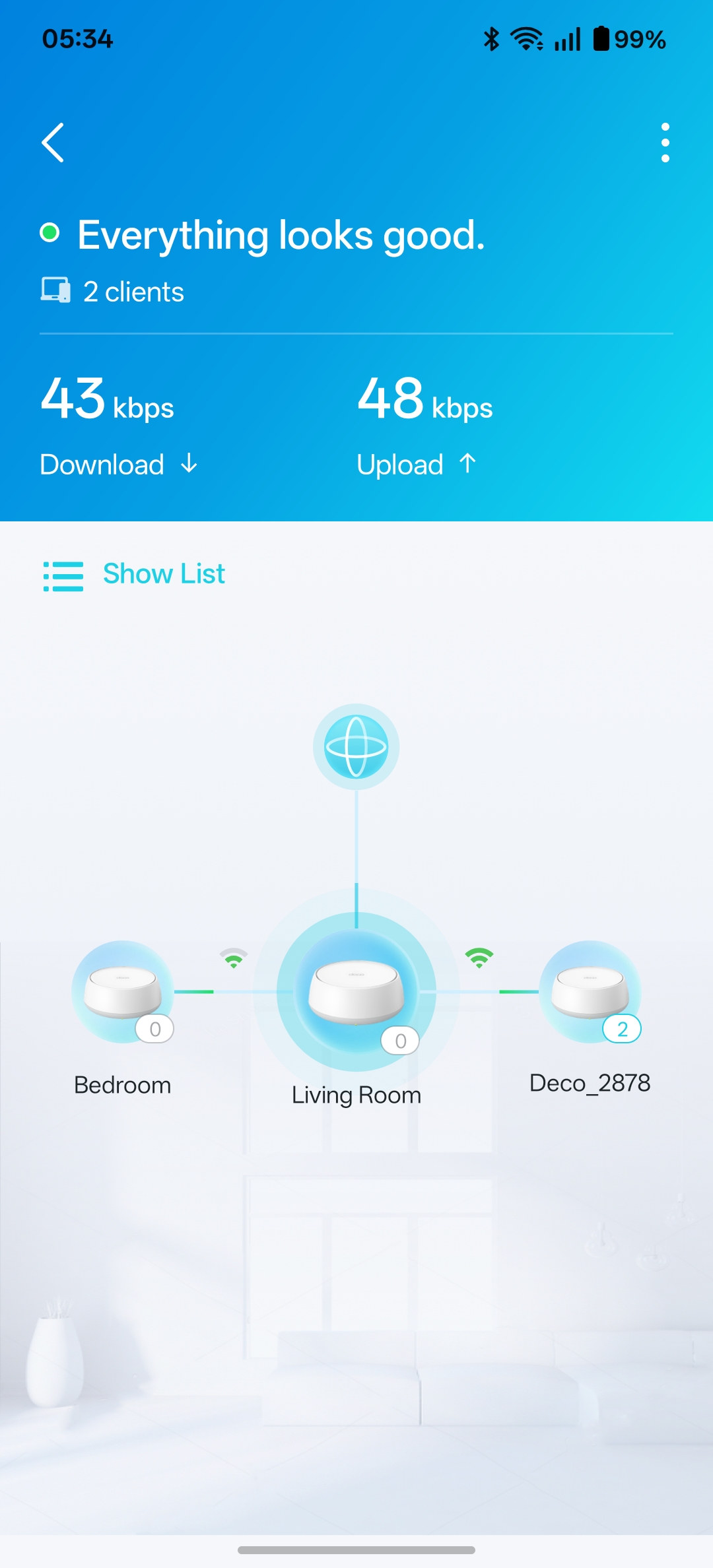
- Copy Link
- Report Inappropriate Content
- Copy Link
- Report Inappropriate Content
As you can see connection to internet but no ping to YouTube.
Pings to gateway OK.
Router mikrotik using same DNS working OK fibre optic and ethernet.
Problem is mesh WiFi not accessing internet sites but is connected to internet provider problem appears to be DNS dut as stated router and computer connection is great only WiFi mesh not connecting.
Local Ip 192.168.2.0/24 range
- Copy Link
- Report Inappropriate Content
Hi,
You can try changing the DNS server on the router that the main Deco is connected to and see if that helps.
If not, please confirm the following details.
1. Is your computer wired to the Deco node or the front router, and then you have an internet connection?
2. What's the IP address and DNS server on your computer? What's the IP address and DNS server on the wireless device connected to the Deco network?
3. If the front router has special settings configured for the main Deco, such as Access Control, Parental Control, Blocklist, etc., please remove them and check if this helps.
Best Regards
- Copy Link
- Report Inappropriate Content
The all point is my router computer and all things connected to them work.
Even the mesh system seems local traffic BUT the mesh WiFi will not work it seems DNS server details from router but will not use them when it should work with any DNS server as there are very little settings in access mode it very hard to get it wrong.
So changing MY router settings to get the mesh system to work is not what I want.
Why will it not use the routers DNS?.
DNS IPs are 76.76.2.22…76.76.10.22
Which works with the exception to link deco mesh setup.
My system has a lot of features and settings which now work routeros is very flexible but now it is working do not want to change.
- Copy Link
- Report Inappropriate Content
Hi,
Just double-check: When connecting a computer to the main Deco via an Ethernet cable, does your computer have an internet connection?
Best Regards
- Copy Link
- Report Inappropriate Content
Information
Helpful: 0
Views: 274
Replies: 14
Voters 0
No one has voted for it yet.