Block Secure DNS

Block Secure DNS

Block Secure DNS
Block Secure DNS
Wednesday
Model: Deco BE28  
Hardware Version: V1
Firmware Version:

Hi,

Is tp-link working on a feature to block secure DNS on a BE28? Ether by name or ip address?


I tried to block the sites, dns.google , dot1dot1dot1dot1.cloudflare-dns.com but it doesn't work. Tried to add the cloudflare dns IPs too.


The moment I change the browser settings to use cloudflare secure dns the "browser" parental controls fail and I can browse to mature sites, drugs etc.

It still blocks the apps  :)


I am guessing  an access control feature to block ip addresses and ports, similar to a firewall. I think that would probably work.


I am guessing there are other Deco devices with a firewall feature like that? 


Thanks

  0      
0
#1
Options
2 Reply
Re:Block Secure DNS
Thursday

  @mr-nz 

Hi,
If Deco's parental control settings do not prevent the browser from accessing any websites after changing the browser settings to use secure DNS, please provide the following information for further analysis.


  1. On which device did you change the browser settings? 
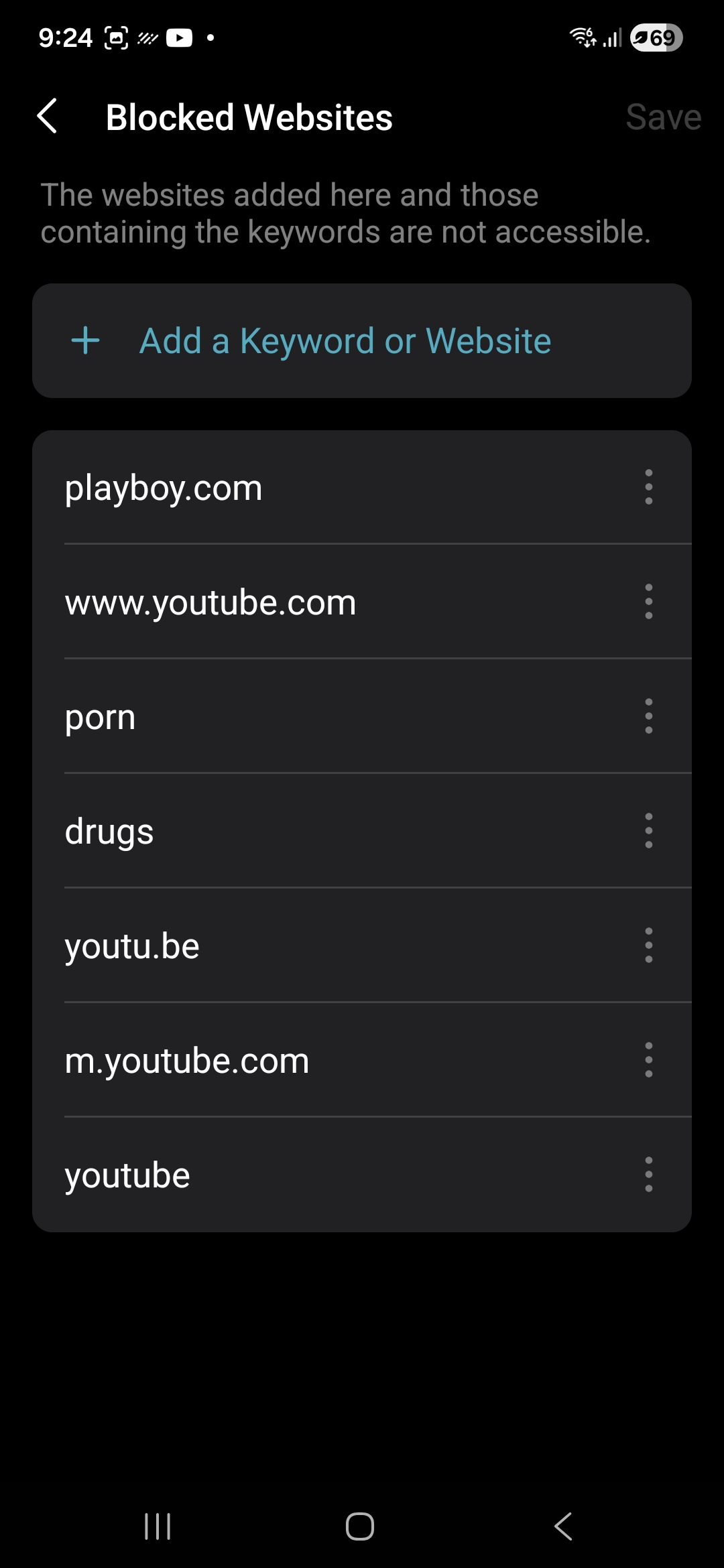
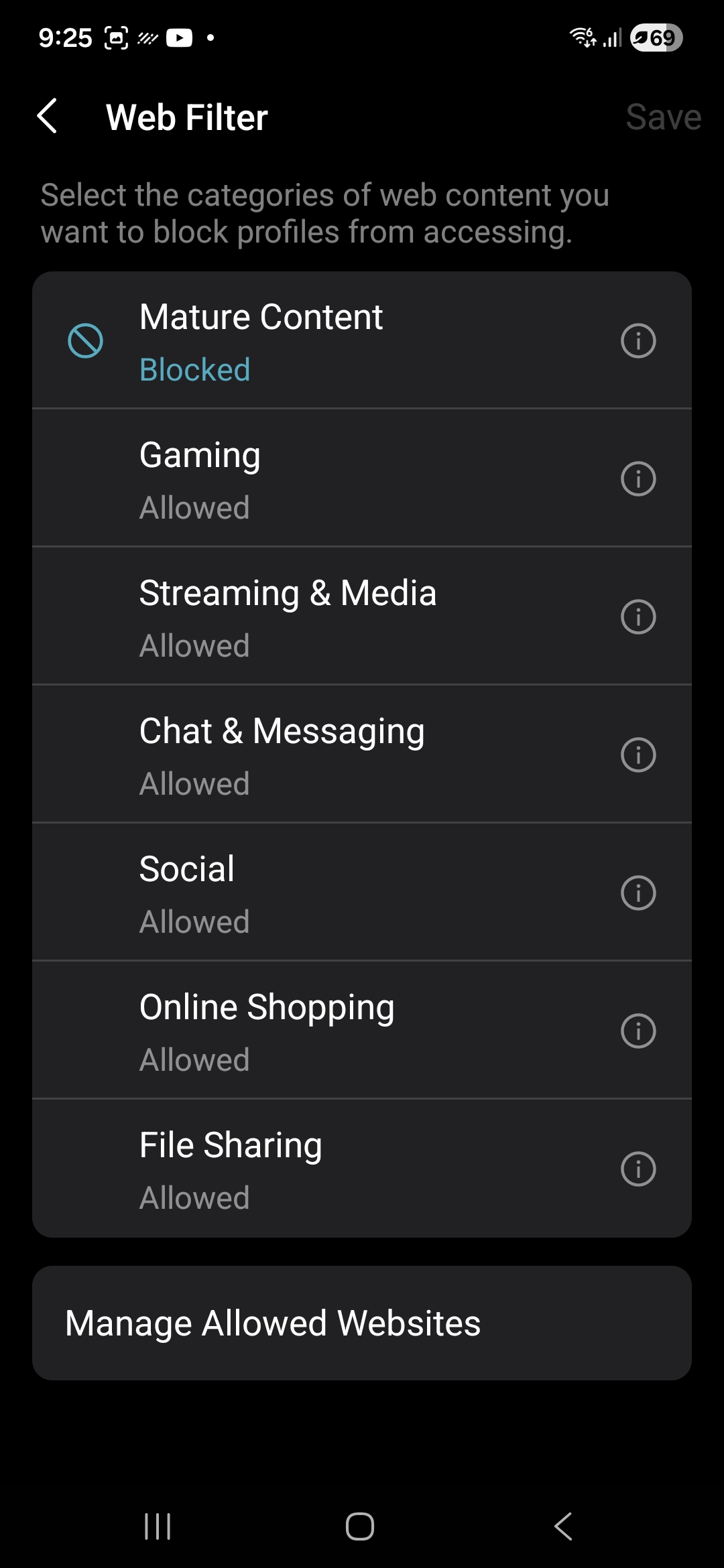
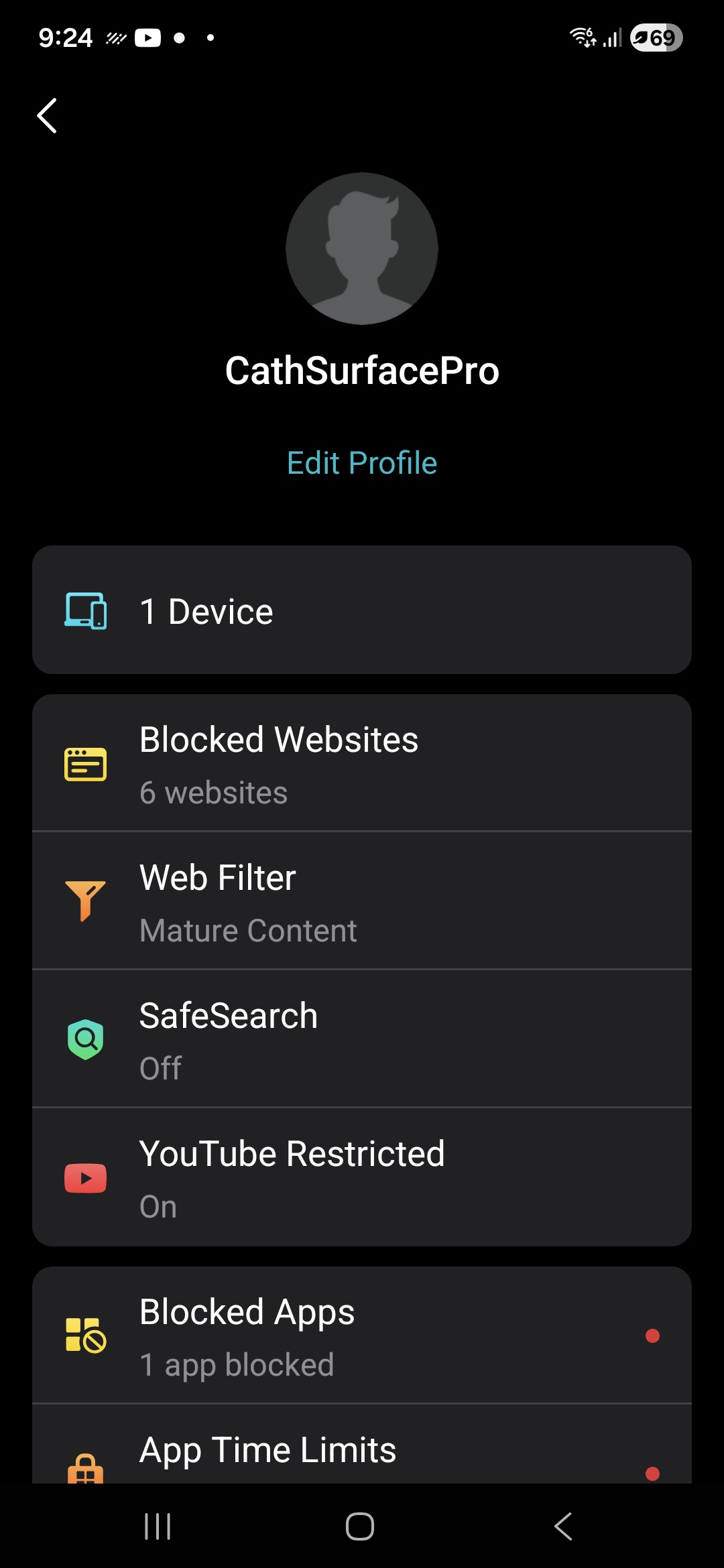
  2. Please go to the Deco app > Parental Control page, go to the profile you set for that device, tap Edit, and send us the screenshots of the Devices, Blocked Websites, and Web Filter pages.
  3. The Deco BE28 is a customized model for local service providers. Who is your ISP? Did you purchase the Deco BE28 yourself, or was it provided by your ISP?


Best Regards

  0  
0
#2
Options
Re:Block Secure DNS
18 hours ago - last edited 18 hours ago

  @Solla-topee 


1. I can replicate on several devices. Phone, surface pro etc. It seems to be a known issue Solla.I've seen other posts where the solution is often to disable dns over https (secure dns on the browser). My query is more about when a feature to block secure DNS will be available. 


2. Attached


3. One NZ. I purchased it through them. Again I don't believe it has anything to do with ISP. It is just a feature not currently available.

Can you confirm that a deco device does support it? How does it work if DNS is encrypted? The router won't be able to see the DNS request because it is all encrypted. Unless it is using SNI to check or some other feature. You can even test yourself if you have a deco. Just enable secure DNS on  the browser, choosing cloudflare or any other.


Thanks


  0  
0
#3
Options