
KE110 and connected TRV not following schedule, not following open window detection rules
 This thread has been locked for further replies. You can start a new thread to share your ideas or ask questions.
I switched my complete heating system from Netatmo to TP-Link Kasa products this season and so far I'm very satisfied.
I also got two KE110 for the two biggest rooms, one bound to one TRV and one to three.
I'm experiencing the phenomenon where the two rooms with the KE110 don't follow the smart schedule. The app correctly shows the next time-slot but when the time comes, the temperature doesn't change. It happens not always but at least once a day so far.
Disabling and enabling the smart control usually helps. And sometimes it displays "Hold Temperature" except I didn't do any manual changes.
I also connected one Tapo T110 Window Sensor and bound it to the KE110. The Sensor works and detects the opening, but the KE110 doesn't always follow the set rules either.
All of these problems only happen with the KE110. The single TRVs work flawlessly, also with T110 sensors. Anyone else having these issues?
- Copy Link
- Subscribe
- Bookmark
- Report Inappropriate Content


Hello everyone, regarding the issue discussed in this thread, our R&D team has provided a beta firmware as a temporary solution. The official release is on the way, i'll keep you posted if there is any progress. If you would like to try the beta, keep watching!
Phenomenon Description
When linking one or multiple KE100 units with a KE110 controller, you may observe that connected KE100 devices do not adjust temperatures according to the Smart Control rules configured on the KE110.
Workaround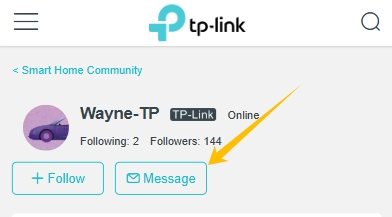
Beta firmware to address this issue is now available to community users. To apply the beta firmware, follow the steps below.
1. Find the Mac address on your Kasa KE110 and the KH100 hub.
2. Send a message to @Wayne-TP in the following format:
[843126][KE110 Smart Control Failure] + Mac address of the KE110 and the KH100
Before the Upgrade
(1) Please be sure you have read the Beta Test Agreement before upgrading the Pre-release firmware!
(2) How to update the firmware of the Tapo devices on the Tapo App
(3) Firmware downgrade is not supported. When a new official version is released, updating it will overwrite the beta version.
- Copy Link
- Report Inappropriate Content
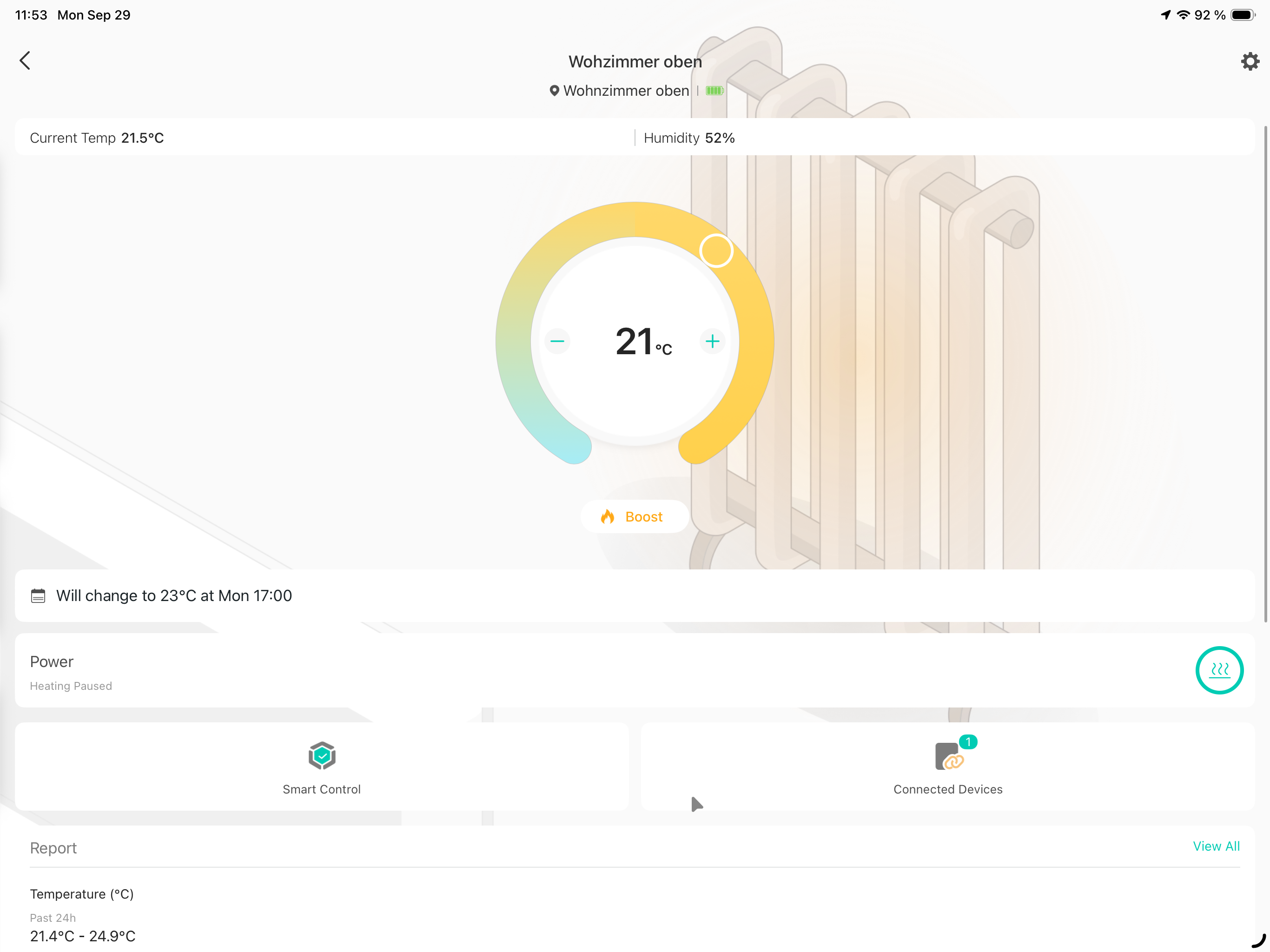
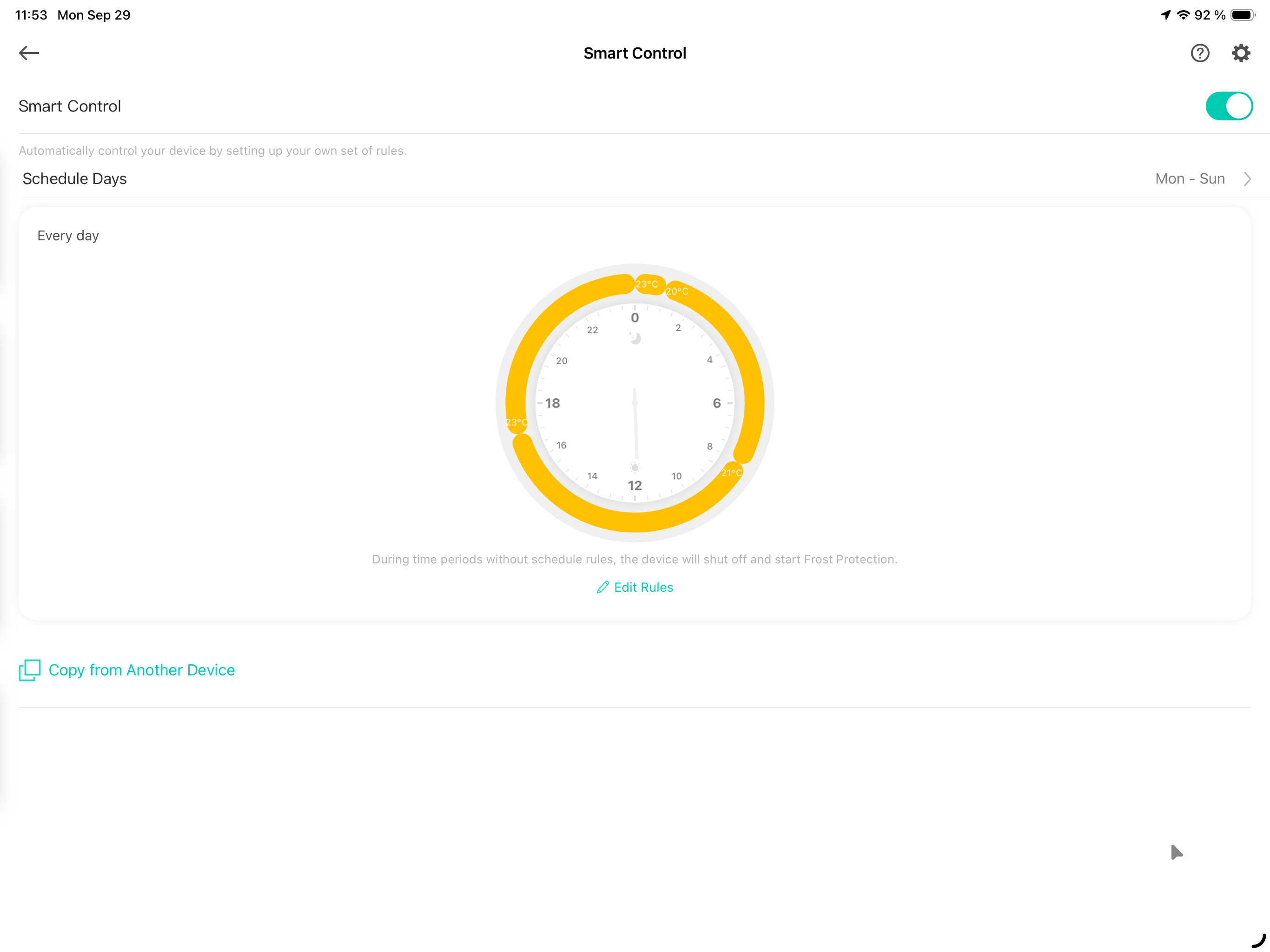
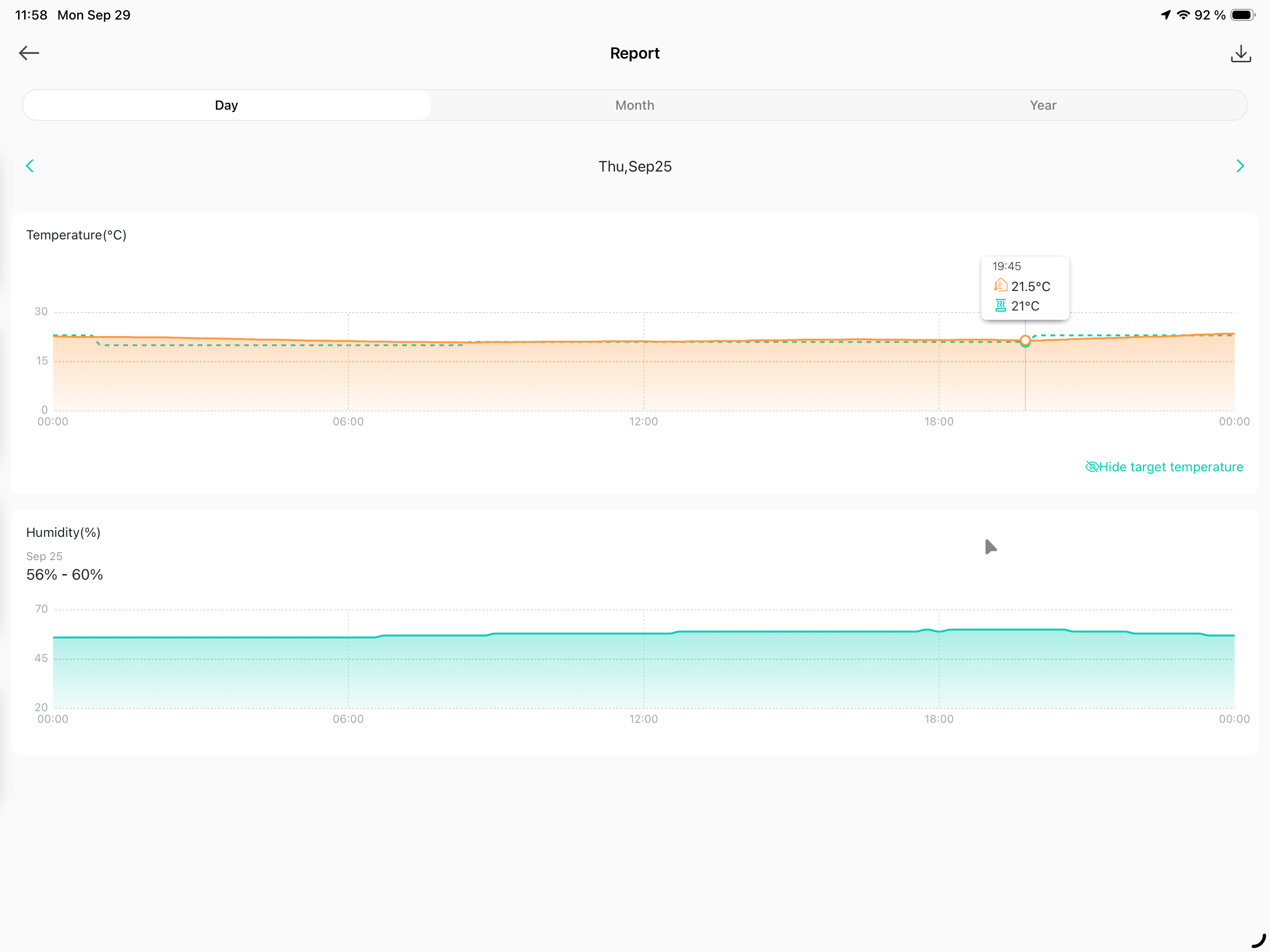
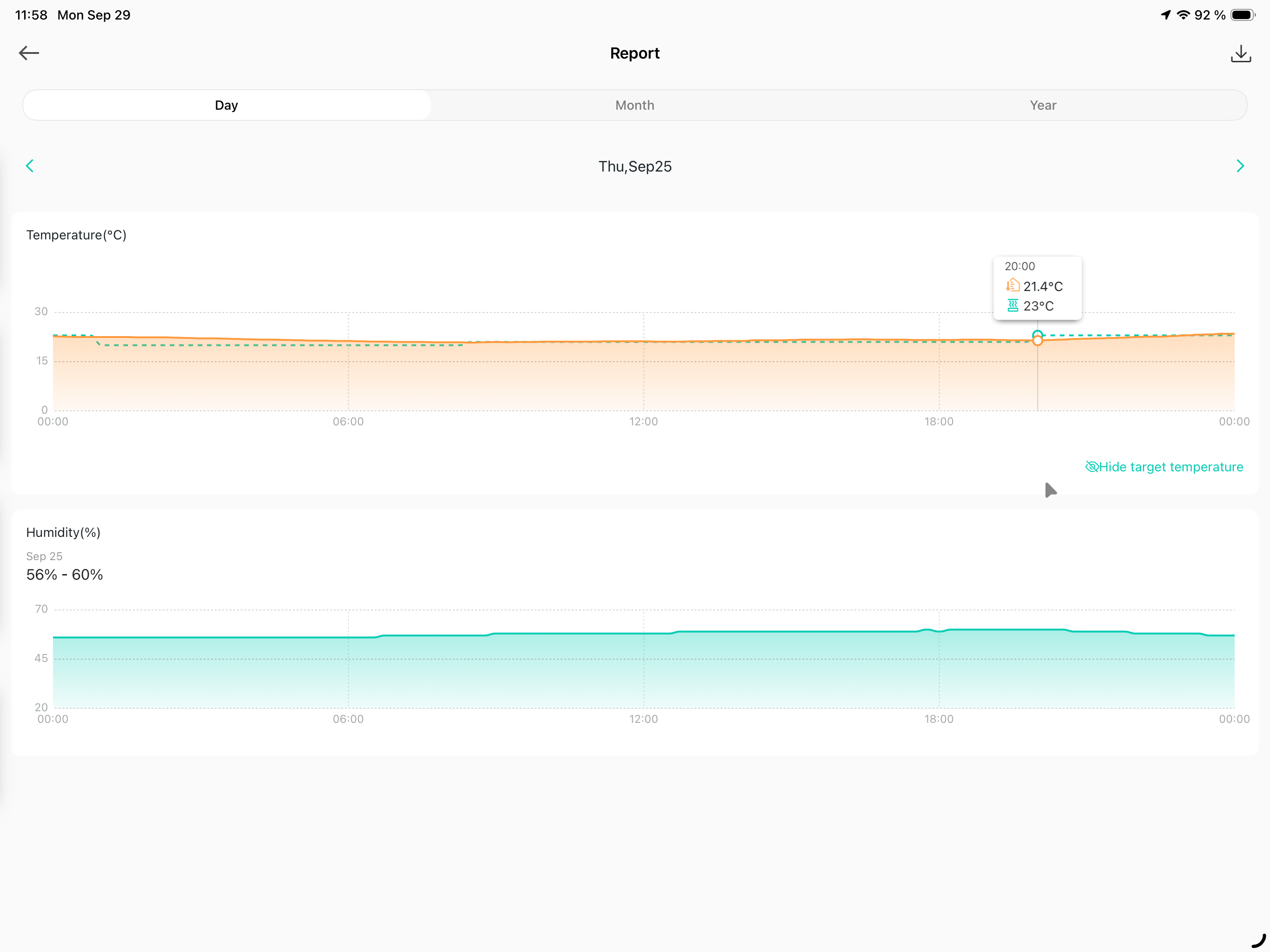
Can you share some screenshots of the KE110's smart control settings and the temperature report?
- Copy Link
- Report Inappropriate Content
here you go.
Last Thursday for example the temperature change at 17:00 didn't happen, I forced it around 20:00 by disabling the smart schedule for a moment.
- Copy Link
- Report Inappropriate Content
- Copy Link
- Report Inappropriate Content
no, it's not activated.
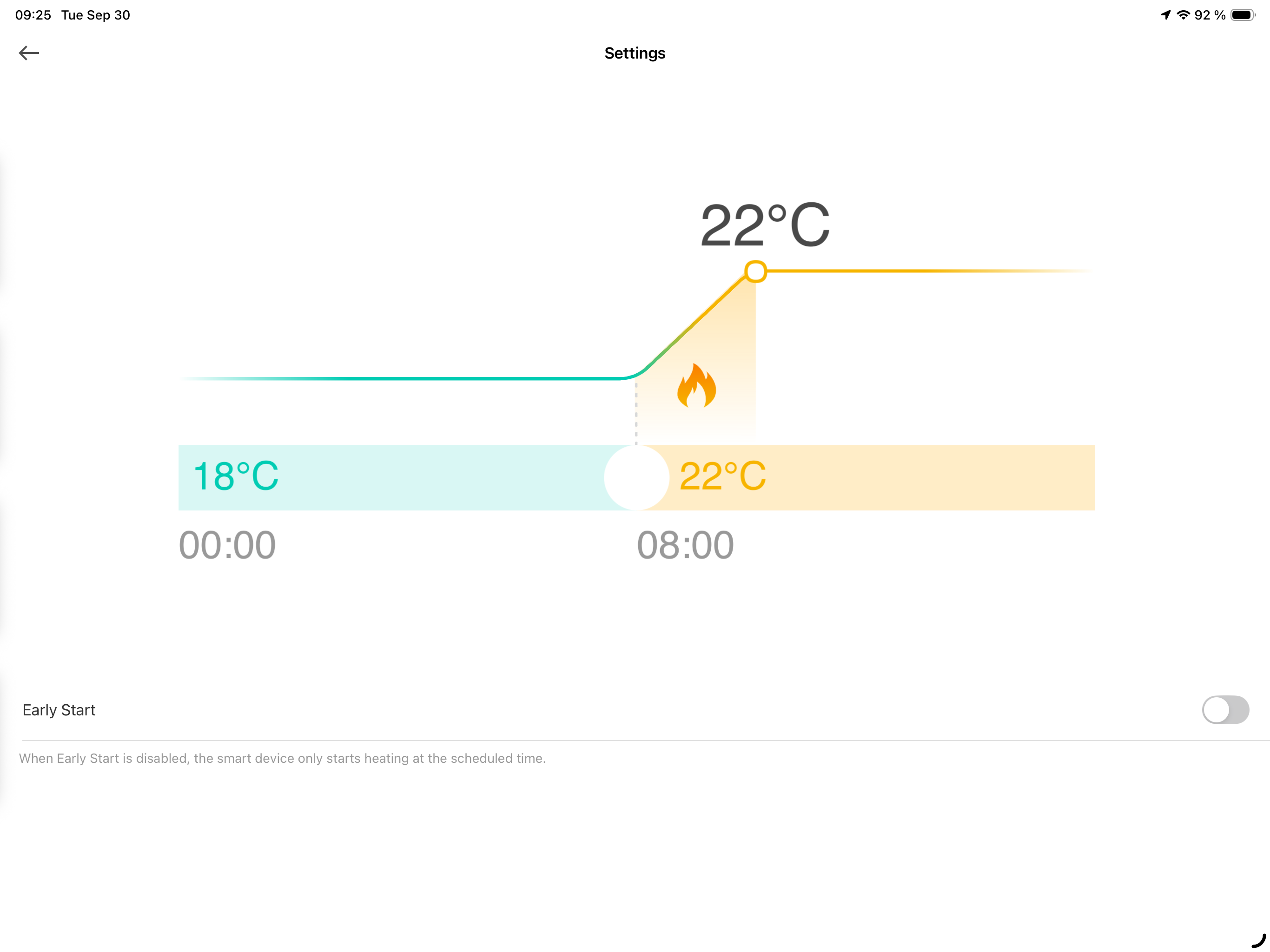
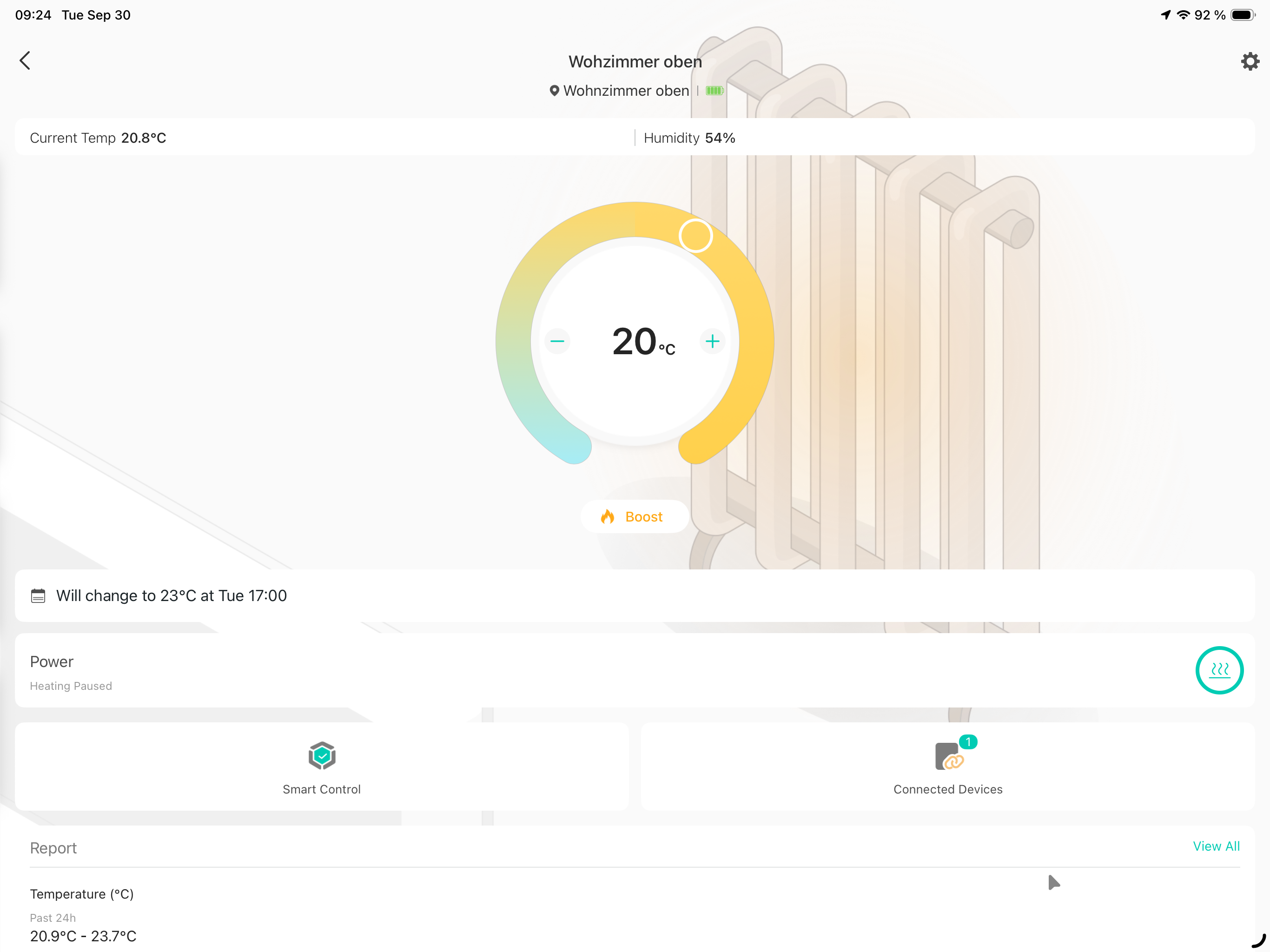
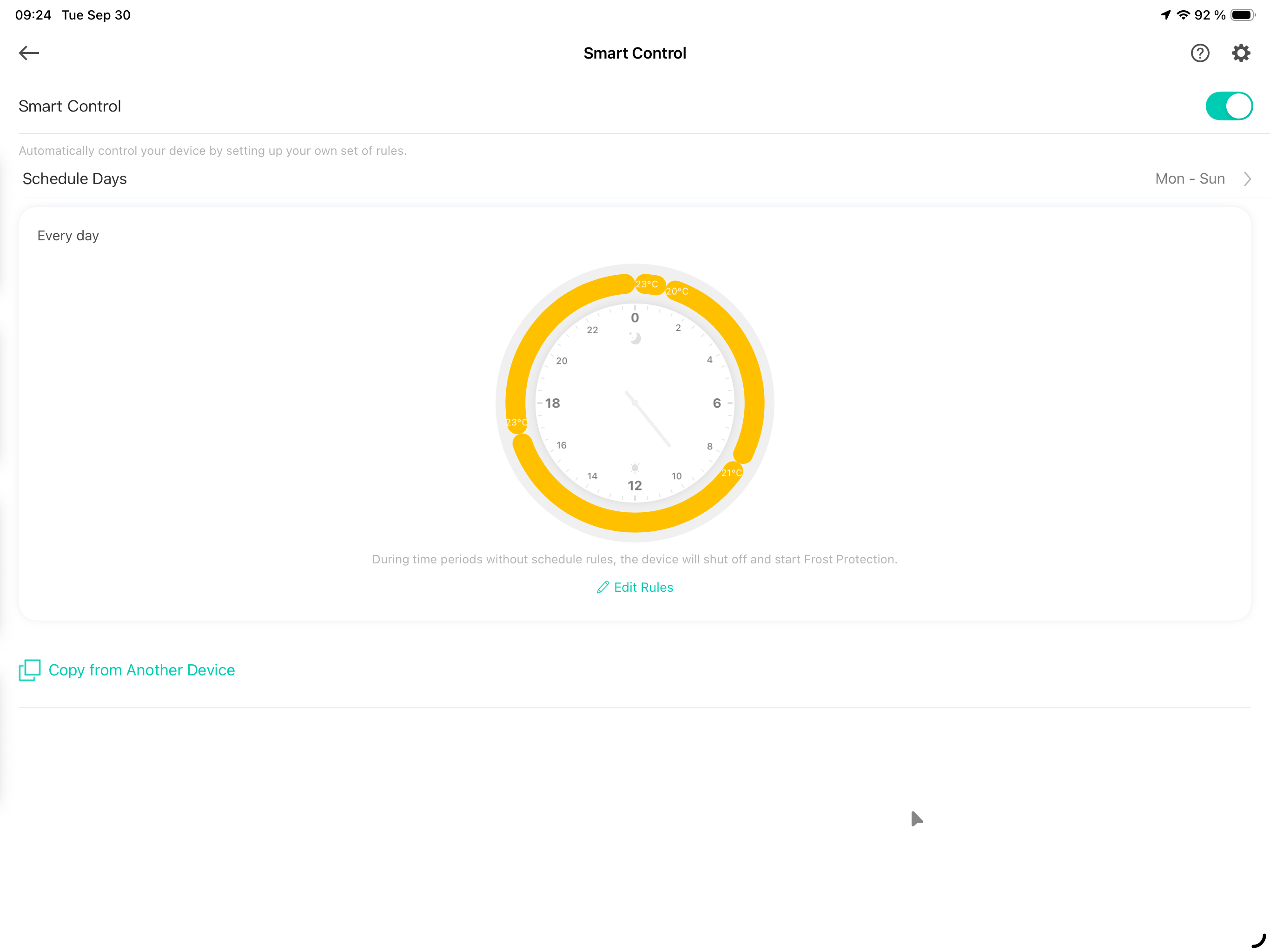
Btw. it happened again right this morning. Temperature was supposed to switch to 21° at 8:00, but it was still on 20° at 9:20 and now says it will switch to 23° at 17:00.
Open Window Detection with the dedicated sensor seems worked yesterday and this morning, but I also since bound it to the TRV as well in the settings.
After de- and reactivating Smart Control it's now set to the 21°.
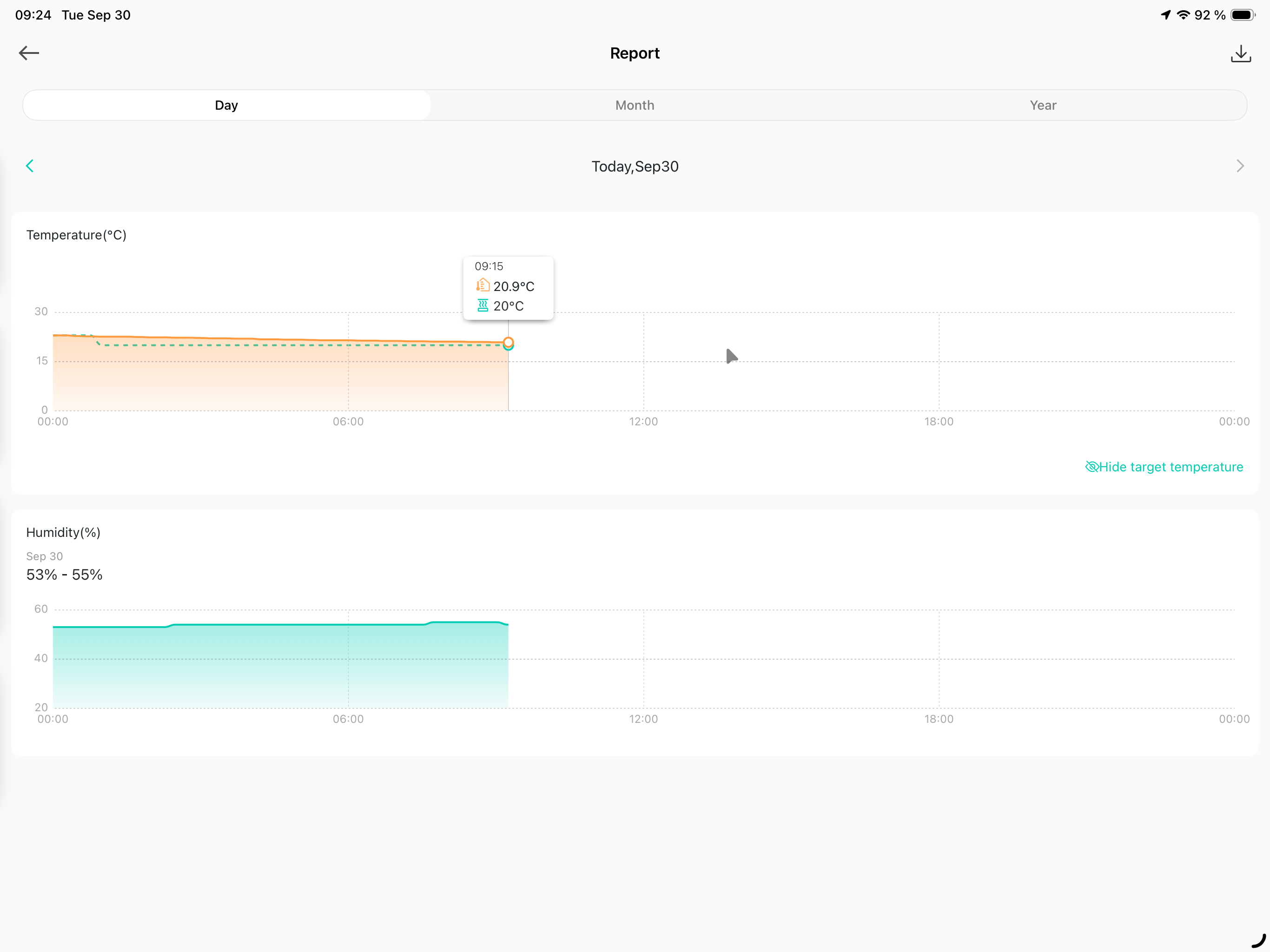
- Copy Link
- Report Inappropriate Content
Your current target temperature values for different time periods are very close to each other. Normally, temperature control can experience fluctuations. I recommend setting a larger difference in target temperatures for different time periods and observe whether the issue persists.
- Copy Link
- Report Inappropriate Content
I can try that, but shouldn't the displayed "target temperature" at least match the one in the schedule?
It always does so with every single TRV that is not bound to a KE110.
- Copy Link
- Report Inappropriate Content
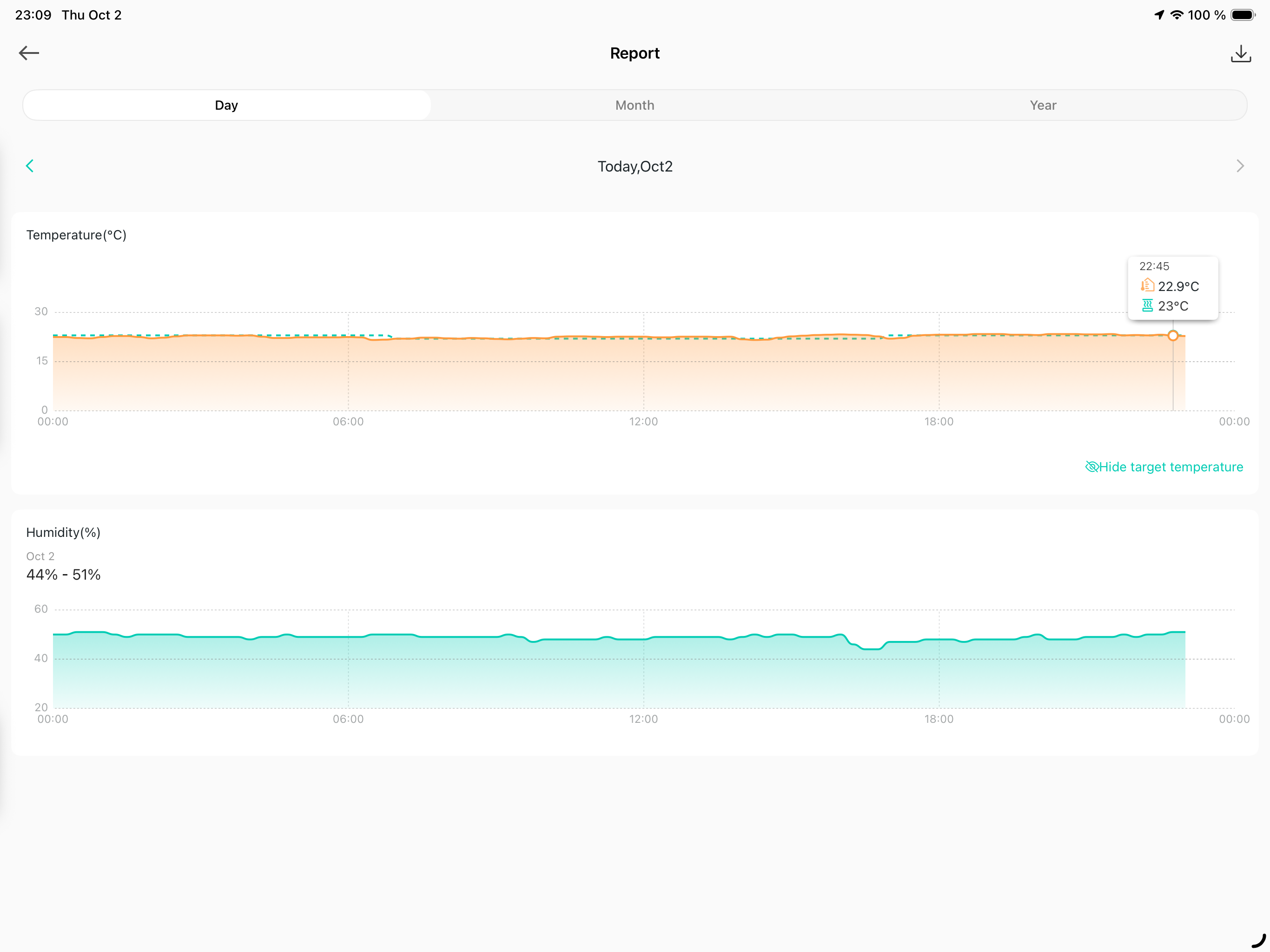
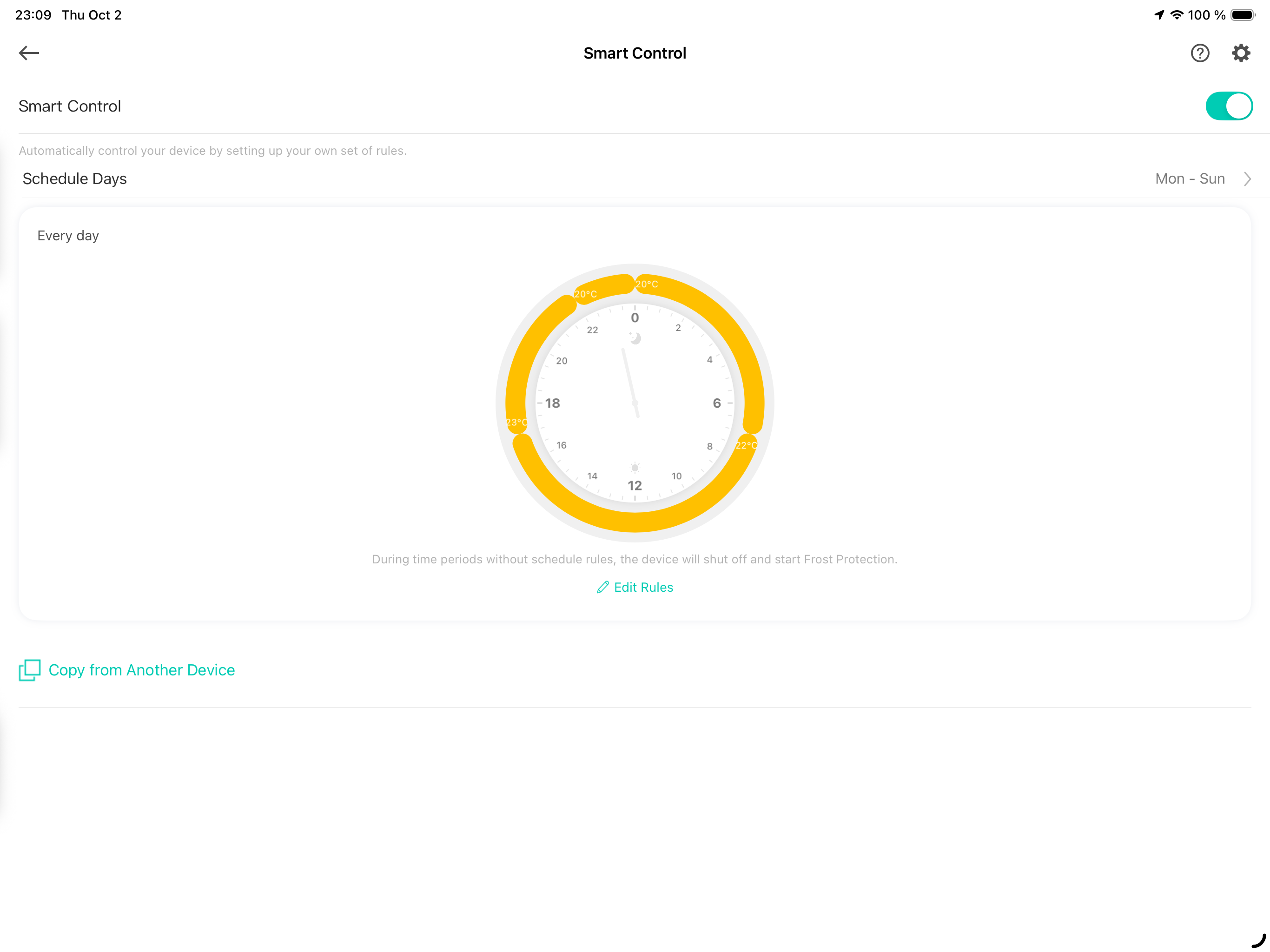
The scheduled change from 23° to 20° didn't happen tonight with my second KE110 and the heating kept running for more than one hour until I noticed.
I'm sorry @Wayne-TP but that can't be the desired behavior of this system, or is it? If I schedule a temperature time-slot, I expect it to take affect.
- Copy Link
- Report Inappropriate Content
And another missed temperature change on KE110 number 1.
This is clearly a bug.
- Copy Link
- Report Inappropriate Content
To assist with this case, a specialist will help to follow it up through email. Please check your inbox later to confirm.
If the email you used to register for the TP-Link community is not your contact email or you cannot access it, please send me your contact email through private message.
- Copy Link
- Report Inappropriate Content

- Copy Link
- Report Inappropriate Content
Information
Helpful: 0
Views: 3002
Replies: 29
Voters 0
No one has voted for it yet.