Easymesh ethernet backhaul slow as wi-if backhaul

Easymesh ethernet backhaul slow as wi-if backhaul

Easymesh ethernet backhaul slow as wi-if backhaul
2025-10-15 17:16:48 - last edited 2025-11-16 14:32:50
Model: Archer AX53  
Hardware Version: V1
Firmware Version: 1.4.4 Build 20250603 rel.74380(4252)

I have a AX53 working as a satelite router, connected to a main router via ethernet LAN port.


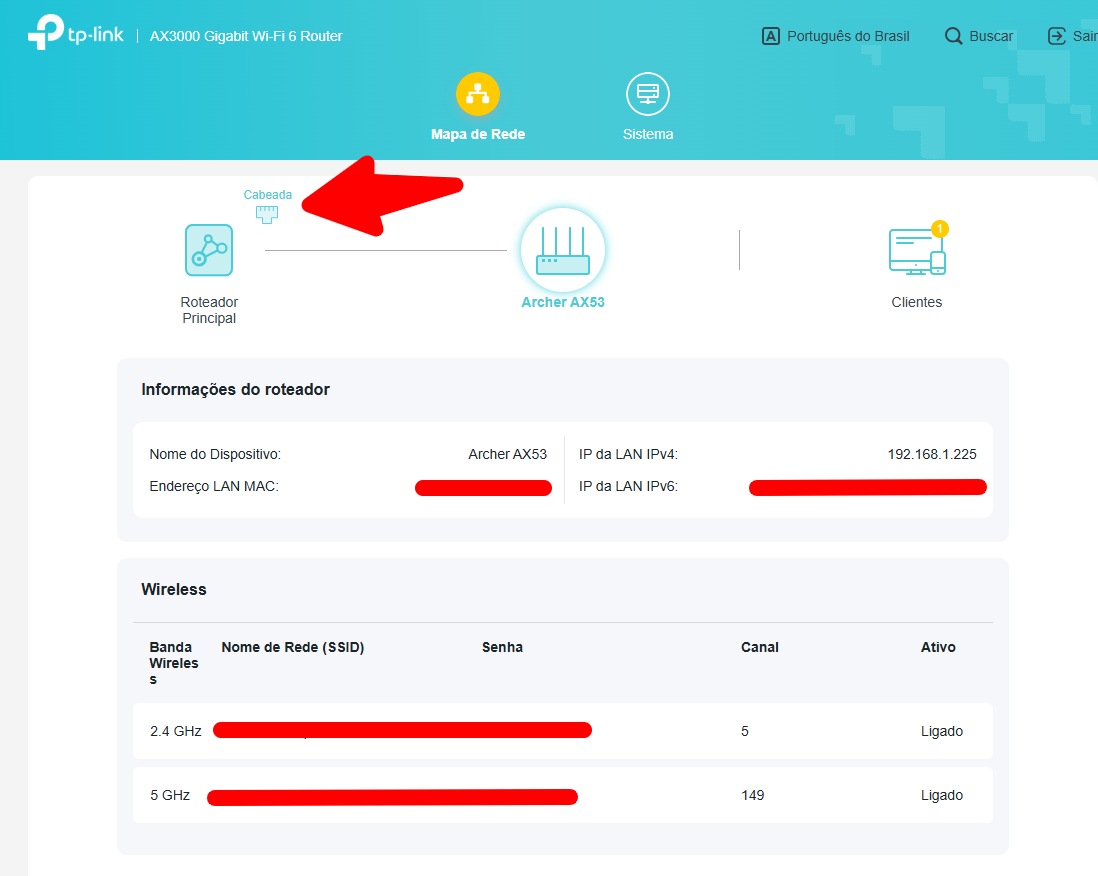
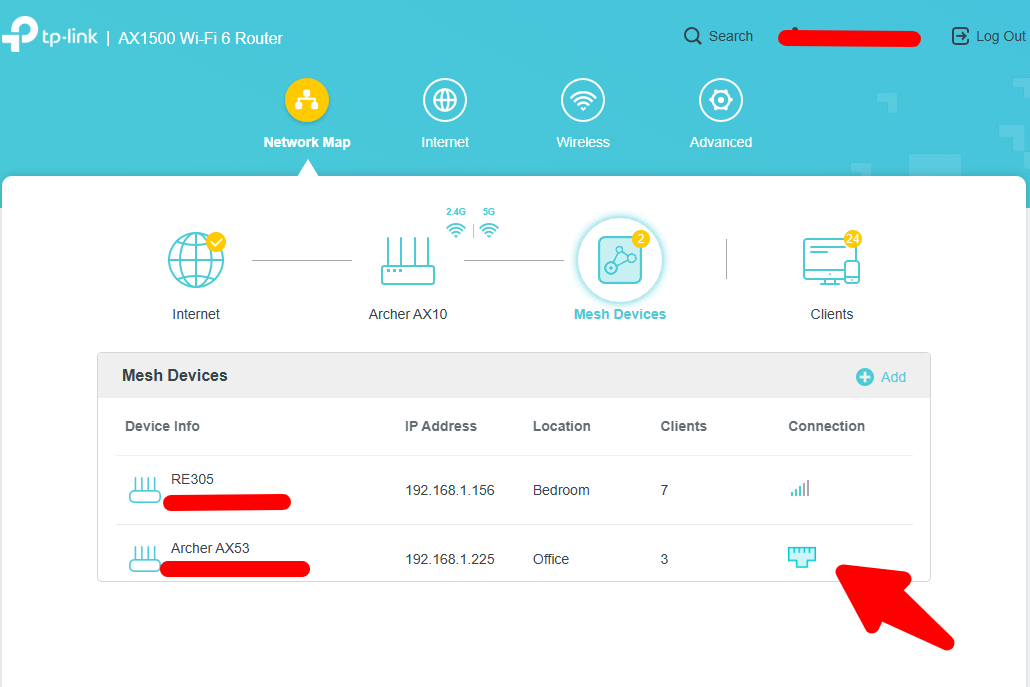
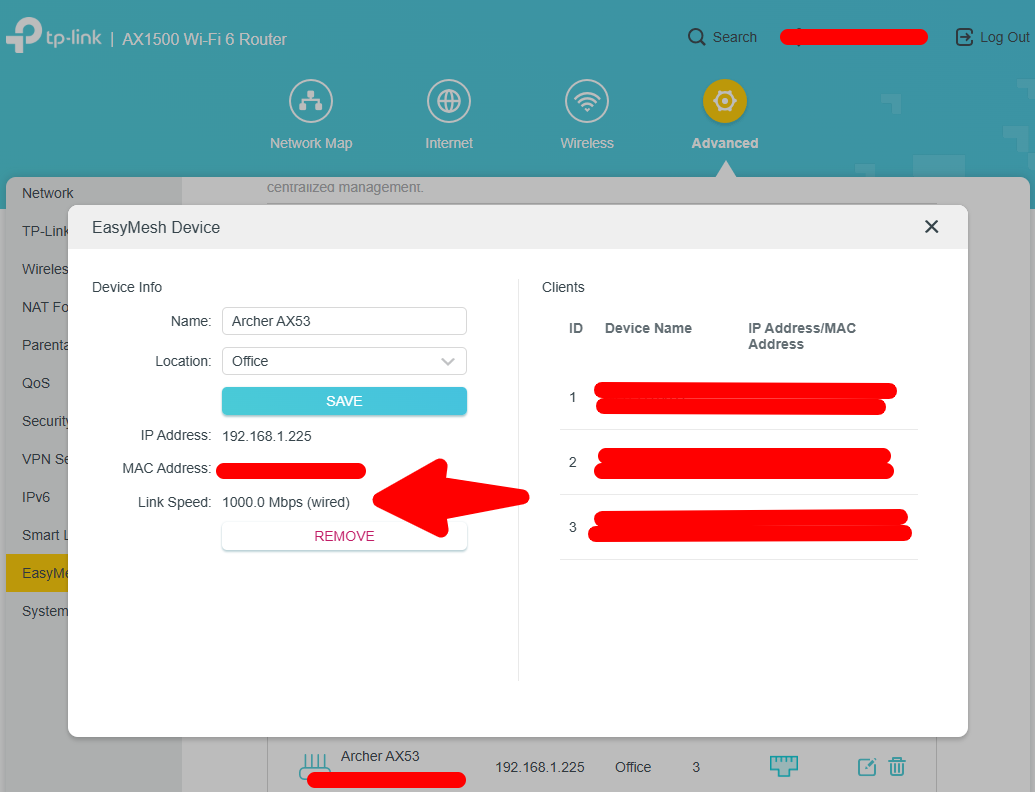
The main router is a AX10 1.3.12 Build 20250828. It seems to be configured correctly, since on the administration pages of the main router as of the sattelite router, is indicated that is connected via cable (images attached).


The problem is it is not performing as expected, when i run internet speed test, i get max of 100mb/s. I have a internet provider of 1gb/s and when I test the connection via cable direct to the main router, i get at least 500mb/s.


Is there a way to test or guarantee that the connection is actually happening through cable?


I used a RE605X v1 and it didn´t work in easymesh with ethernet backhaul, so i bought the AX53 for this to work, help anyone?
 

  0      
  0      
#1
Options
1 Accepted Solution
Re:Easymesh ethernet backhaul slow as wi-if backhaul-Solution
2025-10-29 03:33:29 - last edited 2025-11-16 14:32:50

Hello @Villemus ,

Thanks for contacting our community.


May I know the firmware and hardware version of your Archer AX1800?

Is there a switch between the main router and satellite units? If yes, please remove it for comparison.


On the secondary AX1800, did you connect it to the main router via WAN port? If yes, please change it to LAN port.

Is the RE315 connected to the main router or the secondary AX1800?


After you disabled the EasyMesh feature on the main router, did you manually change the satellite units to Access Point on their management page?


By the way,may I know which region you are using these devices in? 


Welcome to Community! Urgent problems with your Wi-Fi Router, Range Extender, or DSL Modem? Please reach out via private Message or @Joesph-TP in your new thread directly. Check Out the Latest Posts: △New Firmware for Archer GE550/GE650 V1 Introduces AI-QoS, EasyMesh IoT Expansion, and More! △New Firmware for Archer BE800 V1 to Support VPN Merge, EasyMesh Guest/IoT Extend, and More △New Firmware Releases for Archer BE805/BE450 V1 to Support VPN Merge, New ECO Mode, and More Click Or ☆Recommended Solution if the post/answer helps.
Recommended Solution
  0  
  0  
#4
Options
3 Reply
Re:Easymesh ethernet backhaul slow as wi-if backhaul
2025-10-16 11:00:05

Hello @ThiagoToledo ,

Welcome to our community.


Did you measure the maximum speed of 100Mbps by connecting your PC directly to the AX53's LAN port? Did you happen to try different LAN ports for comparison? Is there a switch between the AX53 and the PC?

Are you using the same Ethernet cable as when you connected your PC directly to the AX10's LAN port?


Welcome to Community! Urgent problems with your Wi-Fi Router, Range Extender, or DSL Modem? Please reach out via private Message or @Joesph-TP in your new thread directly. Check Out the Latest Posts: △New Firmware for Archer GE550/GE650 V1 Introduces AI-QoS, EasyMesh IoT Expansion, and More! △New Firmware for Archer BE800 V1 to Support VPN Merge, EasyMesh Guest/IoT Extend, and More △New Firmware Releases for Archer BE805/BE450 V1 to Support VPN Merge, New ECO Mode, and More Click Or ☆Recommended Solution if the post/answer helps.
  0  
  0  
#2
Options
Re:Easymesh ethernet backhaul slow as wi-if backhaul
2025-10-25 21:51:49

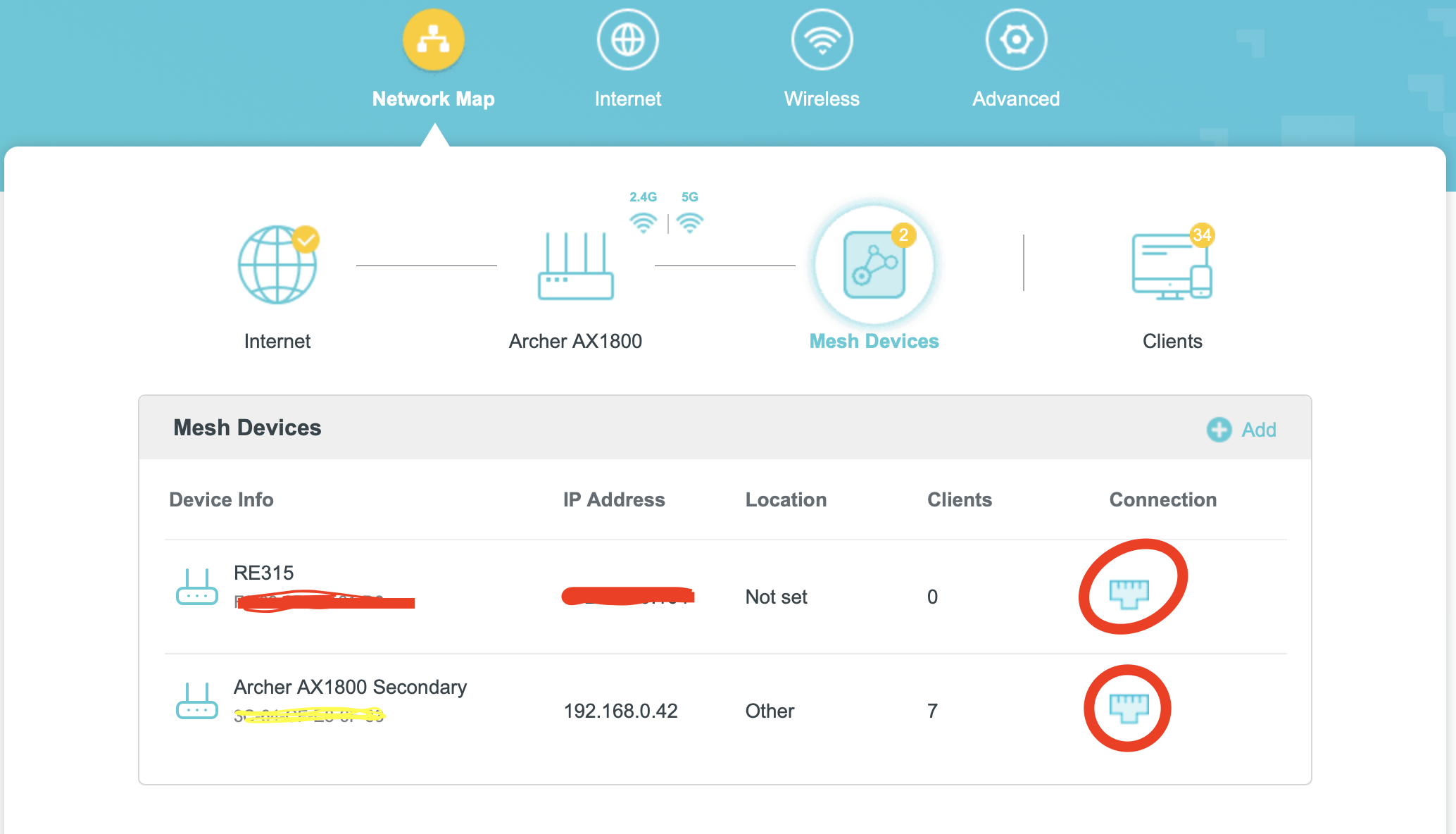
  @ThiagoToledo I wish I had a solution for you but I am writing because I have a similar issue. I have a 3 node mesh and all are connected by ethernet. When connected via wifi to the main Router (AX1800) I get decent speeds, close to the 1Gbps from my provider, but when I connect to the secondary nodes, they all have speeds close to 5Mbps.  I found that the issue is with EasyMesh because when I disable and run my secondary nodes as Access Points, I get way higher speeds. 


So I'm stuck between having a slow solid connection or a fast connection rubberbanding between antennas.  I'll give this issue another week, otherwise I am returning my TP-Link equipment.


Have you done a firmware update recently? I just bought my equipment a couple of days ago and it was the first thing I did, so I unfortunately don't have a point of reference prior to the firmware update.

  0  
  0  
#3
Options
Re:Easymesh ethernet backhaul slow as wi-if backhaul-Solution
2025-10-29 03:33:29 - last edited 2025-11-16 14:32:50

Hello @Villemus ,

Thanks for contacting our community.


May I know the firmware and hardware version of your Archer AX1800?

Is there a switch between the main router and satellite units? If yes, please remove it for comparison.


On the secondary AX1800, did you connect it to the main router via WAN port? If yes, please change it to LAN port.

Is the RE315 connected to the main router or the secondary AX1800?


After you disabled the EasyMesh feature on the main router, did you manually change the satellite units to Access Point on their management page?


By the way,may I know which region you are using these devices in? 


Welcome to Community! Urgent problems with your Wi-Fi Router, Range Extender, or DSL Modem? Please reach out via private Message or @Joesph-TP in your new thread directly. Check Out the Latest Posts: △New Firmware for Archer GE550/GE650 V1 Introduces AI-QoS, EasyMesh IoT Expansion, and More! △New Firmware for Archer BE800 V1 to Support VPN Merge, EasyMesh Guest/IoT Extend, and More △New Firmware Releases for Archer BE805/BE450 V1 to Support VPN Merge, New ECO Mode, and More Click Or ☆Recommended Solution if the post/answer helps.
Recommended Solution
  0  
  0  
#4
Options