
Tapo D130 - no "doorbell rings" trigger in Google home

When I try to add an automation in Google home, there is only one trigger showing as "detects events". When I press on this, there are no options and now way to move on to create the trigger (see screen grab). I had assumed I would be able to use the doorbell ringing as a trigger, as there were lots of posts in the forums for other models doing that.
I can't see any settings I can change and it all works fine in the tapo app and with the associated chime.
Does anyone have any suggestions? Thanks 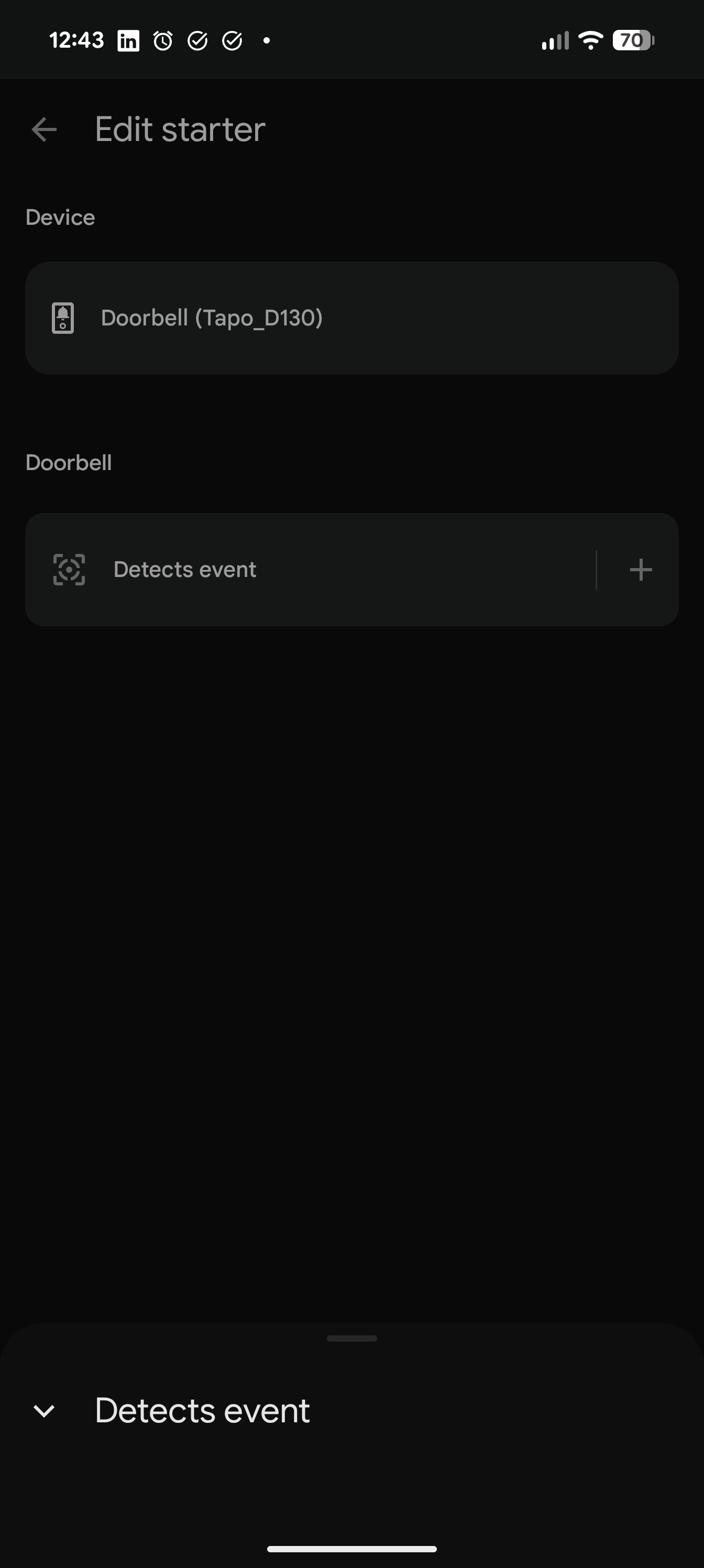
- Copy Link
- Subscribe
- Bookmark
- Report Inappropriate Content


Just discovered something, it looks like the new Google Home app changed something. But you should set up the automation successfully in this way:
1. Create a new automation in the Google Home app.
2. On the automation setup page, tap the three-dot menu in the top-right corner and select “Previous household editor.” Then, you can create a rule triggered by the doorbell normally.
- Copy Link
- Report Inappropriate Content
Are you the admin of the (Google) home where the doorbell is located? As I understand, the members have limited permission to control devices.
What are the versions of your Google Home app and Tapo app? Could you confirm which regions your TP-Link and Google accounts are registered in? Are they from the same region?
Do you own any Google hardware, such as a Google Home speaker or the Nest Hub?
- Copy Link
- Report Inappropriate Content
I'm betting you can't do this because of the way the doorbell exposes events to Google. For example, it seems I can't get just Google notifications for the doorbell being pressed. It seems it's "every possible trigger including motion, people etc" or "nothing". It's a terrible design, awful programming and makes me wanna switch to anyone else.
- Copy Link
- Report Inappropriate Content
@Wayne-TP sorry for the late reply and thank you for helping.
Yes, I'm admin for the Google home household.
The home app is Version 4.3.56.2 and tapo is 3.15.112
I'm in the UK but I don't know how to check which regions they are registered in - I will have downloaded them in the UK and I don't recall being asked about regions.
And I own multiple Google devices (lots of minis, chromecasts etc.). I have several third-party services linked to them and they all work as expected.
Thank you
- Copy Link
- Report Inappropriate Content
Just discovered something, it looks like the new Google Home app changed something. But you should set up the automation successfully in this way:
1. Create a new automation in the Google Home app.
2. On the automation setup page, tap the three-dot menu in the top-right corner and select “Previous household editor.” Then, you can create a rule triggered by the doorbell normally.
- Copy Link
- Report Inappropriate Content

@Wayne-TP I also noticed this. There are no actions for doorbell anymore. Please forward do your devs to work on this with google.
- Copy Link
- Report Inappropriate Content
Thanks @Wayne-TP! I've followed your instructions and I can select it as a trigger, but it's not working in the automation, so I don't think it is sending the command when the doorbell is pushed :(
- Copy Link
- Report Inappropriate Content
- Copy Link
- Report Inappropriate Content
@Wayne-TP there was only one trigger to select which was "Doorbell Rings" and I've tried assigning actions of a notification and I tried turning on a light too.
- Copy Link
- Report Inappropriate Content
MDines wrote
@Wayne-TP there was only one trigger to select which was "Doorbell Rings" and I've tried assigning actions of a notification and I tried turning on a light too.
To assist with this case, a specialist will help to follow it up through email. Please check your inbox later to confirm.
If the email you used to register for the TP-Link community is not your contact email or you cannot access it, please send me your contact email through private message.
- Copy Link
- Report Inappropriate Content
@Wayne-TP thank you :)
- Copy Link
- Report Inappropriate Content
Information
Helpful: 2
Views: 861
Replies: 10
Voters 1
