Tapo App (Android) uses way too much battery

Tapo App (Android) uses way too much battery

Tapo App (Android) uses way too much battery
2025-12-17 22:49:56

Hello,


I did not contact the support yet, I hoped this thread would have more chance to be understood here.


Tapo app is using too much battery. How can I measure that ? With adb. With Android and a USB cable, you can use a shell and launch a command which is like a task manager (top). That's how I can show you it is using battery. I knew it before to measure it, but now at least, I have proofs to show you.

My phone is a Samsung A52s with Android 14. But I can confirm it is also present on another phone, a Samsung S20 FE with Android 13.


Here are screenshots:
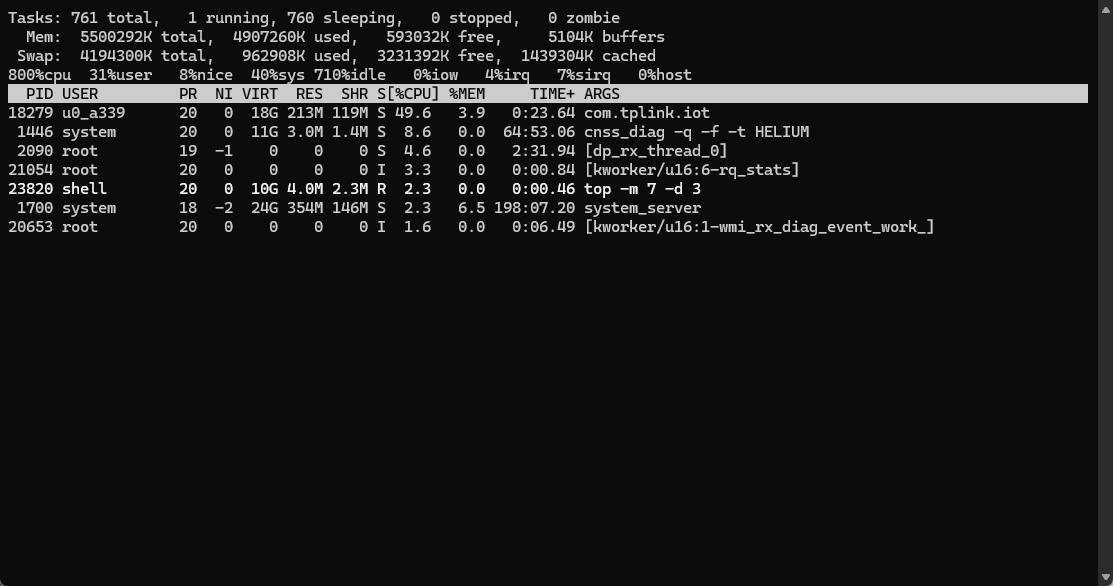


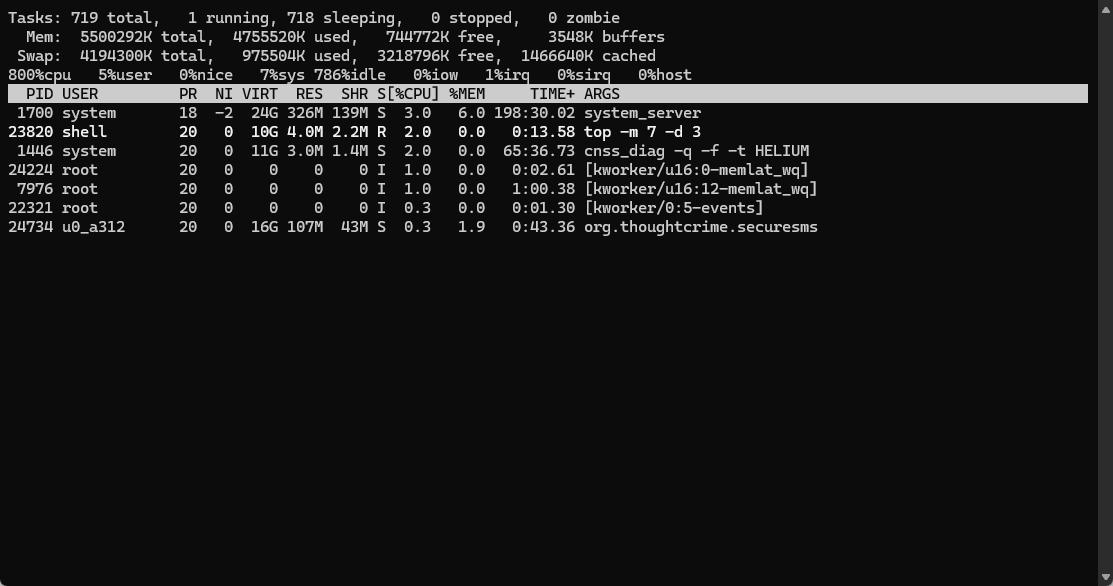
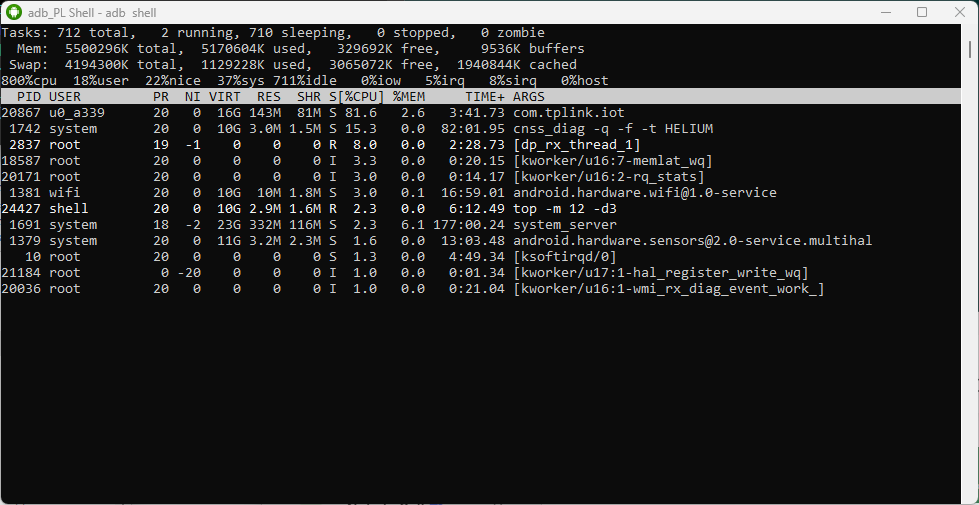
You can see that com.tplink.iot uses a lot of %CPU.

During measure, the phone screen is off, so app is supposed to be in a sleeping state. Before screen off, it was not in foreground either. So definitively no reason to be active and using %CPU.


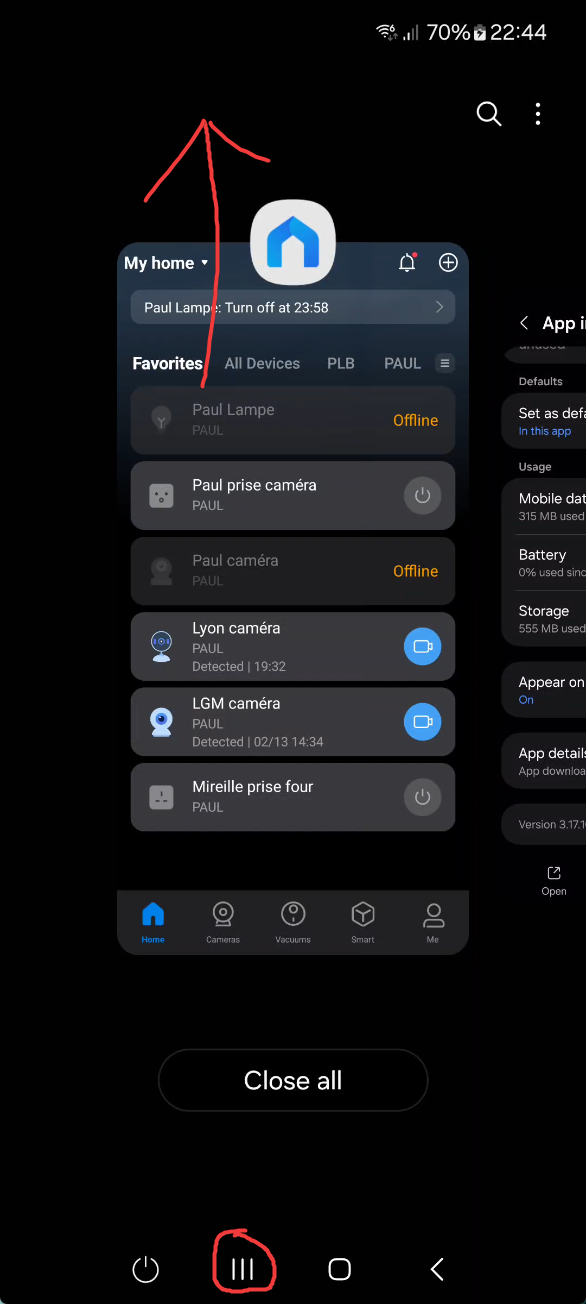
Now on phone, I will close the app thanks to recent tasks "close" button, turn off screen, and show you how com.tplink.iot is not present anymore:
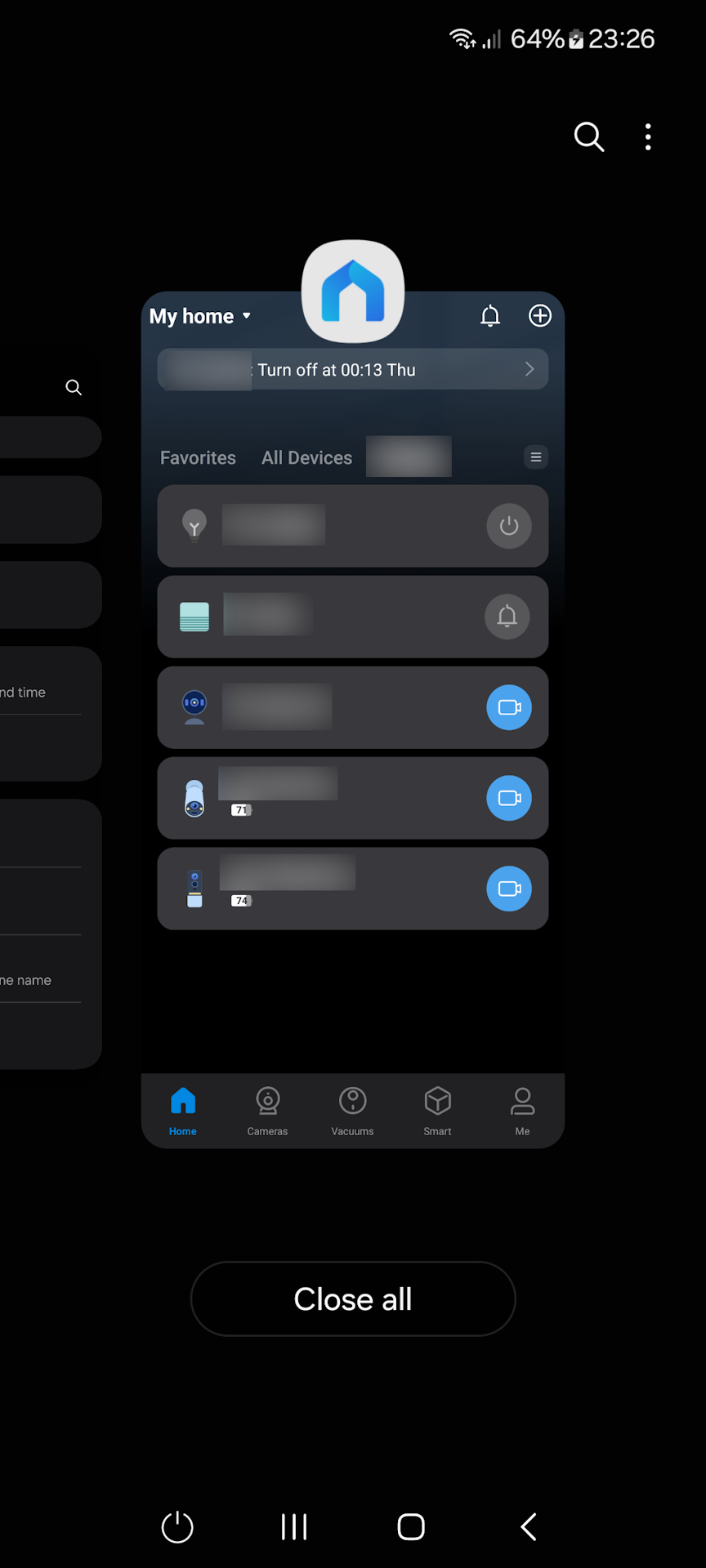


As you can see, as soon as I close the app with Recent Button (no need to force close it with Android advanced app feature), the app does not use %CPU anymore.

And yet, notifications are still working ! I mean if there are alerts from Hub or Camera or Doorbell, they will wake up Tapo app and I will receive notifications/alerts.

But then, even if I don't open the notifications, the app has been "waked up" and so it will start using %CPU again.


The app is clearly doing something it should not when it is active. I have other apps for home automation, and they don't exhibit this behavior. They don't use battery when screen is off.

I hope there will be someone at Tapo / TP-Link which is able to understand what I'm showing you, and I could test builds to confirm if it is fixed. I will be monitoring this thread and report any progress (hoping there's no automatic closure).


As you might have seen on screenshot, I use cameras, bulbs, hub and doorbell. But I'm quite sure I could reproduce without any device.

  0      
  0      
#1
Options
3 Reply
Re:Tapo App (Android) uses way too much battery
2025-12-19 11:30:56

  @Pilou42 


For your case, i recommend reaching out to the support team directly. Or you may provide me with your email address, and the forum team can also help to create a new ticket.

CES 2026 Meet TP-Link AI Assistant and More New Products!
  0  
  0  
#2
Options
Re:Tapo App (Android) uses way too much battery
3 weeks ago - last edited 3 weeks ago

 Hello,


Follow-up: I had a conversation with TP-Link support in December, they told me they find something and a fix should be released in a future version (maybe 3.17.1).


I did tests today with version 3.17.109.

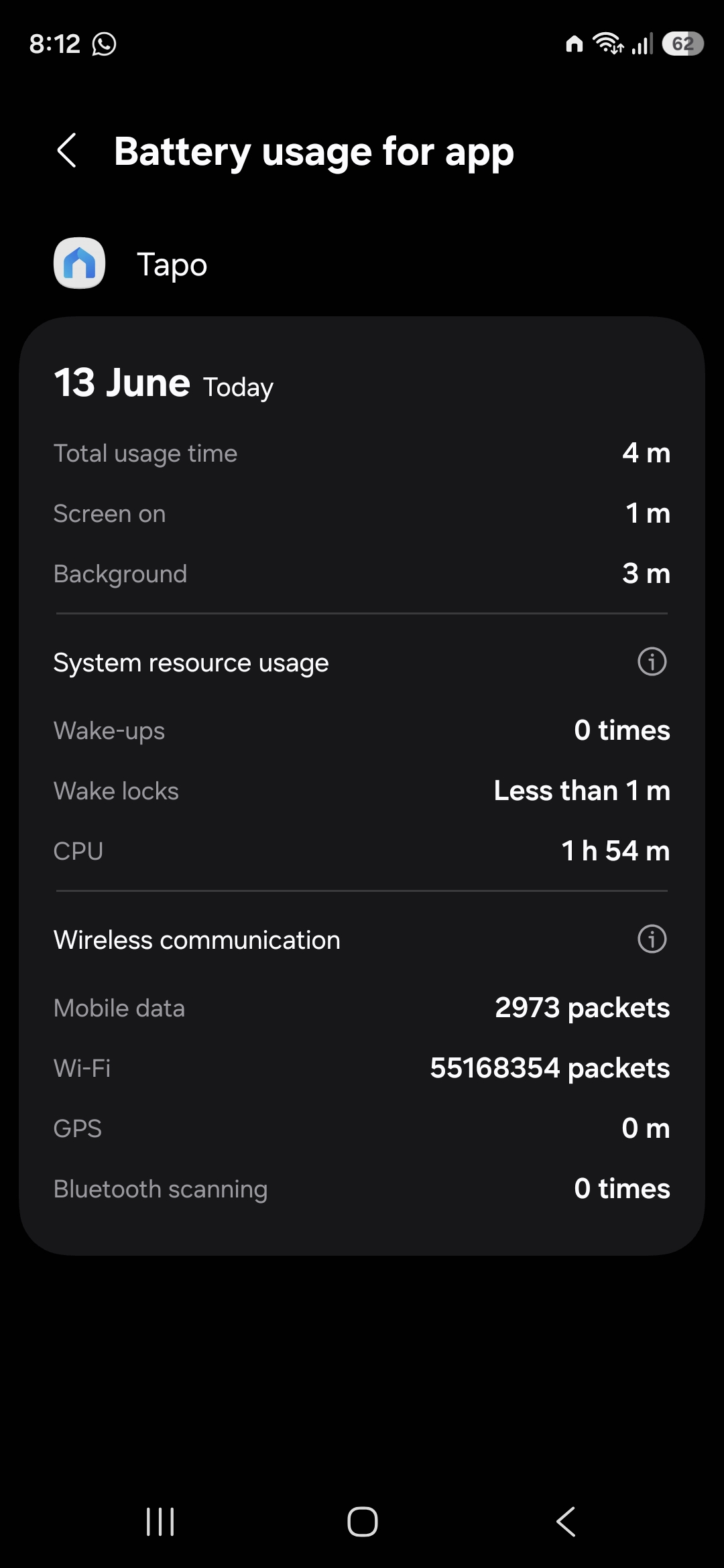
The CPU consumption is still present, but worse, now when I close app with "Recent apps", Tapo app with launch by itself in the background, and like it did not like being closed, it eats a lot of CPU, until I go back inside the app:


It means every people who use "Close all" from recent buttons before going to bed will have a major drain during the night (and even the day).

You have to reopen the app and go inside to stop thie big consumption.


If you use "Close all" (or swipe up Tapo app), expect battery drain in the next minutes !

I've contacted support, we'll see how it turns out in the next weeks but for now it took the wrong direction. :(

  1  
  1  
#3
Options
Re:Tapo App (Android) uses way too much battery
2 weeks ago

New measurements these last 2 days and... for now it's all good. I don't see these high consumption, and now even in idle mode, consumption is not high. It means, no need to close app anymore via "Recent Apps" button.

I don't know if something has been done server-side or if it was Google Play Services which had problems, but now it's the way I want Tapo app consumption to be, which is very low, especially when app is spending a lot of time idling.


I'll keep doing measurements but for now I'm happy.

  1  
  1  
#4
Options